PDF Editor - Fill, Edit & Sign
Download on App Store

This page is not an official page of the app or its developer, but an independent editorial publication created for informational and commentary purposes. Unless expressly stated otherwise, neither the app nor its developer is affiliated with, endorsed by, sponsored by, authorized by, or otherwise officially connected with MWM, Apple, Google Play, the app publisher, or the app's developer, and nothing on this page implies that the app was developed using MWM's services. Any trademarks, logos, screenshots, and other content remain the property of their respective owners.

Logo of PDF Editor - Fill, Edit & Sign
Download on App Store

PDF Editor - Fill, Edit & Sign

The ultimate productivity suite for professionals on the move. Effortlessly scan, edit, e-sign, and convert documents with military-grade security and seamless iCloud sync across your Apple devices.

Key Figures

Downloads

0

User Rating

1.0/5

Total Ratings

0

Publisher

Muhammad Qasim Wali

Category

Business

Locales

34

Latest Version

1.2

Size

8.8 MB

First Released

May 26, 2025
Features

Professional Tools for Your Paperless Workflow

The ultimate mobile workstation to edit, secure, and manage your documents with desktop-level power.

Powerful PDF Editing

Edit text, insert images, and fill forms seamlessly—no desktop required.

Fast & Secure E-Signs

Legally sign documents and encrypt files with password protection for total peace of mind.

The following screenshots and description are sourced directly from the app's official store listing and are the property of the app developer.

App Store

Screenshots
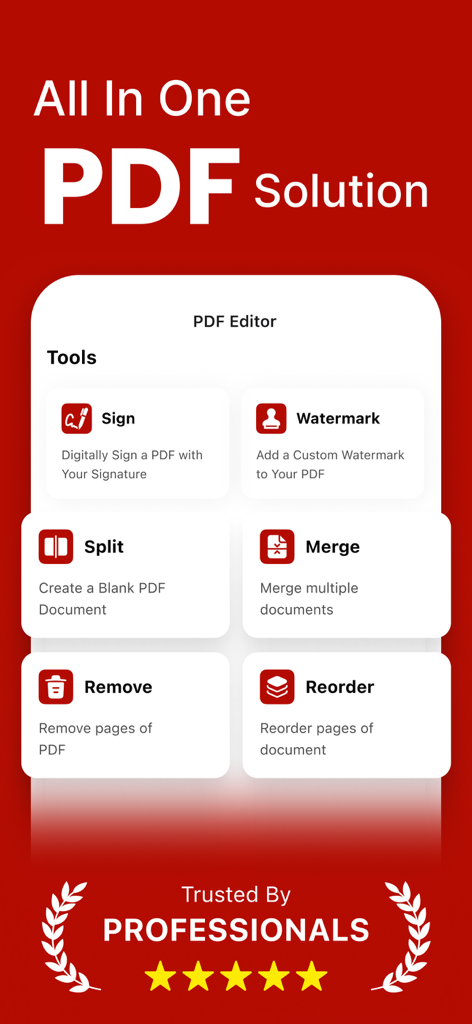
PDF Editor - Fill, Edit & Sign - Screenshot of the PDF Editor app showing a collection of tools for signing watermarking splitting and merging documents
Screenshot of the PDF Editor app showing a collection of tools for signing watermarking splitting and merging documents

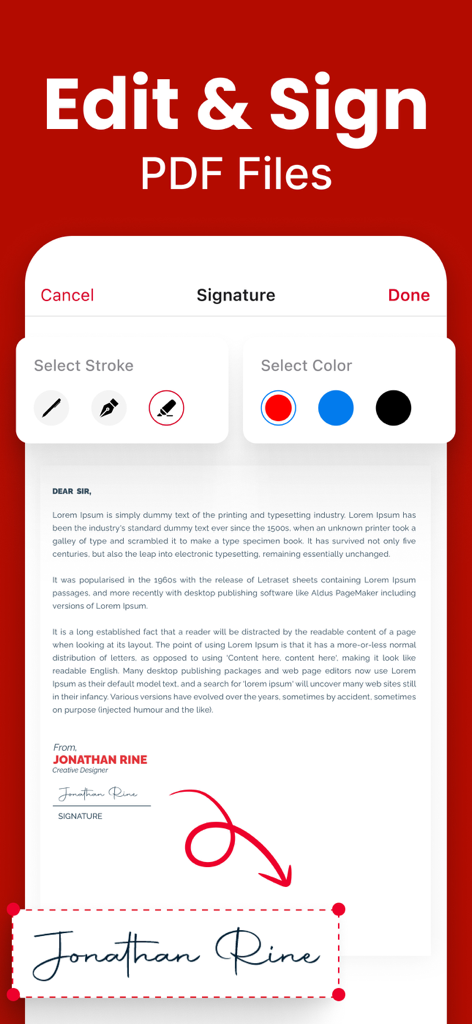
PDF Editor - Fill, Edit & Sign - PDF editor app interface displaying digital signature stroke and color options
PDF editor app interface displaying digital signature stroke and color options

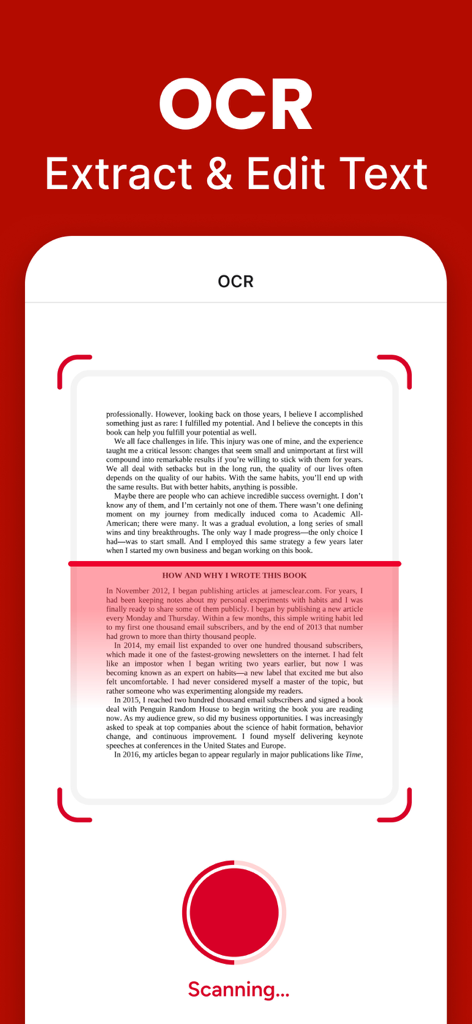
PDF Editor - Fill, Edit & Sign - Mobile app interface showing OCR feature to extract and edit text from a scanned document.
Mobile app interface showing OCR feature to extract and edit text from a scanned document.

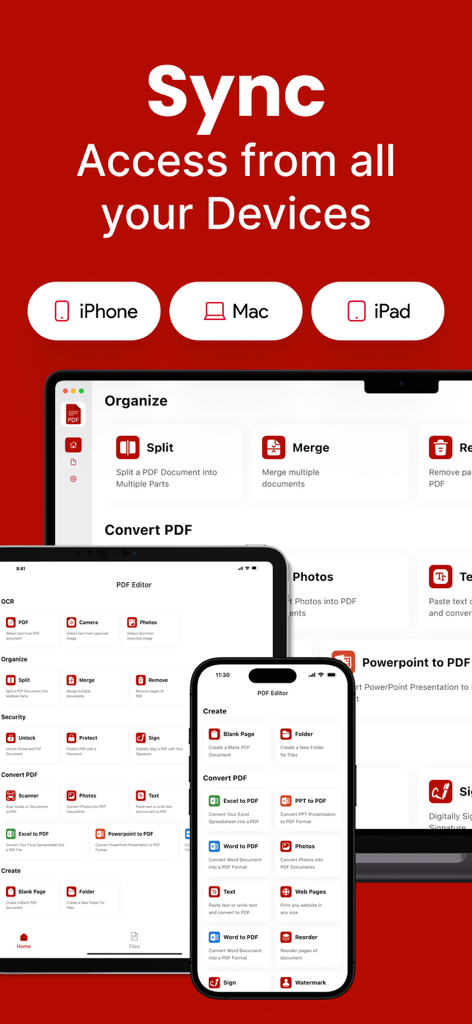
PDF Editor - Fill, Edit & Sign - PDF Editor app interface on iPhone iPad and Mac demonstrating cloud sync
PDF Editor app interface on iPhone iPad and Mac demonstrating cloud sync

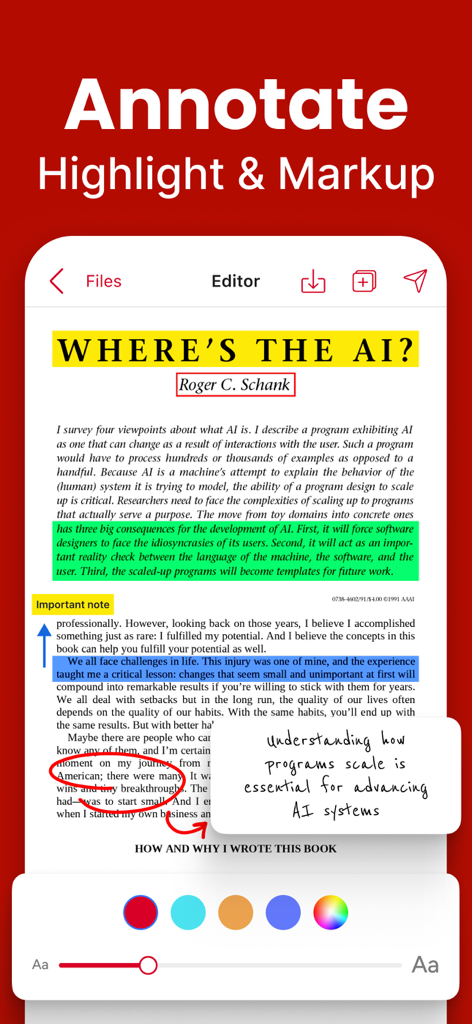
PDF Editor - Fill, Edit & Sign - Smartphone screen displaying a PDF document with yellow, green, and blue highlights and a digital sticky note
Smartphone screen displaying a PDF document with yellow, green, and blue highlights and a digital sticky note

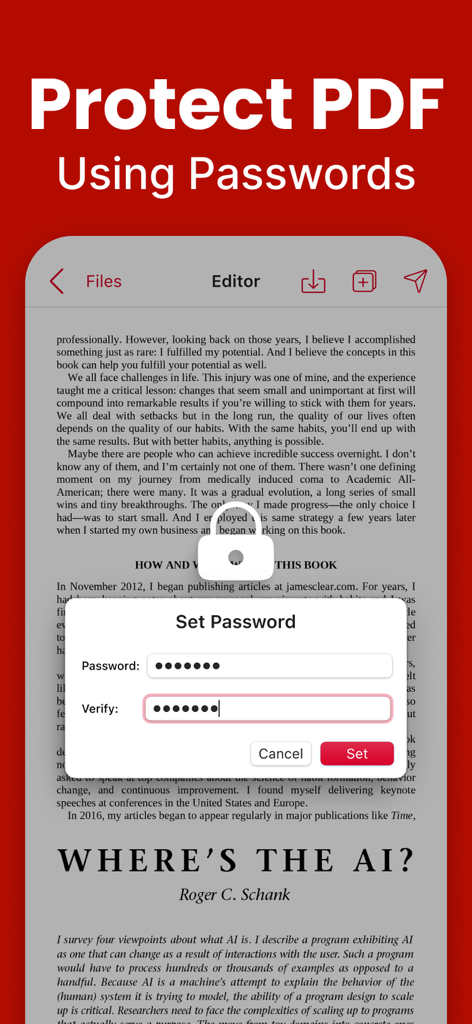
PDF Editor - Fill, Edit & Sign - A smartphone screen showing a password protection prompt over a PDF document
A smartphone screen showing a password protection prompt over a PDF document

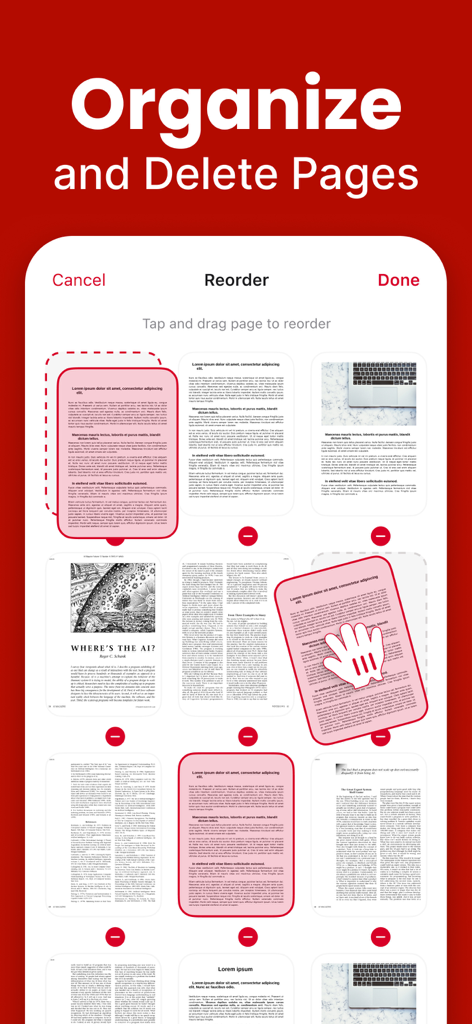
PDF Editor - Fill, Edit & Sign - PDF editor interface to organize and delete document pages
PDF editor interface to organize and delete document pages

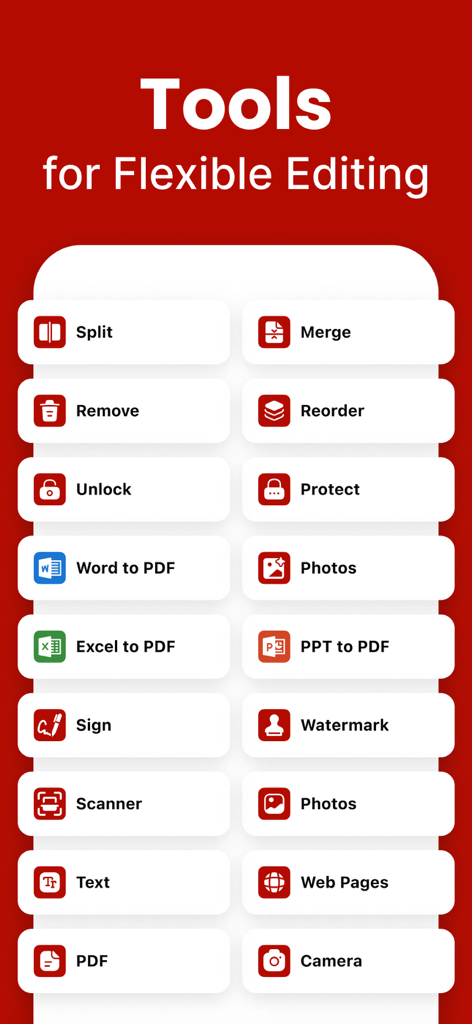
PDF Editor - Fill, Edit & Sign - A list of PDF editing tools for splitting merging and signing documents
A list of PDF editing tools for splitting merging and signing documents

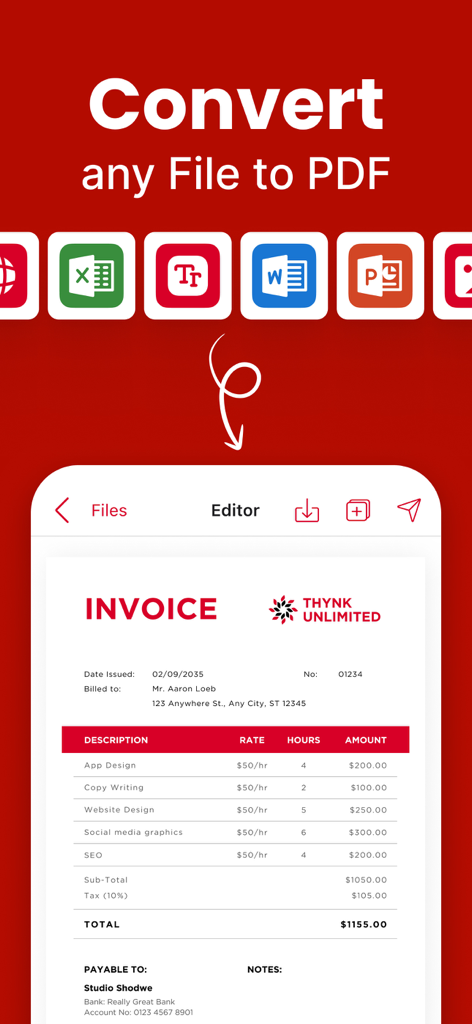
PDF Editor - Fill, Edit & Sign - A mobile app interface displaying the ability to convert various file types like Word and Excel into a PDF invoice

A mobile app interface displaying the ability to convert various file types like Word and Excel into a PDF invoice

Description

All-in-One PDF Editor Pro – Scan, Edit, Merge & Secure! Need a powerful PDF Editor Pro, scanner, and converter in one app? Look no further! Our feature-rich PDF app makes it easy to scan, edit, merge, split, convert, fill forms, reorder pages, and secure your PDFs in just a few taps. Whether you’re managing documents, filling out forms, or creating professional PDFs, this app has everything you need! Key Features: - PDF Protection & Access – Secure PDFs with a password or unlock restricted files. - Cloud Sync (iCloud) – Easily access and save PDFs directly from iCloud. - Excel & PPT to PDF – Convert Excel sheets and PowerPoint slides into PDFs effortlessly. - Custom Watermark – Add personalized watermarks to protect your documents. - Scan to PDF – Turn paper documents into digital PDFs with high-quality scanning. - New PDF Creator – Create blank or customized PDFs for any purpose. - Form Builder & Designer – Design and create professional forms easily. - Form Sharing & Printing – Share or print completed forms with a single tap. - Fill & Submit Forms – Enter data into PDF forms quickly and efficiently. - Advanced PDF Editor – Modify text, add elements, and refine PDFs as needed. - PDF Splitter – Separate large PDFs into smaller, more manageable files. - PDF Merger – Combine multiple PDFs into one organized document. - Page Organizer – Reorder pages within a PDF for better structure. - PDF Print & Share – Print or share your PDFs directly from the app. - Page Remover – Delete unnecessary pages from PDFs instantly. - E-Signature Tool – Digitally sign documents with ease. - Insert Text Box – Add text boxes anywhere in your PDF. - Image Adder – Insert images into your PDF documents. - OCR Scanner (Image to Text) – Extract text from images using optical recognition. - Secure & Encrypt PDF – Ensure document safety with encryption features. - Photo to PDF Converter – Convert images into professional PDFs. - Text to PDF Creator – Convert plain text files into well-formatted PDFs. - File Converter (Pro Feature) – Convert various file formats to and from PDF. - Multi-Language Support – Use the app in multiple languages for global accessibility. Why Choose This PDF Editor Pro App? Fast & Easy – Intuitive interface for effortless PDF management. High-Quality Output – Preserve document clarity and formatting. Secure & Private – Your documents stay safe with advanced encryption. Lightweight & Efficient – Optimized for smooth performance on all devices. Download Now & Simplify Your PDF Workflow! Whether you’re a student, professional, or business user, this PDF editor Pro & scanner helps you manage documents like a pro. Scan, edit, convert, and secure PDFs in seconds. Try it now and enhance your productivity! Privacy Policy: https://sites.google.com/view/muhammadqasimwali/privacy-policy Terms and Conditions: https://sites.google.com/view/muhammadqasimwali/terms-of-use End-User License Agreement(EULA): https://sites.google.com/view/muhammadqasimwali/eula

Download

Download on App Store

This page is not an official page of the app or its developer, but an independent editorial publication created for informational and commentary purposes. Unless expressly stated otherwise, neither the app nor its developer is affiliated with, endorsed by, sponsored by, authorized by, or otherwise officially connected with MWM, Apple, Google Play, the app publisher, or the app's developer, and nothing on this page implies that the app was developed using MWM's services. Any trademarks, logos, screenshots, and other content remain the property of their respective owners.