PDF Maker: Scanner & Converter

This page is not an official page of the app or its developer, but an independent editorial publication created for informational and commentary purposes. Unless expressly stated otherwise, neither the app nor its developer is affiliated with, endorsed by, sponsored by, authorized by, or otherwise officially connected with MWM, Apple, Google Play, the app publisher, or the app's developer, and nothing on this page implies that the app was developed using MWM's services. Any trademarks, logos, screenshots, and other content remain the property of their respective owners.
Logo of PDF Maker: Scanner & Converter

PDF Maker: Scanner & Converter

Transform your iPhone into a high-powered mobile office. Scan, merge, and edit documents instantly with 100% private, local processing—your data never leaves your device.

Key Figures

Downloads

0

User Rating

1.0/5

Total Ratings

0

Publisher

XCELL TECHNOLOGY CO., LIMITED

Category

Business

Locales

14

Latest Version

1.0

Size

33.2 MB

First Released

Mar 13, 2026
Features

Your Professional Document Toolkit

Experience the ultimate all-in-one PDF solution designed for speed, efficiency, and total privacy on your device.

High-Clarity Mobile Scanner

Instantly digitize receipts, notes, or contracts into professional-grade PDFs directly from your camera with high-resolution clarity.

Privacy-First Local Processing

Work securely with 100% offline processing. Your sensitive documents never touch a server, keeping your data strictly on your device.

The following screenshots and description are sourced directly from the app's official store listing and are the property of the app developer.

App Store

Screenshots
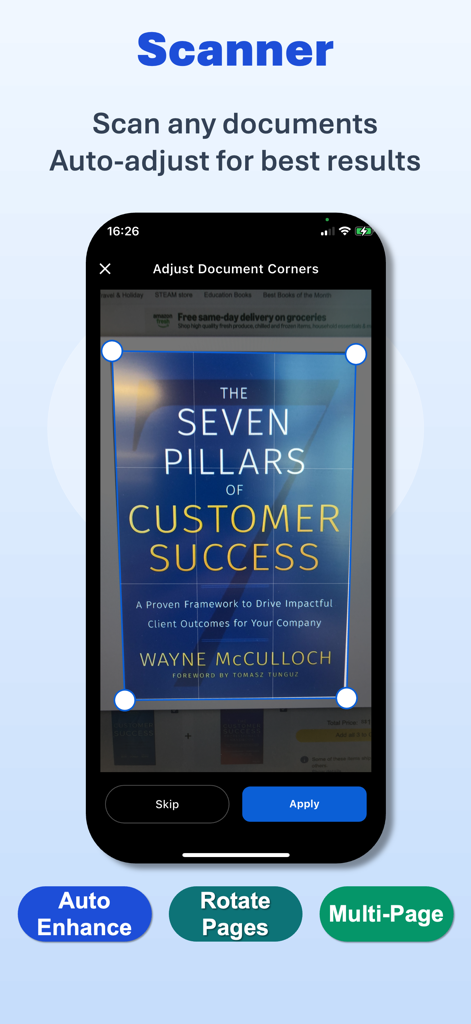
PDF Maker: Scanner & Converter - Mobile screen showing the document scanner tool with corner adjustment on a book cover
Mobile screen showing the document scanner tool with corner adjustment on a book cover

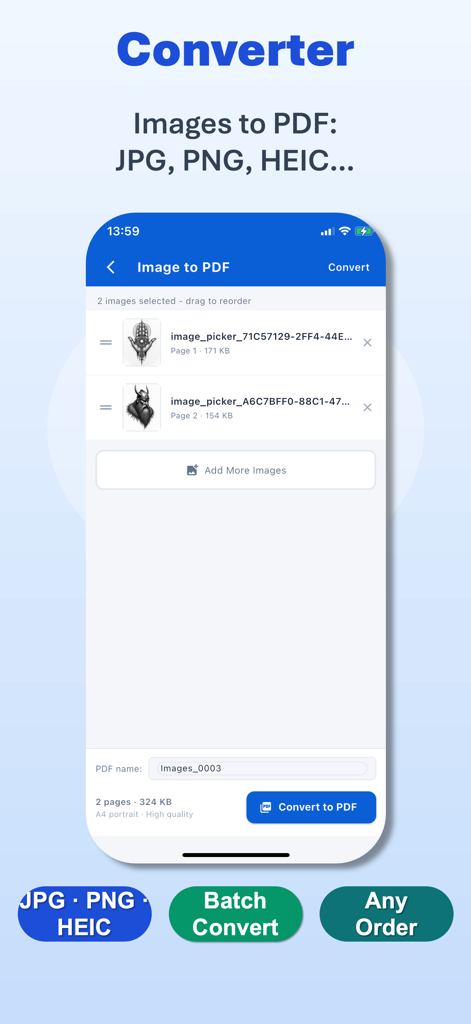
PDF Maker: Scanner & Converter - A screenshot showing the image to PDF conversion feature in the PDF Maker app with options for batch processing and file reordering
A screenshot showing the image to PDF conversion feature in the PDF Maker app with options for batch processing and file reordering

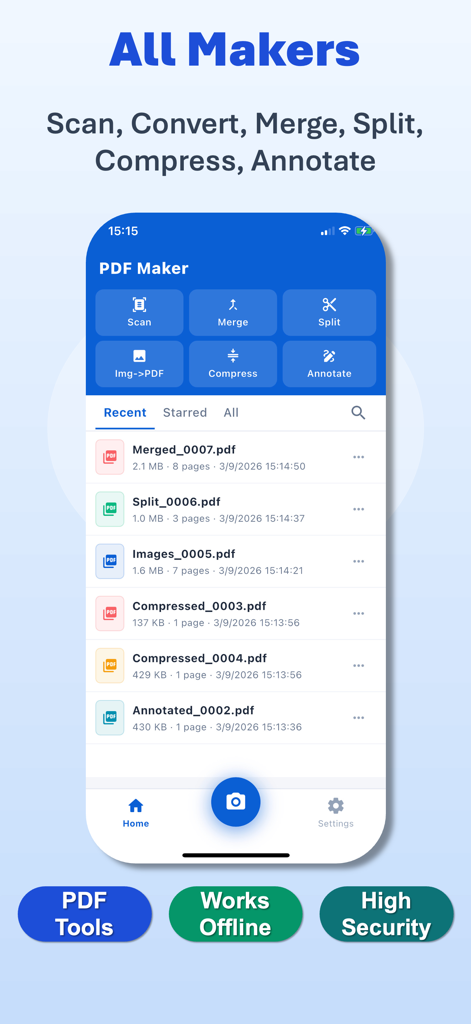
PDF Maker: Scanner & Converter - Main screen of PDF Maker app highlighting document scanning merging and splitting features.
Main screen of PDF Maker app highlighting document scanning merging and splitting features.

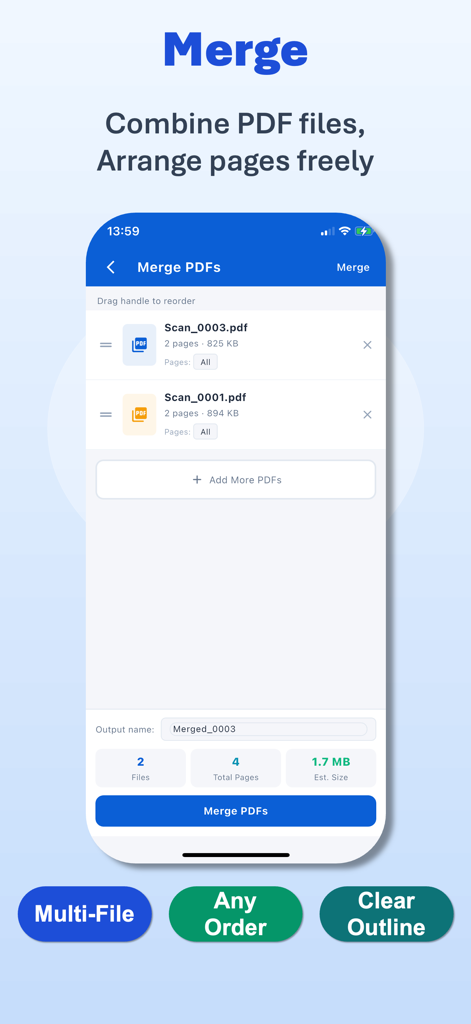
PDF Maker: Scanner & Converter - Smartphone screen showing the Merge PDFs feature to combine multiple documents into one
Smartphone screen showing the Merge PDFs feature to combine multiple documents into one

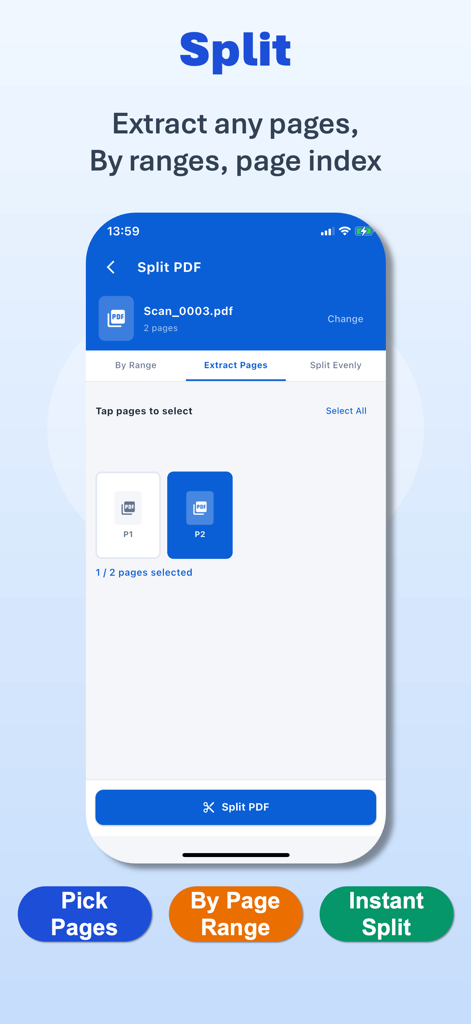
PDF Maker: Scanner & Converter - Mobile app interface showing the PDF splitting feature with options to extract specific pages and split by range
Mobile app interface showing the PDF splitting feature with options to extract specific pages and split by range

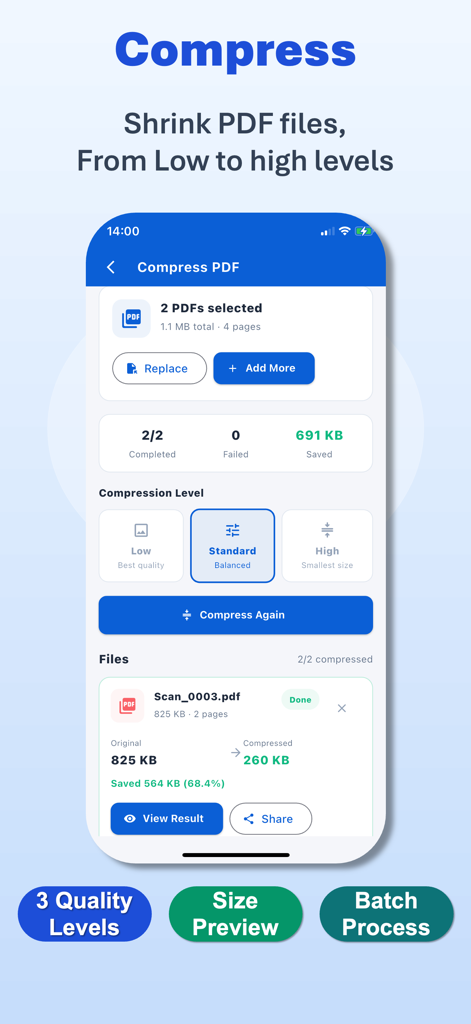
PDF Maker: Scanner & Converter - Interface of PDF Maker showing PDF compression tool with quality levels and file size reduction preview
Interface of PDF Maker showing PDF compression tool with quality levels and file size reduction preview

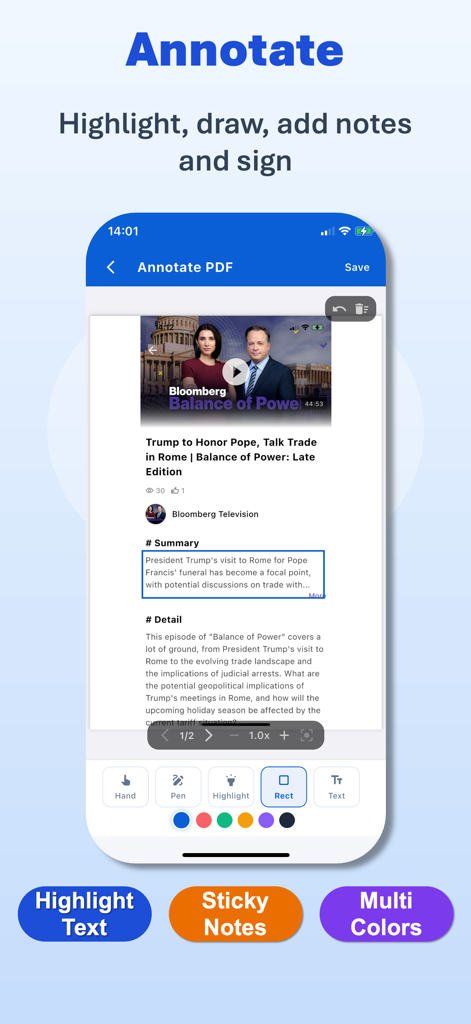
PDF Maker: Scanner & Converter - Mobile screen showing the PDF Maker app annotation tool for highlighting and drawing on documents

Mobile screen showing the PDF Maker app annotation tool for highlighting and drawing on documents

Description

PDF Maker – Your All-in-One Professional Document Toolkit Have you ever needed to turn a stack of paper into a professional PDF instantly, or combine multiple documents into one organized file on the go? PDF Maker is the ultimate document management tool designed to handle every PDF task with precision and speed — all on your device, all in one place. PDF Maker simplifies the way you create, edit, and organize documents. Whether you’re a student, a business professional, or an entrepreneur — PDF Maker is your perfect companion for a paperless lifestyle. ■ Main Features • High-Quality Document Scanner Turn your camera into a powerful scanner. Capture documents, receipts, or notes and instantly convert them into clean, professional PDF files with high clarity. • Image to PDF Converter Convert photos and images of any format into high-quality PDFs. Perfect for preserving memories, organizing portfolios, or sharing visual data in a standard format. • Merge & Organize Combine multiple PDF files into a single document in any order you choose. Streamline your workflow by keeping all related information in one place. • Precise PDF Splitter Extract specific pages or sections from any PDF to create a new file. Flexibility at your fingertips for sharing only what’s necessary. • Professional Compressor Reduce file sizes without compromising readability. Choose from three optimization levels — Low, Standard, or High — to save storage and make sharing faster. • Advanced Annotation Tools Mark up your documents with ease. Use the pen tool, add text boxes, or use selection frames to highlight, comment, and collaborate on your PDF files. ■ Privacy First Your security is our absolute priority. PDF Maker operates with a strict local-only processing policy. We do not store, upload, or collect any of your documents or personal information on our servers. Your data stays where it belongs: on your device. ■ Why Choose PDF Maker? • Powerful Processing Engine for high-quality document creation and conversion. • Complete Toolkit for scanning, converting, merging, and editing in one app. • Offline Efficiency — work anywhere, anytime without needing an internet connection. • 100% Secure & Private — zero server-side data storage. • Clean, Intuitive Interface designed for maximum productivity and ease of use. ■ Disclaimer PDF Maker is an independent document management tool designed to help users process and organize their personal files. It is not affiliated with or endorsed by any third-party document platforms. The use of this application complies with “fair use” guidelines. • Terms of Service: https://www.oxcellion.com/pdf-converter/assets/terms/user_agreement.html • Privacy Policy: https://www.oxcellion.com/pdf-converter/assets/terms/privacy_policy.html • Contact: service@oxcellion.com PDF Maker — Scan, Convert, Edit, and Secure with Ease. Download now and experience the next generation of smart document management!

Download

This page is not an official page of the app or its developer, but an independent editorial publication created for informational and commentary purposes. Unless expressly stated otherwise, neither the app nor its developer is affiliated with, endorsed by, sponsored by, authorized by, or otherwise officially connected with MWM, Apple, Google Play, the app publisher, or the app's developer, and nothing on this page implies that the app was developed using MWM's services. Any trademarks, logos, screenshots, and other content remain the property of their respective owners.