
This page is not an official page of the app or its developer, but an independent editorial publication created for informational and commentary purposes. Unless expressly stated otherwise, neither the app nor its developer is affiliated with, endorsed by, sponsored by, authorized by, or otherwise officially connected with MWM, Apple, Google Play, the app publisher, or the app's developer, and nothing on this page implies that the app was developed using MWM's services. Any trademarks, logos, screenshots, and other content remain the property of their respective owners.


Petlibro
Experience the ultimate connection with your pets through remote feeding, automated health schedules, and real-time video monitoring designed for the modern, tech-forward pet parent.
Downloads
911K+User Rating
Total Ratings
8K+Publisher
Category
LifestyleLocales
8Latest Version
1.7.50Size
188.6 MBFirst Released
Mar 30, 2023Smart Care for the Modern Pet Parent
Seamlessly manage every aspect of your pet's well-being with precision automation and real-time connectivity designed for your busy lifestyle.
Precision Feeding Schedules
Eliminate the guilt of late nights at the office by scheduling consistent, portion-controlled meals that keep your pet healthy and satisfied.
HD Video & Two-Way Audio
Bridge the distance with crystal-clear live streaming and custom voice messages, ensuring you never miss a moment of your fur baby's day.
Frequently Asked Questions
Everything you need to know about Petlibro
What is the Petlibro app?
The Petlibro app helps users care for pets by connecting with smart devices like feeders and fountains. It enables remote control, real-time monitoring, and scheduled feeding for pet owners.
Which Petlibro smart devices are compatible with the Petlibro app?
The Petlibro app supports smart devices including Dockstream, Space, Air, Granary, Polar, and One RFID feeders and fountains. Specific models like PLAF103 and PLAF203 are also compatible.
Can I control my Petlibro smart feeders remotely using the app?
Yes, the Petlibro app provides remote device control for WiFi-connected feeders and fountains. Users can manage their Petlibro devices from any location, ensuring continuous pet care.
Does the Petlibro app offer real-time monitoring of my pet's activity?
Yes, the Petlibro app offers real-time monitoring. It provides device status updates, activity logs, and timely notifications to keep users informed about their pet's well-being.
Can I set custom feeding schedules with the Petlibro app?
Yes, the Petlibro app allows users to set streamlined feeding schedules. It supports routine feedings and offers customizable voice messages to enhance mealtime for pets.
Does Petlibro offer video monitoring features?
Yes, the Petlibro app provides live video streaming and access to saved cloud videos. This feature allows users to stay connected and monitor their pets even when they are apart.
How much does Petlibro cloud storage cost?
Petlibro cloud storage costs $5.99 per month or $59.99 per year for one camera. A two-camera plan costs $11.99 per month or $119.99 per year.
Is a cloud storage subscription required to use the camera feeder in Petlibro?
No, a cloud storage subscription is not required to use the camera on the Granary Camera Feeder. Users can save videos directly if they have their own microSD card.
What is the cost of Petlibro Care service?
Petlibro Care service costs $5.99 per month or $59.99 per year. A higher tier is available for $12.99 per month or $129.99 per year.
How do I cancel my Petlibro subscription?
To cancel a Petlibro subscription, users must manually turn off the automatic renewal function within iTunes/Apple ID settings management at least 24 hours before the current subscription expires.
Can the Petlibro app track my pet's water intake?
Yes, the Petlibro app can track a pet's water intake. It displays daily intake, goals, and history, helping users monitor their pet's hydration.
Can I feed wet food remotely using the Petlibro app?
Yes, the Petlibro app allows users to conveniently portion and remotely serve wet food. It provides a meal schedule and an "Open Now" option for immediate feeding.
Does the Petlibro app support multiple Petlibro devices?
Yes, the Petlibro app is designed to control all Petlibro devices from one central place. It integrates various smart feeders and fountains for unified management.
How does Petlibro distinguish between its main app and Petlibro Lite?
Petlibro and PETLIBRO Lite are distinct apps. Users, especially Granary Smart Feeder owners, should scan the QR code on their product or manual to ensure they download the correct application for their device.
The following screenshots and description are sourced directly from the app's official store listing and are the property of the app developer.
App Store
Screenshots
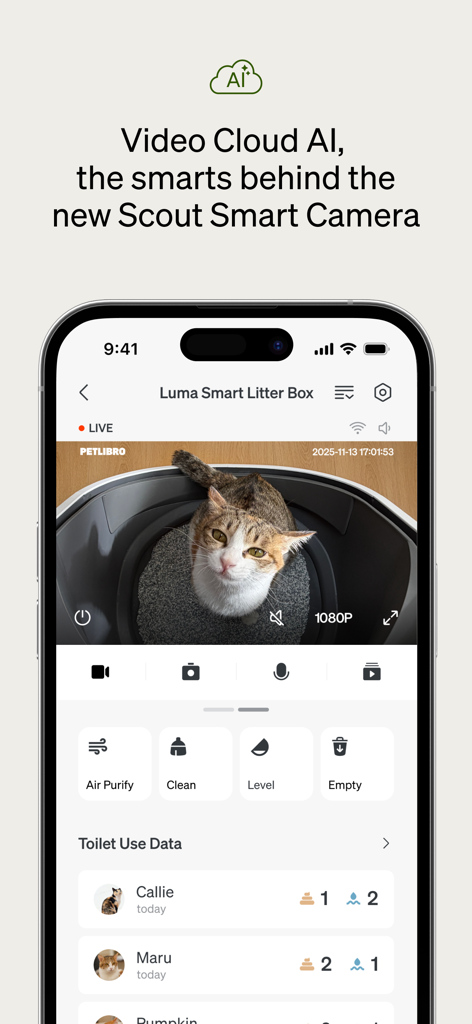
Petlibro app interface displaying live video monitoring and usage data for a smart litter box
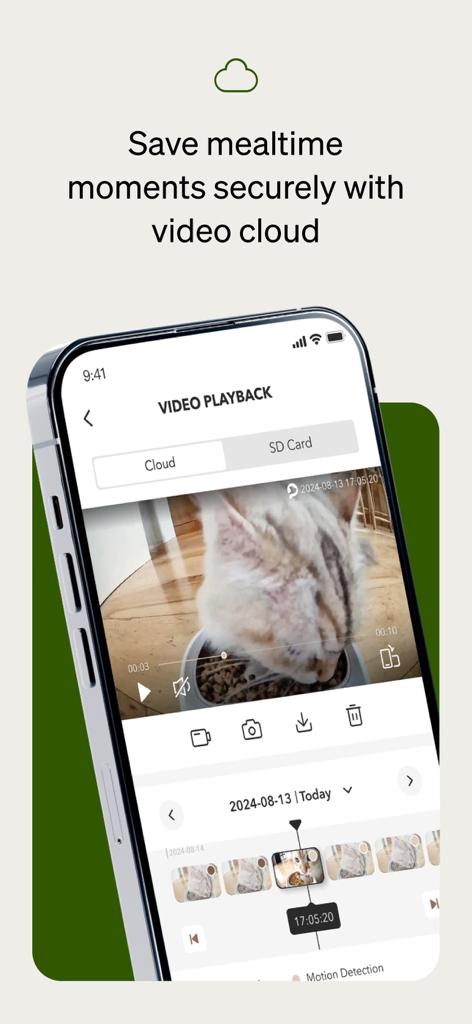
Petlibro app video playback screen showing a cat eating from a smart feeder with cloud storage options
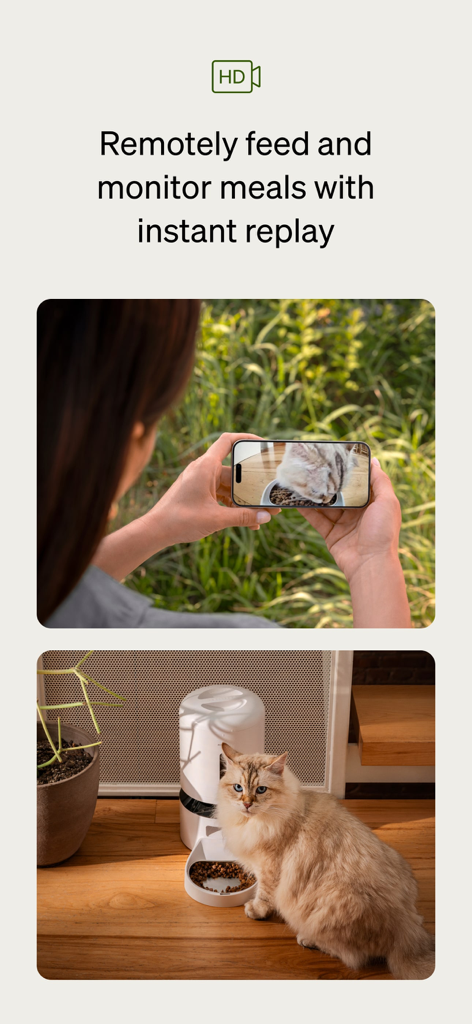
A woman using the Petlibro app to monitor her cat eating from a smart feeder with a live HD video feed
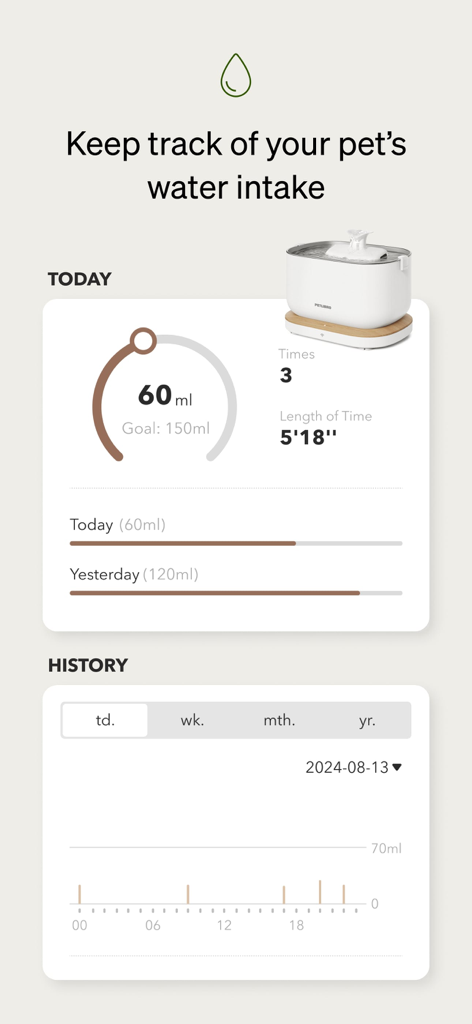
Petlibro app interface displaying pet water intake statistics and hydration history
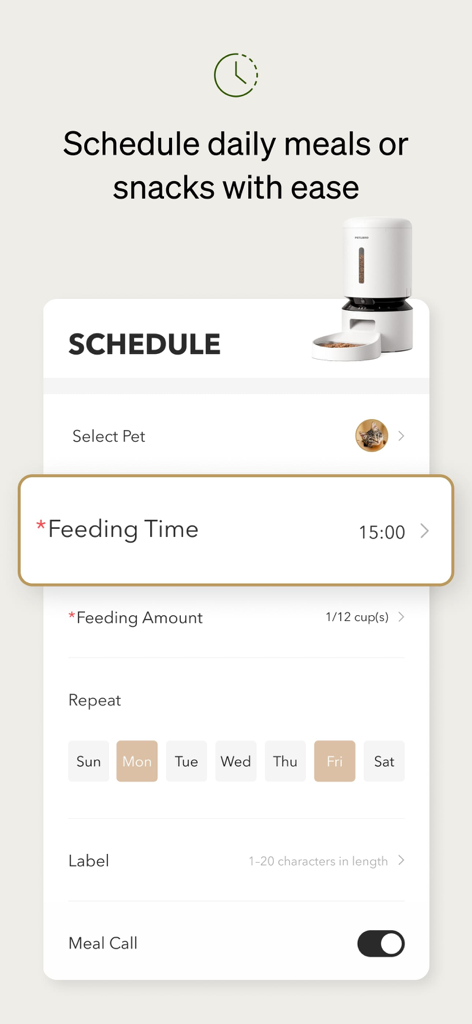
Petlibro app interface for scheduling daily pet meals and feeding amounts
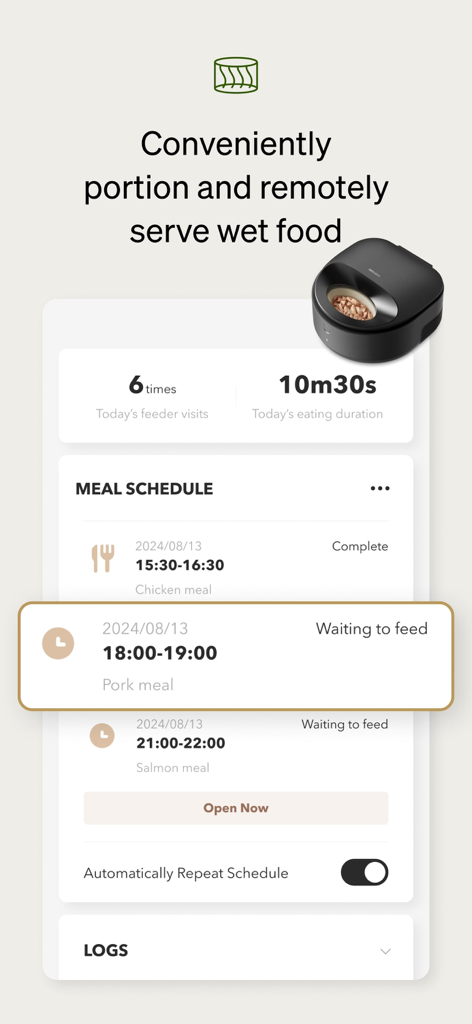
Interface of the Petlibro app displaying a wet food meal schedule and pet eating duration statistics
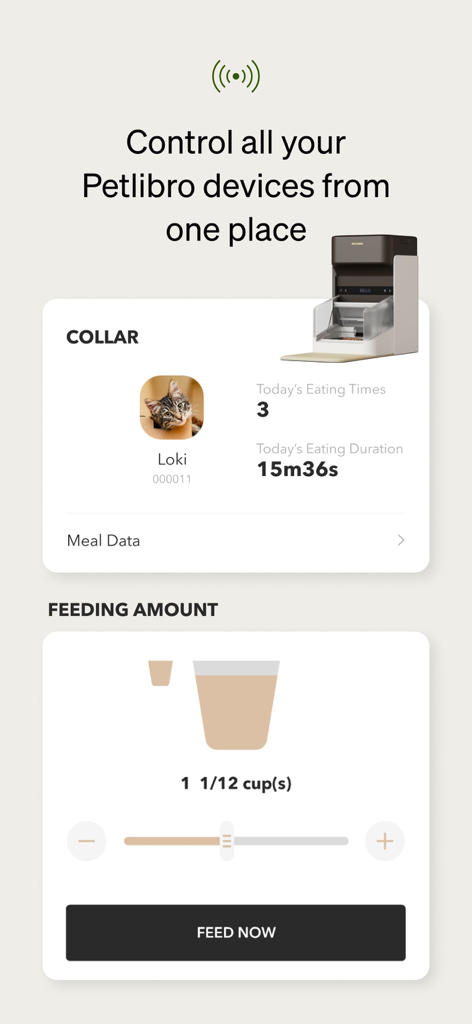
Petlibro app dashboard for monitoring pet eating habits and setting feeding amounts
Description
Download
More Like This
Apps with similar features and user experience





This page is not an official page of the app or its developer, but an independent editorial publication created for informational and commentary purposes. Unless expressly stated otherwise, neither the app nor its developer is affiliated with, endorsed by, sponsored by, authorized by, or otherwise officially connected with MWM, Apple, Google Play, the app publisher, or the app's developer, and nothing on this page implies that the app was developed using MWM's services. Any trademarks, logos, screenshots, and other content remain the property of their respective owners.