Phone Manager: Senior Care
Download on App Store

This page is not an official page of the app or its developer, but an independent editorial publication created for informational and commentary purposes. Unless expressly stated otherwise, neither the app nor its developer is affiliated with, endorsed by, sponsored by, authorized by, or otherwise officially connected with MWM, Apple, Google Play, the app publisher, or the app's developer, and nothing on this page implies that the app was developed using MWM's services. Any trademarks, logos, screenshots, and other content remain the property of their respective owners.


Logo of Phone Manager: Senior Care
Download on App Store

Phone Manager: Senior Care

Rediscover your favorite memories and reclaim your storage with large fonts, easy-to-read icons, and stress-free controls. Designed specifically for seniors who want a beautiful, easy-to-use phone without the technical hassle.

Key Figures

Downloads

43K+

User Rating

3.8/5

Total Ratings

0

Publisher

通 陆

Category

Utilities

Locales

12

Latest Version

1.3

Size

131.6 MB

First Released

Aug 28, 2025
Features

Finally, a Phone That Works the Way You Do

Designed with large fonts and simple controls, our features help you manage your photos and personalize your phone without any of the stress or technical confusion.

Easy Space Saver

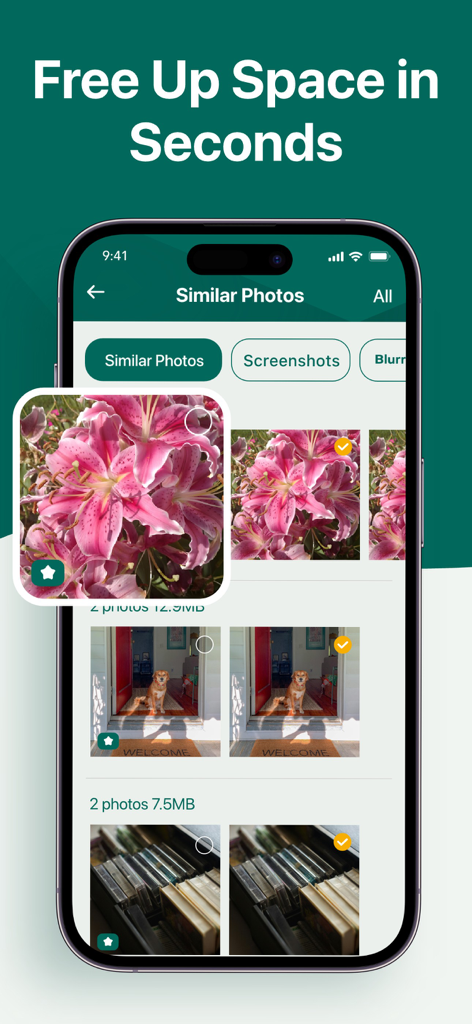
Quickly remove duplicate or blurry photos with large, simple buttons. Keep your phone running smoothly so you always have room for new photos of the grandkids.

Your Memories, Front & Center

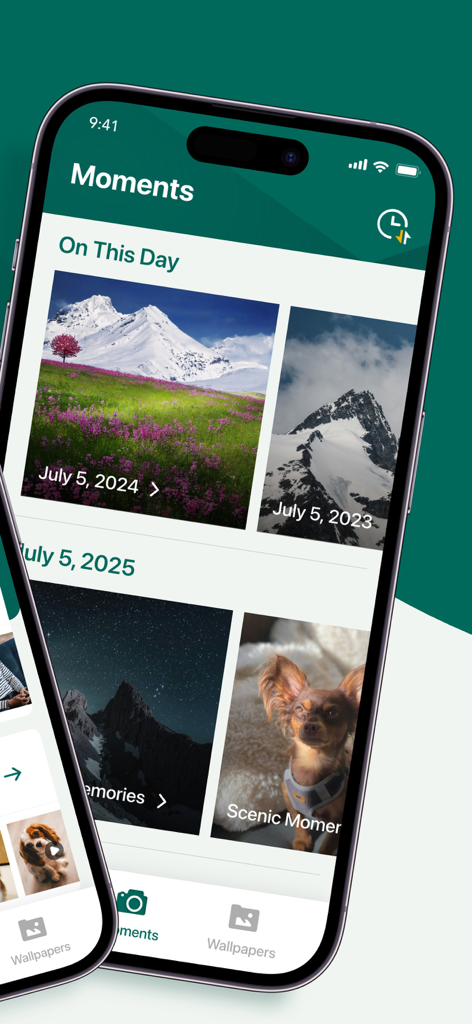
Our smart Time Album automatically organizes your most cherished family moments. It is like a digital scrapbook that lets you relive your best memories with one tap.

The following screenshots and description are sourced directly from the app's official store listing and are the property of the app developer.

App Store

Screenshots
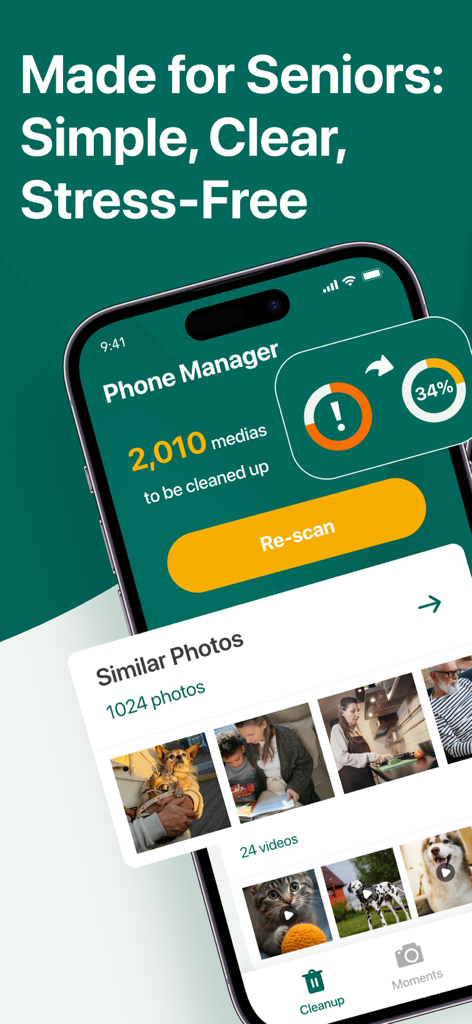
Phone Manager: Senior Care - Interface of Phone Manager Senior Care app showing a simplified photo cleanup tool with large text for elderly users
Interface of Phone Manager Senior Care app showing a simplified photo cleanup tool with large text for elderly users

Phone Manager: Senior Care - Phone Manager Senior Care app displaying the Moments screen with large text photo memories of landscapes and a pet dog
Phone Manager Senior Care app displaying the Moments screen with large text photo memories of landscapes and a pet dog

Phone Manager: Senior Care - Interface of the Senior Care Phone Manager app showing similar photos of flowers and a dog selected for cleanup

Interface of the Senior Care Phone Manager app showing similar photos of flowers and a dog selected for cleanup

Phone Manager: Senior Care - A smartphone showing a photo gallery of family and nature memories within a senior-friendly app interface.
A smartphone showing a photo gallery of family and nature memories within a senior-friendly app interface.

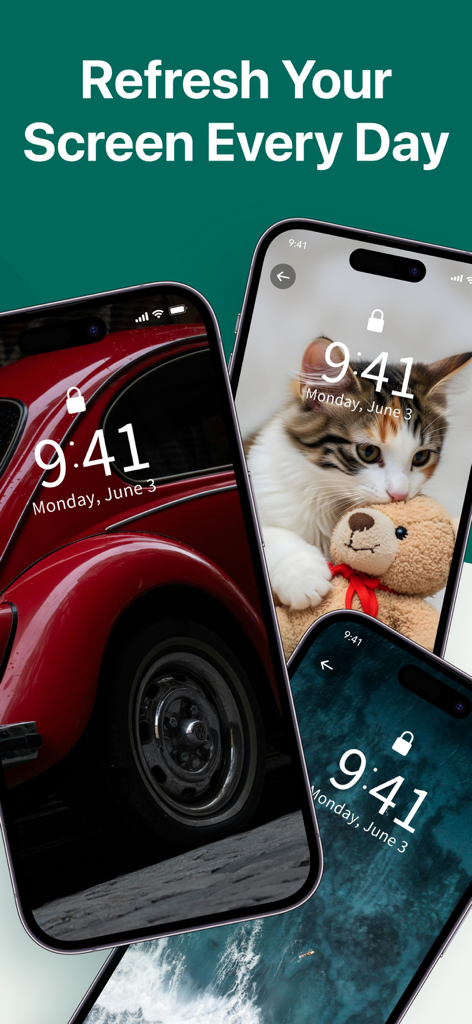
Phone Manager: Senior Care - Three iPhones displaying classic car, kitten, and nature wallpapers under the text Refresh Your Screen Every Day

Three iPhones displaying classic car, kitten, and nature wallpapers under the text Refresh Your Screen Every Day

Description

Phone Manager: Senior Care – Simple, Clear, and Made for You Your phone, your memories, your comfort – all in one easy app designed with seniors in mind. Phone Manager: Senior Care is thoughtfully crafted for middle-aged and elderly users who value clarity, convenience, and a stress-free mobile experience. With larger text, simplified menus, and intuitive controls, it makes managing your iPhone not only easier, but more enjoyable. Whether you want to free up space, revisit precious moments, or refresh your screen with beautiful wallpapers, Phone Manager: Senior Care puts it all at your fingertips — no confusion, no hassle. Key Features 1. Quick Photo Cleanup Instantly clear duplicate or blurry photos in just a few taps. Reclaim valuable storage space without the tedious manual search. Perfect for keeping your device running smoothly, with more room for what matters most. 2. Time Album – Relive Your Best Moments Let our smart album automatically organize your photos into themed collections. See “On This Day” memories from years past, or enjoy albums by topic, season, or event. Cherish family moments, travels, and milestones while enjoying the emotional warmth of revisiting them anytime. 3. Beautiful Themed Wallpapers Decorate your phone with hand-picked wallpapers across a variety of inspiring themes: Emotional & Heartwarming Classic Scenic Landscapes Pets Flowers & Nature Easily apply and change wallpapers to suit your mood and style. Designed with Seniors in Mind Unlike generic phone management apps, Phone Manager: Senior Care focuses on accessibility and ease: Larger fonts for comfortable reading Clear icons & simple layouts for stress-free navigation Straightforward actions so you can do more with fewer taps No clutter, no confusing steps — just a clean, friendly interface made for the way you use your phone. Why Choose Phone Manager: Senior Care? Built for older adults seeking more comfort and confidence when using mobile apps Combines phone cleanup, memory albums, and wallpapers in one place Adds emotional value through well-designed photo reminders and personalization Makes everyday phone use simpler, faster, and more delightful Take Control of Your Phone the Easy Way Start enjoying your phone without the frustration of tiny text, complicated buttons, or endless menus. Phone Manager: Senior Care brings back the feeling that technology is made to serve you — not the other way around. Download Phone Manager: Senior Care today Free up space, relive your cherished memories, and give your iPhone a fresh, beautiful look — all with an app that understands you. Privacy Notice: https://seniorphonemanager.com/publish/Notice.pdf Terms of Service: https://seniorphonemanager.com/publish/Terms.pdf Subscription Information Weekly Subscription: $9.99 per week, with a 3‑day free trial. Payment will be charged to your Apple ID account after the free trial ends. Subscription automatically renews unless auto‑renew is turned off at least 24 hours before the end of the current period. Your account will be charged for renewal within 24 hours prior to the end of the current period. You can manage your subscriptions and turn off auto‑renewal by going to your Account Settings in the App Store after purchase.

Download

Download on App Store

This page is not an official page of the app or its developer, but an independent editorial publication created for informational and commentary purposes. Unless expressly stated otherwise, neither the app nor its developer is affiliated with, endorsed by, sponsored by, authorized by, or otherwise officially connected with MWM, Apple, Google Play, the app publisher, or the app's developer, and nothing on this page implies that the app was developed using MWM's services. Any trademarks, logos, screenshots, and other content remain the property of their respective owners.