
This page is not an official page of the app or its developer, but an independent editorial publication created for informational and commentary purposes. Unless expressly stated otherwise, neither the app nor its developer is affiliated with, endorsed by, sponsored by, authorized by, or otherwise officially connected with MWM, Apple, Google Play, the app publisher, or the app's developer, and nothing on this page implies that the app was developed using MWM's services. Any trademarks, logos, screenshots, and other content remain the property of their respective owners.

PhotoBy-Batch adding borders
Elevate your portfolio with iconic brand signatures and elegant EXIF borders. Transform hundreds of photos in seconds with a workflow designed for the modern creator.
Downloads
399K+User Rating
Total Ratings
24K+Publisher
Category
Photo & VideoLocales
2Latest Version
2.3.9Size
432.5 MBFirst Released
Apr 16, 2023Professional Aesthetics, Automated
Elevate your photography with high-end brand signaling and gallery-ready framing designed for the modern creator.
Elite Brand Signaling
Instantly add prestigious Leica, Hasselblad, or Sony watermarks to give your digital captures an immediate professional edge.
High-Volume Batching
Process hundreds of images at once, applying custom signatures and frames in seconds to keep your workflow lightning-fast.
Frequently Asked Questions
Everything you need to know about PhotoBy-Batch adding borders
What is PhotoBy?
PhotoBy is a watermarking tool for photographers, offering professional-grade features and an intuitive interface. It allows users to add diverse types of watermarks, including premium brand and personalized designs, to their images.
Does PhotoBy support batch watermarking of photos?
Yes, PhotoBy supports efficient batch processing. Users can apply watermarks to multiple photos simultaneously, which saves time and enhances productivity.
Can I add custom personal watermarks using PhotoBy?
Yes, PhotoBy allows users to add personal watermarks. The app provides tools to manage and apply unique custom designs to photos effortlessly, ensuring a personal touch.
What types of watermarks are available in PhotoBy?
PhotoBy offers a vast library of watermark styles. These include sophisticated brand watermarks from Sony, Leica, and Hasselblad, as well as unique artistic designs. The collection receives regular updates.
How much does a PhotoBy subscription cost?
PhotoBy offers flexible subscription plans: Monthly Membership for 28 USD, Quarterly Membership for 48 USD, and Lifetime Access for 88 USD. Payments are processed via your iTunes account.
How do I cancel my PhotoBy auto-renewal subscription?
To cancel PhotoBy auto-renewal, turn off the function at least 24 hours before the subscription period ends. This is done through iTunes/Apple ID settings via Home > Settings > iTunes Store and App Store > Apple ID > View Apple ID > Subscriptions.
Does PhotoBy allow users to edit photo metadata or information?
Yes, PhotoBy allows one-click editing of all photo information. This feature enables users to adjust parameters such as camera model, lens, exposure settings, and more directly within the app.
Can PhotoBy automatically add my camera model and name to watermarks?
Yes, PhotoBy's Frame Watermark Master Club membership includes the automatic addition of your name and camera model to watermarks. This feature enhances branding and provides relevant photo metadata.
Where can I find the PhotoBy User Agreement?
The PhotoBy User Agreement is located at https://photoby.hasmash.com/frame/agreement/. This document outlines the terms and conditions for using the PhotoBy application.
The following screenshots and description are sourced directly from the app's official store listing and are the property of the app developer.
App Store
Screenshots
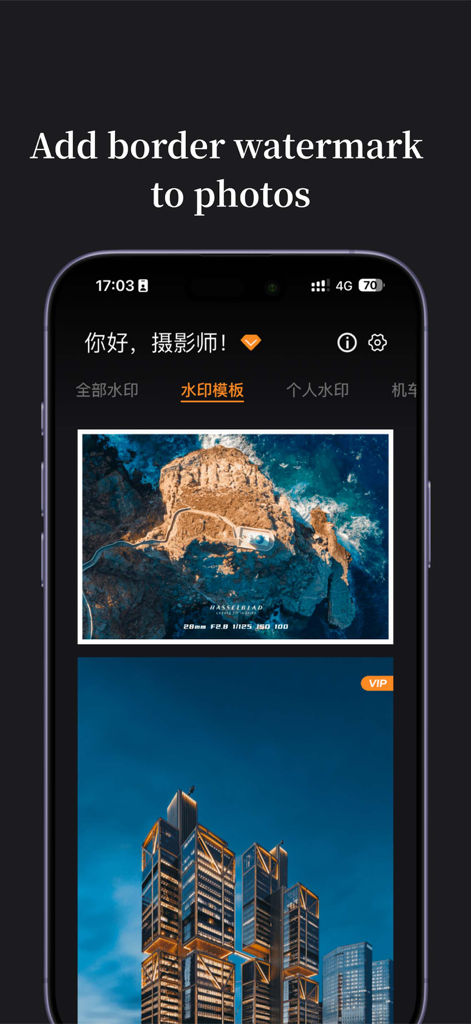
PhotoBy app interface showing a landscape photo with a Hasselblad watermark and metadata border
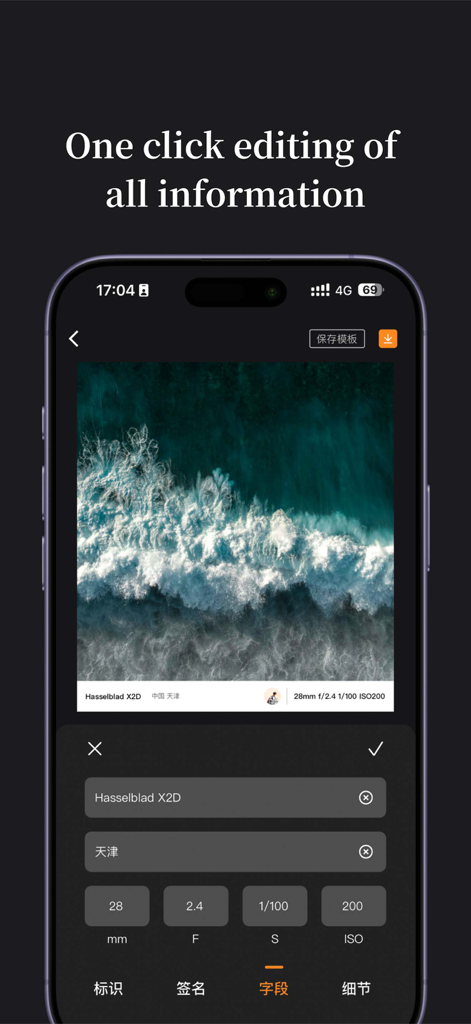
PhotoBy mobile app interface for editing camera metadata and professional borders on a photo of ocean waves
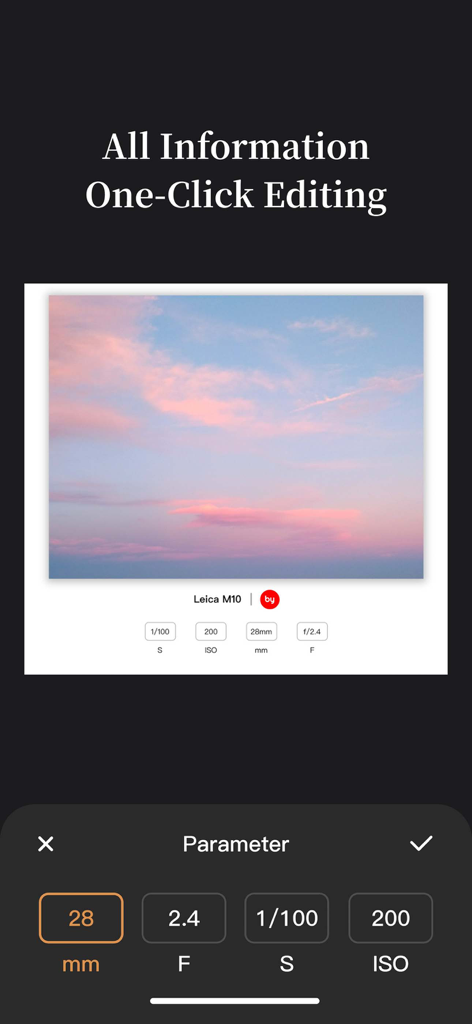
A user editing camera metadata parameters like ISO and aperture on a photo with a professional Leica style border.

PhotoBy app interface showing batch processing for adding professional photo borders with EXIF metadata
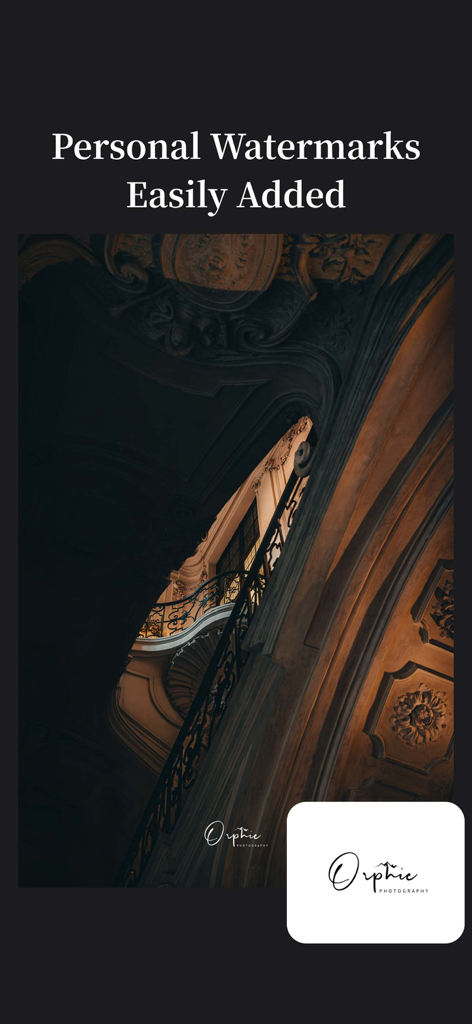
A professional architectural photo with a custom Orphic Photography watermark added through the PhotoBy app
Description
Download
More Like This
Apps with similar features and user experience

CocoAI - BG Remover
Beijing Jianchang Technology Co., Ltd.

水印宝-视频水印助手软件
Beijing Pengtuzhumeng Technology Co., Ltd.

Watermarkly ― Watermark Maker
Julia Nikitina

去水印大师-短视频编辑助手
志阳 郭

大神水印-照片图像制作修图神器
伟 黄

Add Watermark -Batch Process
Saraswati Javalkar

Background Remover: BG Eraser
Nero AG

Background Eraser: AI Remove
SUNWOONG JANG

AnyEraser: Remove Objects AI
Zankhana Pte Ltd
This page is not an official page of the app or its developer, but an independent editorial publication created for informational and commentary purposes. Unless expressly stated otherwise, neither the app nor its developer is affiliated with, endorsed by, sponsored by, authorized by, or otherwise officially connected with MWM, Apple, Google Play, the app publisher, or the app's developer, and nothing on this page implies that the app was developed using MWM's services. Any trademarks, logos, screenshots, and other content remain the property of their respective owners.