
This page is not an official page of the app or its developer, but an independent editorial publication created for informational and commentary purposes. Unless expressly stated otherwise, neither the app nor its developer is affiliated with, endorsed by, sponsored by, authorized by, or otherwise officially connected with MWM, Apple, Google Play, the app publisher, or the app's developer, and nothing on this page implies that the app was developed using MWM's services. Any trademarks, logos, screenshots, and other content remain the property of their respective owners.

Photoleap: AI Photo Generator
The app proves your imagination is the only limit. It empowers users to forge AI-generated art from raw thought, then sculpt it to perfection.
Downloads
25M+User Rating
Total Ratings
241.9KPublisher
Category
Photo & VideoLocales
12Latest Version
2.120Size
492.3 MBFirst Released
Jul 6, 2017Photoleap: AI Photo Generator - Feature Analysis
A deep dive into the core capabilities offered by this advanced mobile photo editing application.
AI Image Generation
The app provides a powerful AI image generator, enabling users to create unique visuals and digital art from textual prompts.
Pro Editing Workflow Support
It offers professional workflow features like RAW and 16-bit image support, custom canvas sizing, and automatic session saving for advanced users.
Sophisticated Layer Management
It offers advanced layer capabilities, simplifying complex photo compositions and allowing non-destructive re-editing of individual elements.
Professional Image Correction
This tool features comprehensive controls for tonal adjustments, color grading, and intelligent masking, alongside a quick object remover for refining images.
AI-Powered Editing Baselines
The app accelerates the editing process by generating AI baselines, providing users with a strong foundation to build upon with further effects.
Creative Composition Tools
The app provides a suite of tools for artistic composition, including collage creation, text addition, and graphic design features for diverse visual storytelling.
Frequently Asked Questions
Everything you need to know about Photoleap: AI Photo Generator
What is Photoleap?
Photoleap is a powerful photo editing app that transforms images using AI tools. It offers features like AI image generation, motion effects, advanced editing, and creative combinations for digital art.
Can Photoleap generate images from text?
Yes, Photoleap includes an AI image generator. Users can create astounding digital art by typing the idea they are imagining directly into the app.
Does Photoleap allow users to blend photos?
Yes, Photoleap allows for superior photo mixing. Users can superimpose images, create double exposures, and adjust blending modes, transparency, and transform images.
Can I change the background of a photo in Photoleap?
Yes, Photoleap enables users to change the background of their photos with fingertips. It includes tools for automatic cutting, erasing, and restoring background elements.
What kind of AI tools does Photoleap offer for editing?
Photoleap offers AI tools for image generation, creating digital art from text, and speeding up editing with AI baseline creation. It also uses AI for background changes and object removal.
Does Photoleap support photo collages?
Yes, Photoleap includes a collage maker. Users can combine multiple photos to tell a story or create professional-looking social media posts, flyers, or posters.
Can Photoleap remove objects from photos?
Yes, Photoleap features a quick blemish/object remover. This tool allows users to easily get rid of defects or unwanted elements from their images using spot and clone functions.
Does Photoleap allow adding motion to pictures?
Yes, Photoleap allows users to add motion to their photos. It includes photo animator tools to create live photos with 3D effects and make images come alive.
What advanced editing features are available in Photoleap?
Photoleap offers advanced features including layers, blending modes, photo filters, brushes, tonal adjustments, and RAW support. It also supports 16-bit image depth for high-quality adjustments.
Where can I find the terms of use for Photoleap?
The terms of use for Photoleap are available at the following link: https://static.lightricks.com/legal/terms-of-use.pdf.
Does Photoleap offer privacy policy information?
Yes, Photoleap provides a privacy policy. You can access the full policy document at this link: https://static.lightricks.com/legal/privacy-policy.pdf.
The following screenshots and description are sourced directly from the app's official store listing and are the property of the app developer.
App Store
Screenshots

Creative Image Blending
See how Photoleap offers superior photo mixing capabilities through features like dual exposure and various blending modes.

Professional Headshot Styles
This tool helps users enhance headshots with a tap, offering diverse style presets and showcasing before-and-after transformations.
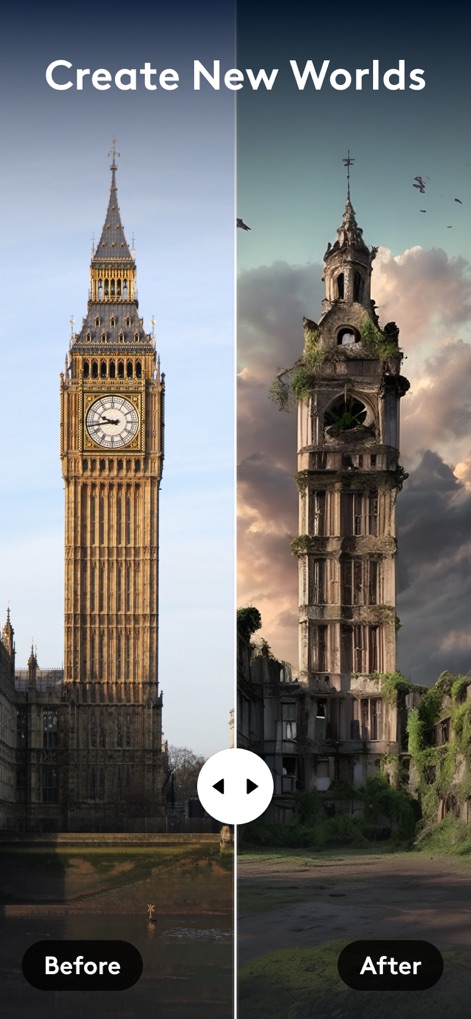
AI World Creation
Observe how the app leverages AI to completely transform scenes, turning iconic landmarks into dystopian landscapes with a simple slider.
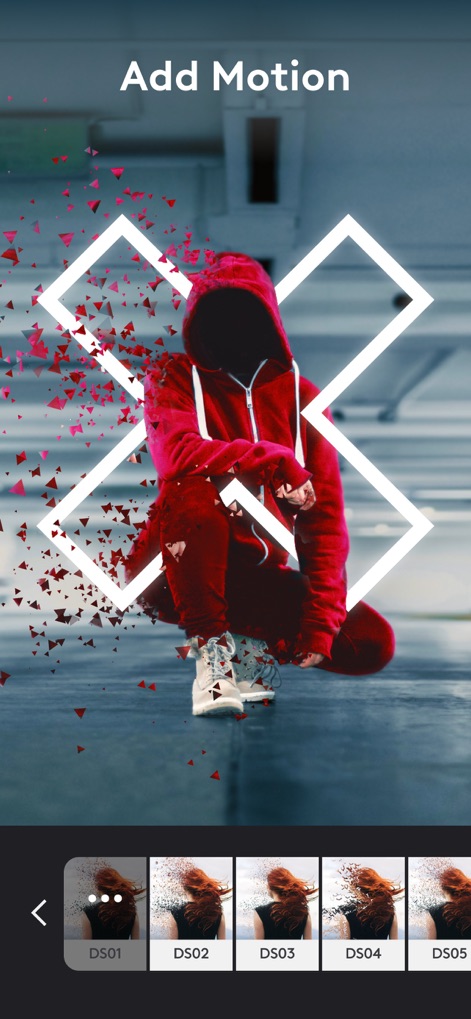
Dynamic Photo Animation
Users can add captivating motion effects to photos, such as the disintegration of elements and the application of diverse motion presets.
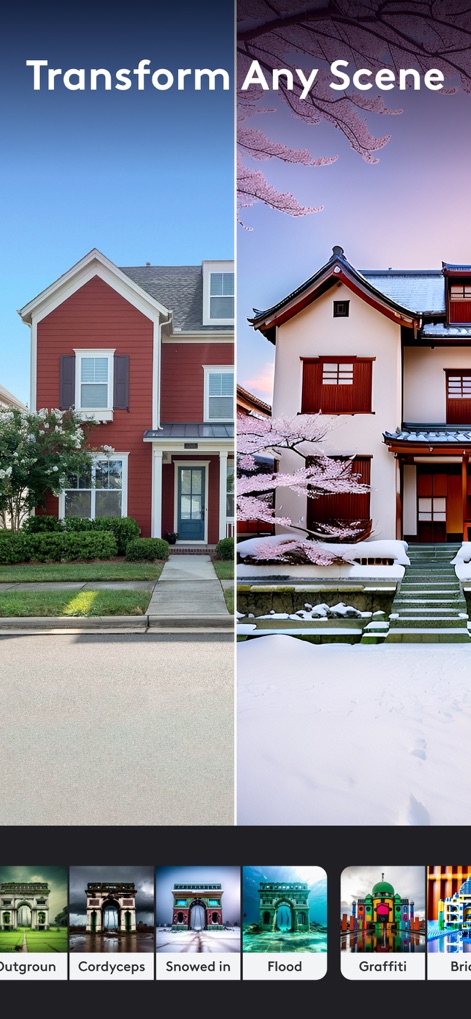
Scene Reinvention Filters
Discover the app's powerful scene transformation capabilities, allowing users to alter environments drastically with filters like 'Snowed In' and 'Graffiti'.
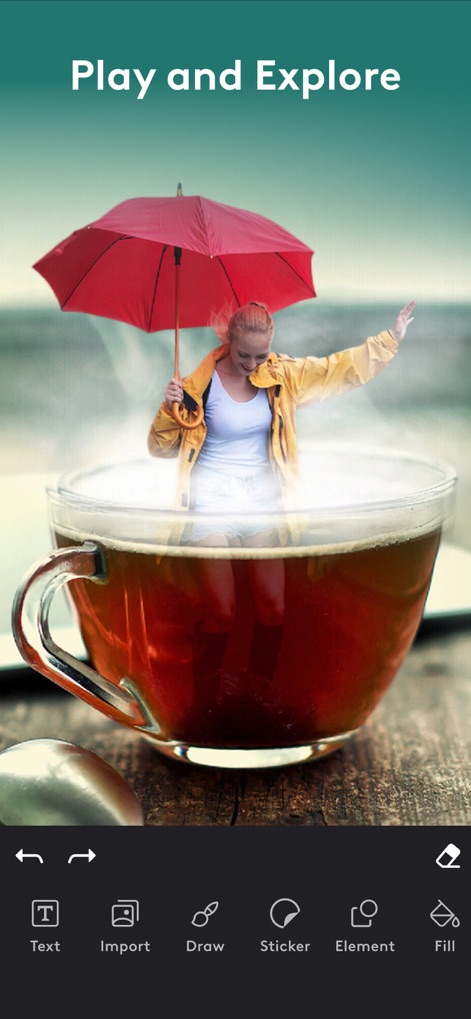
Artistic Compositing Tools
Explore imaginative compositions created by combining elements, alongside a suite of intuitive editing tools like 'Text' and 'Sticker' for creative expression.
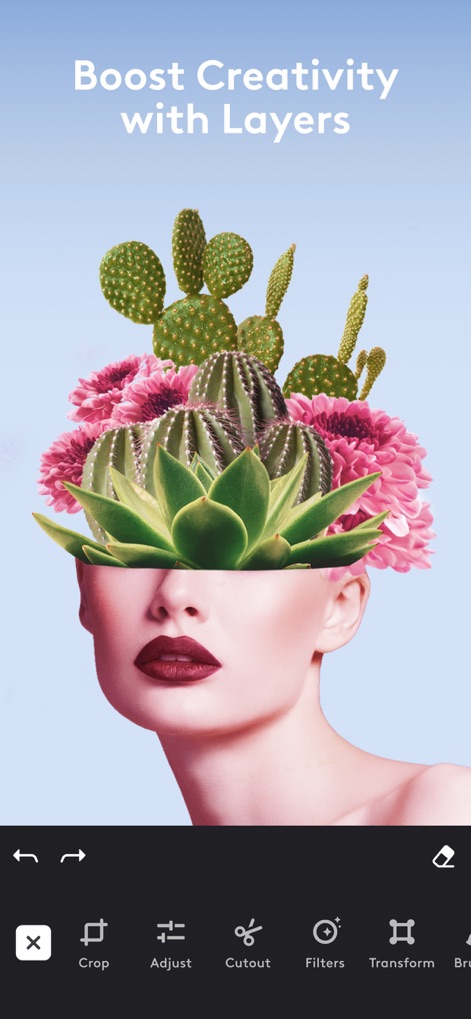
Advanced Layer Editing
Witness the power of layered editing for complex visual compositions, supported by essential tools such as 'Crop' and 'Cutout'.
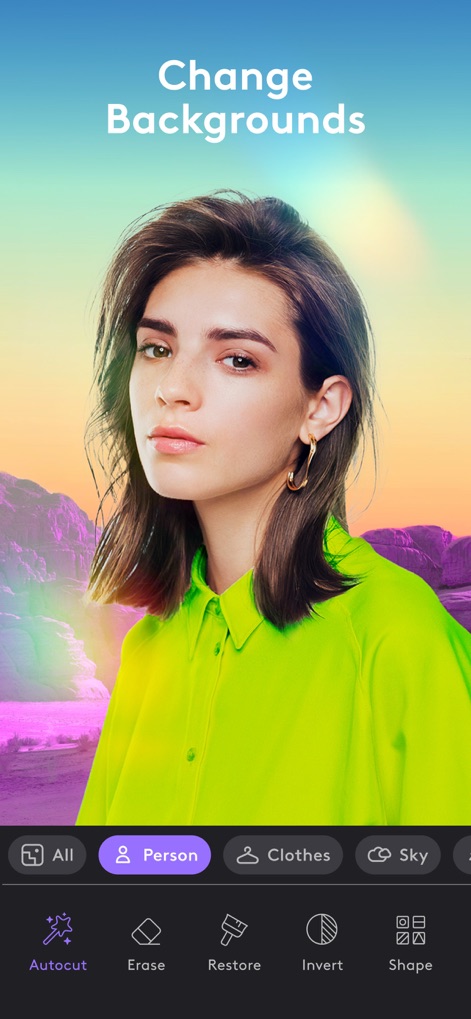
Intelligent Background Swaps
The app simplifies background changes by intelligently isolating subjects, providing options to auto-select 'Person' or 'Sky' for seamless edits.
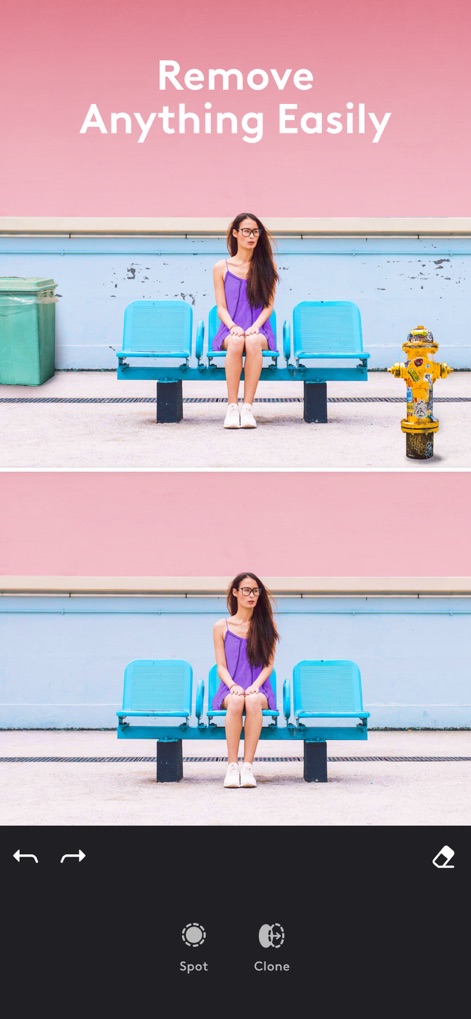
Seamless Object Removal
Effortlessly clean up images by removing unwanted objects, as demonstrated by the disappearance of a fire hydrant using tools like 'Spot' and 'Clone'.

Dynamic Collage Creation
Create compelling visual narratives using the collage maker, which offers a variety of customizable templates and layouts for storytelling.
Description
Download
More Like This
Apps with similar features and user experience

ElevenLabs: AI Voice Generator
Eleven Labs Inc.

Viggle AI: Meme Maker
WarpEngine Canada Inc.

可灵AI - AI图片&视频创作工具
Beijing Kwai Technology Co., Ltd.

Leonardo.Ai - Image Generator
Leonardo Interactive Pty Ltd

Reface: Face Swap AI Photo App
NEOCORTEXT, INC.

Shedevrum
DIRECT CURSUS COMPUTER SYSTEMS TRADING LLC

Remove Objects
TAPUNIVERSE LLC

Zaps Collages
Turnip Media Private Limited

Carat - Create Anything
Paradot Corp.
This page is not an official page of the app or its developer, but an independent editorial publication created for informational and commentary purposes. Unless expressly stated otherwise, neither the app nor its developer is affiliated with, endorsed by, sponsored by, authorized by, or otherwise officially connected with MWM, Apple, Google Play, the app publisher, or the app's developer, and nothing on this page implies that the app was developed using MWM's services. Any trademarks, logos, screenshots, and other content remain the property of their respective owners.