PhotoPea - AI Photo Editor

PhotoPea - AI Photo Editor

Logo of PhotoPea - AI Photo Editor

PhotoPea - AI Photo Editor: Professional Edits Made Effortless

Transform your photos into viral social content or professional product shots in seconds. Simply describe your vision and let our advanced AI handle the rest—no design skills required.

Publisher

Pooja Ranka

Category

Photo & Video

Downloads

5K+

User Rating

4.4/5

Total Ratings

200

Locales

1

AI Magic Unveiled

Discover the interface used by 5K+ users.
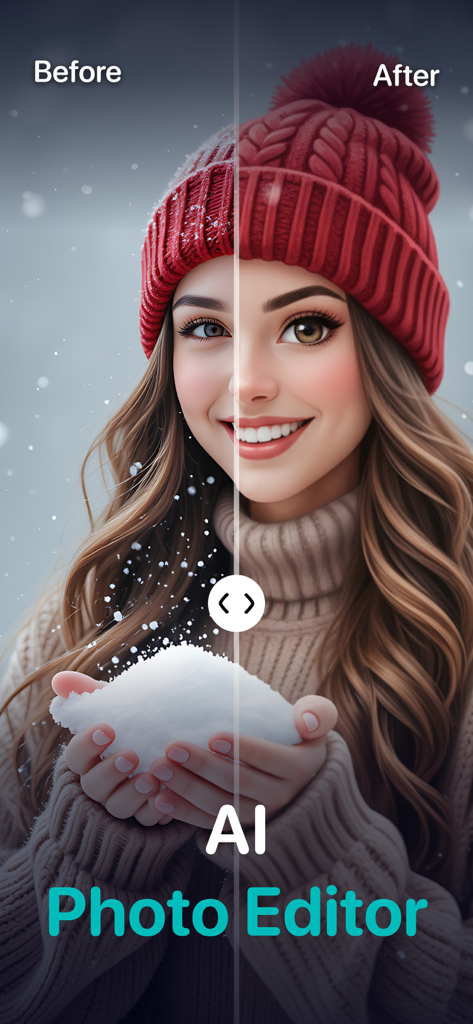
Before and after split screen comparison of a portrait enhanced by AI photo editing

Before and after split screen comparison of a portrait enhanced by AI photo editing

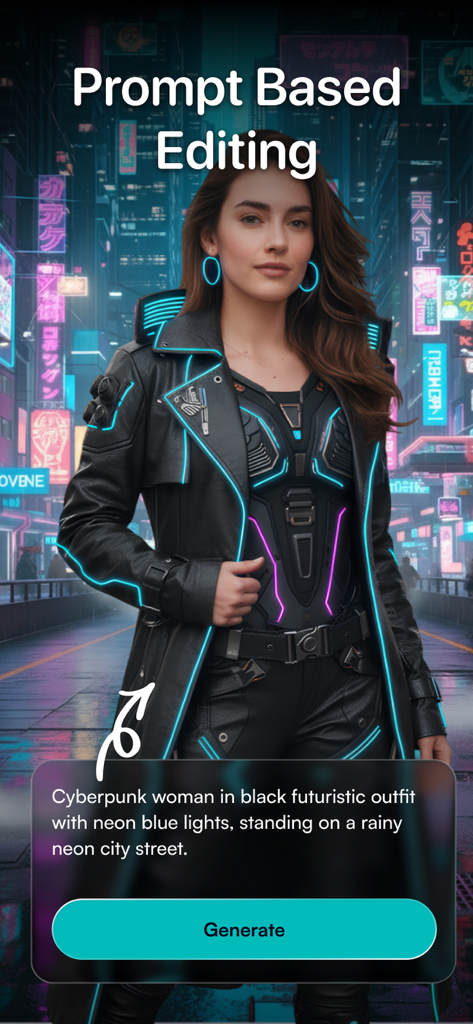
Interface of PhotoPea AI app showing prompt based editing with a generated futuristic cyberpunk character

Interface of PhotoPea AI app showing prompt based editing with a generated futuristic cyberpunk character

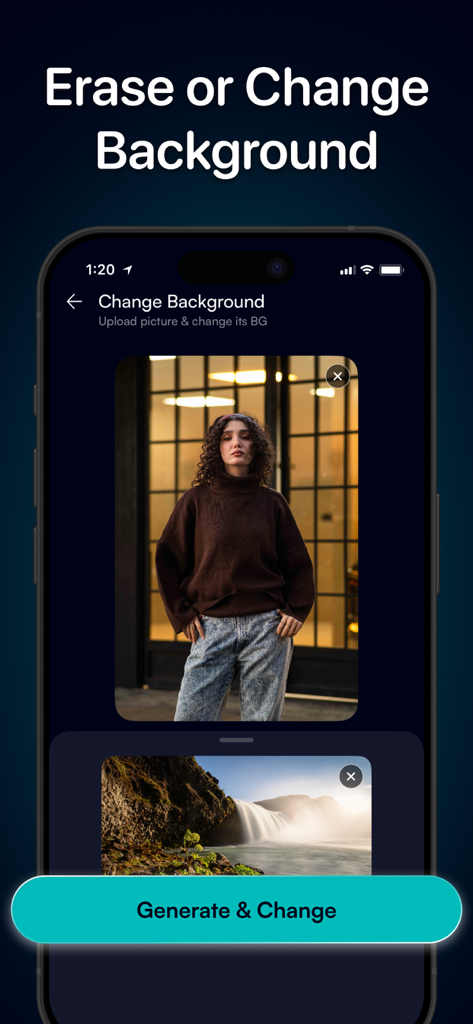
PhotoPea AI Photo Editor interface showing the feature to erase or change backgrounds

PhotoPea AI Photo Editor interface showing the feature to erase or change backgrounds

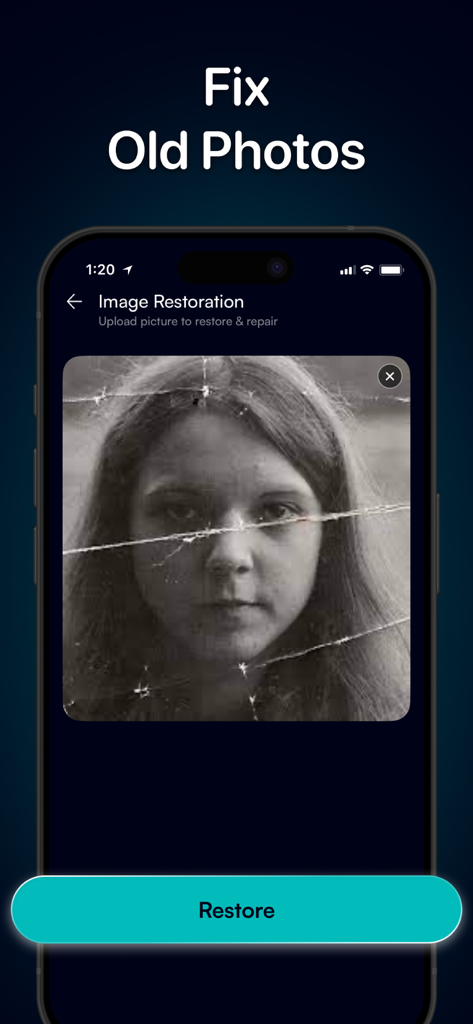
Interface of PhotoPea AI app showing the image restoration feature to fix old damaged photos

Interface of PhotoPea AI app showing the image restoration feature to fix old damaged photos

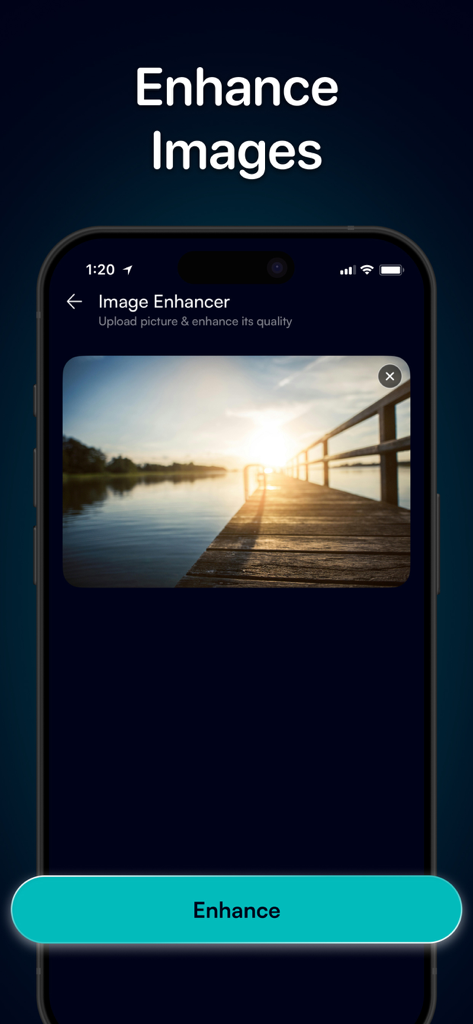
PhotoPea app interface showing the AI image enhancer tool with a landscape photo of a sunset over a pier

PhotoPea app interface showing the AI image enhancer tool with a landscape photo of a sunset over a pier

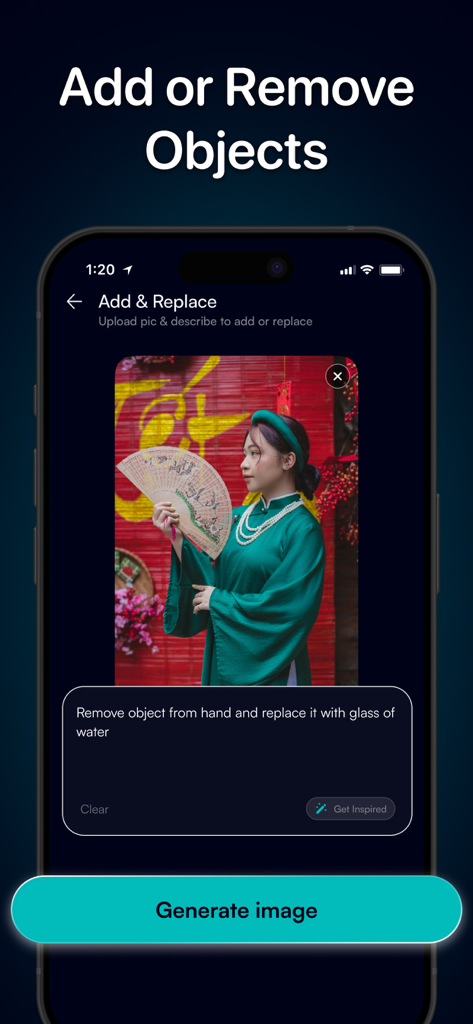
PhotoPea AI app interface showing how to add or remove objects from a photo using text-based prompts.

PhotoPea AI app interface showing how to add or remove objects from a photo using text-based prompts.

Edit Smarter, Not Harder

The tools that make this app stand out, trusted by 5K+ users.

🪄

Describe & Transform

Just type what you want to change—from adding objects to swapping skies—and let AI handle the complex editing for you instantly.

✨

Studio-Quality Assets

Instantly remove backgrounds and upscale low-res images to create professional-grade product shots and high-end profile pictures.

🎨

Viral-Ready Creativity

Turn photos into 3D anime art or generate custom stickers from text to make your social media content and memes stand out.

About the app

Everything you need to know about PhotoPea - AI Photo Editor.

Description

Meet PhotoPea, the smartest AI photo editor designed to help anyone edit like a pro, instantly. Edit and transform your photos with powerful editing tools – no experience needed. Bring your ideas to life with one-tap enhancements, artistic styles, object removal, background changes, and much more. Key Features: → AI Photo Editor: Upload a photo, describe what you want, and watch AI make it happen. Simple, fast, and intuitive. → Remove Background: Erase backgrounds instantly and get clean cutouts for designs, profile photos, product shots, and more. → Enhance Image: Sharpen details, boost clarity, fix lighting, and upgrade low-quality photos in seconds. → Colorize Black & White: Bring old memories back to life with realistic colorization powered by AI. → Turn Photos into Art: Transform your photo into unique artwork with creative modes like: Cartoonify, 3D Anime, and Cyberpunk. → Create Stickers: Describe and generate a sticker of your choice – perfect for messaging, memes, and creative projects. → Add Text on Image: Add stylish captions, quotes, or labels with easy-to-use text tools. → Add & Replace Things: Upload a photo and describe what you want to add, adjust, or replace – PhotoPea AI handles the rest. → Blur Effects: Add professional blur effects – portrait blur, background blur, motion blur, and more. → Remove Objects: Cleanly remove unwanted items, people, or distractions from any photo. → Generate AI Images: Use powerful AI to create brand-new images from your imagination. → Download & Share: Save high-quality results or share directly to social platforms with one tap. → History: Your edits stay saved. Revisit past creations anytime to view, re-edit, or download. Download PhotoPea now and edit smarter, faster, and more creatively than ever. About Premium Subscription: The free version comes with limited access. A PhotoPea Pro subscription is required to access all tools and features. Each subscription plan comes with a specific amount of credits, which are used to edit and generate photos. Privacy Policy: https://phoeak.top/privacy-policy/ Terms of Use: https://phoeak.top/terms-conditions/ Support: https://phoeak.top/support/

Latest Version

1.7

Size

125.3 MB

First Released

Nov 26, 2025

Ready to Edit Like a Pro, Instantly?

Join thousands of creators using PhotoPea AI to transform photos, remove backgrounds, and create stunning content in seconds. Download now and start editing smarter.

App information, icons, screenshots, and descriptions displayed on this page are sourced from the Apple App Store and are the property of their respective developers. Download estimates and rankings are based on MWM's proprietary models and may not reflect actual figures. This page is provided for informational and analytical purposes only.

Believe this page infringes your intellectual property? File a dispute