
This page is not an official page of the app or its developer, but an independent editorial publication created for informational and commentary purposes. Unless expressly stated otherwise, neither the app nor its developer is affiliated with, endorsed by, sponsored by, authorized by, or otherwise officially connected with MWM, Apple, Google Play, the app publisher, or the app's developer, and nothing on this page implies that the app was developed using MWM's services. Any trademarks, logos, screenshots, and other content remain the property of their respective owners.


Phyzii Mobile 2.3
Streamline doctor calls, master digital detailing, and optimize field reporting in real-time to drive productivity and clinical engagement.
Downloads
22K+User Rating
Total Ratings
100Publisher
Category
MedicalLocales
1Latest Version
18.6Size
113.7 MBFirst Released
May 4, 2017Maximize Your Sales Impact
Equip your field force with the intelligent tools needed to prepare for calls, present digital content, and report results—all from a single mobile interface.
Real-Time Field Reporting
Turn waiting room delays into productive windows. Log call details and sync activity reports instantly, eliminating the end-of-day administrative burden.
Pre-Call Intelligence
Arrive prepared with comprehensive physician profiles and historical insights at your fingertips, ensuring every minute with a provider is high-value.
Frequently Asked Questions
Everything you need to know about Phyzii Mobile 2.3
What is Phyzii Mobile 2.3?
Phyzii Mobile 2.3 is a software application designed for sales force operations. It helps medical representatives prepare for doctor calls, digitally detail products, and report field activities effectively using their mobile devices.
How does Phyzii Mobile 2.3 assist sales representatives?
Phyzii Mobile 2.3 provides sales representatives with crucial information before, during, and after doctor calls. It enables call-by-call activity reporting, significantly improving their field effectiveness and productivity.
How do managers utilize real-time data in Phyzii Mobile 2.3?
Managers utilize Phyzii Mobile 2.3 to access real-time sales data. This direct access facilitates informed tactical and strategic decision-making regarding the sales force operations and performance.
What is the initial configuration process for Phyzii Mobile 2.3?
The initial configuration of Phyzii Mobile 2.3 involves entering a Client ID, Username, and Password on the configuration screen. Hitting 'Configure' initiates an HTTP authentication request and subsequent data download.
How long does data synchronization take in Phyzii Mobile 2.3?
Data synchronization in Phyzii Mobile 2.3 takes approximately 30 to 45 minutes. This process begins after the user confirms an alert, downloading all necessary modules to the device.
Does Phyzii Mobile 2.3 support adding new customer profiles?
Yes, Phyzii Mobile 2.3 supports adding new customer profiles. The "Add Unlisted" feature allows users to input details for unlisted customers, select their type, and optionally add them to the master database.
How are field activities reported in Phyzii Mobile 2.3?
Field activities are reported in Phyzii Mobile 2.3 through dedicated screens like "Add NCA" and "Add Unplanned". Users input visit details, joint work, session, travel mode, and comments to document their interactions.
The following screenshots and description are sourced directly from the app's official store listing and are the property of the app developer.
App Store
Screenshots
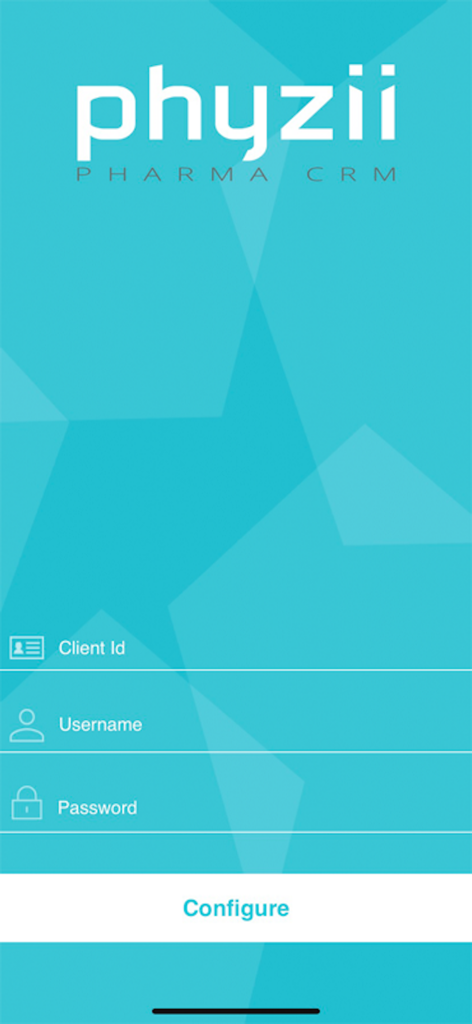
Initial login and configuration screen for Phyzii Pharma CRM with fields for Client ID, username, and password.
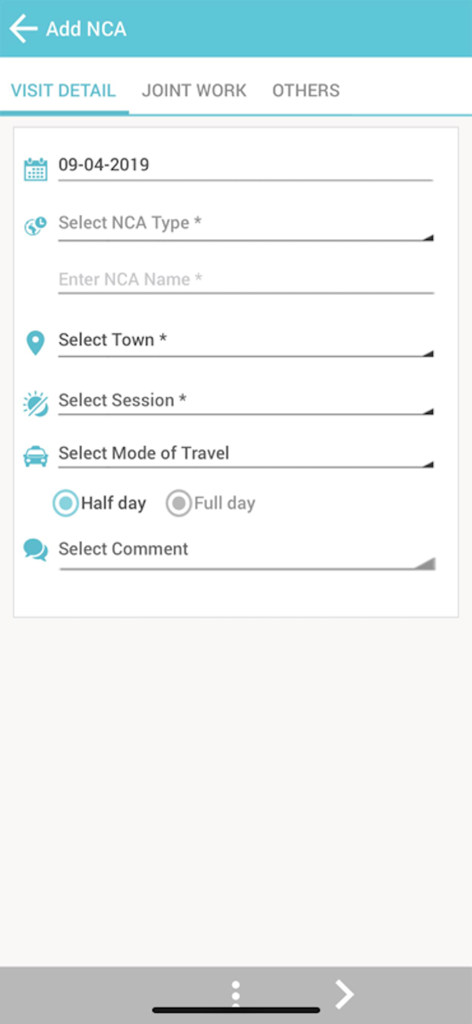
Phyzii Mobile app interface showing the Add NCA form for recording pharmaceutical sales visit details
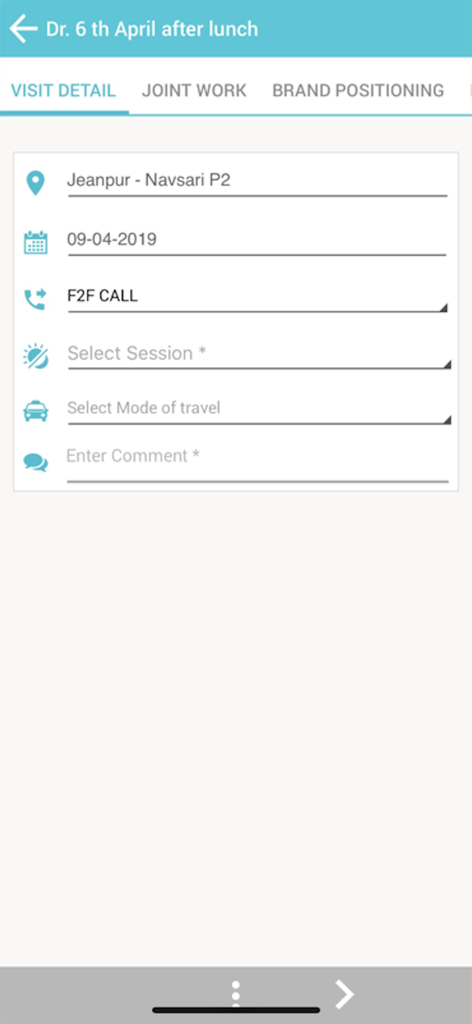
Visit detail reporting screen on Phyzii Mobile app
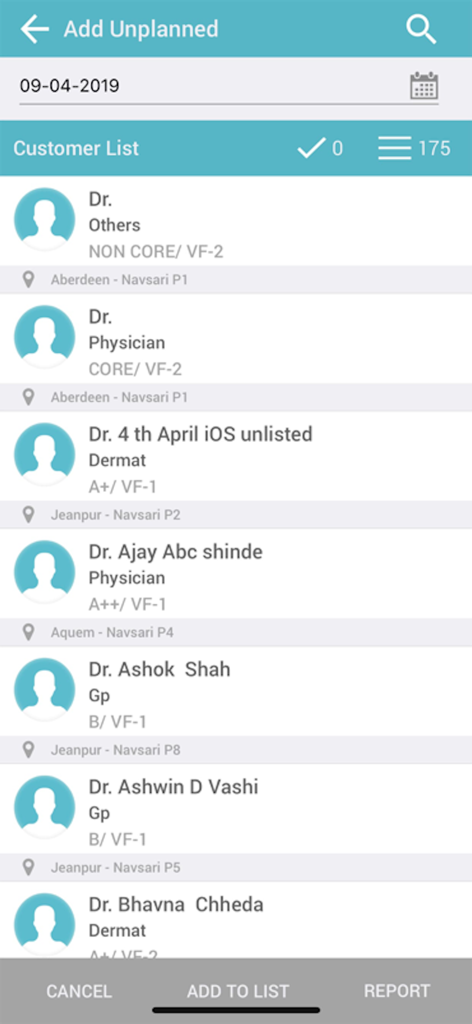
Customer list interface showing doctors and specialties for pharmaceutical sales representatives in Phyzii Mobile
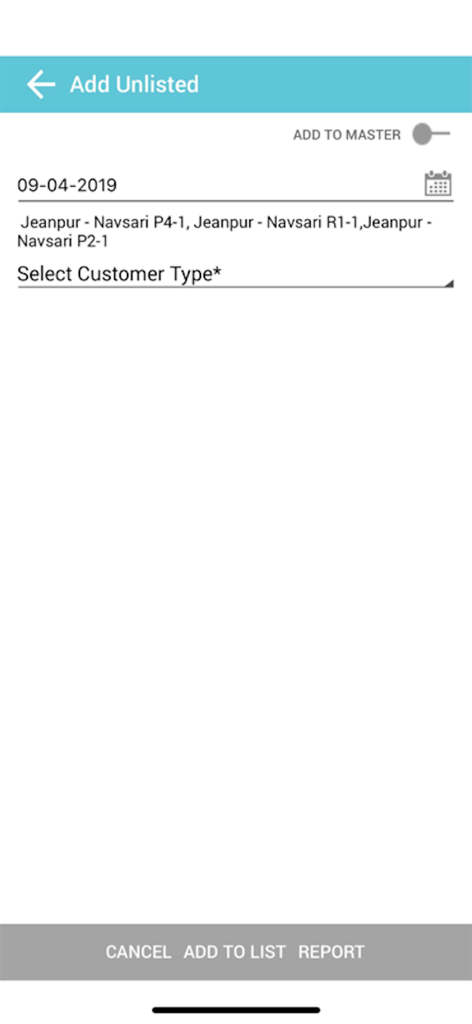
Interface of Phyzii Mobile app showing the screen to add an unlisted customer or report a field activity
Description
Download
More Like This
Top-ranked apps in the same category

国家医保服务平台
National Healthcare Security Administration

MyChart
Epic Systems Corporation

Doctolib - Your health partner
Doctolib

Pregnancy + | Tracker App
Philips Digital UK Limited

CVS Health
CVS Pharmacy

江苏医保云
Jiangsu Healthcare Security Bureau

UnitedHealthcare
UNITED HEALTHCARE SERVICES, INC.

京东健康
BEIJING JINGDONG 360 DU E-COMMERCE LTD.

Meu SUS Digital
Servicos e Informacoes do Brasil
This page is not an official page of the app or its developer, but an independent editorial publication created for informational and commentary purposes. Unless expressly stated otherwise, neither the app nor its developer is affiliated with, endorsed by, sponsored by, authorized by, or otherwise officially connected with MWM, Apple, Google Play, the app publisher, or the app's developer, and nothing on this page implies that the app was developed using MWM's services. Any trademarks, logos, screenshots, and other content remain the property of their respective owners.