Piano Kit - Piano Chords
Download on App Store

This page is not an official page of the app or its developer, but an independent editorial publication created for informational and commentary purposes. Unless expressly stated otherwise, neither the app nor its developer is affiliated with, endorsed by, sponsored by, authorized by, or otherwise officially connected with MWM, Apple, Google Play, the app publisher, or the app's developer, and nothing on this page implies that the app was developed using MWM's services. Any trademarks, logos, screenshots, and other content remain the property of their respective owners.

Logo of Piano Kit - Piano Chords
Download on App Store

Piano Kit - Piano Chords

Master complex voicings, discover scales, and streamline your workflow with MIDI export and advanced chord guessing designed for your iPad and iPhone.

Key Figures

Downloads

17K+

User Rating

1.0/5

Total Ratings

0

Publisher

Hidenori Matsuoka

Category

Music

Locales

1

Latest Version

6.2

Size

26.7 MB

First Released

Sep 7, 2012
Features

Elevate Your Composition Workflow

A professional-grade chord library and theory toolkit designed to bridge the gap between your creative spark and your digital studio.

Seamless DAW Integration

Turn your ideas into production-ready tracks by exporting chord progressions as Standard MIDI Files directly to Logic, Ableton, or GarageBand.

Smart Chord Identification

Reverse-engineer your melodies with the 'Guess Chord Name' tool. Play any fingering and let the app instantly identify the music theory behind it.

The following screenshots and description are sourced directly from the app's official store listing and are the property of the app developer.

App Store

Screenshots
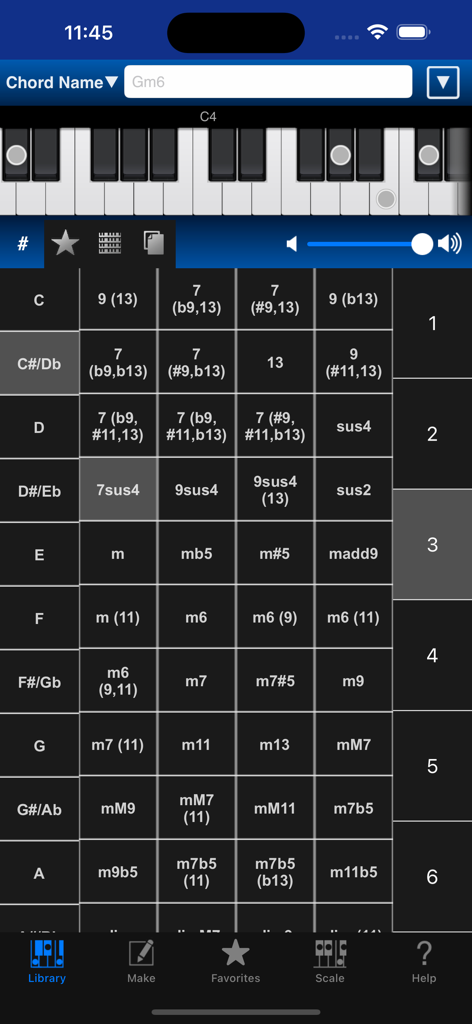
Piano Kit - Piano Chords - Piano Kit app interface showing a comprehensive grid of piano chords and a virtual keyboard display
Piano Kit app interface showing a comprehensive grid of piano chords and a virtual keyboard display

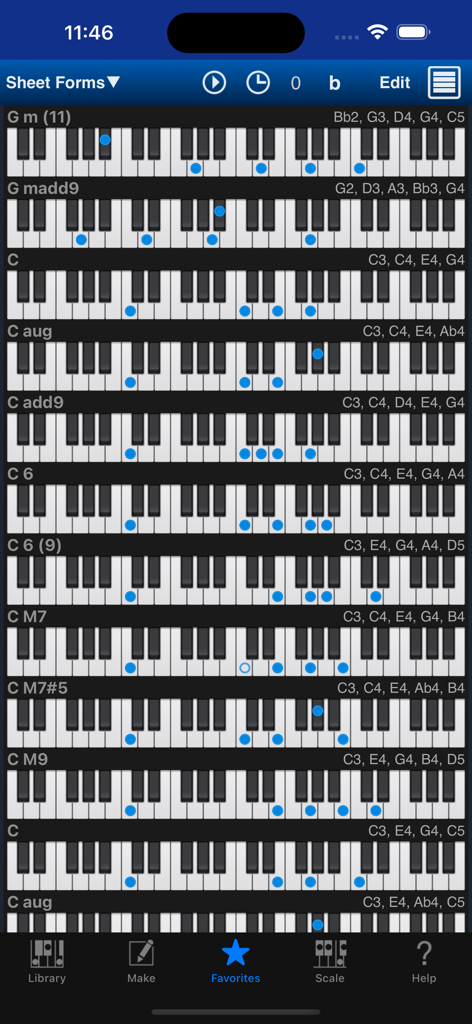
Piano Kit - Piano Chords - A vertical list of piano chord diagrams showing keyboard fingerings and names within the Piano Kit app
A vertical list of piano chord diagrams showing keyboard fingerings and names within the Piano Kit app

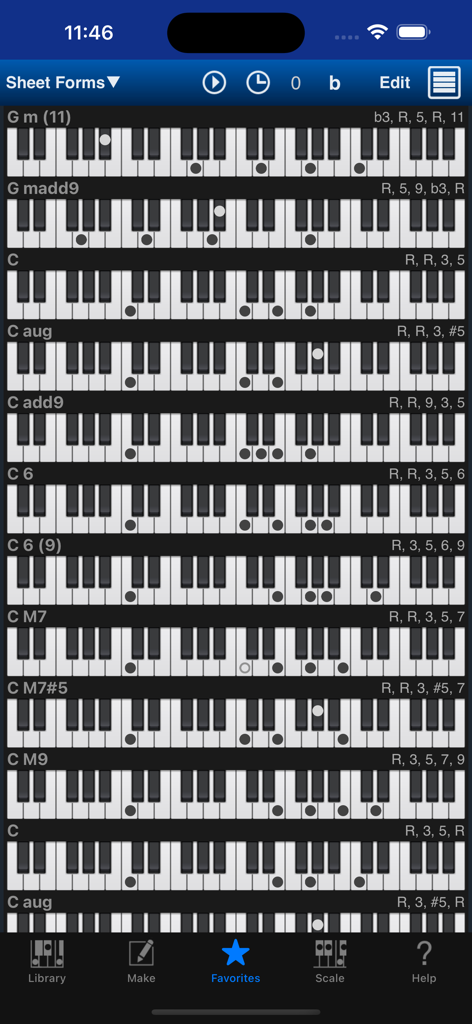
Piano Kit - Piano Chords - Piano Kit app displaying a list of piano chord fingerings in the favorites sheet view.
Piano Kit app displaying a list of piano chord fingerings in the favorites sheet view.

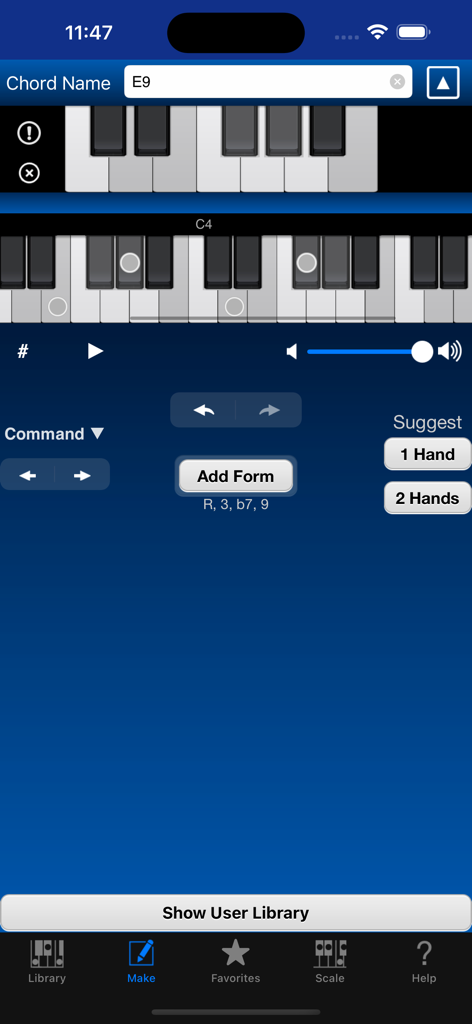
Piano Kit - Piano Chords - Interface of the Piano Kit app showing the custom chord creation tool with a piano keyboard and E9 chord notation
Interface of the Piano Kit app showing the custom chord creation tool with a piano keyboard and E9 chord notation

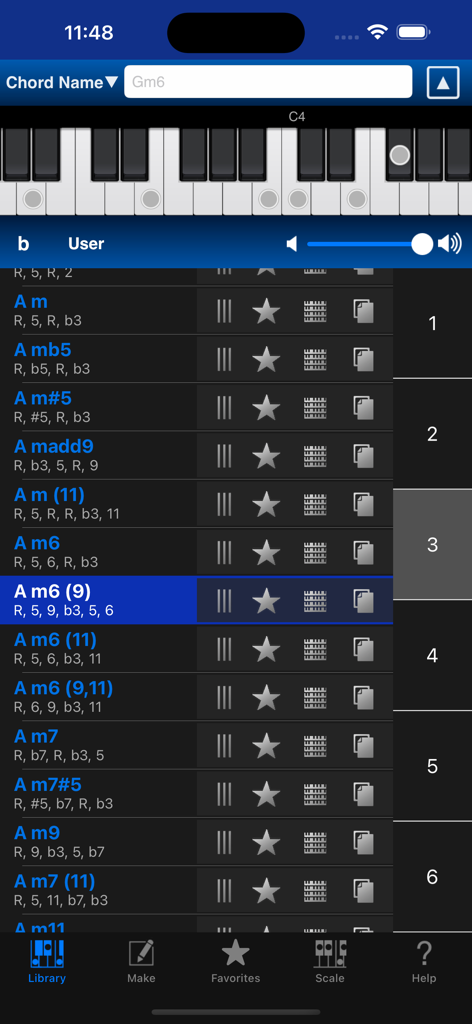
Piano Kit - Piano Chords - Interface of Piano Kit app showing a list of piano chords and a virtual keyboard
Interface of Piano Kit app showing a list of piano chords and a virtual keyboard

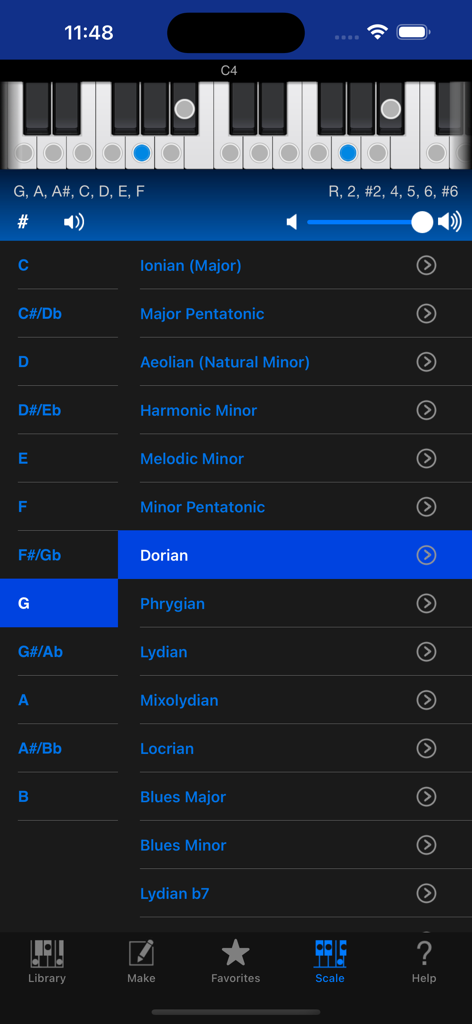
Piano Kit - Piano Chords - Piano Kit app interface showing the G Dorian scale selection with a virtual keyboard highlighting specific notes

Piano Kit app interface showing the G Dorian scale selection with a virtual keyboard highlighting specific notes

Description

The most excellent Piano Chord Form tool in the world, in your pocket! You can search almost chord form and display it. Piano Kit has enough huge preset library. And you can create your original fingering forms. Piano Kit supports Slide Over and Split View on iPad, and provides the appropriate display and operation for iPhone and iPad. Piano Kit has very large preset library, but you can view a target chord form so easily! You can directly select a chord form by smooth scrolling Chord Picker or focus on a little chord forms by typing a part of chord name. You can search by various Enharmonic Equivalents. If you tap the top piano keyboard, Piano Kit play each note. And if you select a chord in the list or cell, play chord any times. Favorites Tab allows to memory your favorite chord forms. And Sheet has 4 octave keyboard and allows to view more than one chord, so it’s especially convenient for you to confirm chord forms in specific song. Sheet support Black and White mode, it looks like chord forms paper sheet. Display doesn’t dim during working. It can be trusted to think other thing or play songs. And you can handle multiple songs by “Export Native File” feature. Make Tab allows you to create your original chord forms. You can handle them as like preset library completely. Of course you can add new chord form similar to existing chord form using Reproduce Form function easily. And you can slide decided chord form to left or right. So you’ll be able to add chord forms changed Root note in succession. Suggest Form function offers randomly new chord form contains selected notes. And Guess Chord Name function suggests chord names by decided chord form or selected notes on 1 octave keyboard. Scale Tab allows to show many popular scales. And also you can find matched chords with a scale you selected. You can toggle setting Note Name / Interval for each note. You can back up data you’ve created to Mail, Dropbox, box and others. And you can restore it at any time. And also, you can export Sheet Chord Forms as SMF(Standard MIDI File) to Mail, Dropbox, box and others, so you will be able to use as Chord Progression if you import it to your DAW. By the way, Piano Kit exports Chord Name as Marker. If you handle Sheet by Piano Kit only, “Export Native File” function is very easy. Even if some sheet chord forms don’t exist in Library Tab, Native File can be imported to Sheet exactly. It is like function open and save multiple songs. Quick working and most beautiful Piano Chord Form app “Piano Kit” is very useful for you, exactly! Advanced Option : When you’ll buy this low price add-on, you can use more Chords and Scales. It will provide a complete set usually. You can read full function description at support page. http://therootage.com/iphone/piano-kit-en/

Download

Download on App Store

This page is not an official page of the app or its developer, but an independent editorial publication created for informational and commentary purposes. Unless expressly stated otherwise, neither the app nor its developer is affiliated with, endorsed by, sponsored by, authorized by, or otherwise officially connected with MWM, Apple, Google Play, the app publisher, or the app's developer, and nothing on this page implies that the app was developed using MWM's services. Any trademarks, logos, screenshots, and other content remain the property of their respective owners.







