Piano - Play any song & sheets
Download on App Store

This page is not an official page of the app or its developer, but an independent editorial publication created for informational and commentary purposes. Unless expressly stated otherwise, neither the app nor its developer is affiliated with, endorsed by, sponsored by, authorized by, or otherwise officially connected with MWM, Apple, Google Play, the app publisher, or the app's developer, and nothing on this page implies that the app was developed using MWM's services. Any trademarks, logos, screenshots, and other content remain the property of their respective owners.

Logo of Piano - Play any song & sheets
Download on App Store

Piano - Play any song & sheets

The ultimate interactive tutor for your iPhone and iPad. Import your own sheet music, connect your MIDI keyboard, and get real-time feedback to play like a maestro at your own pace.

Key Figures

Downloads

12K+

User Rating

3.8/5

Total Ratings

0

Publisher

T.V CO., LTD

Category

Music

Locales

1

Latest Version

1.1

Size

18.9 MB

First Released

Oct 5, 2021
Features

Master Your Favorite Music in Minutes

Transform your device into a professional piano tutor with real-time feedback, custom song imports, and seamless MIDI connectivity.

Smart MIDI Integration

Connect your physical keyboard via Bluetooth or USB for instant feedback. The app waits for you to hit the correct note before moving forward.

Unlimited Song Imports

Break free from pre-set playlists. Import your own MIDI files and sheet music to learn the trending hits or classic masterpieces you actually enjoy.

The following screenshots and description are sourced directly from the app's official store listing and are the property of the app developer.

App Store

Screenshots
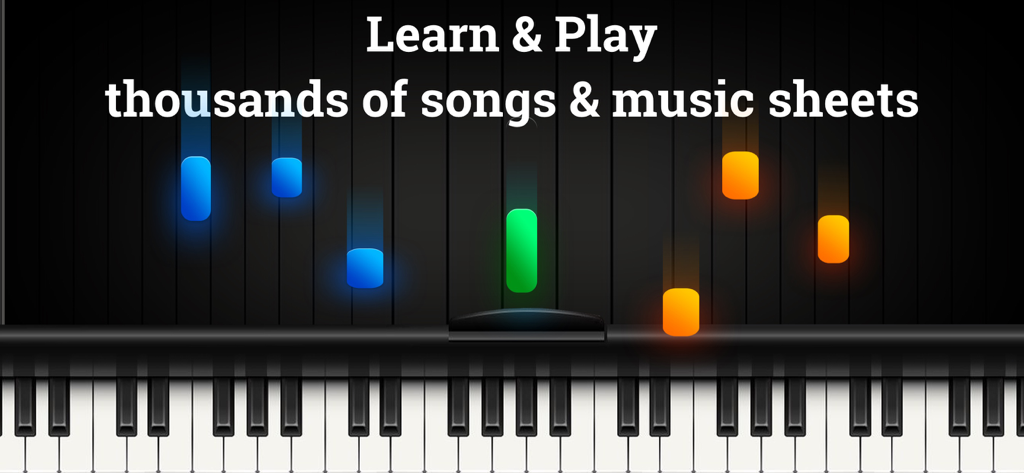
Piano - Play any song & sheets - Digital piano keyboard with falling colored notes representing a music learning lesson
Digital piano keyboard with falling colored notes representing a music learning lesson

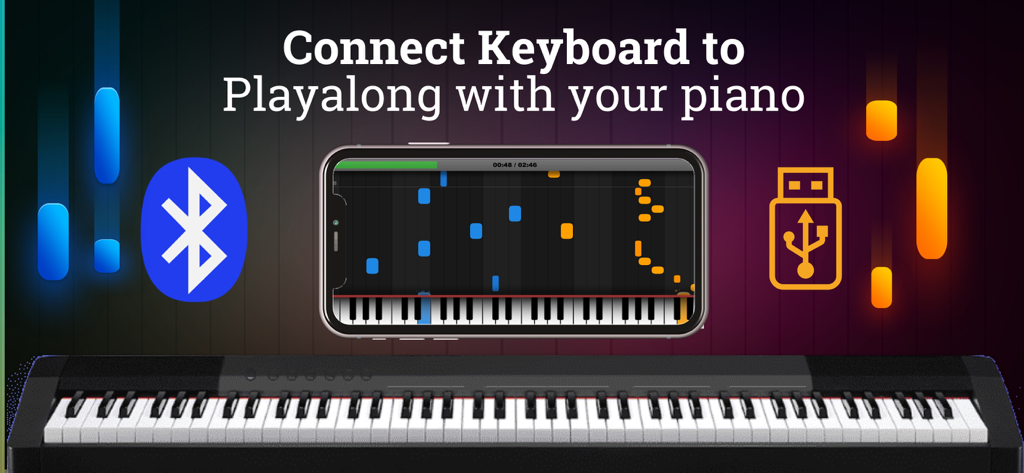
Piano - Play any song & sheets - Smartphone showing a piano learning app interface on a digital keyboard with Bluetooth and USB connection options
Smartphone showing a piano learning app interface on a digital keyboard with Bluetooth and USB connection options

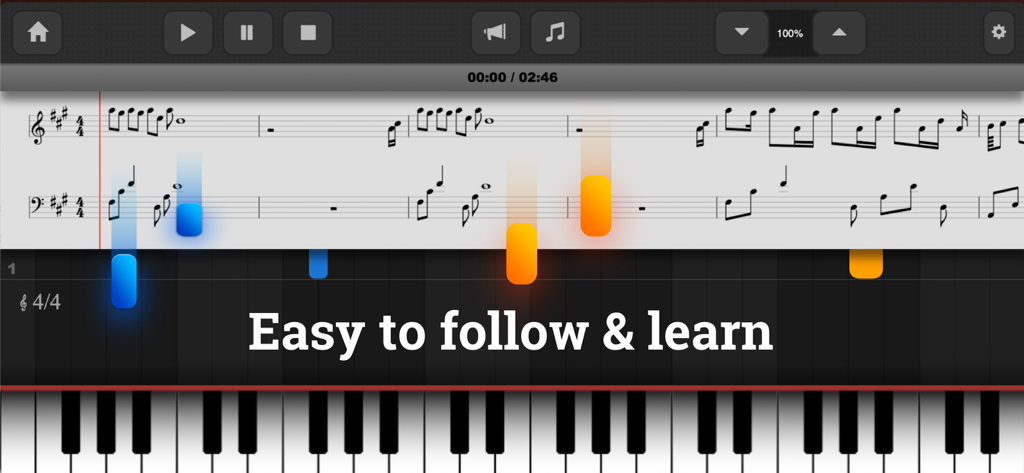
Piano - Play any song & sheets - Piano app screen showing sheet music with falling notes over a digital keyboard.

Piano app screen showing sheet music with falling notes over a digital keyboard.

Description

Want to learn the piano? Well, this is an app for that. While this app don’t replace playing an actual piano, this is the best piano apps for your Ipad and Iphones that will help you practice when you’re on the go. With this app, you will learn to play beautiful piano music from the very beginning. Import your most popular Songs & Music sheet files. Play & learn your favorites songs. With 88-key intelligent piano simulator not only serves as a teaching tool by guiding you through thousands of pieces of sheet music. The app also offers a Metronome, pedal, dual scrollable keyboard that could help you learn thousands of classic piano songs and become a music maestro. Learning a new song has never been that simple! New songs are added on the playbook every week for you to keep practicing. The app supports a USB MIDI keyboard / Bluetooth MIDI keyboard, so once you’re ready to graduate to a real live instrument, our Piano app can provide a smooth transition. FEATURES - Play & learn your favorites songs and sheet - Connect a MIDI-Keyboard to get instant feedback if you hit the correct notes. Support connect via USB / Lighning cable or Bluetooth MIDI Connect. - Musics play with notes and sheets as timeline. It easy for your start to learn any songs. - You can also use the keyboard as output device to play the MIDI-Files on your keyboard/Piano. - Playalong with your Piano. - Show note and sheet as song timeline - Awesome practice effects - View sustain-pedal events and sustained notes - Pause, Skip Forward or Backward, Adjust the Speed - Intuitive controls allow quick navigation through the song - Customize and only display or play the tracks you want - Customize colors, effects, instruments and much more HOW TO CONNECT YOUR PIANO - Your keyboard / Piano must support MIDI input/output port or Bluetooth Support MIDI connection. - Plugin your USB Cable (Mac version) or Lightning Cable converter from your piano to iPhone/Ipad devices. If your keyboard/piano support bluetooth connect. Make sure your devices & keyboard/Piano Bluetooth turn on. Go to app setting > Piano connection. Then start connect and pair your devices. - After connect, Piano build-in are ready to play sound & music node as input/output audio. To turn of each devices, go to MIDI setting on piano app. Then turn on/off per input/output devices - To play along with your keyboard/Piano. Go to Piano screen > Setting > select track > then turn on off request playalong follow your right or left hand. - Now, when music play & the node showing. When you hit the inconnect/correct notes. Music timeline will pause or continue. - Don’t have piano keyboard ? Don’t worry, try connect your computer keyboard or bluetooth keyboard. We also support it. If you’ve ever dreamt of learning to play the piano, there are about a hundred reasons why you should start. Premium Subscription: Piano app includes an optional auto-renewable subscription to access current and future premium (price may vary depending on location): - Subscription starts from USD 9.99. - a 1-month subscription - a 1-month subscription with 3 days free trial - a 1-year subscription - a 1-year subscription with 3 days free trial • Check in app for exact pricing in your region • Payment will be charged to your iTunes account at confirmation of purchase and will automatically renew (at the duration/price selected) unless auto-renew is turned off at least 24 hours before the end of the current period. • Account will be charged for renewal within 24-hours prior to the end of the current period, and identify the cost of the renewal. • You can manage your subscription and/or turn off auto-renewal by going to your iTunes Account Settings. Terms of Service: https://www.tvcorp.page/p/term-of-service.html Privacy: https://www.tvcorp.page/p/privacy-policy.html Download & Enjoy your dream.

Download

Download on App Store

This page is not an official page of the app or its developer, but an independent editorial publication created for informational and commentary purposes. Unless expressly stated otherwise, neither the app nor its developer is affiliated with, endorsed by, sponsored by, authorized by, or otherwise officially connected with MWM, Apple, Google Play, the app publisher, or the app's developer, and nothing on this page implies that the app was developed using MWM's services. Any trademarks, logos, screenshots, and other content remain the property of their respective owners.