
This page is not an official page of the app or its developer, but an independent editorial publication created for informational and commentary purposes. Unless expressly stated otherwise, neither the app nor its developer is affiliated with, endorsed by, sponsored by, authorized by, or otherwise officially connected with MWM, Apple, Google Play, the app publisher, or the app's developer, and nothing on this page implies that the app was developed using MWM's services. Any trademarks, logos, screenshots, and other content remain the property of their respective owners.


Picks Manager
The all-in-one parental control app to manage school meal budgets, set consumption rules, and promote healthy habits with a simple, cashless experience.
Downloads
36K+User Rating
Total Ratings
1K+Publisher
Category
Food & DrinkLocales
1Latest Version
3.0.0Size
50.0 MBFirst Released
Aug 16, 2021Smart Parental Control for the Modern Campus
Empower your children with financial independence while maintaining total oversight of their nutrition and school spending habits.
Custom Spending Limits
Set daily or weekly budget caps to teach your child financial responsibility and prevent account depletion.
Nutritional Guardrails
Designate allowed items or block specific categories like sodas and sweets to ensure a healthy, balanced diet.
Frequently Asked Questions
Everything you need to know about Picks Manager
What is Picks Manager?
Picks Manager is an application designed for parental and administrative management, specifically for students and employees. It allows users to manage consumption rules, set spending limits, and oversee multiple user accounts.
Who can use the Picks Manager app?
The Picks Manager app is for parental and administrative management of students and employees. It is suitable for those who need to control spending and consumption rules for multiple users.
Can Picks Manager manage multiple user accounts?
Yes, Picks Manager allows users to manage multiple accounts, such as for students or employees. The app displays user IDs, emails, and individual credit balances in a unified interface.
How does Picks Manager control product consumption?
Picks Manager enables control over product consumption by allowing users to toggle specific items on or off from a displayed menu. This feature restricts the availability of certain products for managed accounts.
Does Picks Manager offer spending limits?
Yes, Picks Manager offers spending limits. Users can set a "Máximo de gasto por dia" (Maximum daily spending limit) to control expenditures for each managed account.
Does Picks Manager support automatic top-ups?
Yes, Picks Manager supports automatic top-ups. Users can configure "Recarga automática" (Automatic top-up) to automatically replenish the balance when it reaches a set minimum value.
What payment methods are available in Picks Manager?
Picks Manager supports multiple payment methods. These include QR Code payments, facial recognition payments (beta), and traditional payments using name and registration. Users can also manage scheduled orders and subscriptions.
Can I block establishments using Picks Manager?
Yes, Picks Manager provides the option to block other establishments. This feature restricts consumption to only configured establishments, offering precise control over where managed accounts can spend.
The following screenshots and description are sourced directly from the app's official store listing and are the property of the app developer.
App Store
Screenshots
Picks Manager app screen displaying school student profiles and branding
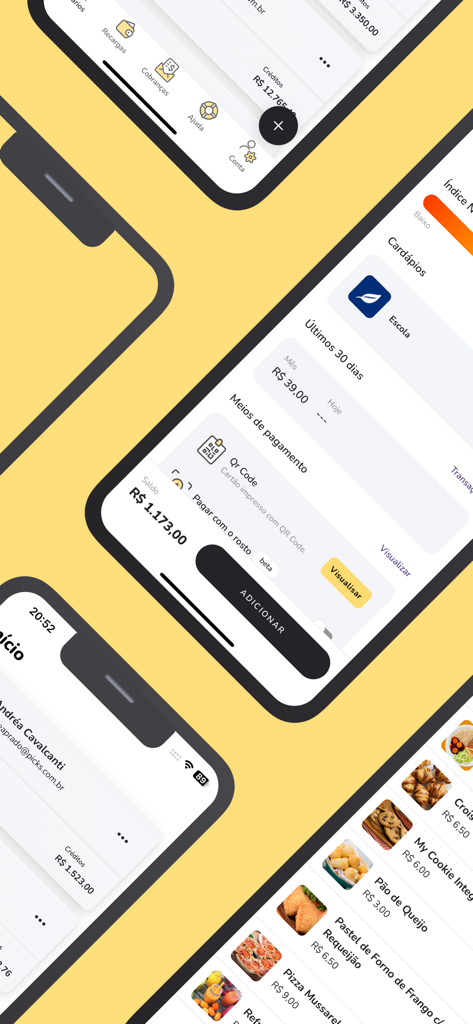
Screenshots of the Picks Manager app showing school account balances, QR code payments, and digital cafeteria menu
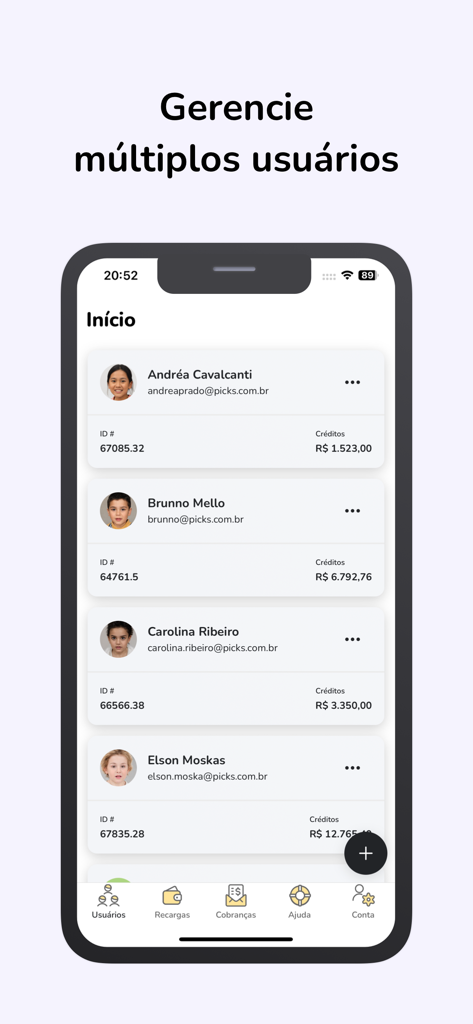
A mobile interface of the Picks Manager app displaying a list of multiple student profiles with their names, account IDs, and credit balances.
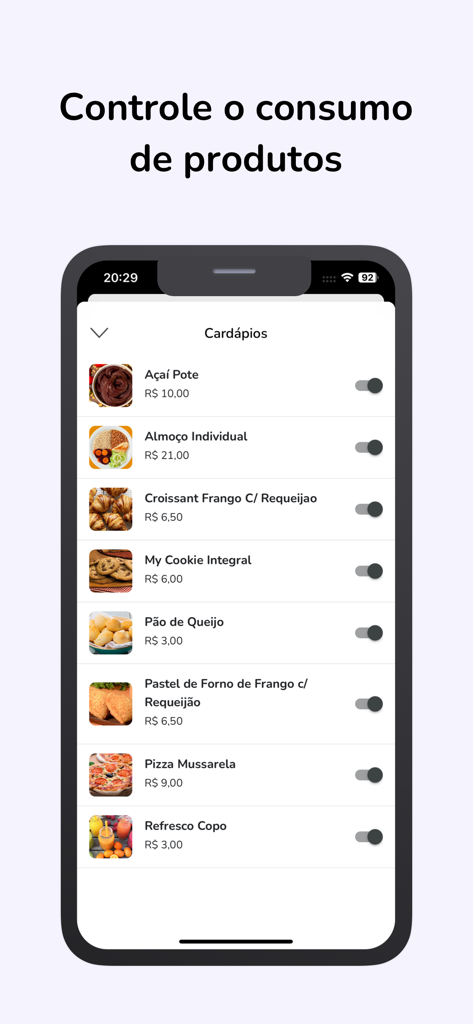
Picks Manager app interface showing school cafeteria menu items with toggle switches for parental consumption control
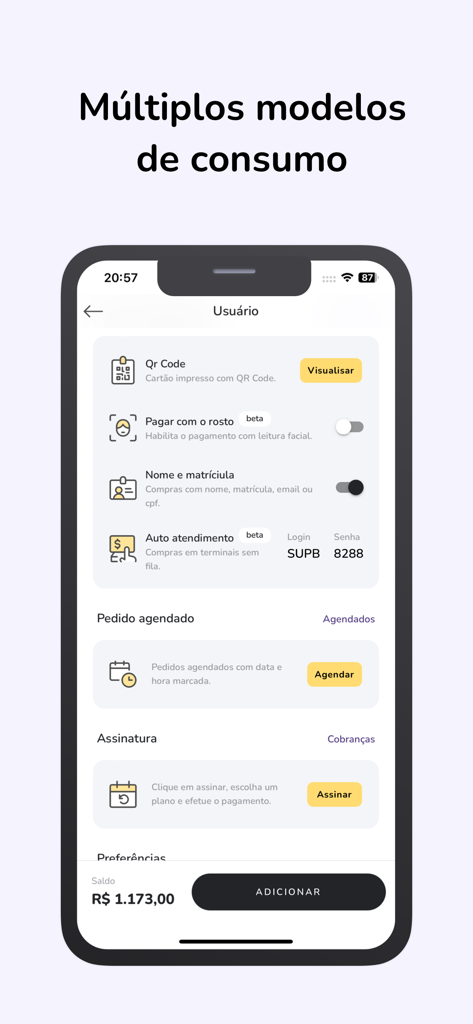
A mobile app interface displaying multiple school cafeteria payment options including QR code and facial recognition
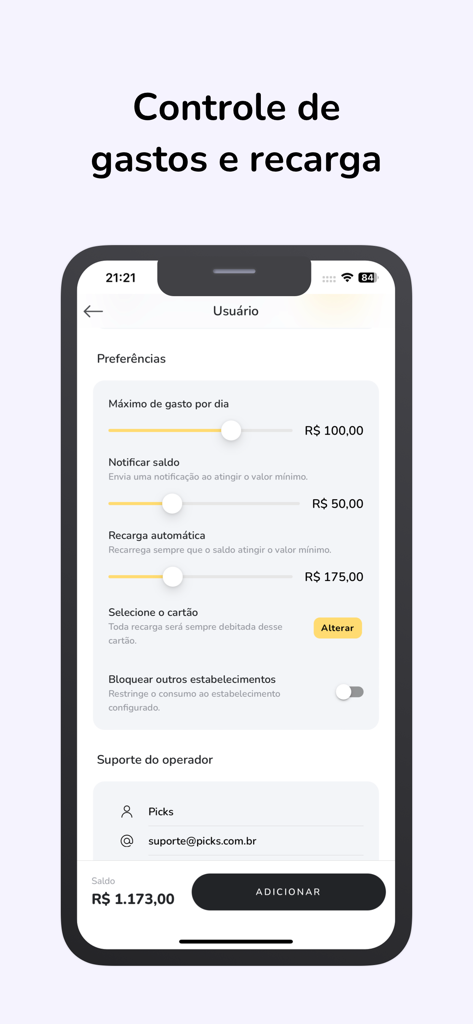
Interface of Picks Manager app showing parental control settings for daily spending limits and automatic account reloads
Description
Download
More Like This
Top-ranked apps in the same category

DoorDash: Food, Grocery, More
DoorDash, Inc.

盒马 - 鲜美生活
Shanghai Heli Network Technical Service Co., Ltd.

Uber Eats: Food & Groceries
Uber Technologies, Inc.

Too Good To Go: End Food Waste
Too Good To Go ApS

Keeta - Food Delivery
Kangaroo Limited

麦当劳McDonald's - 到店取餐 麦咖啡 麦乐送
McDonald's (China) Co., Ltd.

McDonald’s
McDonald's Global Markets LLC

McDonald's
McDonalds USA LLC

美团外卖-外卖订餐,送啥都快
Sankuai Technology Co., Ltd.
This page is not an official page of the app or its developer, but an independent editorial publication created for informational and commentary purposes. Unless expressly stated otherwise, neither the app nor its developer is affiliated with, endorsed by, sponsored by, authorized by, or otherwise officially connected with MWM, Apple, Google Play, the app publisher, or the app's developer, and nothing on this page implies that the app was developed using MWM's services. Any trademarks, logos, screenshots, and other content remain the property of their respective owners.