
This page is not an official page of the app or its developer, but an independent editorial publication created for informational and commentary purposes. Unless expressly stated otherwise, neither the app nor its developer is affiliated with, endorsed by, sponsored by, authorized by, or otherwise officially connected with MWM, Apple, Google Play, the app publisher, or the app's developer, and nothing on this page implies that the app was developed using MWM's services. Any trademarks, logos, screenshots, and other content remain the property of their respective owners.


Picsart AI Photo Editor, Video
No longer constrained by design skill. This platform hands users the reins to AI, instantly sculpting raw ideas into captivating photos, videos, and graphics.
Downloads
250M+User Rating
Total Ratings
5.7MPublisher
Category
Photo & VideoLocales
28Latest Version
29.6.4Size
244.9 MBFirst Released
Jan 2, 2013Picsart AI Photo Editor, Video: Analytical Features Overview
An evaluation of key capabilities for digital content creators and small businesses.
AI-Powered Video Editing
It provides comprehensive tools for professional video editing, including AI retouch effects, trendy filters, and music integration, suitable for elevating content on platforms like Instagram, TikTok, and Reels.
Picsart Aura: AI Creative Chat Partner
This tool offers a unique conversational AI experience, allowing users to chat their creative vision into polished visuals, generating and refining content from prompts in seconds.
Advanced AI Background Remover
The app provides advanced AI capabilities to seamlessly remove and intelligently blend backgrounds, enabling the creation of professional-quality product photos and aesthetic compositions.
AI Image Generation & Enhancement
It allows users to generate custom visuals from text prompts, enhance low-quality images, and effortlessly remove unwanted objects, expanding creative possibilities and improving photo quality.
AI Photo Enhancement & Object Removal
The app features AI tools to instantly improve low-quality images and remove unwanted elements, ensuring pristine and professional-looking photographs.
AI Writer for Content Generation
This feature helps users generate compelling captions, marketing copy, and texts, integrating written content creation directly into the design workflow.
Professional Customizable Templates
It offers a wide array of professionally designed, customizable templates to accelerate the creation of brand logos, social stories, business cards, and various marketing materials.
Custom Sticker Maker & Library
The app provides access to a vast library of over 60 million stickers and allows users to create their own custom stickers for personalized branding and fun graphic design promotions.
Frequently Asked Questions
Everything you need to know about Picsart AI Photo Editor, Video
What is Picsart AI Photo Editor, Video?
Picsart is an all-in-one, AI-powered design studio for photo and video editing. It provides features like background removal, filters, collages, and graphic design tools, perfect for creative projects and business needs.
How can I remove backgrounds from photos using Picsart?
Picsart features an AI-powered Background Remover tool for precise background removal. It also includes Smart Background, which seamlessly merges suitable backgrounds, ideal for creating professional product shots for online sellers.
What AI features does Picsart AI Photo Editor, Video include?
Picsart offers AI Enhance, Remove Object, AI filters, AI Replace for transformations like hair color changes, AI Writer for text, AI Image Generator for text-to-art, AI Expand, and AI avatar portraits.
Can I edit videos with Picsart?
Yes, Picsart includes a video editor for creating and editing clips with music. Users can enhance IG Stories, TikToks, and Reels, apply retouch effects and filters, and compile video collages.
Does Picsart offer customizable design templates?
Yes, Picsart provides customizable graphic design templates created by professional editors. These templates accelerate design processes for creating brand logos, social stories, business cards, and more with just a few taps.
How does Picsart handle object removal in photos?
Picsart features a specific "Remove Object" tool. This tool quickly cleans up pictures by allowing users to effortlessly remove any unwanted objects from their image frames.
What are the premium subscription options for Picsart?
Picsart offers Picsart Plus and Picsart Pro. Plus includes premium content, templates, and retouch features. Pro adds more AI tools, extra team seats for small businesses, and increased storage space.
Can Picsart change my hair color in a photo?
Yes, Picsart's AI Replace tool enables instant image transformations, including hair color changes. This feature allows users to experiment with new styles without any permanent commitment.
Does Picsart include a text editor with fonts?
Yes, the Picsart Text Editor provides hundreds of classic and trending fonts. Users can customize text styles with powerful options to elevate their graphic design projects and create memorable designs.
What kind of stickers are available in Picsart?
Picsart offers a sticker maker library with over 60 million options. Users can add these eye-catching stickers to pictures to enhance graphic designs or create custom stickers for special business promotions.
The following screenshots and description are sourced directly from the app's official store listing and are the property of the app developer.
App Store
Screenshots

Hair Color Magic
See how the app enables instant hair color transformations using a precise slider and a vibrant color palette.
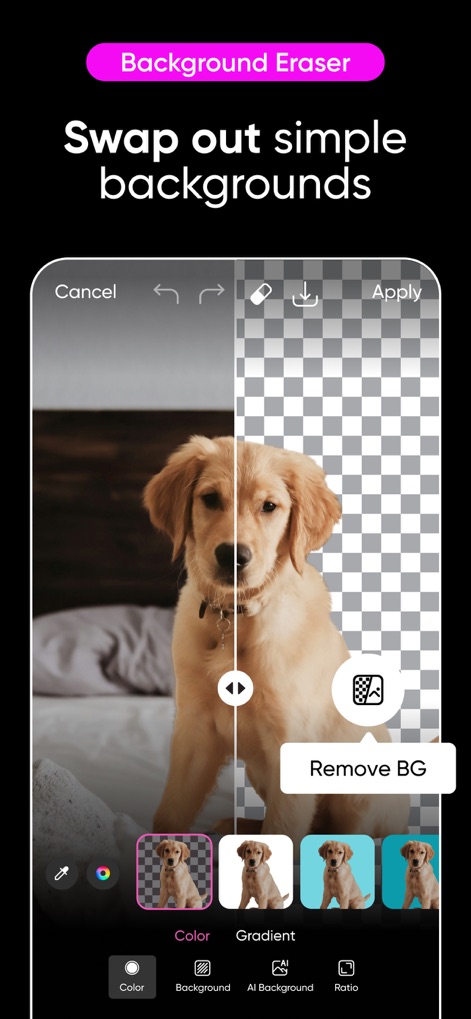
Instant Background Swap
Observe how this tool effortlessly removes backgrounds, offering options to replace them with solid colors or gradients.

Creative Filter Showcase
Discover the range of artistic filters available, from 'Cinematic' effects to 'Film' styles, to enhance any photo.
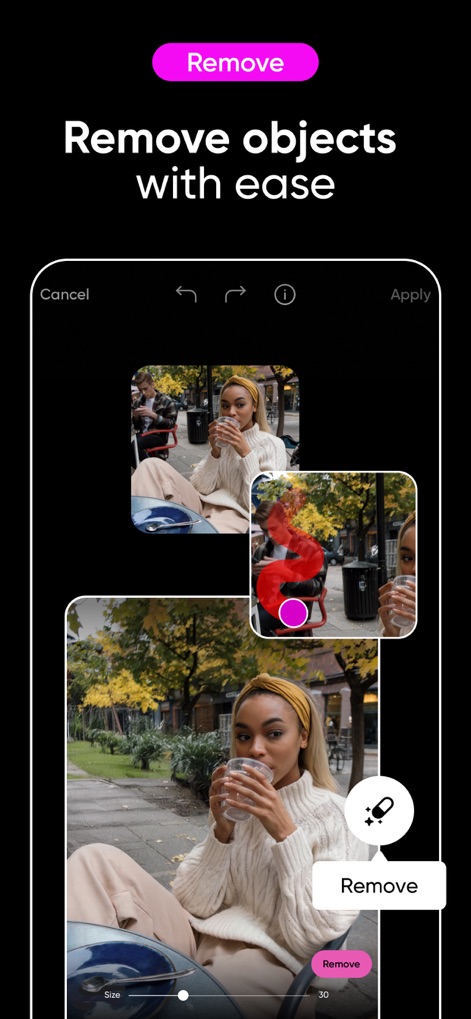
Effortless Object Removal
Witness how users can seamlessly remove unwanted elements with the intelligent 'Remove' tool and adjustable brush size.
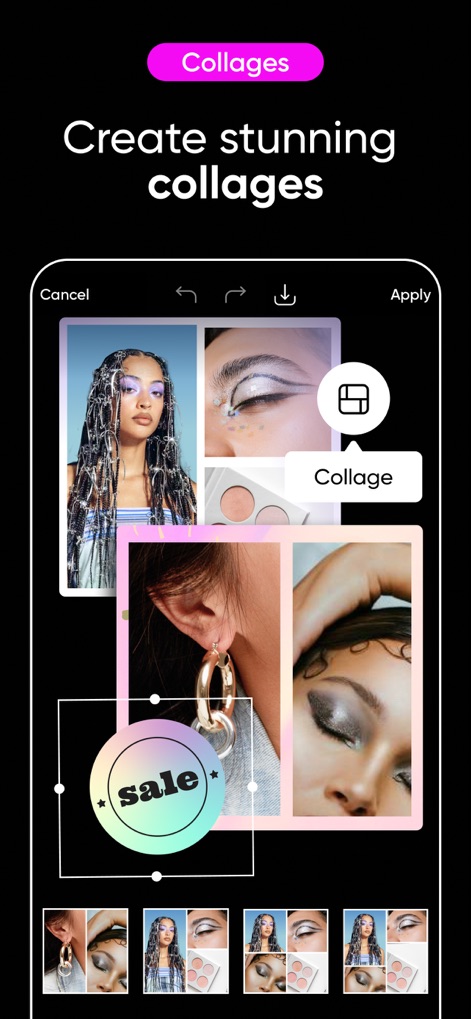
Dynamic Collage Creation
Explore how the app facilitates stunning photo collages, featuring a dedicated 'Collage' tool and diverse layout options.
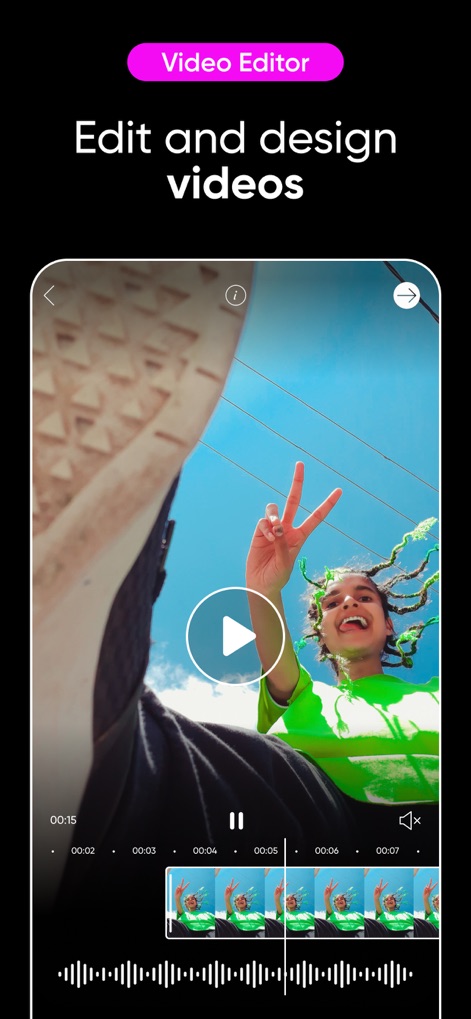
Intuitive Video Editing
Review the comprehensive video editor, showcasing its precise timeline and real-time waveform display for seamless adjustments.
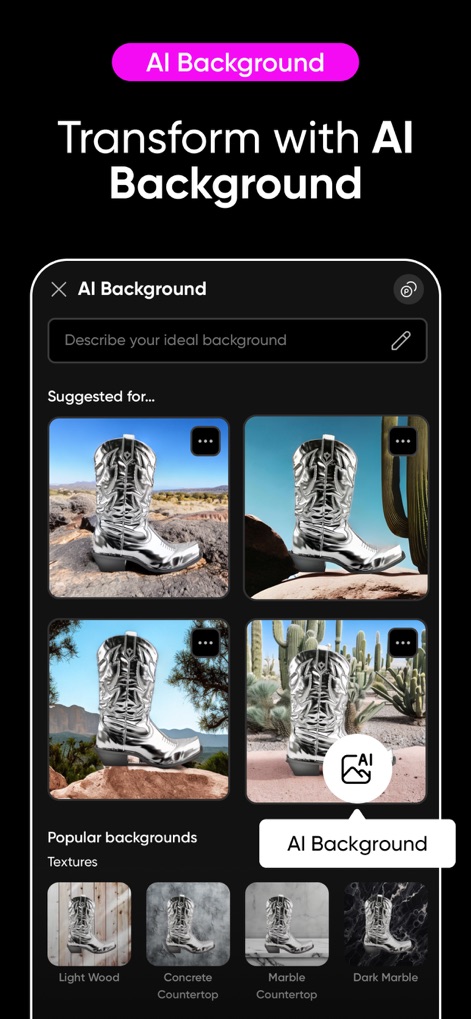
AI-Powered Backgrounds
Examine how the AI Background feature generates diverse scenes, from 'Suggested' options to user-described ideal backdrops.
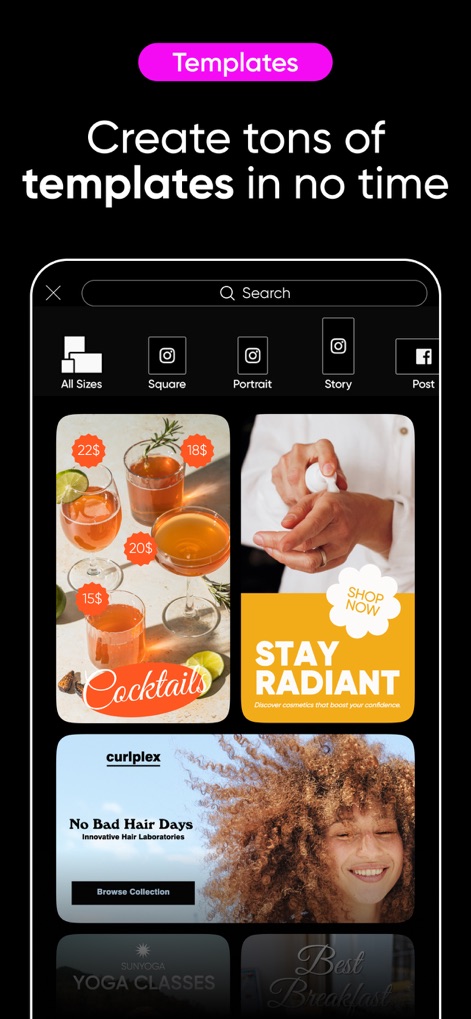
Professional Template Library
Browse the extensive collection of ready-to-use templates, categorized for different sizes like 'Square' and 'Story' for quick design.

Expressive Font Styling
Delve into the Font Generator, which offers a vast selection of premium fonts and powerful 'customization options' for text.
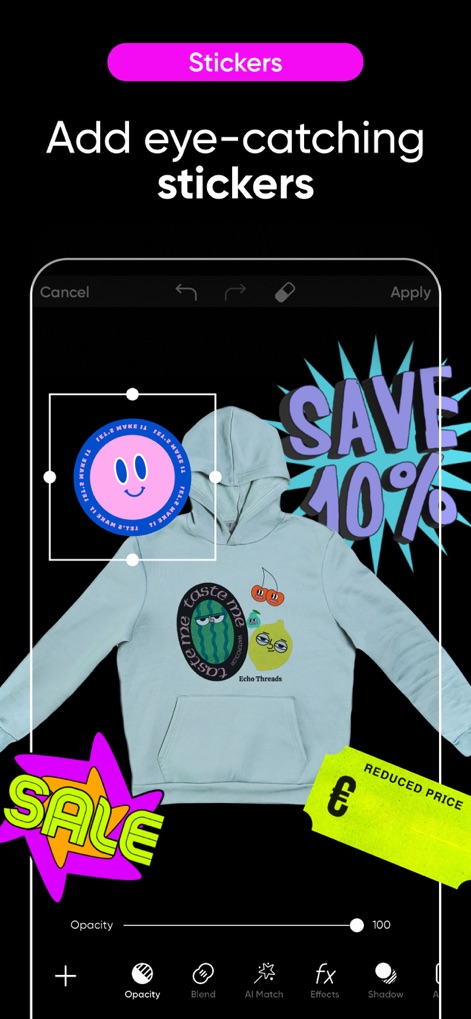
Engaging Sticker Integration
See how users can personalize images with eye-catching 'stickers', adjusting their 'opacity' and applying creative effects.
Description
Download
More Like This
Apps with similar features and user experience

Canva: AI Photo & Video Editor
Canva Pty Ltd

Adobe Express: Create Anything
Adobe Inc.

Bazaart AI Photo Editor Design
Bazaart Ltd.

稿定设计-AI图片海报壁纸,一键p图拼图修图抠图照片美化
Gaoding (Xiamen) Technology Co., Ltd.

Poster Maker - Crea
Salix Dijital Pazarlama Anonim Sirketi

Logo Maker AI Creator — Boon
PIXO Incorporation

MiriCanvas: Poster, PPT design
MIRI D.I.H

Logo Maker: Art Design Creator
LOGOFLY LLC

创客贴设计-AI海报图片设计,一键p图拼图修图抠图照片美化
Beijing yiyuanku science and Technology Co., Ltd.
This page is not an official page of the app or its developer, but an independent editorial publication created for informational and commentary purposes. Unless expressly stated otherwise, neither the app nor its developer is affiliated with, endorsed by, sponsored by, authorized by, or otherwise officially connected with MWM, Apple, Google Play, the app publisher, or the app's developer, and nothing on this page implies that the app was developed using MWM's services. Any trademarks, logos, screenshots, and other content remain the property of their respective owners.