
This page is not an official page of the app or its developer, but an independent editorial publication created for informational and commentary purposes. Unless expressly stated otherwise, neither the app nor its developer is affiliated with, endorsed by, sponsored by, authorized by, or otherwise officially connected with MWM, Apple, Google Play, the app publisher, or the app's developer, and nothing on this page implies that the app was developed using MWM's services. Any trademarks, logos, screenshots, and other content remain the property of their respective owners.


Pika Art - AI Video Effects
No more static feeds. This app hands users a direct line to viral-ready video, transforming bland visuals into dynamic, shareable art.
Downloads
75k+User Rating
Total Ratings
1.6KPublisher
Category
Photo & VideoLocales
4Latest Version
2.4Size
73.7 MBFirst Released
Jul 16, 2025An analytical overview of features designed for social media-savvy users seeking innovative visual content creation.
Pika Art - AI Video Effects: Core Functionality Review
AI Video Generation
The app provides advanced AI capabilities to generate engaging video content directly from user-provided text or images, enabling instant creation of unique visual stories.
AI Outfit Changer
This tool allows users to instantly change outfits in their photos or videos using AI, offering a quick way to update styles and experiment with new looks.
Curated Trendy Effects
It features a variety of trendy effects to enhance visuals, allowing users to add 'wow-factors' and create eye-catching content for social media.
Seamless Social Sharing
The app facilitates easy sharing of creations directly to social networks and friends, streamlining the process of distributing unique video content.
Frequently Asked Questions
Everything you need to know about Pika Art - AI Video Effects
What is Pika Art - AI Video Effects?
Pika Art - AI Video Effects is an AI-powered tool that transforms photos, changes outfits, and converts text into shareable video content. It enables users to create unique video stories.
Does Pika Art - AI Video Effects include an AI Video Generator?
Yes, Pika Art - AI Video Effects features an AI Video Generator. It creates videos from text or images. This specific feature requires a paid subscription for access.
Does Pika Art - AI Video Effects offer an Outfit Changer feature?
Yes, Pika Art - AI Video Effects offers an Outfit Changer feature. Users can instantly update their style. This functionality is available as part of a paid subscription.
Are all features in Pika Art - AI Video Effects free to use?
No, not all features in Pika Art - AI Video Effects are free. Some features, such as the AI Video Generator and Outfit Changer, require a paid subscription.
How do I cancel my Pika Art - AI Video Effects subscription?
Users cancel their Pika Art - AI Video Effects subscription in their iTunes settings. Cancellation must occur at least 24 hours before the current billing period ends.
What happens to my account if I cancel my Pika Art - AI Video Effects subscription?
Upon cancellation of a Pika Art - AI Video Effects subscription, the account downgrades to the free version of the service. This takes effect the day after the current subscription period ends.
Does Pika Art - AI Video Effects require editing skills?
No, Pika Art - AI Video Effects does not require editing skills. The app is designed for anyone to create original video ideas easily.
Can I share videos created with Pika Art - AI Video Effects?
Yes, Pika Art - AI Video Effects allows easy sharing of creations. Users share their videos with friends and across various social networks directly from the app.
Can Pika Art - AI Video Effects turn text into video?
Yes, Pika Art - AI Video Effects utilizes its AI Video Generator to turn text into video content. This advanced functionality requires a paid subscription.
What types of visual effects are available in Pika Art - AI Video Effects?
Pika Art - AI Video Effects provides trendy effects to enhance visuals. Available styles include Trendy, New, Popular, and Anime. Examples are "Epic Me" and "Captain Me".
Where can I find the Privacy Policy for Pika Art - AI Video Effects?
The Privacy Policy for Pika Art - AI Video Effects is available via the link provided in the app description: https://docs.google.com/document/d/18irE_2gBBcHBkIQXx0AfWVDZLt-BdGtU7VKrMWLnK04/edit?usp=sharing.
Where can I find the Terms and Conditions for Pika Art - AI Video Effects?
The Terms and Conditions for Pika Art - AI Video Effects are accessible through the link in the app description: https://docs.google.com/document/d/1nxPfWY5TFhRQsUCYXV285L3wOtkN63EjTZeH2kzWGI/edit?usp=sharing.
The following screenshots and description are sourced directly from the app's official store listing and are the property of the app developer.
App Store
Screenshots
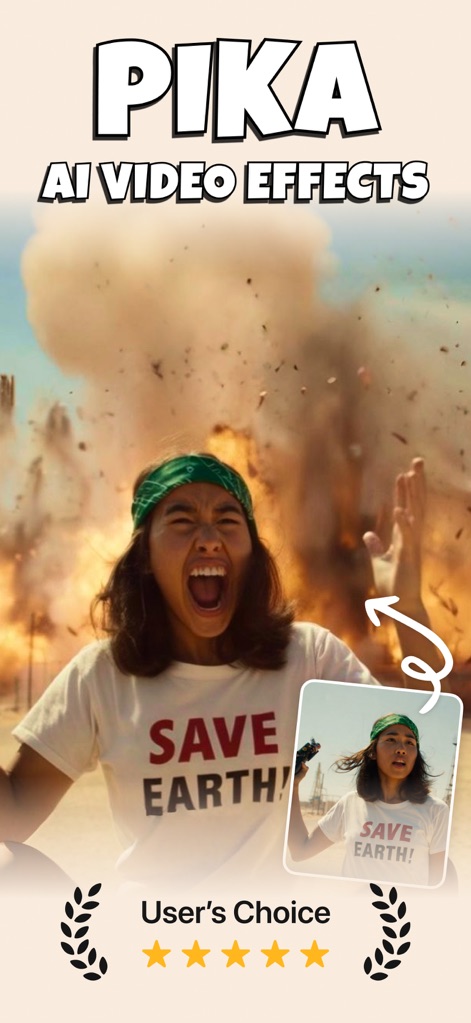
See how the app leverages AI to transform an original photo into a dynamic video with an explosion effect, highlighted by its 'User's Choice' rating.
Dynamic AI Transformation
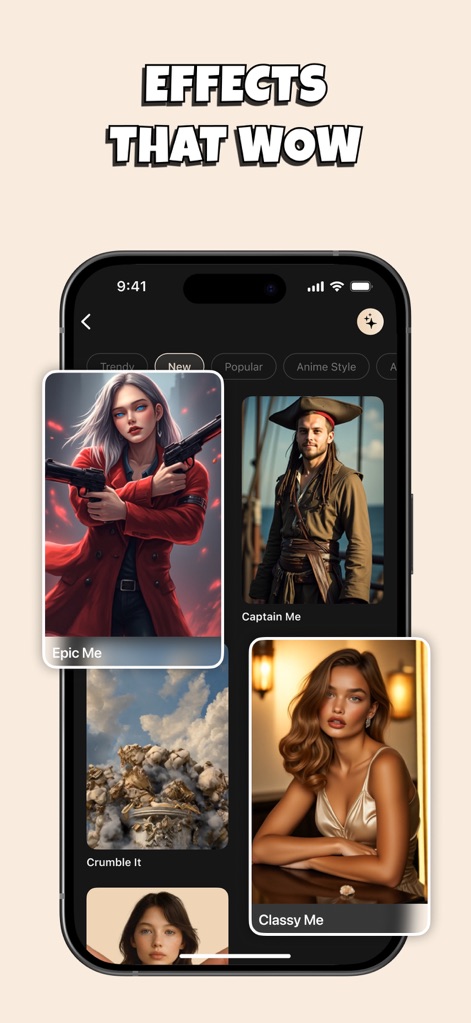
Discover the app's extensive effect gallery, featuring categories like 'Trendy' and 'Anime Style' to transform photos into unique artistic interpretations.
Curated Effect Gallery

Witness how the app revives old photographs, showcasing the dramatic improvement from an original sepia-toned image to a clearer, enhanced result.
Vintage Photo Enhancement
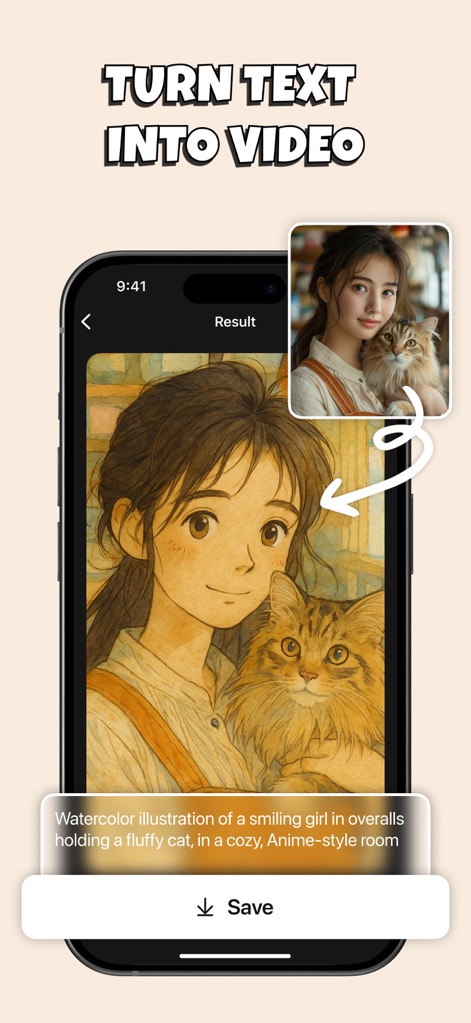
Observe the power of AI as it generates stunning video content from a detailed text prompt, creating a 'watercolor illustration' with specified elements.
Text-to-Video Creation
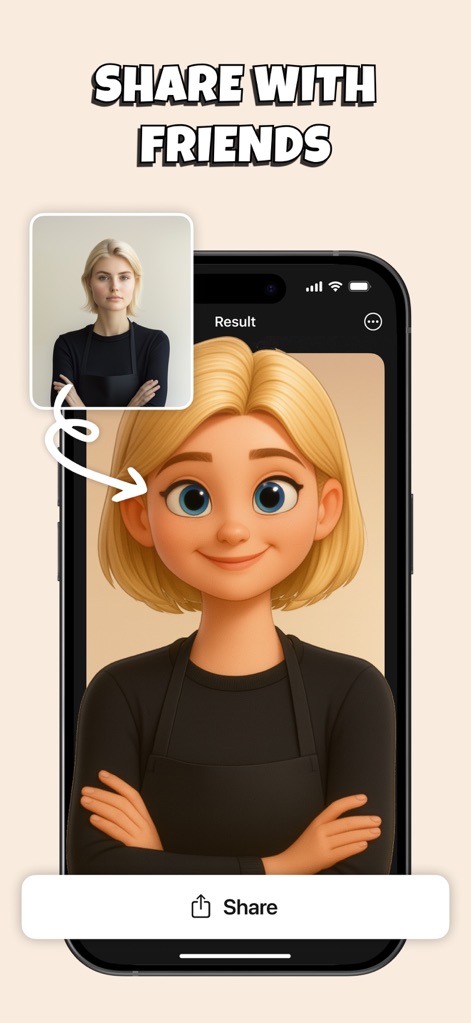
See how the app effortlessly transforms a real photo into a playful animated character, ready for instant sharing across social networks.
Effortless Social Sharing
Description
Download
More Like This
Apps with similar features and user experience

Sora by OpenAI
OpenAI OpCo, LLC

DreamFace: AI Video Generator
New Port LLC
AI Video Generator - Viddo AI
li lin
MiniMax AI - Video Generator
Noam Barzik

WOMBO Dream - AI Art Generator
Wombo Studios, Inc.

AI Canvas - AI Image Generator
Engcraft, LLC
Cat Language Keyboard DIY
HUYNH DUONG VAN
AI Art Generator Image
琴慧 冯

Loopsie: AI Image Effects
KRNL SRL
This page is not an official page of the app or its developer, but an independent editorial publication created for informational and commentary purposes. Unless expressly stated otherwise, neither the app nor its developer is affiliated with, endorsed by, sponsored by, authorized by, or otherwise officially connected with MWM, Apple, Google Play, the app publisher, or the app's developer, and nothing on this page implies that the app was developed using MWM's services. Any trademarks, logos, screenshots, and other content remain the property of their respective owners.