
This page is not an official page of the app or its developer, but an independent editorial publication created for informational and commentary purposes. Unless expressly stated otherwise, neither the app nor its developer is affiliated with, endorsed by, sponsored by, authorized by, or otherwise officially connected with MWM, Apple, Google Play, the app publisher, or the app's developer, and nothing on this page implies that the app was developed using MWM's services. Any trademarks, logos, screenshots, and other content remain the property of their respective owners.

Pill Alert Pro
Effortlessly manage complex schedules for yourself and your loved ones. With multi-profile syncing, Apple Watch alerts, and physician-ready reports, we handle the reminders so you can reclaim your mental space.
Downloads
128K+User Rating
Total Ratings
0Publisher
Category
MedicalLocales
20Latest Version
6.1.1Size
41.5 MBFirst Released
Jun 19, 2014Take Control of Your Family’s Wellness
The most comprehensive medication manager designed for the modern caregiver, ensuring you and your loved ones never miss a beat.
Care for the Whole Family
Effortlessly manage multiple profiles and sync across devices via iCloud to keep an eye on your aging parents or children's health from anywhere.
Precision Alerts Anywhere
Receive timely reminders on your Apple Watch or iPhone with personalized voice recordings and smart snooze options that adapt to your busy lifestyle.
Frequently Asked Questions
Everything you need to know about Pill Alert Pro
What is Pill Alert Pro and what does it do?
Pill Alert Pro is a medication reminder app ensuring users take their pills on time. It supports multiple profiles, iCloud sync, and offers features like scheduling, logging, and refill reminders for stress relief in daily life.
Does Pill Alert Pro support multiple users or family members?
Yes, Pill Alert Pro supports multiple profiles, allowing users to manage medication schedules for themselves and their family members separately. It also offers iCloud auto sync for family oversight.
Can I track and export medication logs with Pill Alert Pro?
Yes, Pill Alert Pro allows users to keep pill taken logs. These logs can be checked by date or by medications, and users can email them to themselves or their doctors.
Does Pill Alert Pro offer backup and restore options for my data?
Yes, Pill Alert Pro provides multiple backup and restore options. It supports both iCloud Backup and Restore, and Dropbox Backup and Restore to secure medication data.
Is Pill Alert Pro compatible with Apple Watch?
Yes, Pill Alert Pro supports Apple Watch. This allows users to receive medication reminders and manage their schedules directly from their wrist for convenience.
Can I customize reminder sounds in the Pill Alert Pro app?
Yes, Pill Alert Pro offers customization for reminder sounds. It includes 15 free reminder sounds, and users can also record their own sound as a personalized reminder.
How does Pill Alert Pro manage 'Taken as Needed' medications?
Pill Alert Pro allows users to add 'Taken as Needed' medications. The app tracks these meds and checks their logs separately from regular scheduled medications for clear management.
Does Pill Alert Pro offer security features for medication data?
Yes, Pill Alert Pro includes security features to protect user data. It offers passcode protection and supports Touch ID as a passcode for enhanced access security.
Can Pill Alert Pro remind me when to refill my medications?
Yes, Pill Alert Pro tracks the quantity of each medication. It reminds users when it is time to refill their prescriptions, helping them avoid running out of essential medications.
Does Pill Alert Pro sync data across multiple iOS devices?
Yes, Pill Alert Pro supports iCloud auto sync between iOS devices. This feature ensures medication data is consistent and up-to-date across all connected iPhones and iPads.
The following screenshots and description are sourced directly from the app's official store listing and are the property of the app developer.
App Store
Screenshots
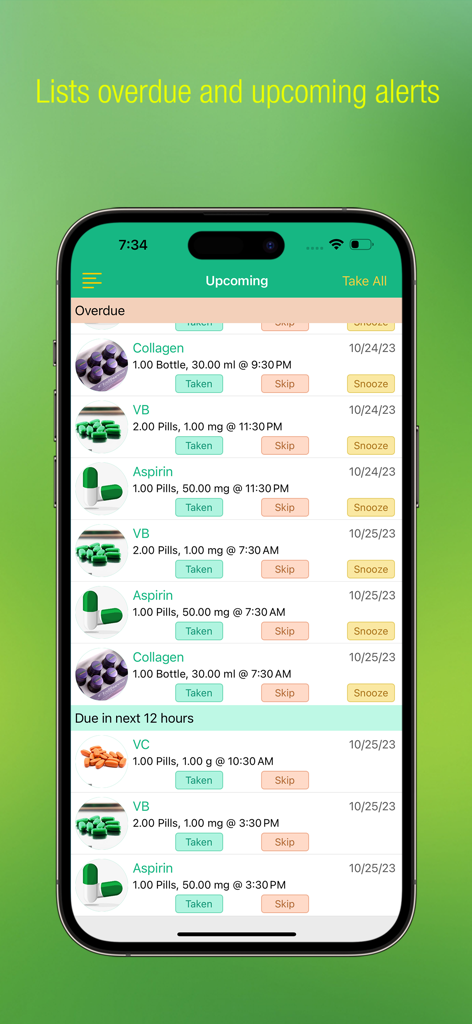
Pill Alert Pro app interface showing a list of overdue and upcoming medication reminders with options to take, skip, or snooze.
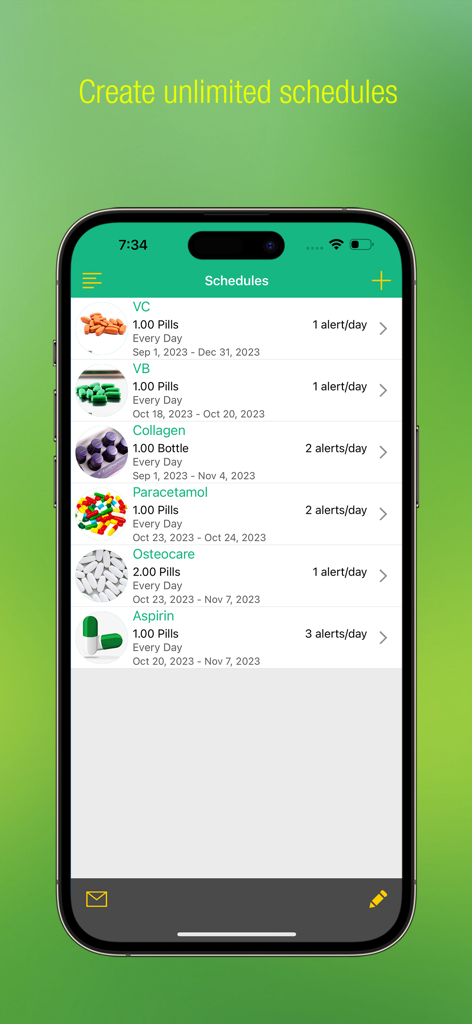
A list of medication schedules in the Pill Alert Pro app showing pill images and dosages.
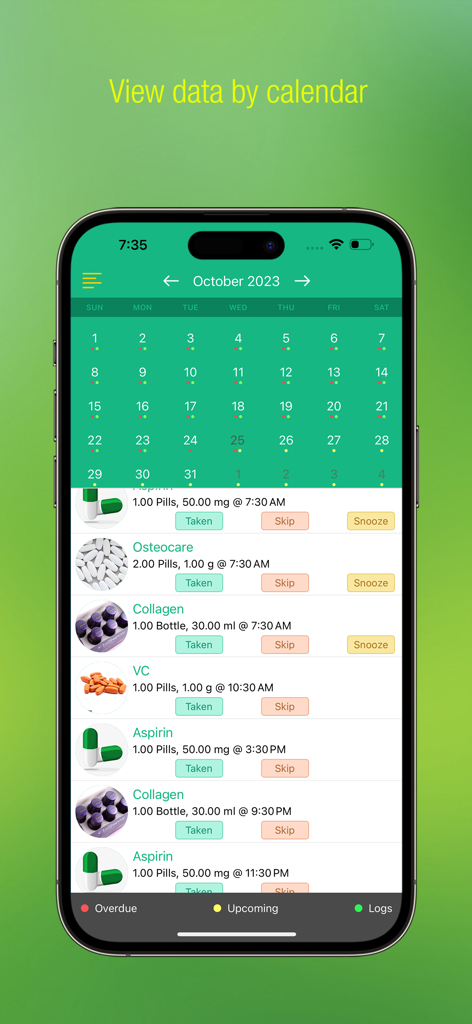
Pill Alert Pro app interface showing a monthly medication calendar and daily pill schedules with taken or skip status
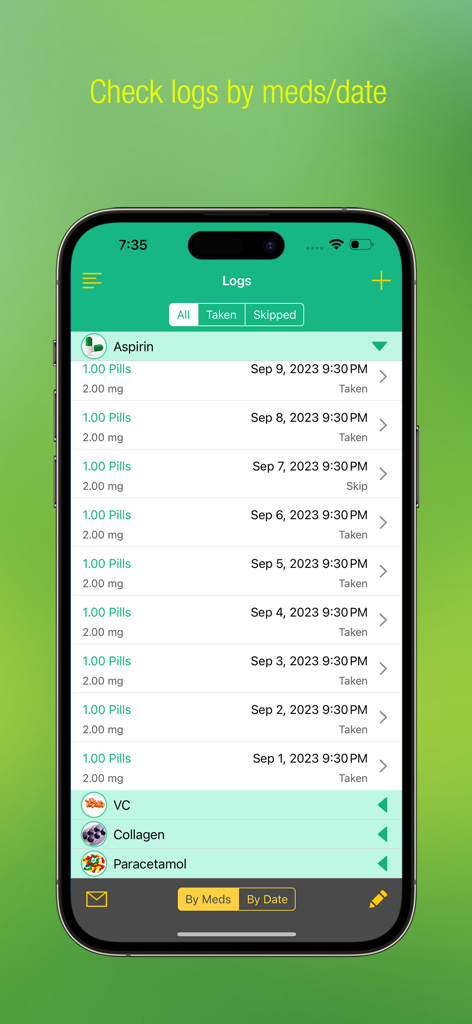
Medication history logs screen in the Pill Alert Pro app on iPhone
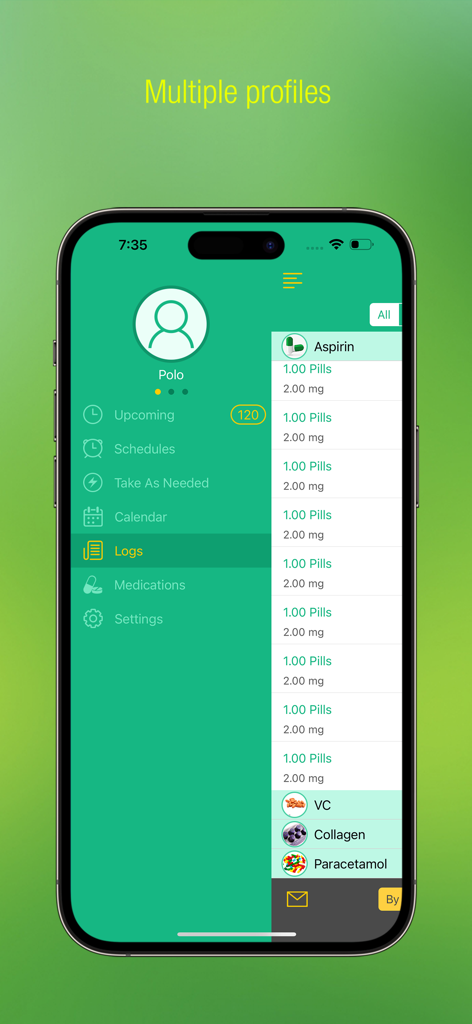
Pill Alert Pro app interface showing medication logs and multiple user profile management.
Description
Download
More Like This
Top-ranked apps in the same category

国家医保服务平台
National Healthcare Security Administration

MyChart
Epic Systems Corporation

Doctolib - Your health partner
Doctolib

Pregnancy + | Tracker App
Philips Digital UK Limited

CVS Health
CVS Pharmacy

江苏医保云
Jiangsu Healthcare Security Bureau

UnitedHealthcare
UNITED HEALTHCARE SERVICES, INC.

京东健康
BEIJING JINGDONG 360 DU E-COMMERCE LTD.

Meu SUS Digital
Servicos e Informacoes do Brasil
This page is not an official page of the app or its developer, but an independent editorial publication created for informational and commentary purposes. Unless expressly stated otherwise, neither the app nor its developer is affiliated with, endorsed by, sponsored by, authorized by, or otherwise officially connected with MWM, Apple, Google Play, the app publisher, or the app's developer, and nothing on this page implies that the app was developed using MWM's services. Any trademarks, logos, screenshots, and other content remain the property of their respective owners.