
This page is not an official page of the app or its developer, but an independent editorial publication created for informational and commentary purposes. Unless expressly stated otherwise, neither the app nor its developer is affiliated with, endorsed by, sponsored by, authorized by, or otherwise officially connected with MWM, Apple, Google Play, the app publisher, or the app's developer, and nothing on this page implies that the app was developed using MWM's services. Any trademarks, logos, screenshots, and other content remain the property of their respective owners.


Piston
Accelerate technical development and master every detail with synchronized 4K video, real-time markup, and live Opta data integration designed for professional coaching environments.
Downloads
3K+User Rating
Total Ratings
0Publisher
Category
SportsLocales
1Latest Version
9.8Size
36.9 MBFirst Released
Oct 10, 2018Precision Analysis for Elite Teams
Accelerate athlete development with a high-performance video suite designed for 4K multi-camera vision and real-time technical feedback.
16-Camera Synchronized Capture
Record up to 16 4K camera angles simultaneously. Swipe to switch views in perfect sync for total tactical visibility from every perspective.
Instant Multi-Peer Markup
Provide immediate visual feedback on the field. Use professional drawing tools and shared real-time annotations to bridge the gap between performance and correction.
Frequently Asked Questions
Everything you need to know about Piston
What is Piston?
Piston is an application designed to capture and accelerate learning moments during training and performances through multi-camera vision, enhancing knowledge transfer.
Does Piston support 4K video capture?
Yes, Piston captures vision from a wide variety of 4K network cameras. It also supports options for SDI and HDMI input.
How many cameras can Piston capture simultaneously?
Piston systems are capable of capturing and reviewing up to 16 network cameras simultaneously. Users can perform in-sync angle switching with a simple swipe.
Can Piston users annotate videos?
Yes, Piston includes simple-to-use drawing tools. Users can pause videos, draw on them to highlight aspects, and save these as images for later viewing or sharing.
Does Piston allow multi-user collaboration on video markup?
Yes, Piston features Multipeer MarkUp, which shares annotation data across all users in real-time or post-event. Markup button schemes are centrally distributed for consistency.
Can Piston export marked-up data?
Yes, Piston supports the export of markup and annotation data. It provides options for both XML and JSON data export formats.
Does Piston offer live streaming capabilities?
Yes, Piston provides live streaming export and upload to AWS Simple Storage Service (S3). It offers a cost-effective, reliable way to stream with custom export settings.
Can Piston import live sports data?
Yes, with a live data subscription, Piston can import and synchronize Opta's live data directly into a capture session.
Can Piston videos be reviewed offline?
Yes, Piston allows users to cut clips from multiple camera angles and download them for subsequent offline review.
Does Piston support custom video controls?
Yes, Piston enables users to customize video controls according to their preferences, enhancing the viewing and review experience.
The following screenshots and description are sourced directly from the app's official store listing and are the property of the app developer.
App Store
Screenshots
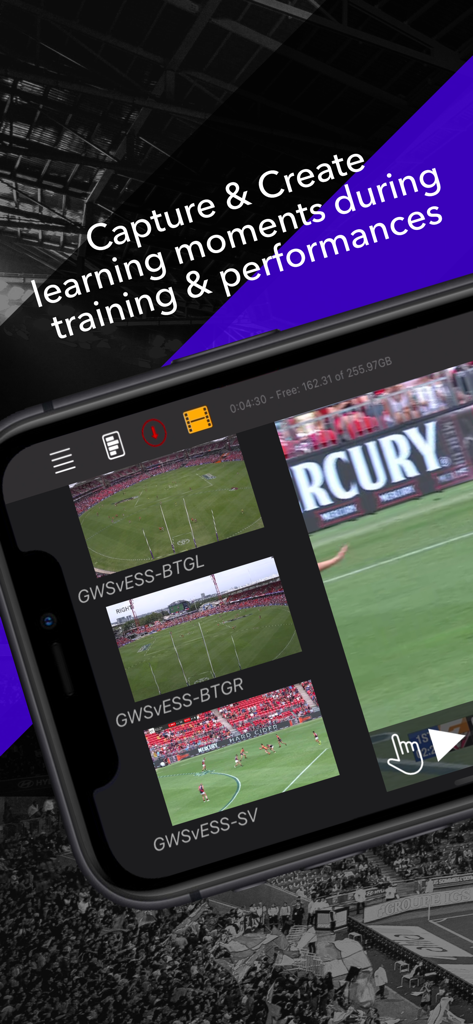
Piston app interface showing multiple synchronized camera angles of a sports match for performance analysis
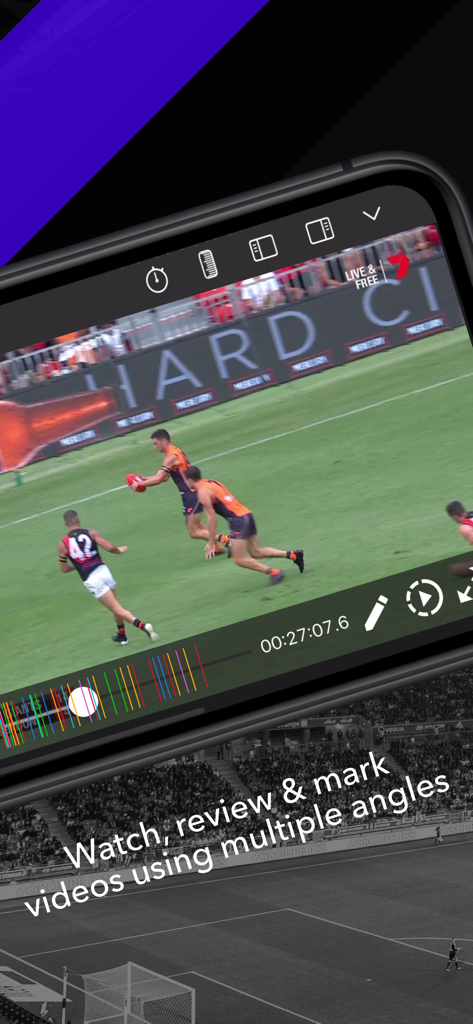
Smartphone displaying Piston app interface for multi-angle sports video review and performance analysis.
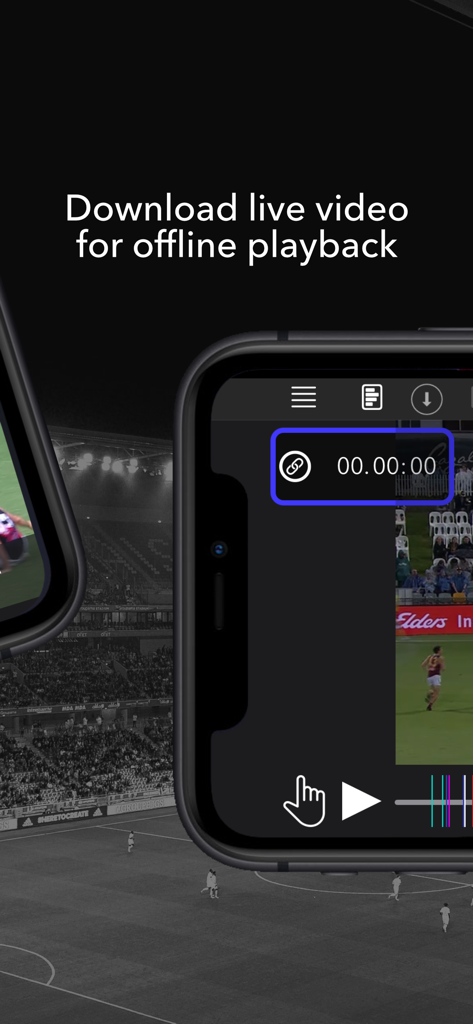
Smartphone screen showing the Piston app interface for downloading and playing live sports video offline
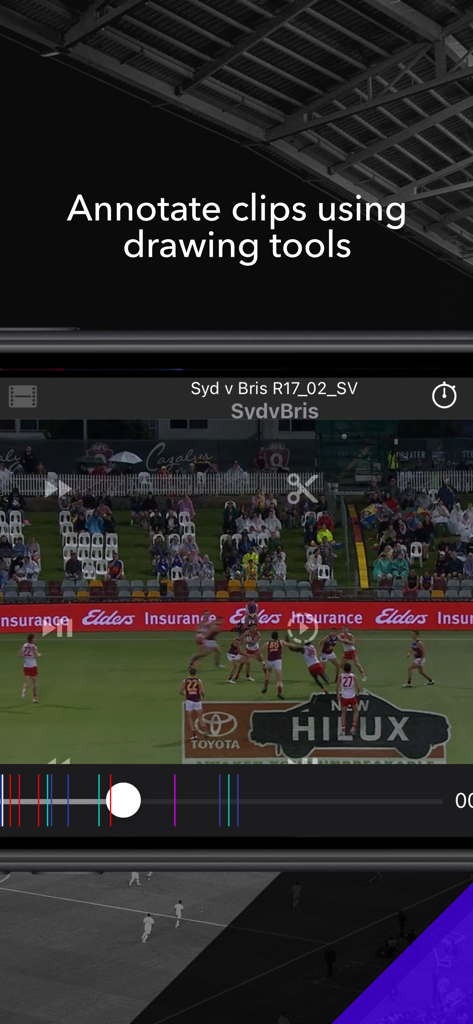
Piston app interface showing sports video playback with drawing and annotation tools for performance analysis.
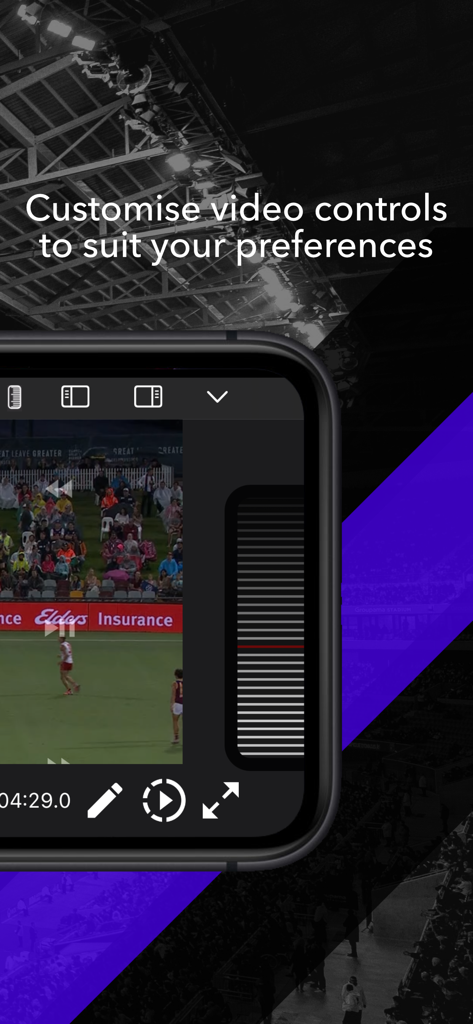
Piston app interface showing customizable video controls for professional sports performance analysis
Description
Download
More Like This
Top-ranked apps in the same category

得物 - 得到美好事物
Shanghai Dewu Information Group Co., Ltd.

懂球帝 - 足球篮球体坛数据
Hainan Football-Loving Girl Network Technology Co., Ltd.

Underdog Sports
Underdog Sports, Inc.

虎扑-评分篮球足球游戏影视
Shanghai Kuanghui Network Technology Co., LTD

ESPN: Live Sports & Scores
Disney Electronic Content, Inc.

Flashscore: Live Scores & News
Livesport s.r.o.

Polymarket
Blockratize Inc

DAZN: Stream Live Sports
DAZN Limited

DraftKings Sportsbook & Casino
DRAFTKINGS LLC.
This page is not an official page of the app or its developer, but an independent editorial publication created for informational and commentary purposes. Unless expressly stated otherwise, neither the app nor its developer is affiliated with, endorsed by, sponsored by, authorized by, or otherwise officially connected with MWM, Apple, Google Play, the app publisher, or the app's developer, and nothing on this page implies that the app was developed using MWM's services. Any trademarks, logos, screenshots, and other content remain the property of their respective owners.