
This page is not an official page of the app or its developer, but an independent editorial publication created for informational and commentary purposes. Unless expressly stated otherwise, neither the app nor its developer is affiliated with, endorsed by, sponsored by, authorized by, or otherwise officially connected with MWM, Apple, Google Play, the app publisher, or the app's developer, and nothing on this page implies that the app was developed using MWM's services. Any trademarks, logos, screenshots, and other content remain the property of their respective owners.


PlanoTrak - Construction App
The all-in-one digital toolkit for modern contractors and tradesmen. Manage estimates, track costs, and organize your fleet across iPhone, iPad, and Mac—all for a one-time purchase.
Downloads
100User Rating
Total Ratings
0Publisher
Category
BusinessLocales
21Latest Version
3.8Size
4.2 MBFirst Released
May 21, 2025The All-in-One Command Center for Your Trade
From the first estimate to the final invoice, manage every detail of your construction projects on your iPhone, iPad, and Mac. One-time purchase, zero subscriptions, and works everywhere—even offline.
Smart Budget Safeguards
Avoid profit leaks with real-time cost tracking for labor and materials. Get automated alerts when expenses hit 80% and 100% of your budget to ensure every project stays profitable.
Instant Professional Estimates
Win more bids by generating high-end PDF proposals on-site. Once a client approves, convert the estimate into an active project with a single tap, carrying over all your data instantly.
Frequently Asked Questions
Everything you need to know about PlanoTrak - Construction App
What is PlanoTrak - Construction App?
PlanoTrak is the first Greek AI project management application for contractors, engineers, and plumbers. It organizes projects, tasks, materials, invoices, and finances using AI features and secure iCloud synchronization across all Apple devices.
How does the PlanoTrak AI Assistant function?
The PlanoTrak AI Assistant provides context-aware guidance, answers app usage questions, and enables smart navigation to specific screens. It also supports AI receipt scanning, smart project suggestions, and voice entry for tasks.
Can PlanoTrak be used on multiple Apple devices?
Yes, PlanoTrak is available on iPhone, iPad, Mac, and Apple Watch. It offers automatic synchronization via iCloud, allowing it to work across all your Apple devices seamlessly with a single purchase.
Does PlanoTrak - Construction App offer Apple Watch support?
Yes, PlanoTrak supports Apple Watch. Users can quickly enter materials, equipment, and work hours directly from their wrist using voice input, and access their projects on the job site.
How does PlanoTrak manage invoicing and quotes for projects?
PlanoTrak handles invoicing by allowing users to create and send professional PDF invoices, track payments, and manage outstanding items. It also creates quotes that convert into active projects with one touch.
Does PlanoTrak offer budget management capabilities for projects?
Yes, PlanoTrak includes comprehensive project budgeting features. It provides complete control over income, expenses, and the overall budget, allowing users to track financial status and see expense breakdowns per task.
Is PlanoTrak - Construction App a subscription service?
No, PlanoTrak is not subscription-based. It operates on a one-time purchase model, providing full access to all features across all your compatible Apple devices without any recurring fees.
How does PlanoTrak facilitate task management within a project?
PlanoTrak helps manage tasks by allowing users to assign and track them within projects. It facilitates expense tracking per task and visualizes task costs, breaking down work into manageable components for efficient oversight.
Can PlanoTrak - Construction App track materials used on a job?
Yes, PlanoTrak tracks materials used in each job through a dedicated materials list. It displays item names, quantities, dates added, and total costs, offering detailed oversight of all material expenses.
What field tools are included in PlanoTrak - Construction App?
PlanoTrak offers field tools like project location on Maps with arrival notifications, Gantt charts for scheduling, and calendar synchronization. It also allows for storing sketches, notes, files, and photos.
The following screenshots and description are sourced directly from the app's official store listing and are the property of the app developer.
App Store
Screenshots
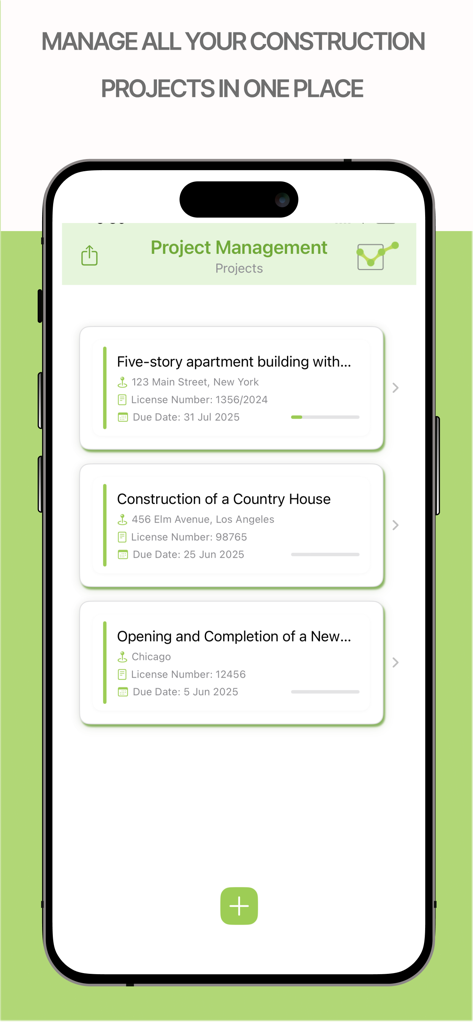
PlanoTrak project management screen showing a list of active construction projects with addresses and deadlines
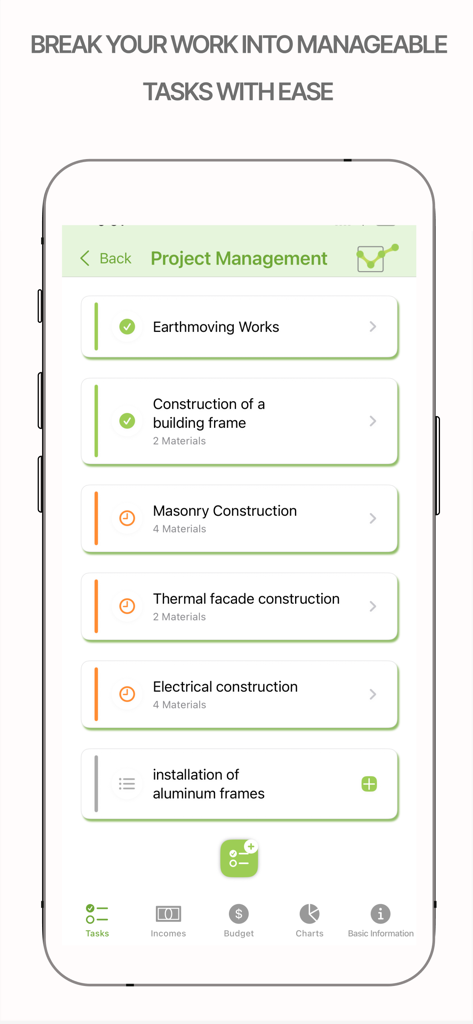
PlanoTrak app screen showing a list of construction project tasks including masonry and electrical work
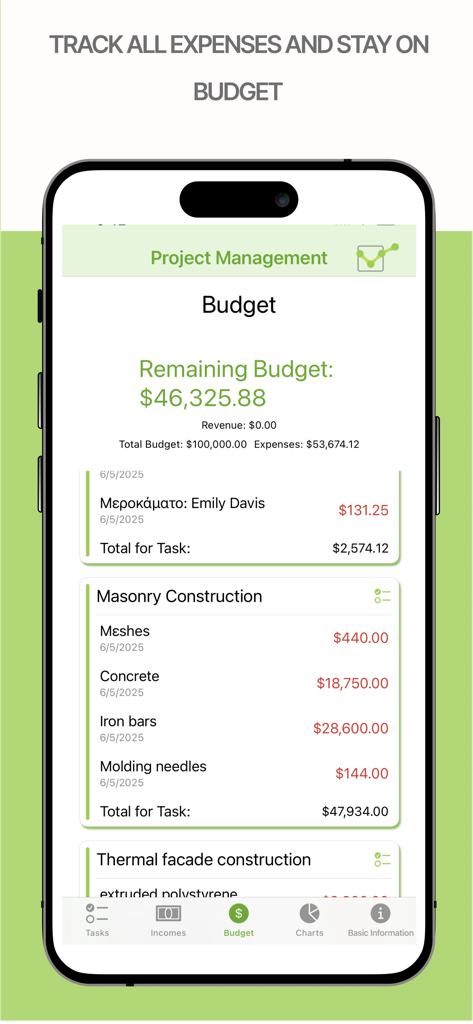
Screenshot of the PlanoTrak app showing project budget tracking with remaining balance and itemized construction expenses
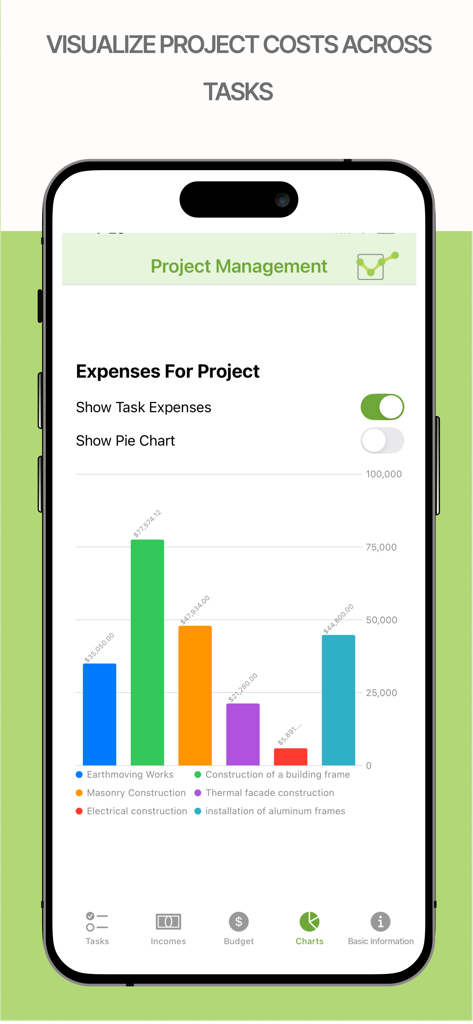
Construction project expenses bar chart in the PlanoTrak app
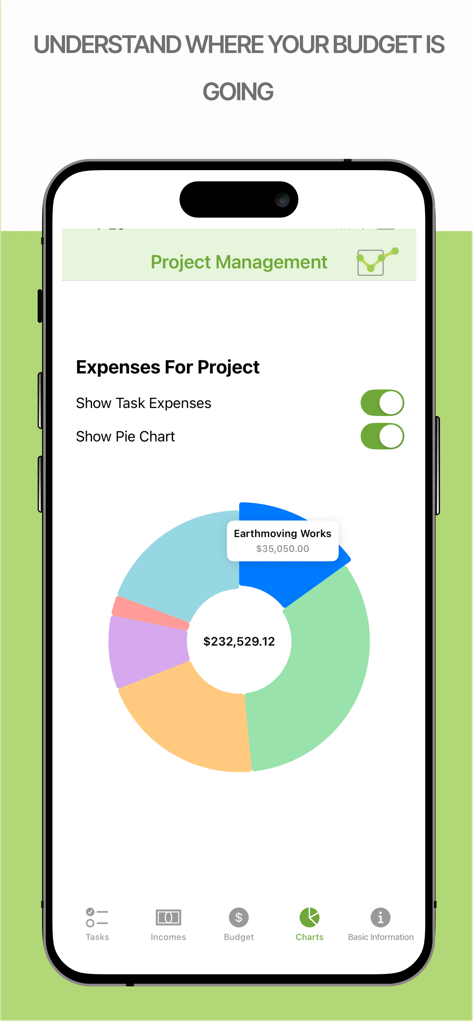
Pie chart visualization of construction project expenses in PlanoTrak app
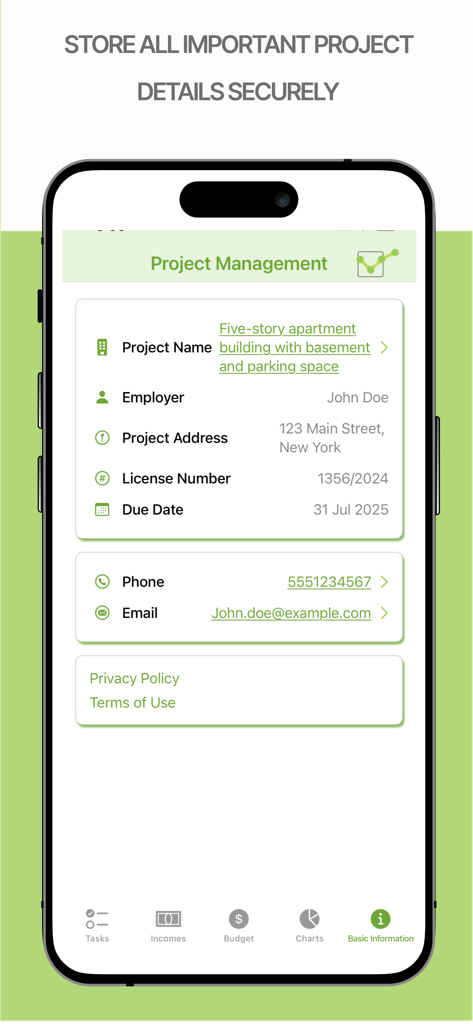
PlanoTrak app screen showing project details including project name employer address and due date
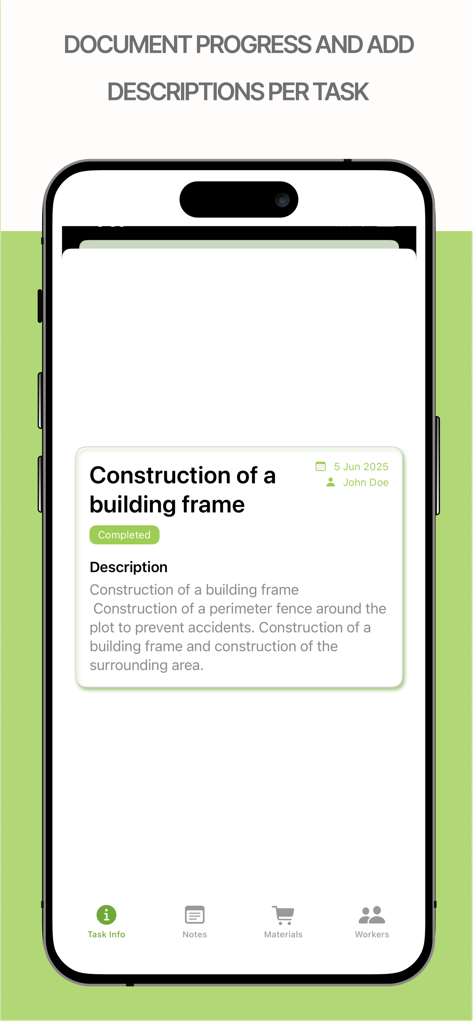
iPhone screen showing task description and progress documentation for a construction project in the PlanoTrak app
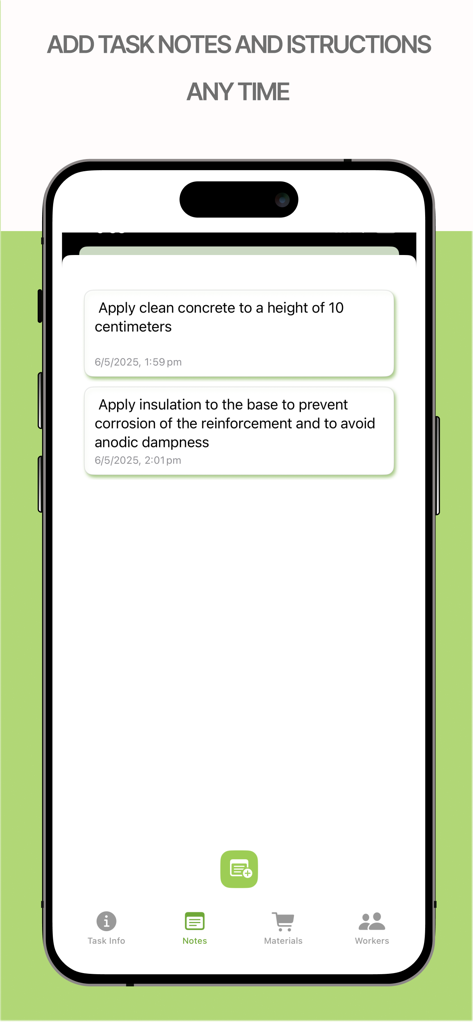
Smartphone screen of PlanoTrak app showing detailed construction task notes and site instructions
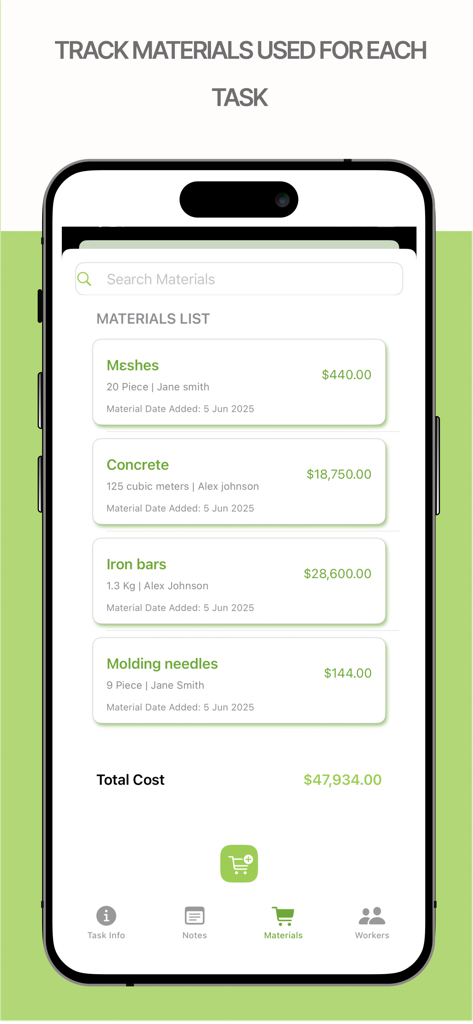
PlanoTrak app interface on iPhone showing a construction materials list with quantities and total project costs
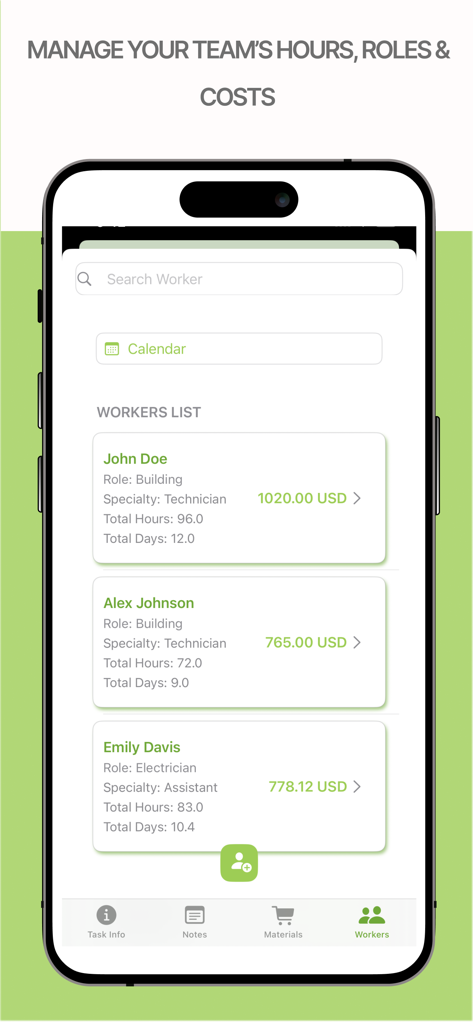
PlanoTrak app screen for managing team hours roles and labor costs
Description
Download
More Like This
Top-ranked apps in the same category

Microsoft Teams
Microsoft Corporation

Zoom Workplace
Zoom Communications, Inc.

WhatsApp Business
WhatsApp Inc.

Indeed Job Search
Indeed Inc.

LinkedIn: Network & Job Finder
LinkedIn Corporation

Adobe Acrobat Reader: Sign PDF
Adobe Inc.

WeCom-Work Communication&Tools
Tencent Technology (Shenzhen) Company Limited

BOSS直聘-招聘求职找工作神器
Beijing China Product Bo Farce Network Technology Co., Ltd.

DingDing - Redefine Work in AI
DingTalk Technology Co., Ltd.
This page is not an official page of the app or its developer, but an independent editorial publication created for informational and commentary purposes. Unless expressly stated otherwise, neither the app nor its developer is affiliated with, endorsed by, sponsored by, authorized by, or otherwise officially connected with MWM, Apple, Google Play, the app publisher, or the app's developer, and nothing on this page implies that the app was developed using MWM's services. Any trademarks, logos, screenshots, and other content remain the property of their respective owners.