
This page is not an official page of the app or its developer, but an independent editorial publication created for informational and commentary purposes. Unless expressly stated otherwise, neither the app nor its developer is affiliated with, endorsed by, sponsored by, authorized by, or otherwise officially connected with MWM, Apple, Google Play, the app publisher, or the app's developer, and nothing on this page implies that the app was developed using MWM's services. Any trademarks, logos, screenshots, and other content remain the property of their respective owners.

Playbacks: AI Note Taker
Stop scribbling and start engaging. Capture crystal-clear transcripts and instant AI summaries from meetings, lectures, and interviews. Securely extract key action points and answers in seconds so you never miss a detail again.
Downloads
20K+User Rating
Total Ratings
200Publisher
Category
ProductivityLocales
1Latest Version
2.1.22Size
79.3 MBFirst Released
Jul 7, 2025Stay Present, Let AI Handle the Notes
Transform your meetings, lectures, and interviews into organized action items and searchable transcripts without lifting a finger.
Smart AI Insights
Skip the replay. Ask our AI to extract action items, deadlines, or key decisions instantly from any recording.
Stunning Transcription Accuracy
Get word-for-word transcripts with speaker ID and timestamps, perfectly formatted and ready to share with your team.
Frequently Asked Questions
Everything you need to know about Playbacks: AI Note Taker
What is Playbacks: AI Note Taker?
Playbacks is an AI-powered note-taking assistant that records conversations, transcribes them with high accuracy, and generates organized notes. It also provides AI summaries and allows users to ask questions about recordings.
Does Playbacks offer real-time transcription?
Yes, Playbacks provides instant word-level transcripts as it records conversations. It ensures users get immediate access to the transcribed text.
Can Playbacks identify different speakers in a recording?
Yes, Playbacks includes speaker identification with timestamps for transcribed recordings. This feature helps distinguish between different participants in a conversation.
How does Playbacks handle user data and privacy?
Playbacks is built with privacy in mind. Your recordings are stored securely, and your data is never shared with third parties.
What languages does Playbacks support for transcription and summarization?
Playbacks supports transcription and summarization in a wide range of languages, including English, Spanish, French, Arabic, Portuguese, Chinese, Russian, Hindi, and Vietnamese.
Can I get summaries and action items from my recordings with Playbacks?
Yes, Playbacks automatically generates clean summaries and identifies key action items, decisions, or mentions from your recordings. You can also ask the AI specific questions.
How can I share notes created with Playbacks?
Playbacks allows users to export and share notes in seconds. Options include sharing transcripts, copying transcripts, or saving notes as a PDF.
Is Playbacks suitable for students?
Yes, Playbacks is ideal for students and grad researchers, turning lectures into searchable, beautiful transcripts and helping them stay focused during classes.
Can Playbacks answer questions about my recording content?
Yes, Playbacks allows you to ask the AI questions directly about your recording. It provides answers to specific queries like action points or deadlines.
The following screenshots and description are sourced directly from the app's official store listing and are the property of the app developer.
App Store
Screenshots
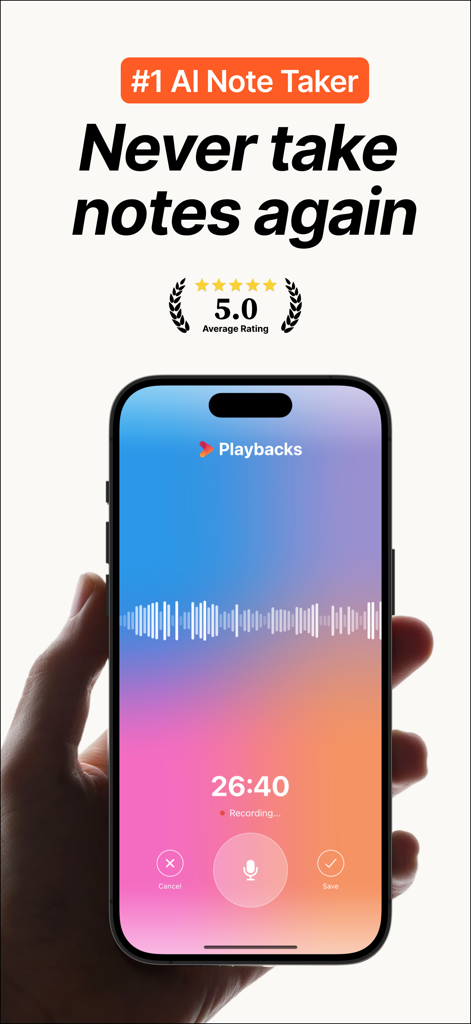
A hand holding an iPhone displaying the Playbacks AI Note Taker app interface during an active audio recording session with a colorful gradient background and waveform
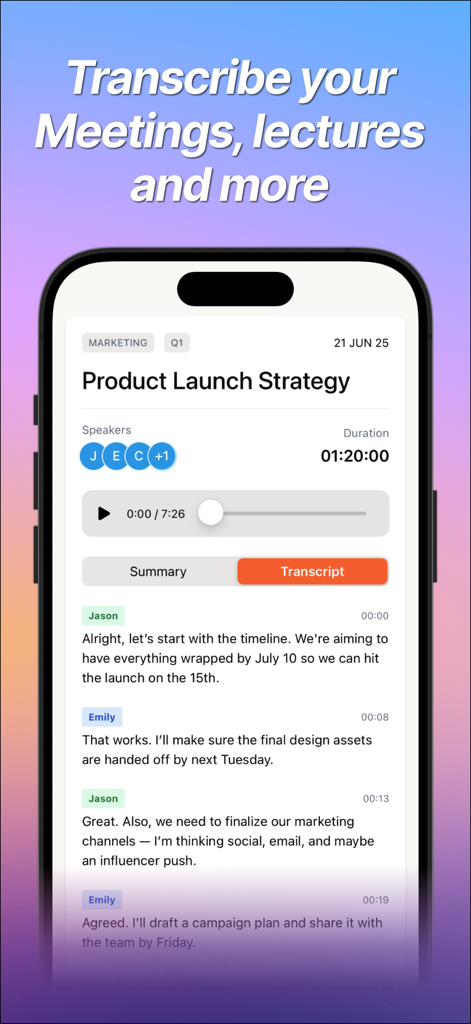
Interface of the Playbacks AI Note Taker app showing a meeting transcript with speaker identification and timestamps.
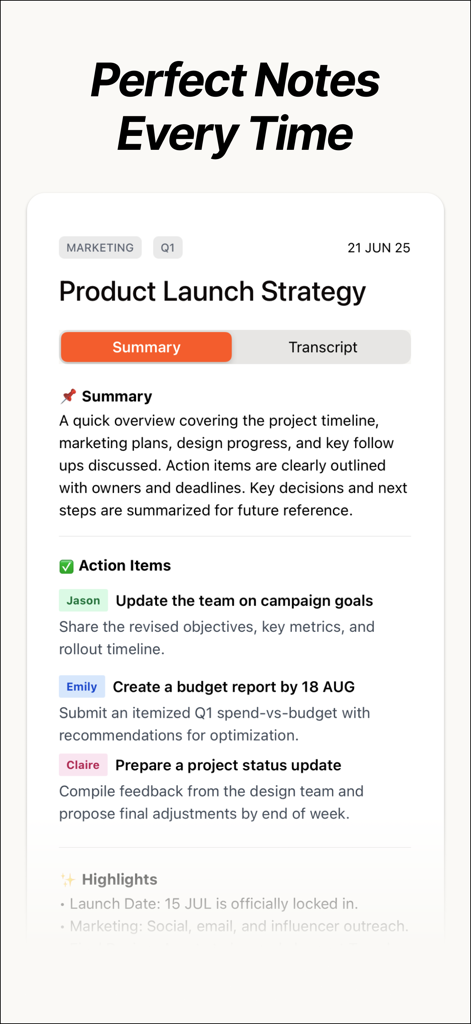
A screenshot of the Playbacks app interface showing an AI generated meeting summary for a product launch strategy
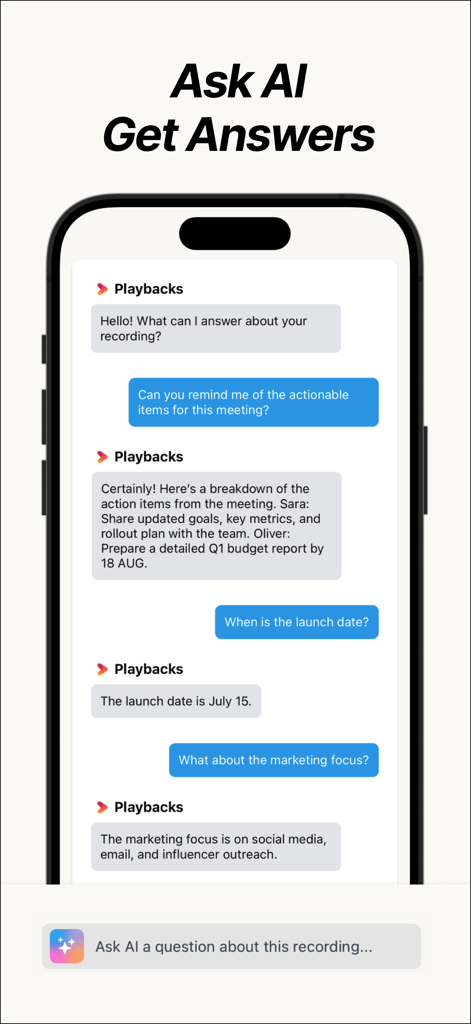
A smartphone showing the Playbacks app chat interface where a user asks AI for meeting action items and summaries
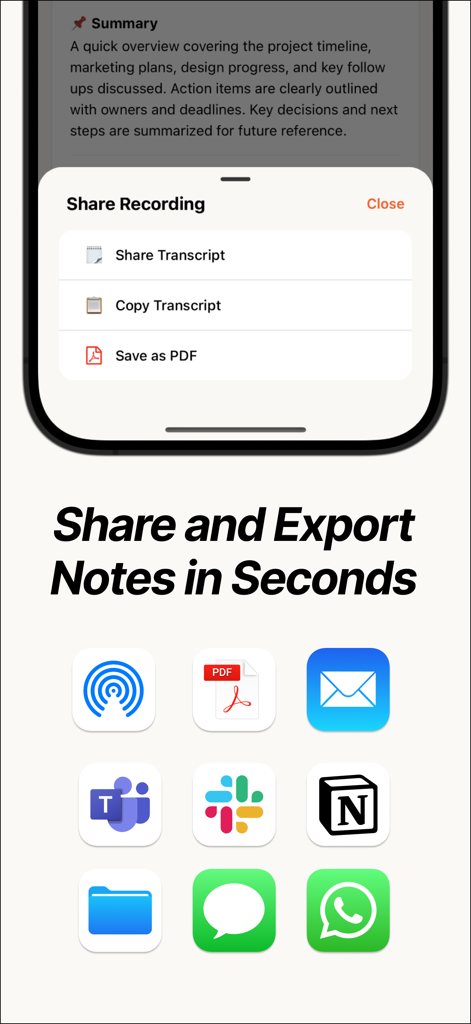
Interface showing sharing and exporting options for AI generated notes with integrations for Slack Teams and Notion
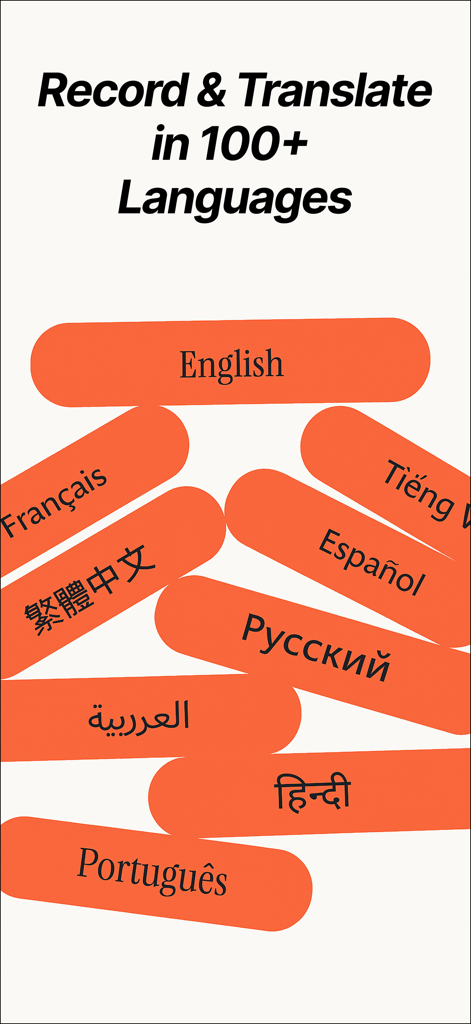
A promotional graphic for the Playbacks app showing support for recording and translating notes in over 100 languages including English Spanish and French.
Description
Download
More Like This
Apps with similar features and user experience

Plaud: AI Note Taker
PLAUD LLC

Notee: AI Note Taker
GM UniverseApps Limited

클로바노트 - 음성 그 이상의 기록
NAVER Corp.

录音专家-专业录音转文字助手
Chongqing Yeyuegua Technology Co., Ltd

听脑AI - 实时录音转文字总结助手
Shanghai Xiuyu Network Technology Co., Ltd

Granola - AI Meeting Notes
Granola inc

Transkriptor - Speech to Text
Textintel FZE

Minutes: AI Meeting Note Taker
Minutes AI, LLC

Fireflies: AI notetaker
FIREFLIES.AI CORP.
This page is not an official page of the app or its developer, but an independent editorial publication created for informational and commentary purposes. Unless expressly stated otherwise, neither the app nor its developer is affiliated with, endorsed by, sponsored by, authorized by, or otherwise officially connected with MWM, Apple, Google Play, the app publisher, or the app's developer, and nothing on this page implies that the app was developed using MWM's services. Any trademarks, logos, screenshots, and other content remain the property of their respective owners.