
This page is not an official page of the app or its developer, but an independent editorial publication created for informational and commentary purposes. Unless expressly stated otherwise, neither the app nor its developer is affiliated with, endorsed by, sponsored by, authorized by, or otherwise officially connected with MWM, Apple, Google Play, the app publisher, or the app's developer, and nothing on this page implies that the app was developed using MWM's services. Any trademarks, logos, screenshots, and other content remain the property of their respective owners.


Pocket Pitch - The Singer App
Find your starting note instantly and warm up anywhere with a professional pitch pipe, 6-octave piano, and precision tuner designed specifically for vocalists.
Downloads
639K+User Rating
Total Ratings
1K+Publisher
Category
MusicLocales
1Latest Version
5.51Size
21.9 MBFirst Released
Dec 8, 2015The Ultimate Toolkit for Every Singer
Stop carrying bulky gear. Pocket Pitch combines precision tools and studio-quality sound to help you perform with confidence, from the rehearsal hall to the main stage.
Authentic Digital Pitch Pipe
Nail every starting note with professionally recorded audio that mimics the reliability of a physical pipe without the extra weight.
Full-Range Warm-up Piano
Access six octaves of clear tones to practice your scales and melodies anywhere—no studio or rehearsal room required.
Frequently Asked Questions
Everything you need to know about Pocket Pitch - The Singer App
What is Pocket Pitch - The Singer App?
Pocket Pitch - The Singer App is a mobile tool for singers that combines a pitch pipe, a multi-octave piano, and a tuner. It helps users quickly identify or play musical notes.
Does Pocket Pitch - The Singer App offer a pitch pipe function?
Yes, Pocket Pitch includes a pitch pipe as its primary function. It utilizes professionally recorded sounds to replicate the authentic experience of a physical pitch pipe.
How many octaves are available on the Pocket Pitch piano?
The piano feature in Pocket Pitch provides 6 octaves of pitches. This range is ideal for vocal warm-ups and for identifying individual notes.
Can Pocket Pitch - The Singer App help with vocal tuning?
Yes, Pocket Pitch features a tuner that can identify notes and indicate if they are flat or sharp. This assists users in tuning their voice or instrument accurately.
Is Pocket Pitch - The Singer App a free application?
Yes, Pocket Pitch - The Singer App is designed to be a free mobile application for singers. The developers welcome user input for continuous improvement.
The following screenshots and description are sourced directly from the app's official store listing and are the property of the app developer.
App Store
Screenshots
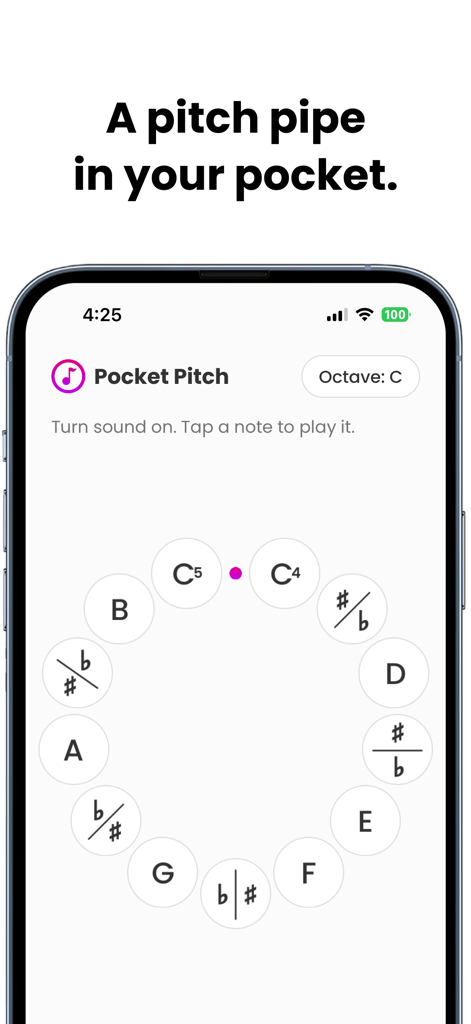
Pocket Pitch app interface showing a digital chromatic pitch pipe for singers
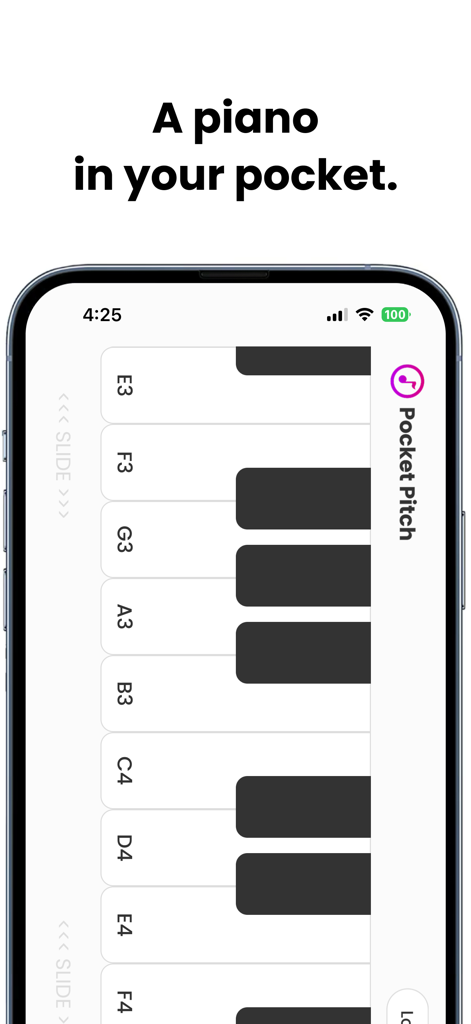
Pocket Pitch app interface showing a vertical piano keyboard for vocalists
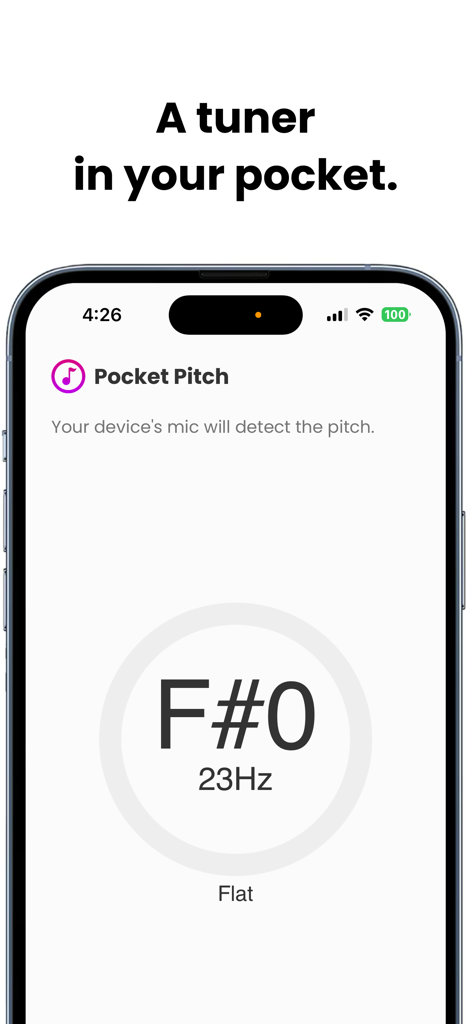
Screenshot of the Pocket Pitch app tuner interface showing pitch detection for an F sharp note
Description
Download
More Like This
Apps with similar features and user experience

GuitarTuna: Tune & Play Guitar
Yousician Ltd

Guitar Tuner - Simply Tune
Simply Ltd

Fender Tune: Guitar Tuner App
Fender Digital, LLC
Guzheng-Virtual Zither for All
Beijing Xihang Technology Co., Ltd.

Accordion Diatonic Cassoto
GMOBILER APPS LTDA

TonalEnergy Tuner & Metronome
TonalEnergy, Inc

Tunable – Tuner & Metronome
Seth Sandler

InstaDrum - Be a Drummer Now
Xiaoyezi Beijing Technology Co., Ltd.

Guitar Gravitas: Chords Scales
Mad Harmony Inc
This page is not an official page of the app or its developer, but an independent editorial publication created for informational and commentary purposes. Unless expressly stated otherwise, neither the app nor its developer is affiliated with, endorsed by, sponsored by, authorized by, or otherwise officially connected with MWM, Apple, Google Play, the app publisher, or the app's developer, and nothing on this page implies that the app was developed using MWM's services. Any trademarks, logos, screenshots, and other content remain the property of their respective owners.