Pofi Brush - Sketch & Paint

Pofi Brush - Sketch & Paint

Download on App Store
Logo of Pofi Brush - Sketch & Paint

Pofi Brush - Sketch & Paint: Your Professional Mobile Illustration Studio

Unleash your creativity with a powerful 2D engine, 4K canvases, and customizable brushes designed for character artists and comic creators. Experience the precision of a professional studio on your iPad and iPhone.

Download on App Store

Publisher

Pofi Entertainment Shenzhen Network Technology Co.,Ltd

Category

Graphics & Design

Downloads

366K+

User Rating

3.2/5

Total Ratings

700

Locales

9

A Glimpse into Greatness

Discover the interface used by 366K+ users.

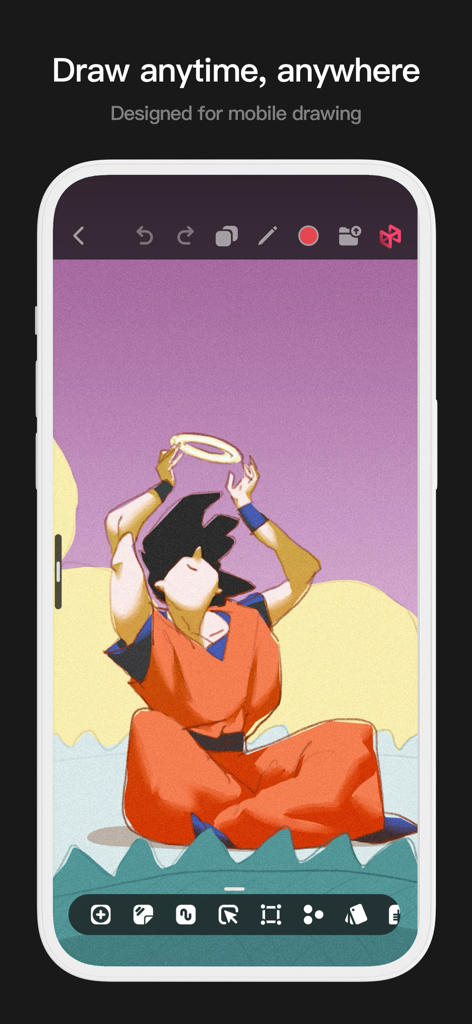
A mobile interface for the Pofi Brush app featuring an anime illustration and drawing tools.
A mobile interface for the Pofi Brush app featuring an anime illustration and drawing tools.

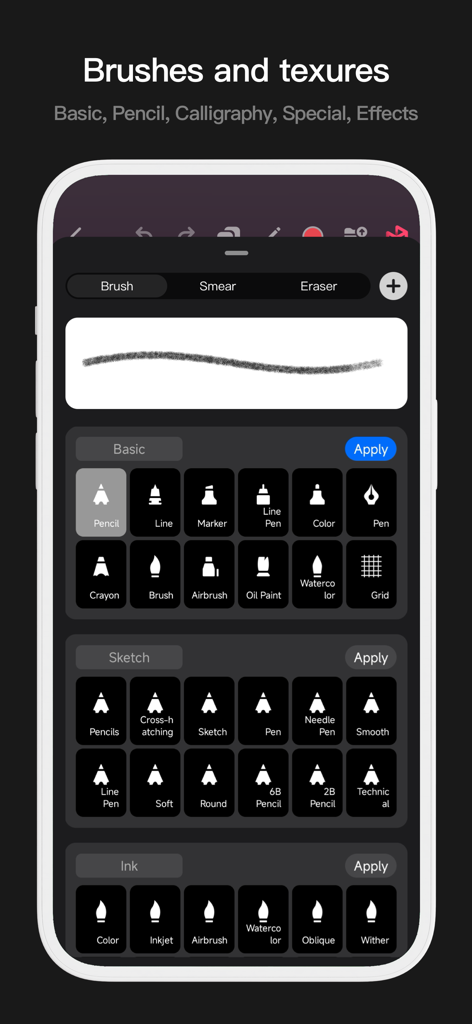
Mobile interface of Pofi Brush showing a library of digital art brushes including pencils, ink, and watercolor tools.
Mobile interface of Pofi Brush showing a library of digital art brushes including pencils, ink, and watercolor tools.

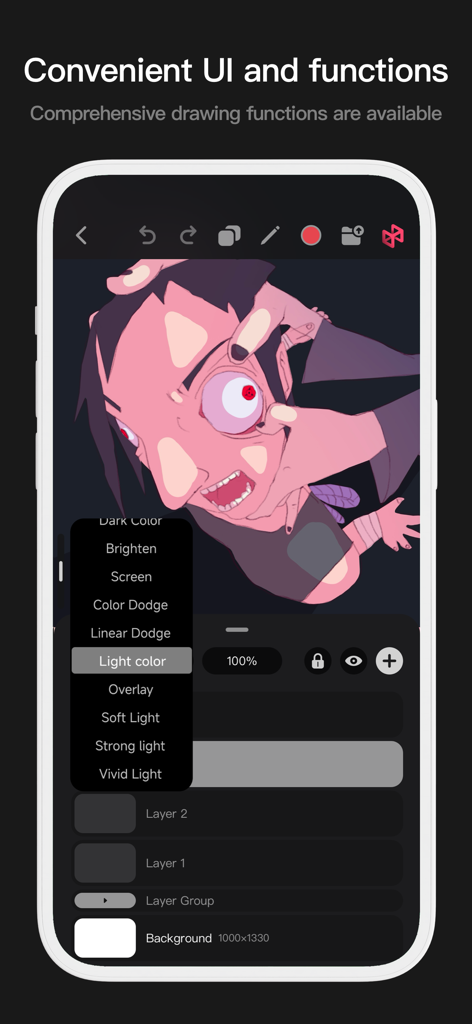
Pofi Brush mobile interface showing layer blending options and stylized character art
Pofi Brush mobile interface showing layer blending options and stylized character art

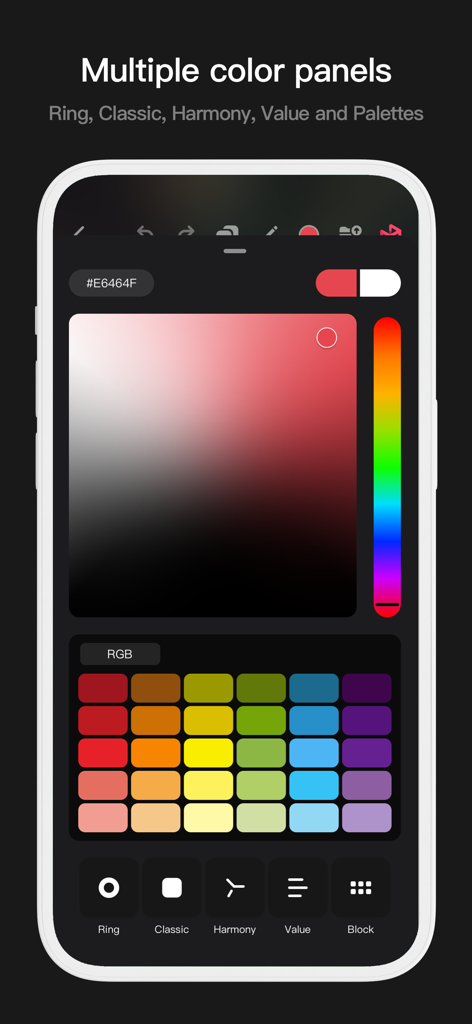
Pofi Brush app interface showing multiple color selection panels including a classic gradient and color palette swatches.
Pofi Brush app interface showing multiple color selection panels including a classic gradient and color palette swatches.

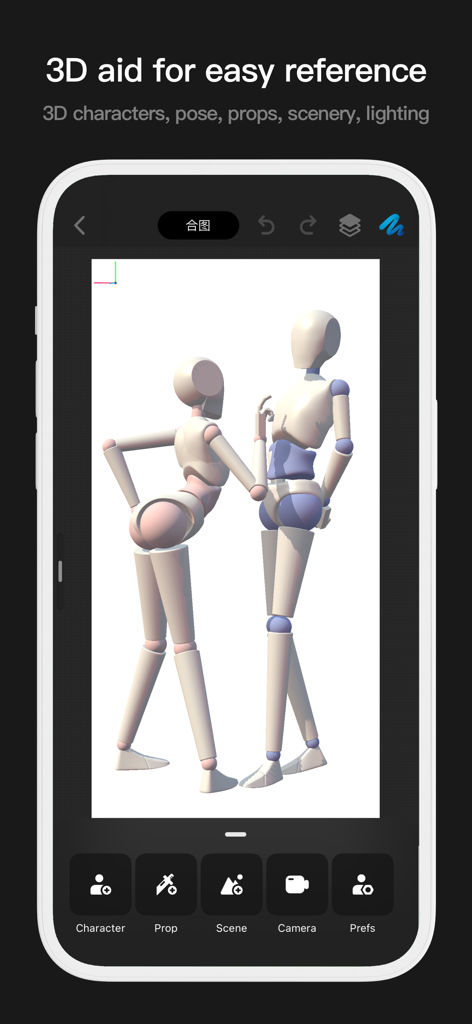
Interface of Pofi Brush app showing two 3D mannequins for drawing pose reference
Interface of Pofi Brush app showing two 3D mannequins for drawing pose reference

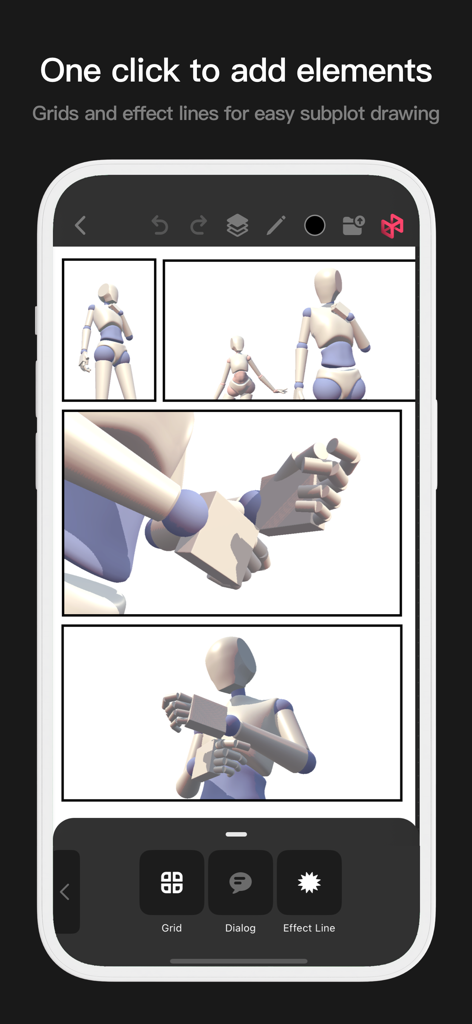
Pofi Brush comic layout tool with grids and effect lines
Pofi Brush comic layout tool with grids and effect lines

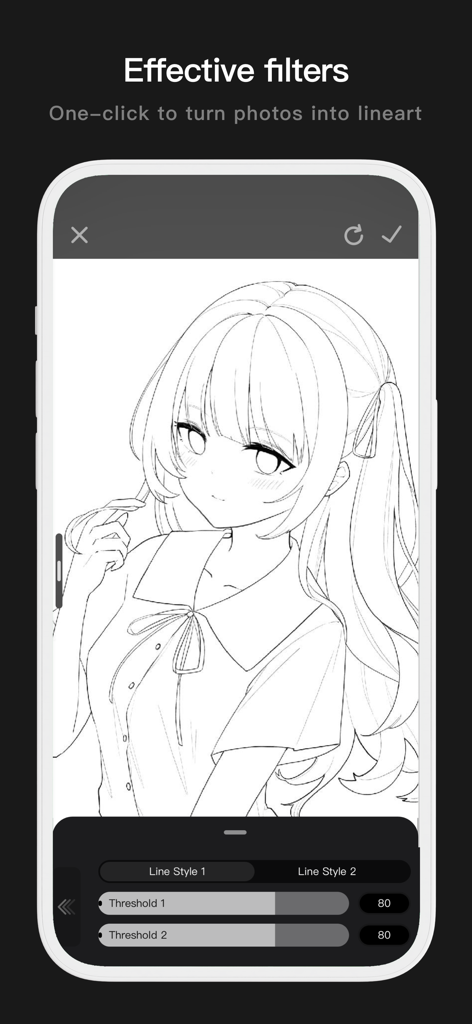
Mobile interface of Pofi Brush showing a photo converted into clean anime line art with adjustable threshold settings.
Mobile interface of Pofi Brush showing a photo converted into clean anime line art with adjustable threshold settings.

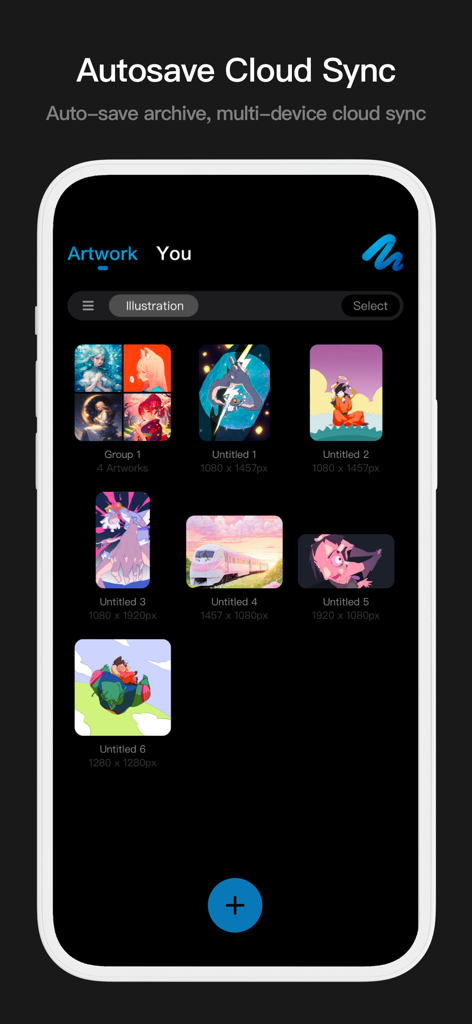
Pofi Brush artwork gallery interface showing digital illustrations with cloud sync and autosave features

Pofi Brush artwork gallery interface showing digital illustrations with cloud sync and autosave features

Unleash Your Creative Potential

The tools that make this app stand out, trusted by 366K+ users.

🖋️

Professional Brush Mastery

Create perfect line art with anti-flutter stabilization and over 40 customizable settings per brush, fully optimized for the pressure and tilt of the Apple Pencil.

🚀

Desktop Power on 4K Canvases

Paint without lag on massive 4k x 4k canvases. Our 64-bit multi-core engine ensures smooth performance even when managing complex compositions and high-resolution details.

✨

Advanced Studio Workflow

Unlock professional techniques with 27 blending modes, alpha locks, and sophisticated layer grouping, giving you the total control required for industry-standard character design.

Loved by users worldwide

Trusted by 366K+ people who love this app.

"

"As an animation student, I've tried every drawing app out there, but Pofi Brush stands out for its incredible pressure sensitivity and the sheer depth of the brush editor. Being able to work on 4K canvases with zero lag on my iPad has completely transformed my character design workflow."

Chloe Rivera
"

"The anti-flutter strokes and the variety of blending modes are exactly what I needed for my digital illustrations. I can jump from a rough sketch to a polished piece for my social media feed in half the time. It truly feels like a professional art studio in my pocket!"

Marcus Chen

About the app

Everything you need to know about Pofi Brush - Sketch & Paint.

Description

Pofi Brush delivers nearly 10 exquisitely crafted brushes, full-featured layer and color tools, an elegant interface, and a smooth yet powerful 2D Artistic Engine—unlocking a professional art studio experience on your device. Whether you're sketching your first draft or crafting professional illustrations, Pofi Brush empowers artists to create stunning comics, animations, and concept art on mobile or tablet. Unleash your creativity anytime, anywhere. Powerful 2D Artistic Engine The powerful 2D Artistic Engine is developed by the Pofi team and is optimized for 64-bit multi-core processors. It is compatible with multiple platforms and supports large HD canvases and multiple layers. It is optimized for smooth speed to ensure you get the best painting experience. - Canvas up to 4k × 4k px, making your artwork clear and lifelike. - Easy-to-use interface for mobile painting. - Optimised for 64-bit multicore processors for smooth drawing speeds. - Use the Apple Pencil for smooth, realistic, low-latency strokes. - Auto-save and save on exit. - All features supported on phones and tablets. Professional Brush Editor Pofi Brush presets dozens of creative brushes of various types, each with over 40 custom settings, allowing you to adjust the brush editor according to your personal preferences and creative needs, or design your own custom brushes for more personalized creations. - Built-in dozens of well-designed creative brushes for sketching, inking, texture, art, specialties and more! - Each brush has three modes: Brush, Eraser, and Smudge. - Each brush has over 40 customizable settings and a library of preset nib shapes and textures. - Comb, sort, and create brushes by groups for better management of your brushes. - Anti-flutter brush strokes can be set to give your brush more flow. - Finger-painting simulates pressure, so you can use your finger to paint with the sharpness and fineness of a real paintbrush. - Take full advantage of the Apple Pencil's features, combining the speed, tilt and pressure of the brush to experience a realistic brush touch. Advanced Multi-layer System Pofi Brush offers a multi-layer system with grouping, layer effects, and layer adjustments, giving you precise control over each layer to create stunning artwork. - Quickly preview and find the layer you need with the Layer Preview. - Support drag-and-drop grouping, merging, and deleting of multiple layers to conveniently manage your layers. - 20 layer functions: drag sort, show/hide, lock/unlock, transparency, multi-select, grouping/ungrouping, merge, fill, new, clear, copy, delete, rename, alpha lock, invert color, color markup, background color. - 27 layer blending modes: Standard, Darken, Positive Blend, Color Deepen, Linear Deepen, Darken, Brighten, Filter, Color Lighten, Linear Lighten, Lighten, Overlay, Soft Light, Highlight, Bright Light, Linear Light, Spot Light, Solid Blend, Difference, Exclude, Subtract, Divide, Color and other modes. Full-featured Color Tools Provides various color tool panels and styles needed by painters, allowing you to get the colors you need easily and quickly. - 4 kinds of color panels: circular color palette, square color palette, HSB numeric color value, grouping color matching color blocks - 2 kinds of color picking methods: input hexadecimal color code, long press to suck color - 6 color block functions: color block group, group rename, group sort, color block sort, overlay color block, delete color block More Highlights - Cell phone interface view supports half-screen and full-screen expanding interface. - Tablet PC supports large interface expansion and small interface drag and drop. - Support canvas rotation and zoom - Auto archive, return to save - Support exporting Png and Jpg image files. > Twitter/X: @ Pofi Brush > Instagram: @pofibrush > Email: brush@pofiart.com Privacy Policy: https://brush.pofiapp.com/privacy

Latest Version

3.10.1

Size

1.1 GB

First Released

Aug 6, 2020

Your Professional Art Studio, Anywhere

Join thousands of artists creating 4K masterpieces with the most responsive brush engine on mobile. Ready to sketch your next big idea?

Download on App Store