
This page is not an official page of the app or its developer, but an independent editorial publication created for informational and commentary purposes. Unless expressly stated otherwise, neither the app nor its developer is affiliated with, endorsed by, sponsored by, authorized by, or otherwise officially connected with MWM, Apple, Google Play, the app publisher, or the app's developer, and nothing on this page implies that the app was developed using MWM's services. Any trademarks, logos, screenshots, and other content remain the property of their respective owners.

PrivacyVault + No Ads
Secure your photos, videos, and documents with biometric locks and local encryption. 100% offline operation ensures your data never leaves your device—no cloud risks, no tracking, and zero ads.
Downloads
100+User Rating
Total Ratings
0Publisher
Category
LifestyleLocales
4Latest Version
1.0Size
5.7 MBFirst Released
Oct 4, 2025Your Personal Digital Stronghold
Protect your sensitive media and documents with military-grade, local-only encryption designed for those who demand total data sovereignty.
100% Offline Security
No cloud, no tracking. Your private files stay encrypted locally on your device and never touch a remote server, ensuring total immunity from cloud breaches.
Biometric Fast-Lock
Secure your vault with Face ID or Touch ID. Enjoy professional-grade protection with the convenience of instant, authorized access that only you control.
The following screenshots and description are sourced directly from the app's official store listing and are the property of the app developer.
App Store
Screenshots
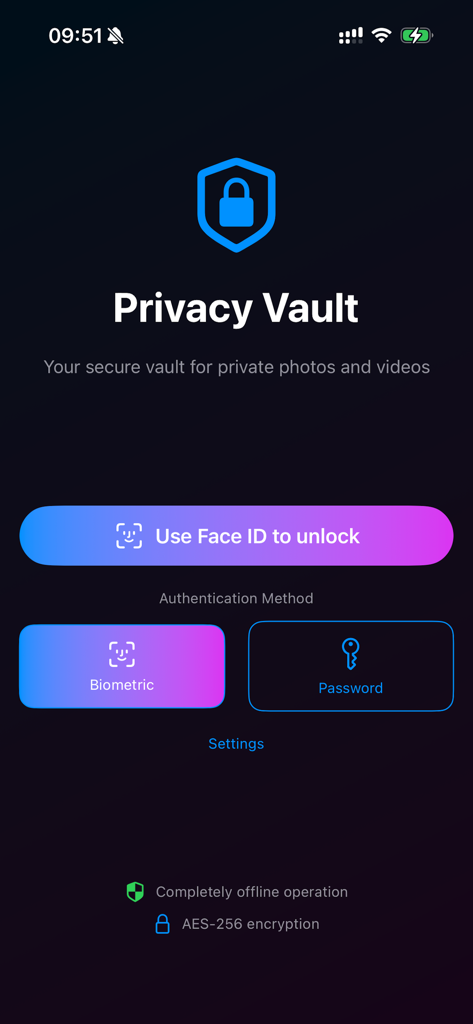
Privacy Vault login screen showing Face ID and password authentication options
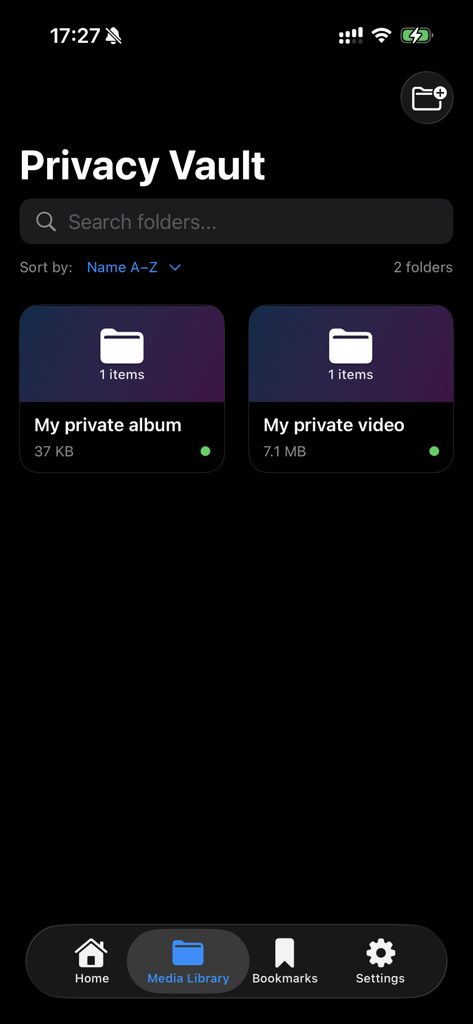
The media library screen of Privacy Vault app showing private folders for albums and videos
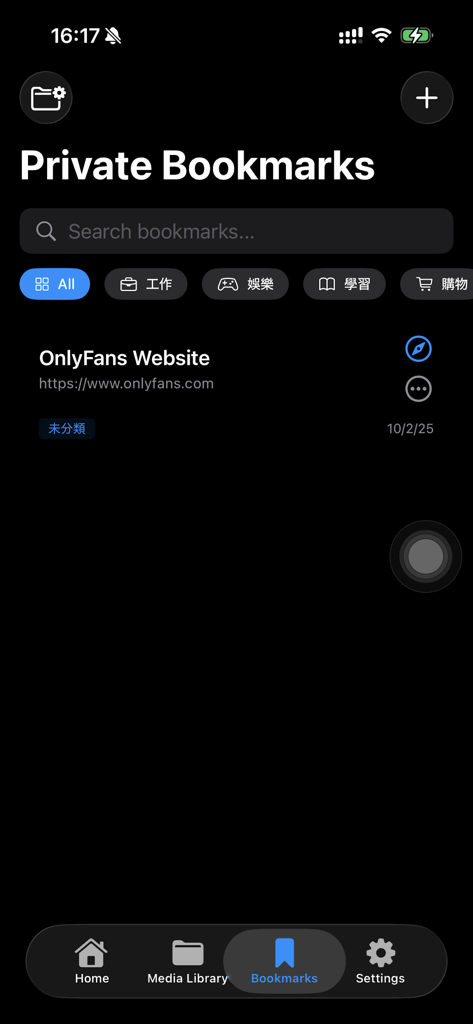
Interface of the Private Bookmarks feature in PrivacyVault app showing organized categories and a saved website link.
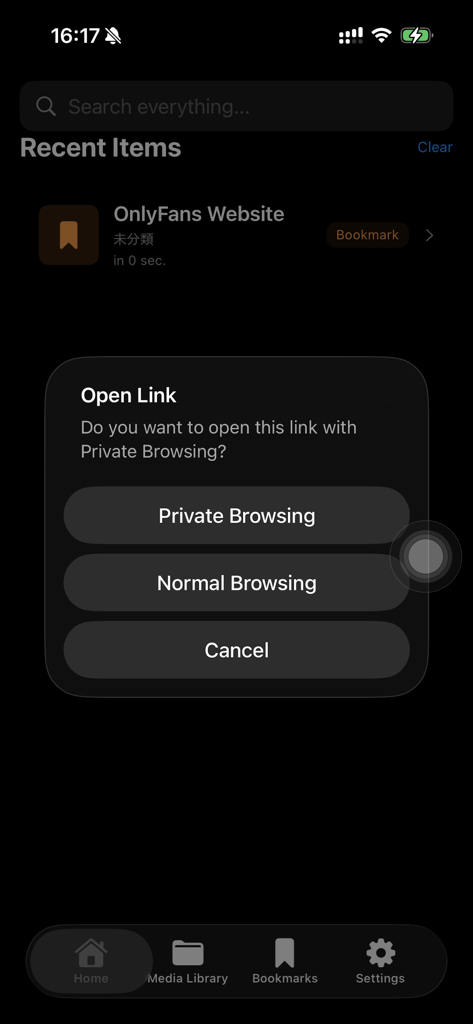
A prompt in the PrivacyVault app asking a user to choose between Private Browsing or Normal Browsing when opening a bookmarked link.
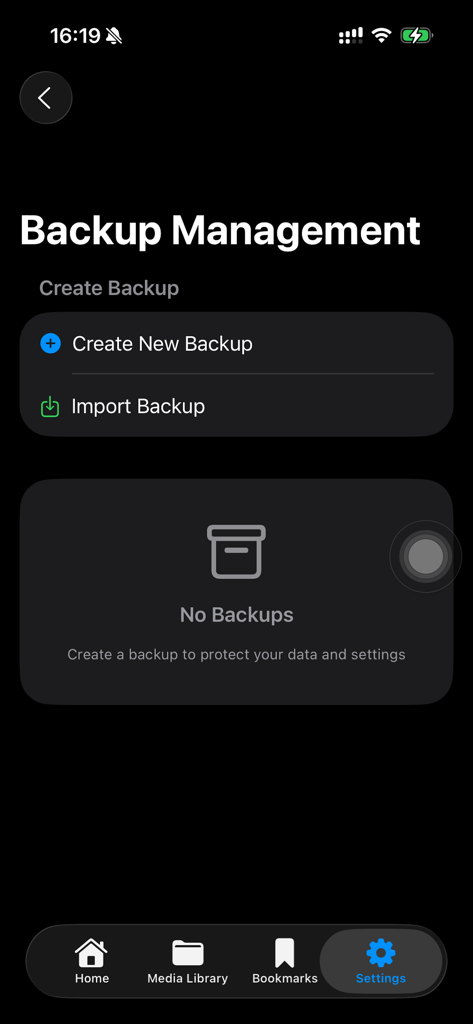
PrivacyVault app interface showing the Backup Management screen with options to create or import backups.
Description
Download
More Like This
Top-ranked apps in the same category

Pinterest, Inc.

Alipay - Simplify Your Life
Alipay (Hangzhou) Technology Co., Ltd.

美团-美好生活小帮手
Sankuai Technology Co., Ltd.

58同城-求职招聘找工作租房二手车
Beijing Chengshi Wanglin Information Technology Co., Ltd.

Tinder Dating App: Date & Chat
Tinder LLC

Xiaomi Home
Beijing Xiaomi Co., Ltd

Dianping: Discover Good Places
Hanhai Information Technology (Shanghai) Co.Ltd

Lemon8 - Lifestyle Community
TIKTOK PTE. LTD.

安居客-新房二手房产卖房买房房价
RUITING NETWORK TECHNOLOGY
This page is not an official page of the app or its developer, but an independent editorial publication created for informational and commentary purposes. Unless expressly stated otherwise, neither the app nor its developer is affiliated with, endorsed by, sponsored by, authorized by, or otherwise officially connected with MWM, Apple, Google Play, the app publisher, or the app's developer, and nothing on this page implies that the app was developed using MWM's services. Any trademarks, logos, screenshots, and other content remain the property of their respective owners.