
This page is not an official page of the app or its developer, but an independent editorial publication created for informational and commentary purposes. Unless expressly stated otherwise, neither the app nor its developer is affiliated with, endorsed by, sponsored by, authorized by, or otherwise officially connected with MWM, Apple, Google Play, the app publisher, or the app's developer, and nothing on this page implies that the app was developed using MWM's services. Any trademarks, logos, screenshots, and other content remain the property of their respective owners.

Provision Cam 2
Seamlessly monitor your property with remote live-view, playback, and expert configuration. The ultimate professional client designed specifically for your Provision-ISR hardware and Ossia OS.
Downloads
610K+User Rating
Total Ratings
200Publisher
Category
BusinessLocales
33Latest Version
1.16.4.10947Size
116.8 MBFirst Released
Jul 25, 2016Professional Surveillance at Your Fingertips
Maximize your Provision-ISR hardware with a robust mobile client designed for business owners and homeowners who demand absolute control and peace of mind.
Instant Remote Live-View
Keep a vigilant eye on your property with low-latency HD streaming, allowing you to monitor your business or home from anywhere in the world.
Seamless Event Playback
Quickly locate and review recorded footage to verify incidents, monitor staff, or check deliveries without the need to be physically at your NVR.
Frequently Asked Questions
Everything you need to know about Provision Cam 2
What is Provision Cam2?
Provision Cam2 is a professional mobile client for remote live-view, playback, and configuration. It is designed to work seamlessly with the new Ossia OS by Provision-ISR.
Does Provision Cam2 offer remote live viewing?
Yes, Provision Cam2 supports remote live-view. The app is specifically designed for users to monitor live video feeds directly from their mobile devices.
Can I view recorded footage using Provision Cam2?
Yes, Provision Cam2 includes remote playback functionality. Users can access and review recorded footage directly through the app, with available navigation controls.
What devices are compatible with Provision Cam2?
Provision Cam2 is compatible with all devices running Ossia OS. It also supports older devices running v3.4.3 and up with limited functionality, and v3.3.0 with potential issues.
Does Provision Cam2 provide push notifications?
Yes, Provision Cam2 supports push notifications. Users can enable and configure notification settings, including notification type and playback prior to push messages.
How do I configure settings in Provision Cam2?
Provision Cam2 allows configuration through its 'Remote setting' and 'Local' menus. These menus provide options for notifications, recording settings, snapshot management, and PTZ control.
What key features does Provision Cam2 offer?
Provision Cam2 offers features such as remote live-view, playback, and configuration. It also supports push notifications, local storage settings, snapshot management, and PTZ camera control.
The following screenshots and description are sourced directly from the app's official store listing and are the property of the app developer.
App Store
Screenshots
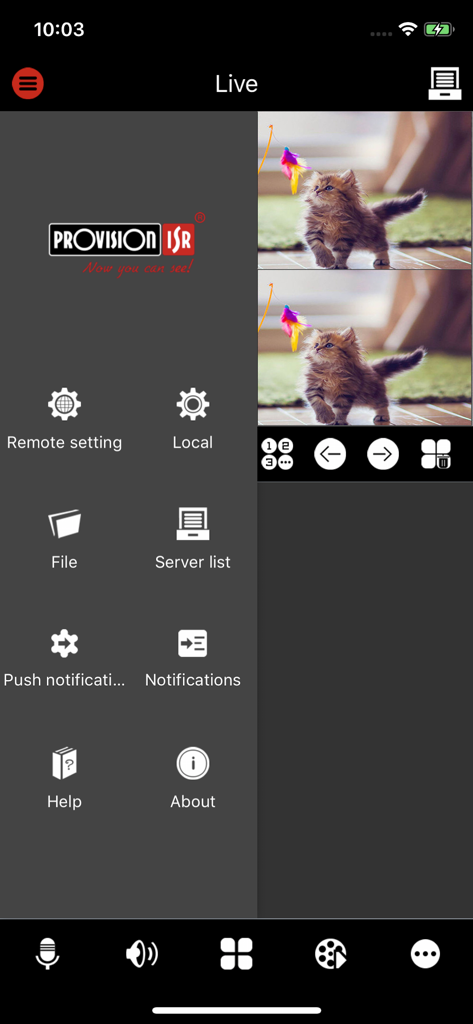
Provision Cam 2 app interface displaying live surveillance feed and side navigation menu
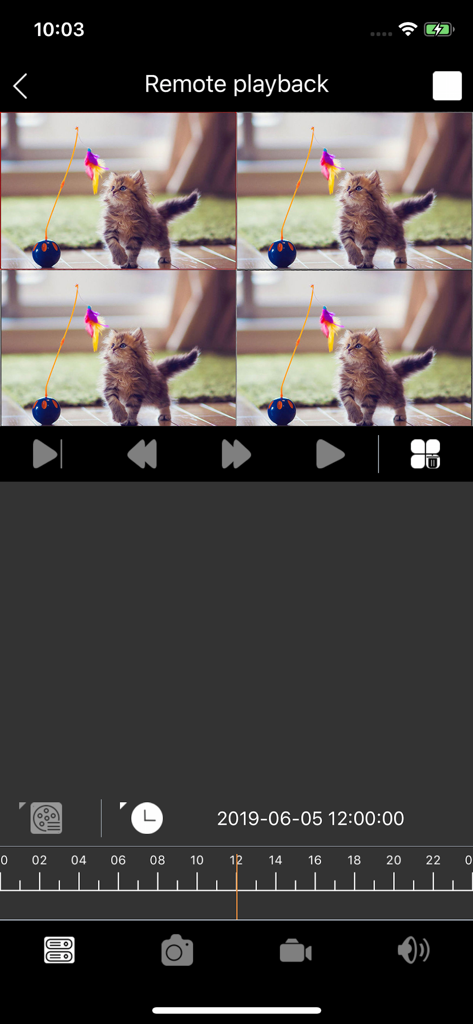
Provision Cam 2 remote playback screen featuring a four-way camera grid and a video timeline
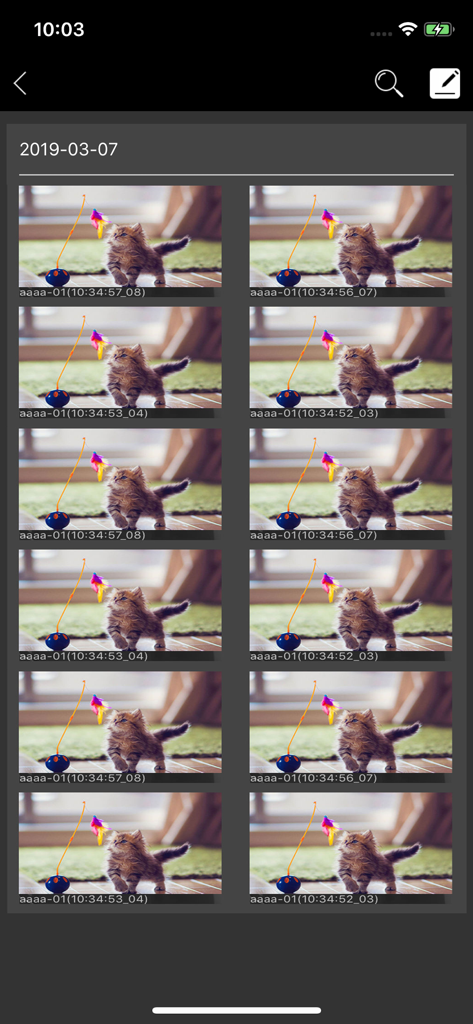
A grid of captured surveillance snapshots organized by date in the Provision Cam 2 mobile application.
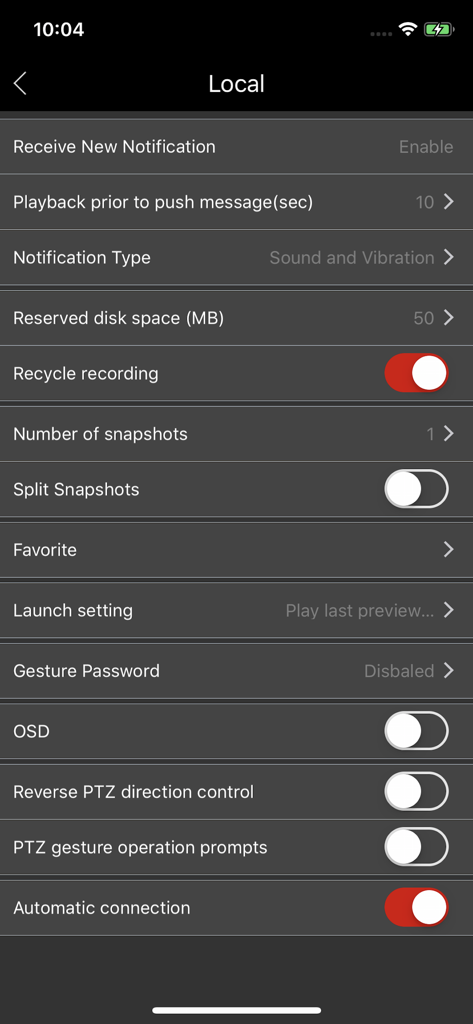
Local settings menu in Provision Cam 2 showing notification and recording configuration options
Description
Download
More Like This
Apps with similar features and user experience

TP-Link VIGI
TP-Link Systems Inc.
Intelbras ISIC Lite
Intelbras S.A. Ind. de Telecom. Elet. Brasileira

Intelbras Guardian
Intelbras S.A. Ind. de Telecom. Elet. Brasileira

Smart Security Camera App
On Hand Apps - FZCO

Guarding Vision
明军 顾

IPEYE CCTV
KONSTANTA, OOO Apps

BoifunCam
健 冯

Prama Online
PRAMA INDIA PRIVATE LIMITED

Annke Vision
Shenzhen Kean Digital Co. LTD.
This page is not an official page of the app or its developer, but an independent editorial publication created for informational and commentary purposes. Unless expressly stated otherwise, neither the app nor its developer is affiliated with, endorsed by, sponsored by, authorized by, or otherwise officially connected with MWM, Apple, Google Play, the app publisher, or the app's developer, and nothing on this page implies that the app was developed using MWM's services. Any trademarks, logos, screenshots, and other content remain the property of their respective owners.