PSOFT Audio Player
PSOFT Audio Player
Download on App Store

This page is not an official page of the app or its developer, but an independent editorial publication created for informational and commentary purposes. Unless expressly stated otherwise, neither the app nor its developer is affiliated with, endorsed by, sponsored by, authorized by, or otherwise officially connected with MWM, Apple, Google Play, the app publisher, or the app's developer, and nothing on this page implies that the app was developed using MWM's services. Any trademarks, logos, screenshots, and other content remain the property of their respective owners.


Logo of PSOFT Audio Player
Download on App Store

PSOFT Audio Player

Slow down complex solos, shift keys, or extract vocals without losing audio quality. Experience professional-grade manipulation that sounds natural at any speed.

Key Figures

Downloads

17K+

User Rating

4.2/5

Total Ratings

100

Publisher

P SOFTHOUSE Co., Ltd.

Category

Music

Locales

2

Latest Version

1.13

Size

5.1 MB

First Released

Jul 24, 2014
Features

Master Your Craft with Unrivaled Audio Control

Experience the power of studio-grade PhaseGear technology. Manipulate speed, pitch, and vocals with crystal-clear results—designed for musicians, dancers, and creators who demand perfection.

Precision Practice Without Distortion

Adjust playback speed from 0x to 4x while keeping the sound perfectly natural. Master complex solos or intricate choreographies at your own pace without losing audio quality.

Isolate Vocals and Instruments

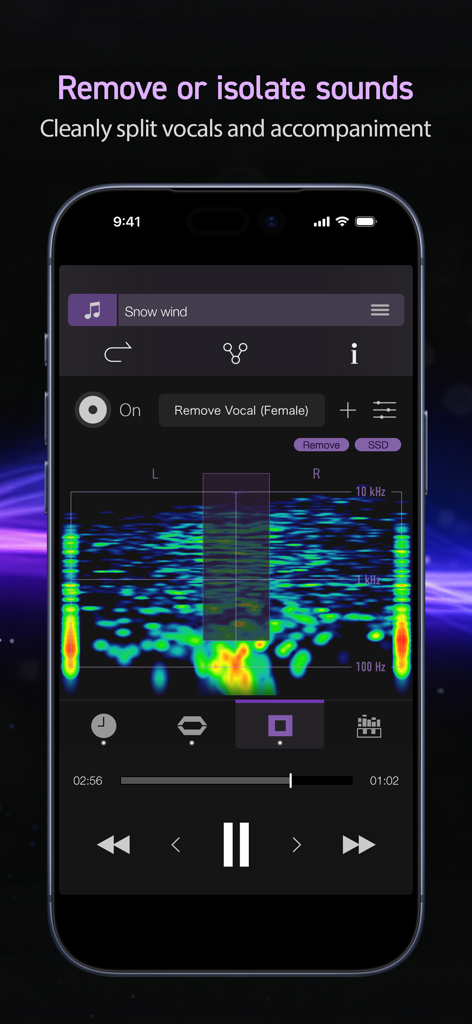
Visualize audio bands to extract or remove specific sounds. Create high-quality backing tracks or isolate a specific instrument for deep musical transcription in seconds.

The following screenshots and description are sourced directly from the app's official store listing and are the property of the app developer.

App Store

Screenshots
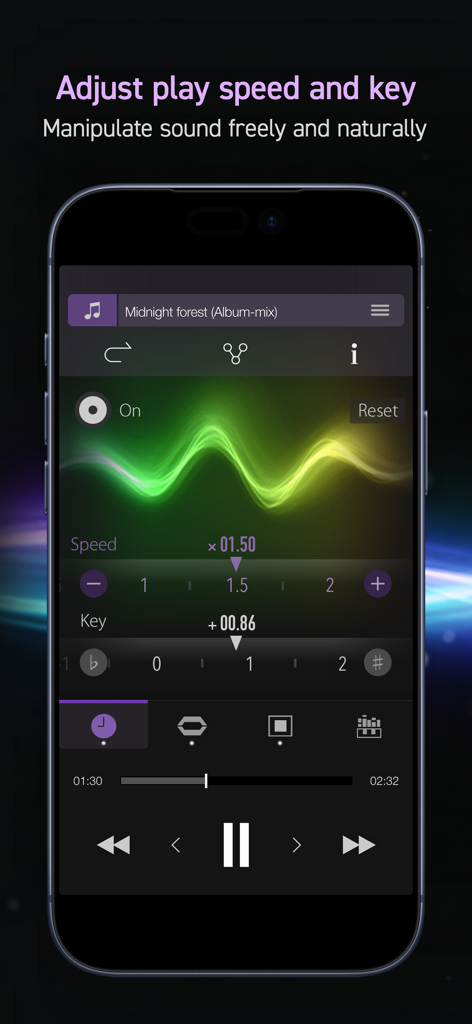
PSOFT Audio Player - Interface of PSOFT Audio Player for adjusting play speed and music key.
Interface of PSOFT Audio Player for adjusting play speed and music key.

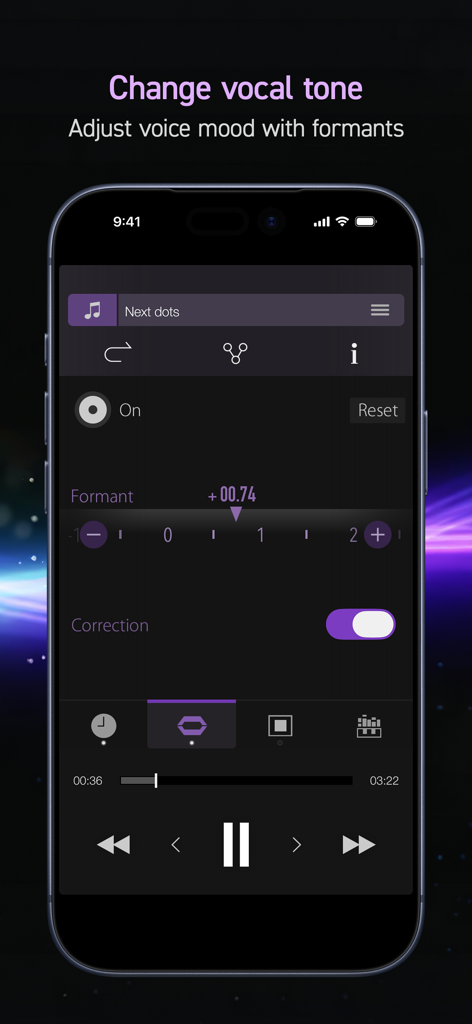
PSOFT Audio Player - Vocal tone and formant adjustment screen in the PSOFT Audio Player app
Vocal tone and formant adjustment screen in the PSOFT Audio Player app

PSOFT Audio Player - PSOFT Audio Player mobile interface showing the vocal removal and sound isolation feature with a frequency spectrum visualization.
PSOFT Audio Player mobile interface showing the vocal removal and sound isolation feature with a frequency spectrum visualization.

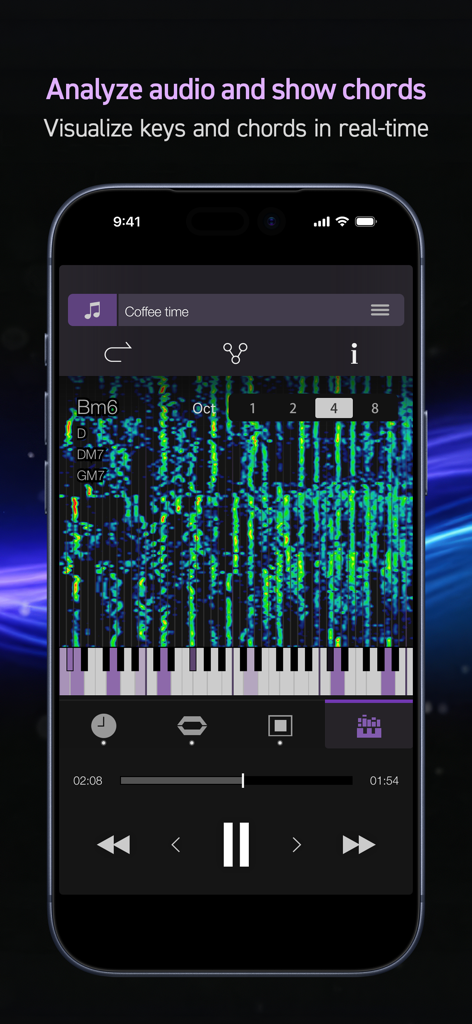
PSOFT Audio Player - Real-time chord analysis and musical scale visualization on a mobile audio player
Real-time chord analysis and musical scale visualization on a mobile audio player

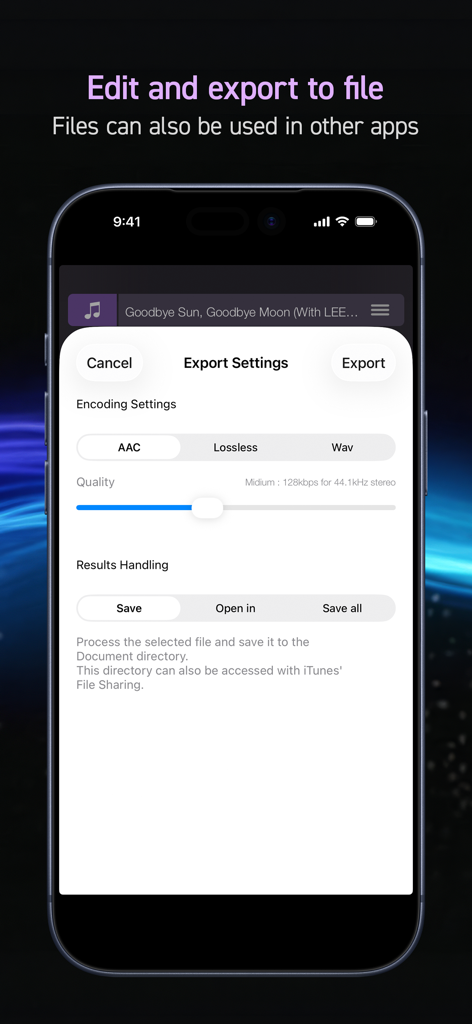
PSOFT Audio Player - The export settings screen of PSOFT Audio Player app displaying various encoding options
The export settings screen of PSOFT Audio Player app displaying various encoding options

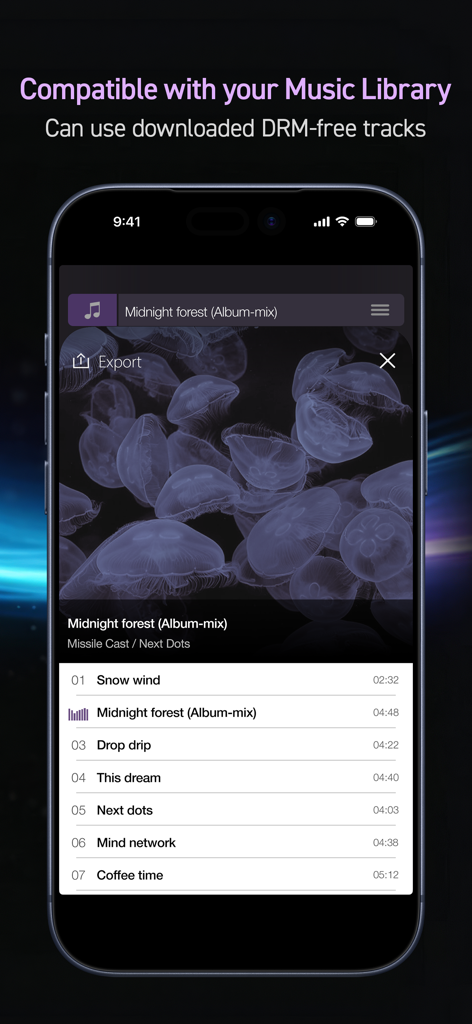
PSOFT Audio Player - PSOFT Audio Player interface displaying a list of DRM-free tracks from the user music library.

PSOFT Audio Player interface displaying a list of DRM-free tracks from the user music library.

Description

“Freely manipulate sound with incredibly natural results.” Make the comparison with your own ears. This music player makes it easy to independently change your music's key and playing speed and remove or extract specified sounds, while preserving an overwhelming audio quality that cannot be matched. Recommended for: ・ Musical instrument practice. ・ Making karaoke tracks. ・ Musical transcription. ・ Creating audio tracks for dance practice. ・ Learning foreign languages by listening to podcasts. ・ Efficiently gathering information from podcasts. ・ Audio-typing comfortably. With usual audio equipment, large changes to key and playing speed typically result in a heavy degradation of the audio quality. However, by using our company's “PhaseGear” technology, this app succeeds in reducing audio degradation to its utmost minimum. The result is surprisingly natural-sounding audio. ============== [ Main Features ] ============== ▼ Change playing speed [Time stretch] Change the playing speed without affecting the key (0.00x – 4.00x). ▼ Change key [Pitch shift] Change the key without affecting the playing speed (±24.00 semitones). ▼ Change voice [Formant] Apply changes to voices (±24.00). Includes the [Correction] function which restrains voice alterations caused by changing the key. ▼ Remove / extract sounds [Audio masking] Visualize the audio and remove / pick out sound from a specified band. Obtain exceptional audio quality thanks to a new technology preventing mixing in rhythm sound. * Depending on the musical structure, it might not be possible to obtain the desired results. ▼ Analyze audio and display chords [Musical scale analysis] Analyzes music as it plays and displays the musical scale on a keyboard. Also allows on-screen display of inferred chords. ▼ Output the modified audio [Export (*Add-on)] Output the audio data file with modified key, sound masking, etc. The exported file can also be used with a PC or other device. * This function must be purchased as an add-on. ====================================== ■ Specifications - Play menu - Play / Pause - Skip 15s / Back 15s (*Only available on 4 inch displays) - Fast forward / Rewind - Next song / Previous song - Play position adjustment slider - Play mode - Play all songs - Repeat all songs - Play 1 song - Repeat 1 song - Shuffled play - Shuffled repeat - Share song information - Send the current song info to other apps, share functionality. - Select songs by - Playlist - Song - Artist - Album - Composer - Genre - Compilation - Podcast - Audiobook - Document - Supports background play * Note Contents on iCloud and protected contents not supported. ■ About PhaseGear PhaseGear is our company's audio signal processing engine based on patented technology. It implements high quality time stretch and pitch shift processing as well as superior sound masking. Please refer to the link below for more details about this technology. (*In Japanese) http://www.psoft.co.jp/jp/corporate/technology/phasegear.html * Patent registered in Japan, USA and South Korea.

Download

Download on App Store

This page is not an official page of the app or its developer, but an independent editorial publication created for informational and commentary purposes. Unless expressly stated otherwise, neither the app nor its developer is affiliated with, endorsed by, sponsored by, authorized by, or otherwise officially connected with MWM, Apple, Google Play, the app publisher, or the app's developer, and nothing on this page implies that the app was developed using MWM's services. Any trademarks, logos, screenshots, and other content remain the property of their respective owners.







