
This page is not an official page of the app or its developer, but an independent editorial publication created for informational and commentary purposes. Unless expressly stated otherwise, neither the app nor its developer is affiliated with, endorsed by, sponsored by, authorized by, or otherwise officially connected with MWM, Apple, Google Play, the app publisher, or the app's developer, and nothing on this page implies that the app was developed using MWM's services. Any trademarks, logos, screenshots, and other content remain the property of their respective owners.


Purolator
Streamline your cross-border logistics with real-time tracking, printerless shipping, and instant estimates—all from your mobile device.
Downloads
518K+User Rating
Total Ratings
4K+Publisher
Category
BusinessLocales
2Latest Version
5.0.8Size
33.3 MBFirst Released
May 26, 2011Logistics Management at Your Fingertips
Designed for cross-border entrepreneurs and busy professionals, our mobile tools simplify your shipping workflow from creation to final delivery.
Printer-Free Shipping
Create shipments on the go and skip the printer. Simply generate a QR code in-app and scan it at any Purolator Shipping Centre.
Precision Tracking
Maintain total control with real-time visibility and proactive notifications that keep you updated from dispatch to delivery.
Frequently Asked Questions
Everything you need to know about Purolator
What is the purpose of the Purolator mobile app?
The Purolator mobile app allows users to get estimates, schedule pickups, create, manage, and track shipments. It provides increased visibility and control over shipping from any mobile device, anywhere, anytime.
Can I create a shipment using the Purolator app?
Yes, the Purolator app allows users to create credit card or account-based shipments directly from their mobile device. Users can ship to anywhere in Canada and print the label or use a QR code at a shipping center.
How do I get a shipping label when creating a shipment with the Purolator app?
After creating a shipment in the Purolator app, you can print the shipping label at home, work, or any of the 140+ shipping centers. Alternatively, shipping centers can scan a QR code from your device.
How can I track my shipments using the Purolator app?
The Purolator app enables users to check the latest status of their shipments on-the-go. It provides access to tracking details, including when a shipment is in-transit or delivered, directly from their mobile device.
Does the Purolator app provide shipping estimates and transit times?
Yes, the Purolator app provides estimates and transit times. Users can obtain account-based estimates to help select the best shipping option to meet their specific needs, ensuring efficient delivery planning.
Can I schedule a pickup with the Purolator app?
Yes, the Purolator app allows users to schedule a convenient time for Purolator to pick up a shipment from their specified location. This feature simplifies the shipping process directly from the app.
How does the Purolator app help me find shipping locations?
The Purolator app features a Location Finder that uses GPS to locate the nearest Purolator shipping centers. Users can view store hours and the latest drop-off times for convenience and efficient planning.
Does the Purolator app offer shipment notifications?
Yes, the Purolator app provides proactive notifications. Users can subscribe to receive instant updates regarding their shipments, helping them manage business priorities effectively and stay informed.
How can I contact customer support through the Purolator app?
The Purolator app offers direct support options. Users can contact customer service directly by calling or emailing for assistance with their shipping needs or any app-related queries.
Where can I ship to using the Purolator app?
The Purolator app allows users to create and ship parcels to anywhere in Canada. This functionality supports both credit card and account-based shipments within the country.
Can I cancel a shipment created in the Purolator app?
Yes, you can cancel an order that is in your shipment history. The "Shipment History" section in the Purolator app includes a "Cancel this order" action, allowing users to manage their created shipments.
What shipment details are available in the Purolator app's tracking?
The Purolator app's tracking provides detailed shipment information. This includes the service type (e.g., Purolator Ground), shipment weight, and shipment date, offering comprehensive insights into your package.
What measurement units does the Purolator app support for package details?
The Purolator app supports both imperial (in/lb) and metric (cm/kg) units of measurement when entering package details for a shipment. Users can select their preferred unit for accuracy.
Does the Purolator app show different delivery options and prices?
Yes, the Purolator app displays various estimated delivery options with corresponding prices and delivery times. This allows users to choose the best service for their needs and budget.
Does the Purolator app show upcoming scheduled pickups?
Yes, the Purolator app displays details for upcoming scheduled pickups directly on the main dashboard. This includes the date, time, and confirmation number, providing an overview of pending collections.
The following screenshots and description are sourced directly from the app's official store listing and are the property of the app developer.
App Store
Screenshots
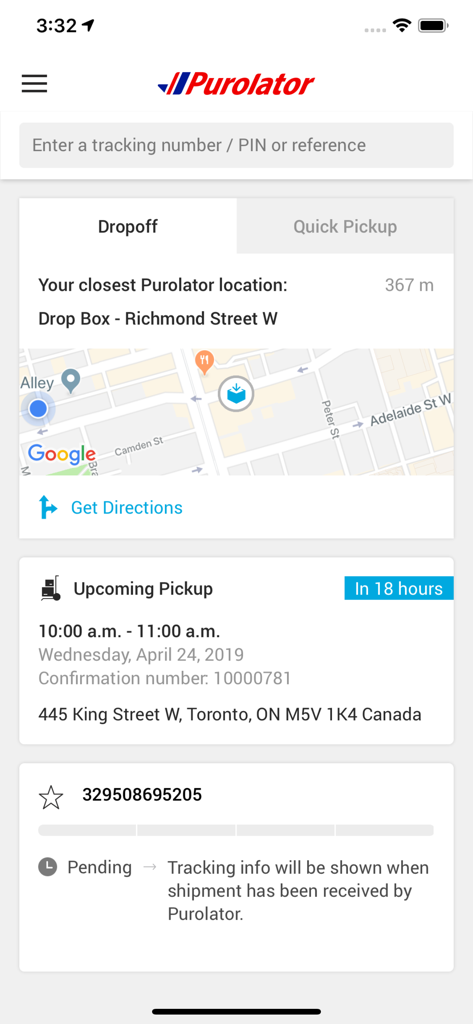
A screenshot of the Purolator app interface showing package tracking, a nearby drop-off location map, and upcoming pickup details.
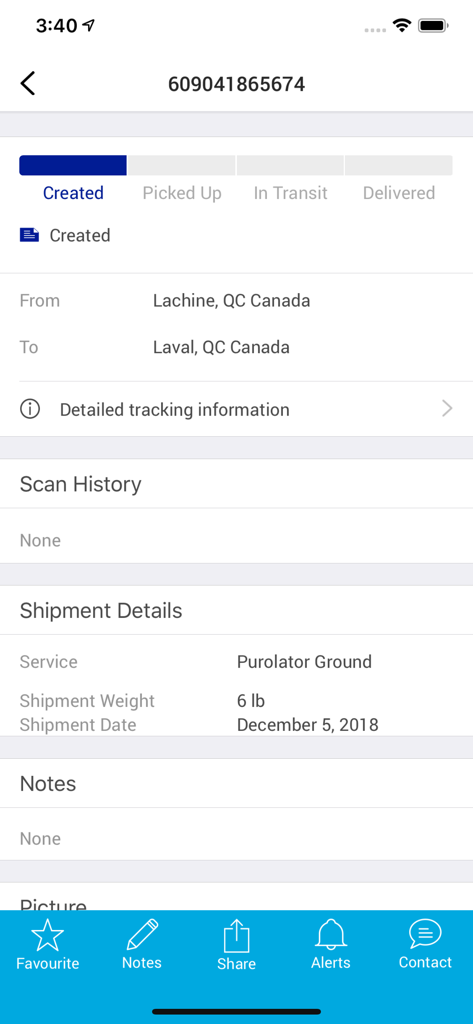
Purolator app shipment tracking screen showing package status and delivery details.
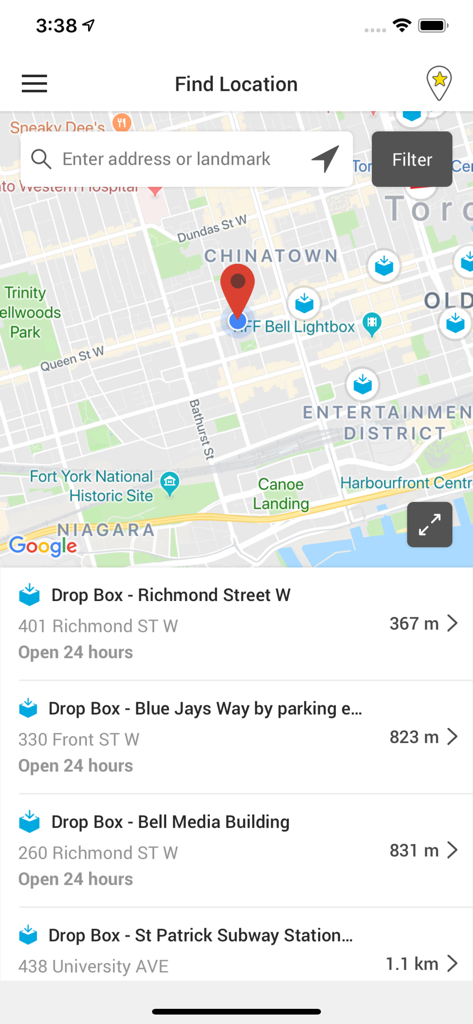
Purolator app Find Location screen showing a map of Toronto with nearby shipping drop box locations and distances
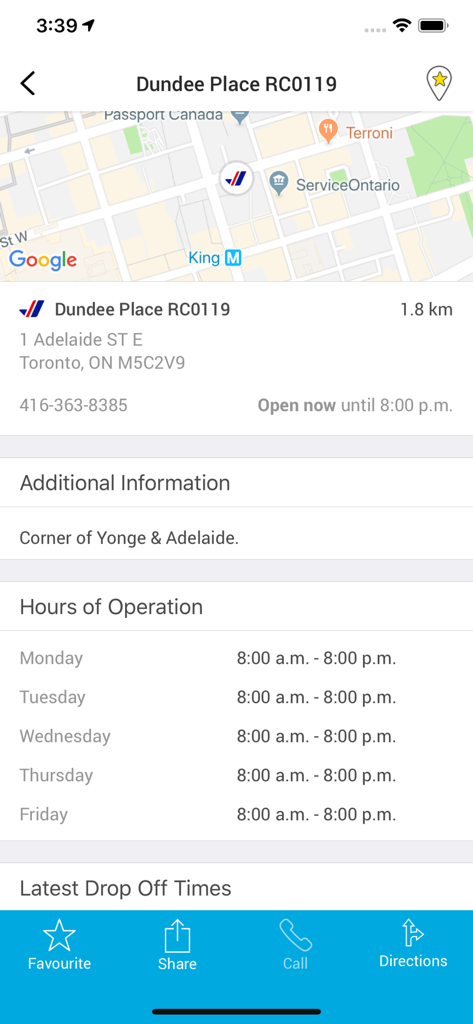
Purolator mobile app interface showing shipping center location map and business hours
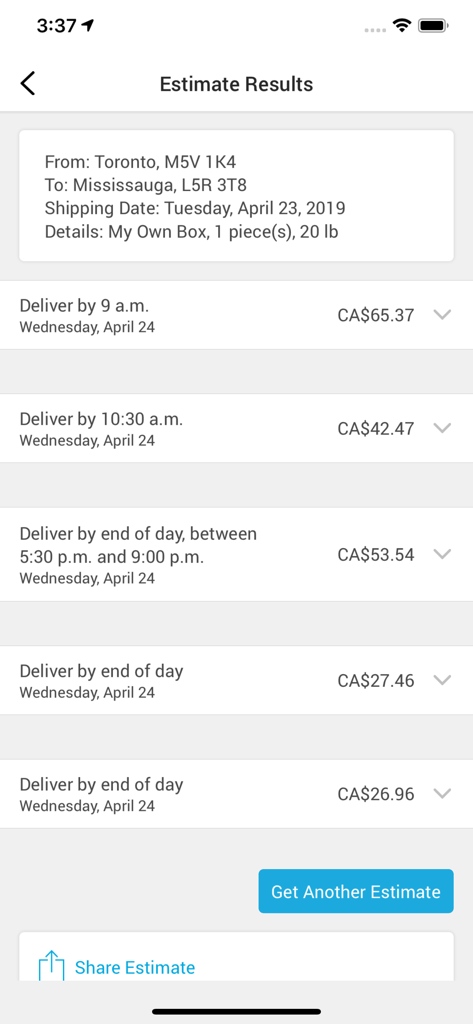
Purolator mobile app screen displaying shipping estimate results with various delivery times and costs.
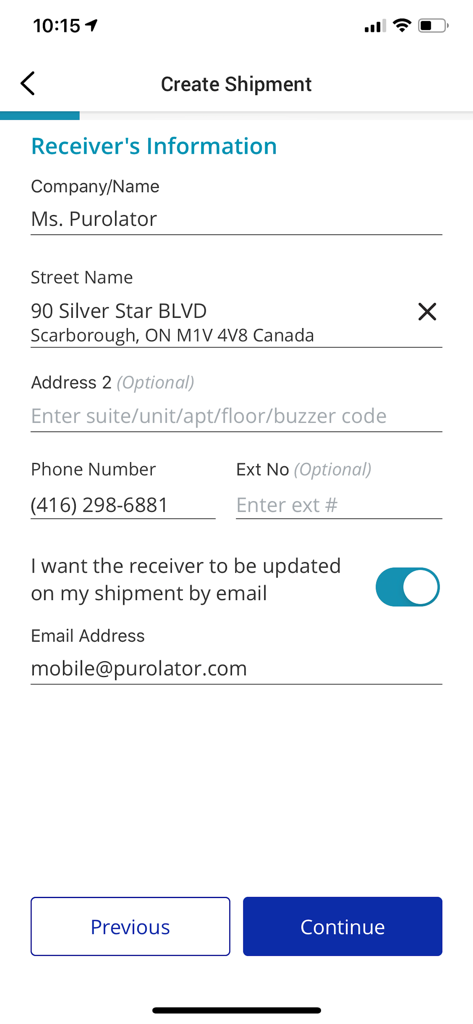
Form for entering receiver details in the Purolator mobile app create shipment screen.
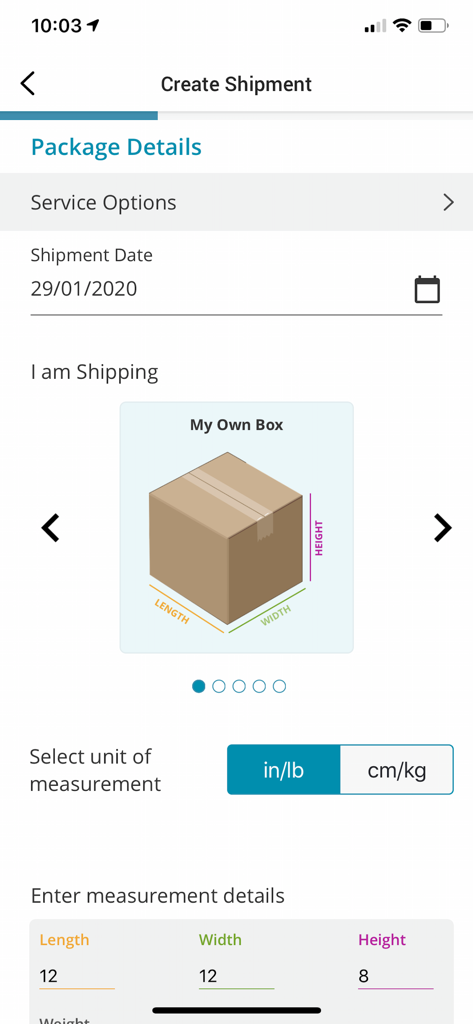
Purolator mobile app interface for entering package dimensions and shipment details
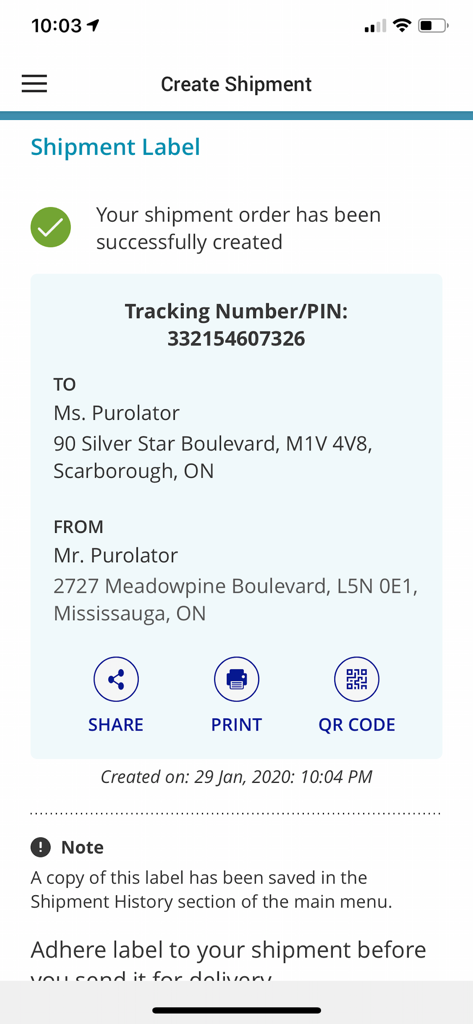
Purolator app screen showing a successfully created shipment label with tracking number and QR code options
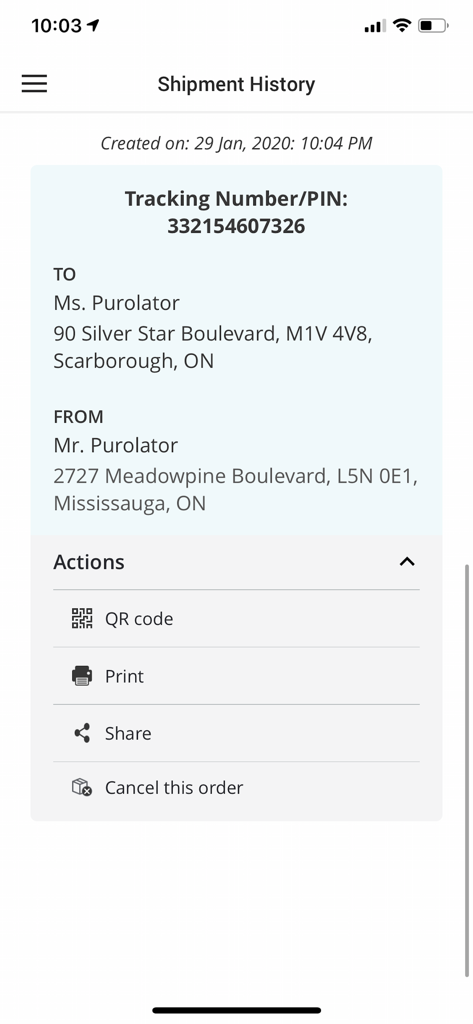
Purolator app screen showing shipment history with tracking number, addresses, and shipping label action buttons
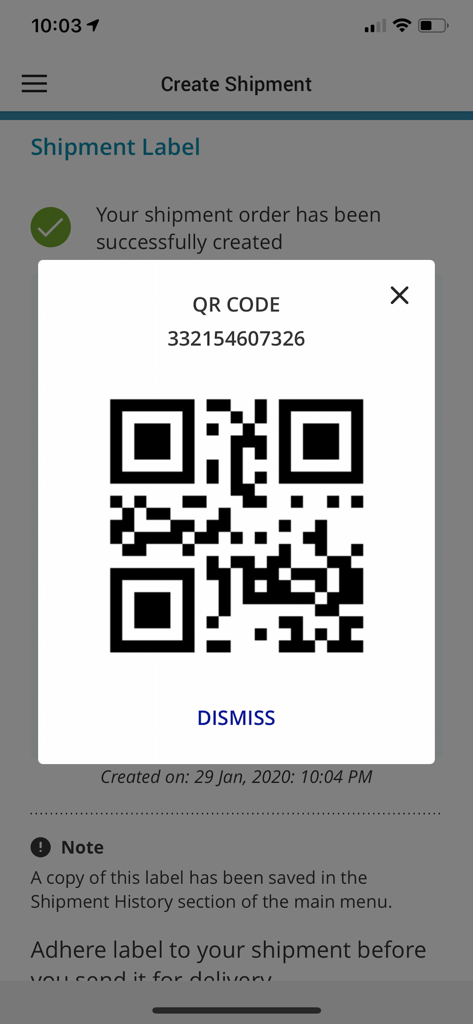
Purolator mobile app screen showing a shipment confirmation with a QR code for easy label printing
Description
Download
More Like This
Apps with similar features and user experience

CDEK: Delivery & Shopping
SDEK-DS, OOO

Почта России
Federal State Unitary Enterprise Russian Post

InPost Mobile
InPost Paczkomaty Sp. z o.o.

USPS Mobile®
United States Postal Service

Australia Post
Australia Post

快递100
Shenzhen Qianhai Baidi Network Co., Ltd.
Mój DHL
DHL eCommerce (Poland) sp. z o.o.

Packeta
Zasilkovna s.r.o.

iBoxen
iBoxen Infrastruktur Sverige AB
This page is not an official page of the app or its developer, but an independent editorial publication created for informational and commentary purposes. Unless expressly stated otherwise, neither the app nor its developer is affiliated with, endorsed by, sponsored by, authorized by, or otherwise officially connected with MWM, Apple, Google Play, the app publisher, or the app's developer, and nothing on this page implies that the app was developed using MWM's services. Any trademarks, logos, screenshots, and other content remain the property of their respective owners.