
This page is not an official page of the app or its developer, but an independent editorial publication created for informational and commentary purposes. Unless expressly stated otherwise, neither the app nor its developer is affiliated with, endorsed by, sponsored by, authorized by, or otherwise officially connected with MWM, Apple, Google Play, the app publisher, or the app's developer, and nothing on this page implies that the app was developed using MWM's services. Any trademarks, logos, screenshots, and other content remain the property of their respective owners.
PushLock: Screen Time Control
Stop doomscrolling and start building discipline. PushLock uses AI pose detection to turn movement into access. Complete your reps to unlock your apps, eliminate digital guilt, and reclaim your focus.
Downloads
100+User Rating
Total Ratings
0Publisher
Category
Health & FitnessLocales
1Latest Version
1.1.0Size
14.9 MBFirst Released
Feb 24, 2026Master Your Habits, Strengthen Your Body
PushLock replaces the 'Ignore Limit' button with real physical accountability. Use the power of AI to turn your digital distractions into a tool for discipline.
Earn Every Scroll
Lock your most addictive apps behind a wall of physical effort. Stop mindlessly scrolling and start moving—access is granted only when the work is done.
AI-Powered Accountability
Our advanced on-device pose detection verifies every pushup in real-time. No shortcuts, no cheating—just a clean, honest exchange of effort for airtime.
The following screenshots and description are sourced directly from the app's official store listing and are the property of the app developer.
App Store
Screenshots
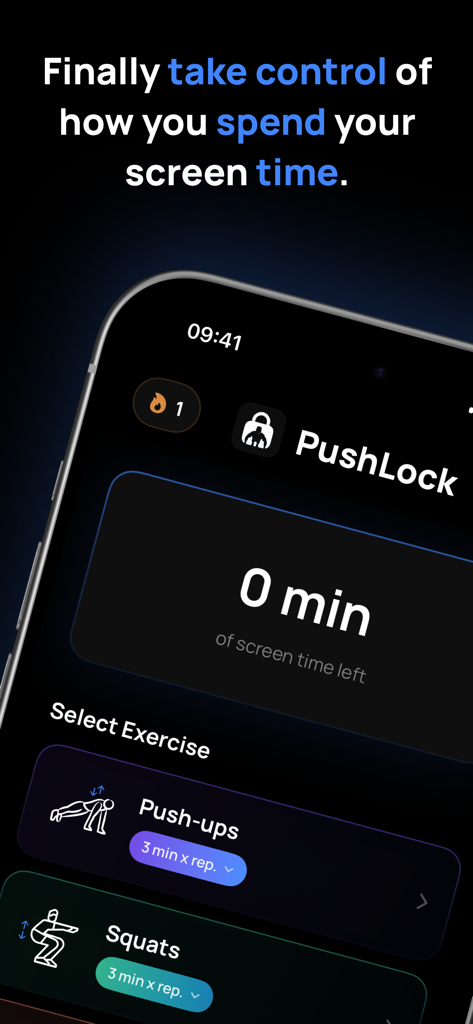
PushLock app interface showing zero screen time left and options to select exercises like pushups or squats to earn more time
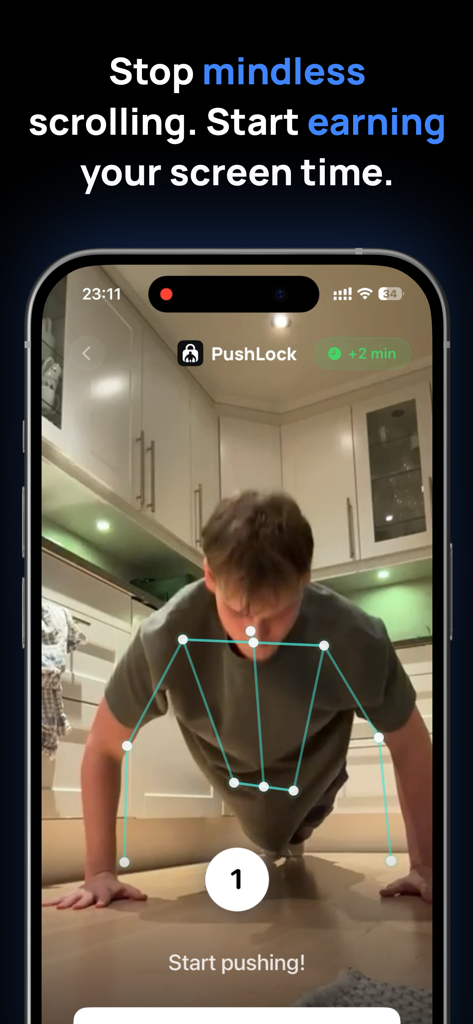
A person doing pushups with AI pose detection to unlock phone apps
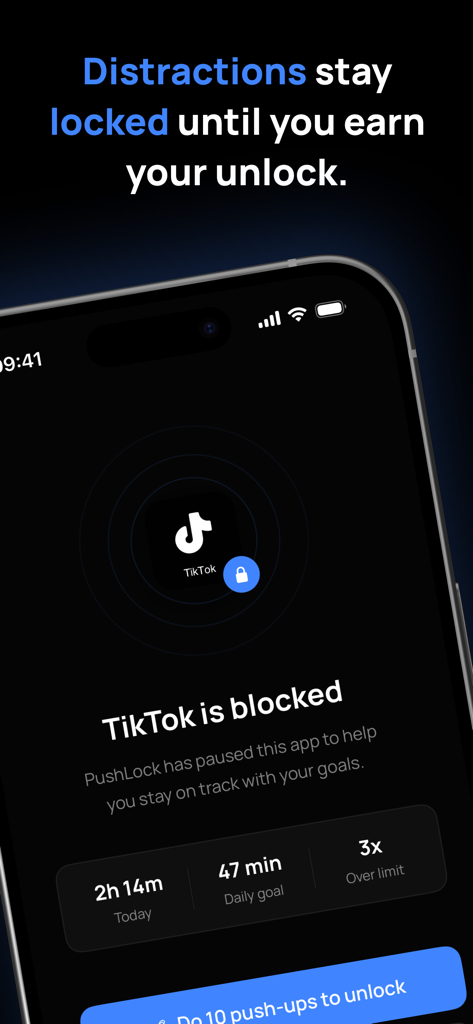
PushLock interface showing TikTok is blocked until 10 pushups are completed.
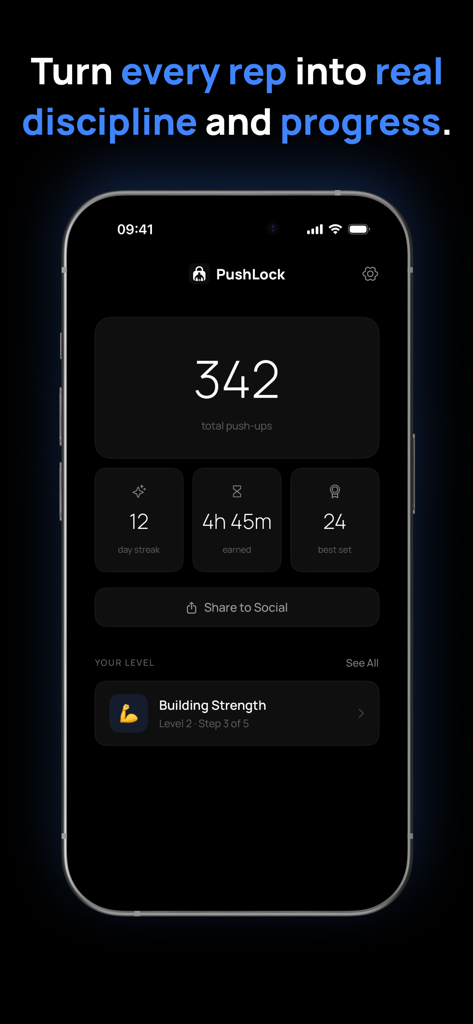
PushLock app interface showing push-up stats and earned screen time.
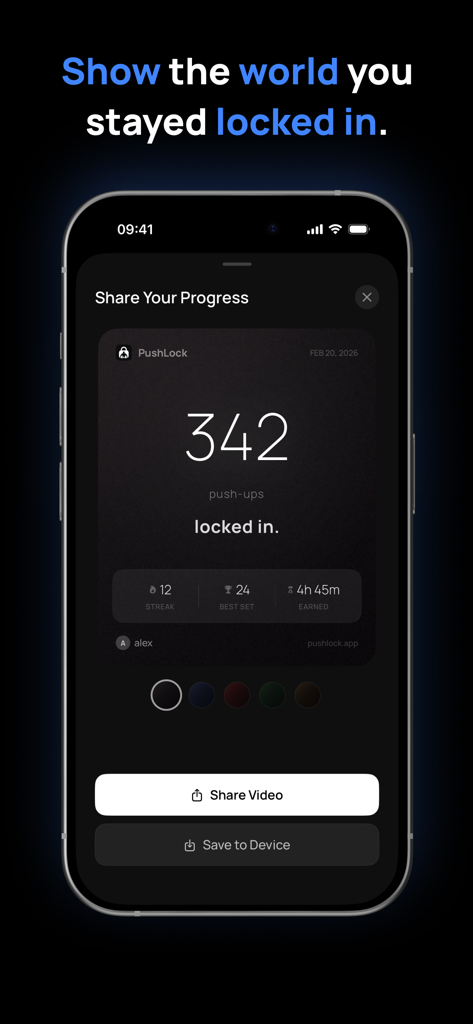
A screen from the PushLock app showing a summary of pushups completed and screen time earned with options to share results
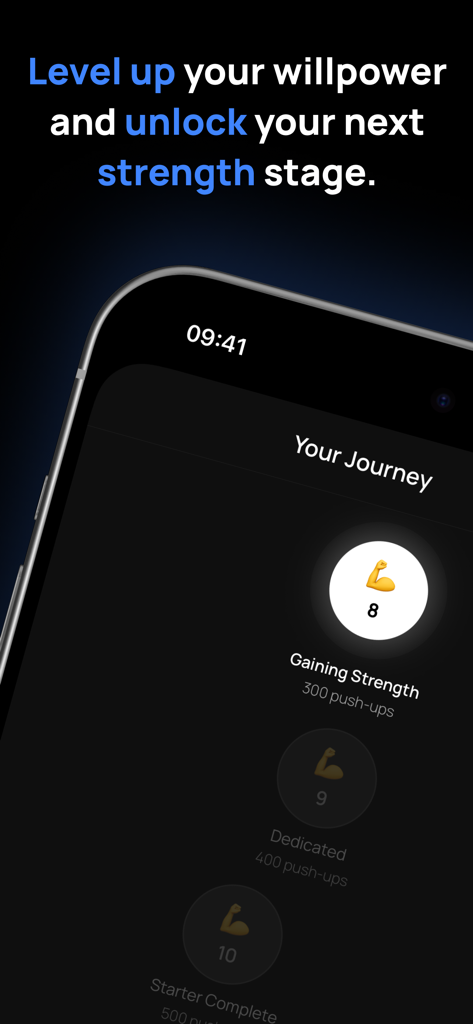
PushLock app interface displaying the user journey with push-up strength milestones.
Description
Download
More Like This
Top-ranked apps in the same category

Strava: Run, Bike, Walk
Strava Inc.
Flo Cycle & Period Tracker
FLO HEALTH UK LIMITED

Mi Fitness (Xiaomi Wear Lite)
Beijing Xiaomi Co., Ltd

AI Calorie Tracker by Yazio
YAZIO GmbH

HUAWEI Health
Huawei Software Technologies Co., Ltd.
Yuka - Food & Cosmetic Scanner
Yuca

美柚 - 经期·备孕·怀孕·育儿&亲友版
Xiamen Meet You Co., Ltd.
MyFitnessPal: Calorie Counter
MyFitnessPal, Inc.
Period Tracker Period Calendar
ABISHKKING LIMITED.
This page is not an official page of the app or its developer, but an independent editorial publication created for informational and commentary purposes. Unless expressly stated otherwise, neither the app nor its developer is affiliated with, endorsed by, sponsored by, authorized by, or otherwise officially connected with MWM, Apple, Google Play, the app publisher, or the app's developer, and nothing on this page implies that the app was developed using MWM's services. Any trademarks, logos, screenshots, and other content remain the property of their respective owners.