Pushupstar: push ups counter
Download on App Store

This page is not an official page of the app or its developer, but an independent editorial publication created for informational and commentary purposes. Unless expressly stated otherwise, neither the app nor its developer is affiliated with, endorsed by, sponsored by, authorized by, or otherwise officially connected with MWM, Apple, Google Play, the app publisher, or the app's developer, and nothing on this page implies that the app was developed using MWM's services. Any trademarks, logos, screenshots, and other content remain the property of their respective owners.

Logo of Pushupstar: push ups counter
Download on App Store

Pushupstar: push ups counter

The ultimate sensor-based tracker for goal-oriented athletes and ACFT candidates. Automate your counting via camera or proximity sensors, sync with Apple Health, and optimize your performance with professional-grade pace analysis.

Key Figures

Downloads

36K+

User Rating

3.9/5

Total Ratings

100

Publisher

Youngwan Choi

Category

Health & Fitness

Locales

5

Latest Version

2.7

Size

117.2 MB

First Released

Jan 9, 2020
Features

Master Every Rep with Precision

Pushupstar uses advanced sensor technology to automate your training, offering military-standard testing and deep performance analytics for the goal-oriented athlete.

Hands-Free Auto-Counting

Eliminate human error. Our proximity and camera sensors automatically record every rep, letting you focus entirely on your form and power.

ACFT & Military Standards

Train specifically for the US Army Combat Fitness Test. Get automated scoring and professional-grade standards used by military and first responders.

The following screenshots and description are sourced directly from the app's official store listing and are the property of the app developer.

App Store

Screenshots
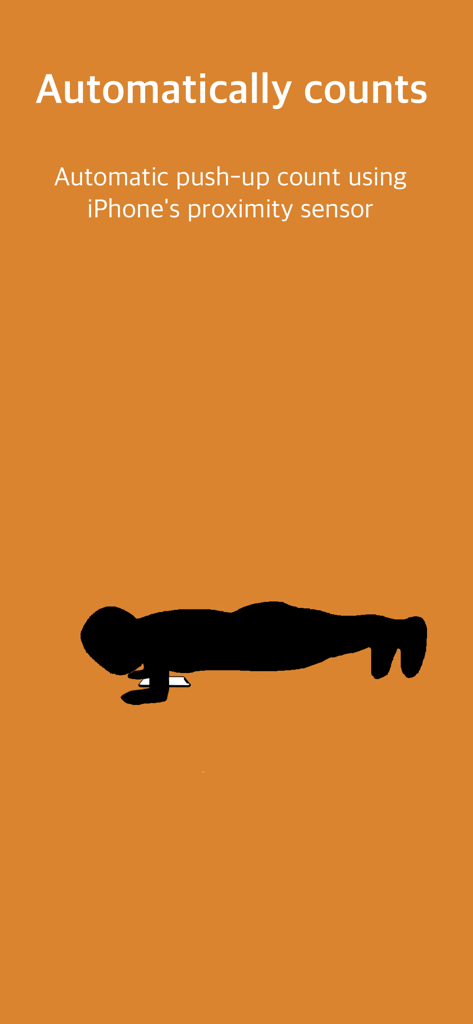
Pushupstar: push ups counter - Silhouette of a person doing a push up while an iPhone automatically counts reps using its proximity sensor
Silhouette of a person doing a push up while an iPhone automatically counts reps using its proximity sensor

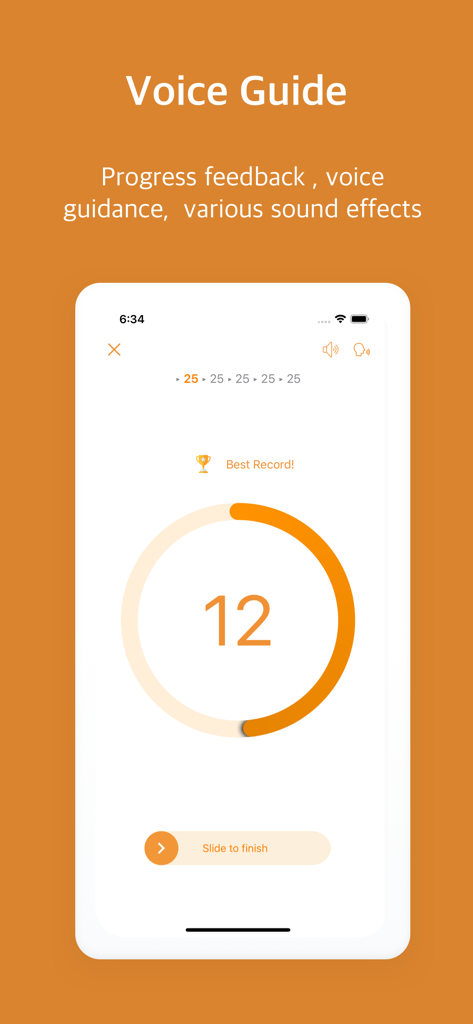
Pushupstar: push ups counter - Pushupstar app showing voice guidance and real-time push-up count during a workout
Pushupstar app showing voice guidance and real-time push-up count during a workout

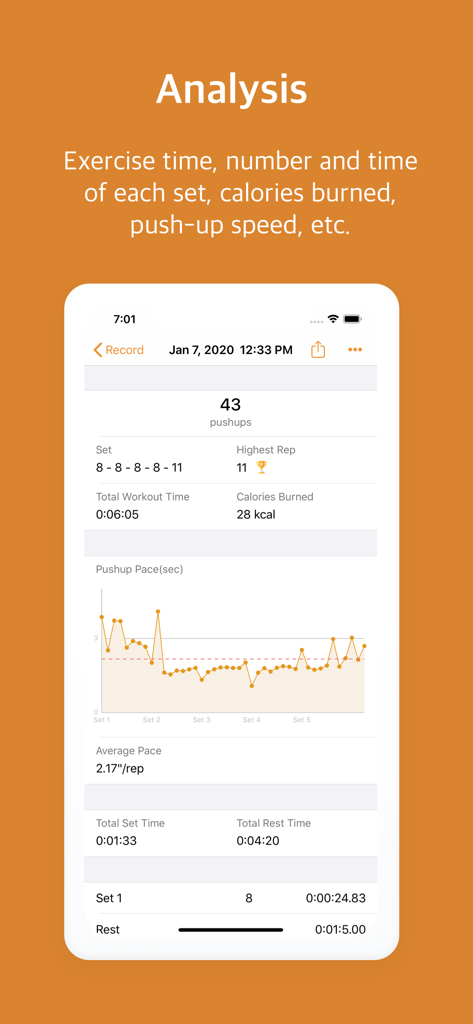
Pushupstar: push ups counter - A detailed push-up workout analysis screen showing total reps calories burned and a pace performance graph
A detailed push-up workout analysis screen showing total reps calories burned and a pace performance graph

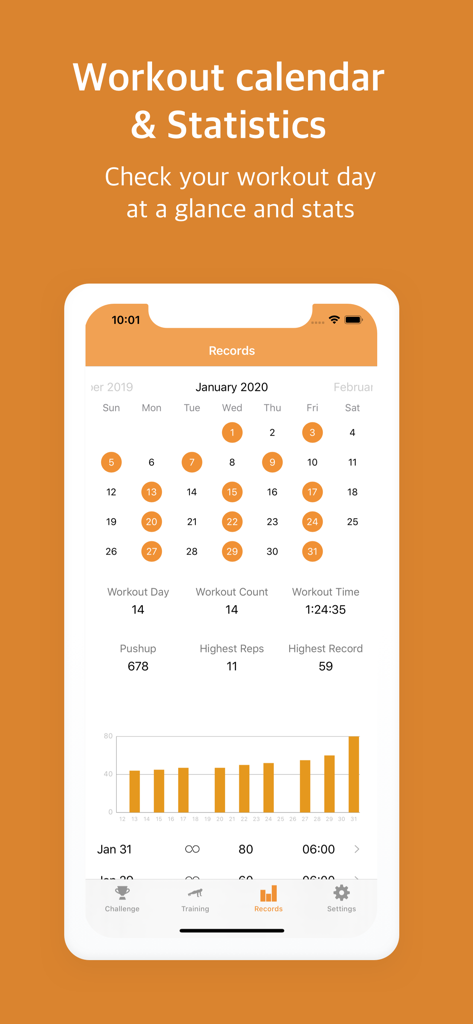
Pushupstar: push ups counter - Pushupstar app workout calendar and statistics dashboard showing monthly progress and fitness metrics.
Pushupstar app workout calendar and statistics dashboard showing monthly progress and fitness metrics.

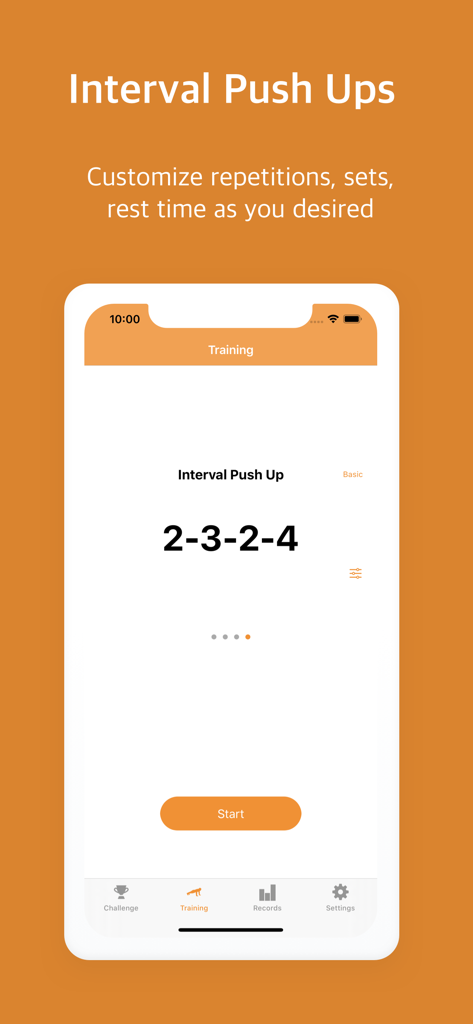
Pushupstar: push ups counter - The Pushupstar app interface for configuring interval push ups with custom repetitions and sets
The Pushupstar app interface for configuring interval push ups with custom repetitions and sets

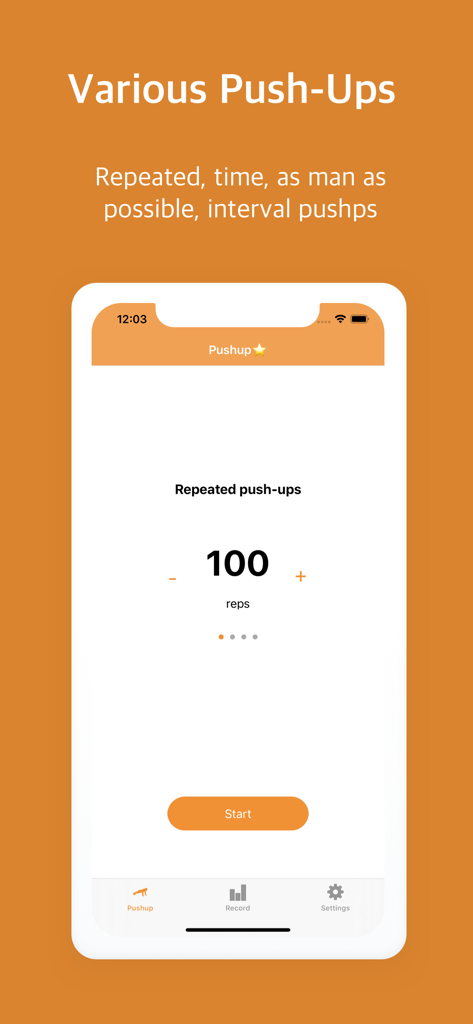
Pushupstar: push ups counter - Pushupstar app interface showing a repeated pushups workout mode with a 100 reps goal.
Pushupstar app interface showing a repeated pushups workout mode with a 100 reps goal.

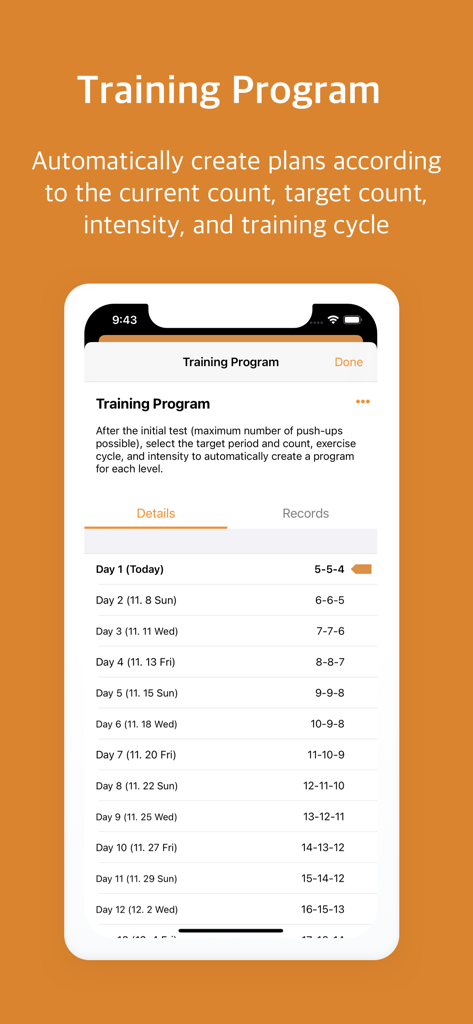
Pushupstar: push ups counter - Pushupstar app training program screen displaying a personalized push up workout schedule
Pushupstar app training program screen displaying a personalized push up workout schedule

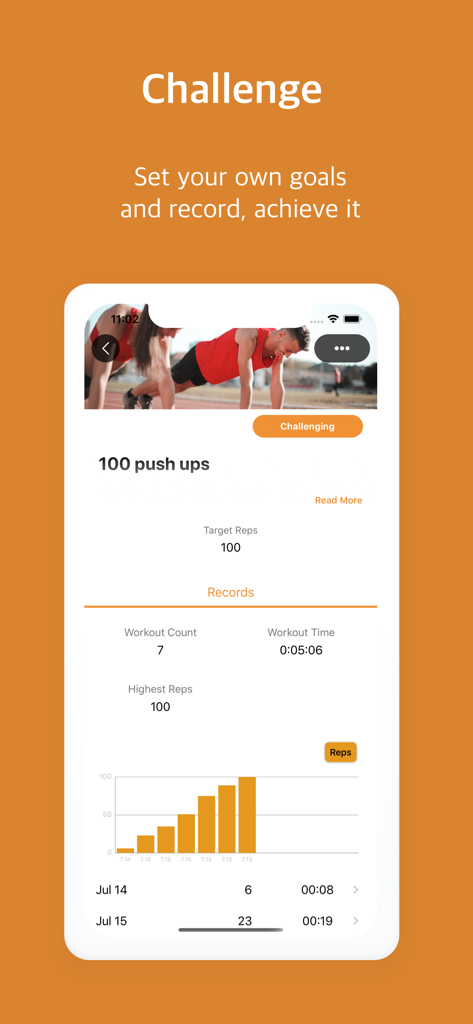
Pushupstar: push ups counter - Pushupstar app interface showing a 100 pushups challenge with workout progress and stats
Pushupstar app interface showing a 100 pushups challenge with workout progress and stats

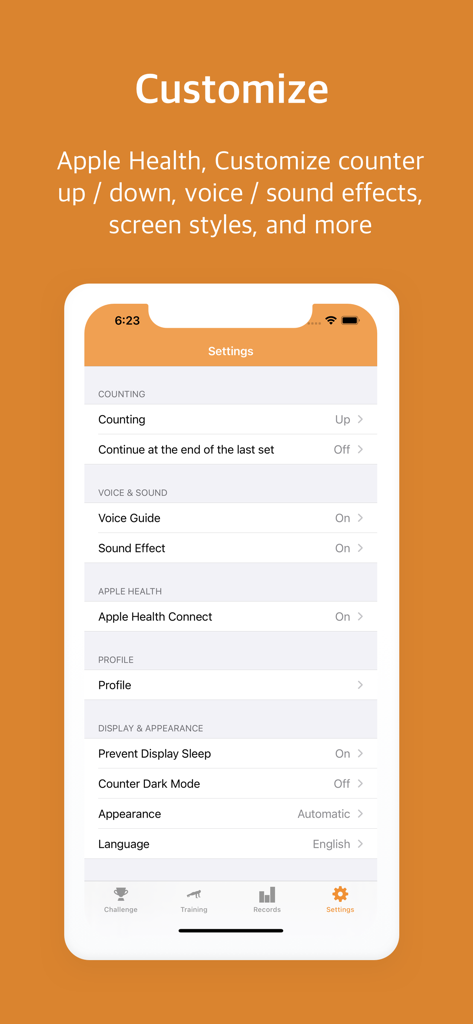
Pushupstar: push ups counter - Pushupstar app settings for customizing counts and Apple Health integration
Pushupstar app settings for customizing counts and Apple Health integration

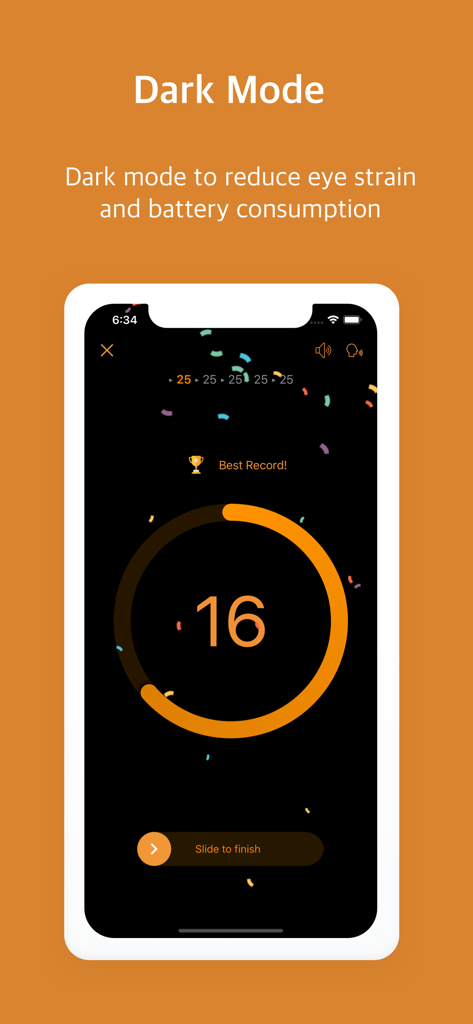
Pushupstar: push ups counter - Pushupstar mobile app interface in dark mode featuring a push up counter and achievement celebration

Pushupstar mobile app interface in dark mode featuring a push up counter and achievement celebration

Description

Pushupstar counts and records push-ups automatically. Pushupstar write your workout results to Apple Health and read profile information from Apple Health to calculate calories. ◉ Auto measurement The app automatically counts pushups using the proximity sensor or camera. ◉ Sound effects and voice guidance at count • Sound effects: You can hear sound effects when you do push-ups. • Voice guide: You can hear the number of times you push up by voice. ◉ Auto workout record It automatically records the date of exercise, the number of times per set, the total number of times, the time required, the maximum number of sets, the time per set, the break time, the maximum number of times, the calories, etc ◉ Push-ups pace analysis You can automatically measure the time taken for each pushup and check it with a graph. ◉ Push-ups in various counting ways • Repeated push ups: Automatically measure how many minutes you want to target. • Time Push-Up: Automatically measure how many times you're doing during the target time. • Maximum number of pushups (AMRAP): You can measure as many pushups and times as you like, with no time limit. • Interval Push-Up: You can make the number of times and breaks for each set by own. • Training Program: Automatically create plans according to the current count, target count, intensity, and training cycle. ◉ Push-up Calendar • You can see at a glance which days you have exercised or not. • You can check the exercise contents by tapping the exercise date. ◉ Push-up statistics • You can check statistics such as exercise days, exercise counts, exercise time, push-ups, peak counts, and record highs by month. • You can easily check the graph of the total number of pushups by day. ◉ Push-up workout List • You can check the list of exercise journals by month. ◉ Push-up workout Details • You can see the total number of pushups, the number of times per set, exercise time and calories burned. • You can easily check the time per number in the graph to determine the push-up speed. • You can check the average pace. • In the case of a set exercise, you can check the time, frequency and break list of each set. ◉ Challenge • Set your own number of times, time-limited goals, and manage your records. ◉ Fitness Test Exercieses • Descriptions of measurement methods and standards can be viewed, and scores or grades are automatically calculated for each test. • Provides US Army Combat Fitness Test(ACFT) ◉ Share • You can share your workout history as an image on SNS or messenger screen. ◉ Dark Mode • Reduce battery consumption and reduce glare. ◉ Support If you have any questions or suggestions, please send it through Settings> App Info> Contact Support in the app. Terms of use : https://www.apple.com/legal/internet-services/itunes/dev/stdeula

Download

Download on App Store

This page is not an official page of the app or its developer, but an independent editorial publication created for informational and commentary purposes. Unless expressly stated otherwise, neither the app nor its developer is affiliated with, endorsed by, sponsored by, authorized by, or otherwise officially connected with MWM, Apple, Google Play, the app publisher, or the app's developer, and nothing on this page implies that the app was developed using MWM's services. Any trademarks, logos, screenshots, and other content remain the property of their respective owners.








