
This page is not an official page of the app or its developer, but an independent editorial publication created for informational and commentary purposes. Unless expressly stated otherwise, neither the app nor its developer is affiliated with, endorsed by, sponsored by, authorized by, or otherwise officially connected with MWM, Apple, Google Play, the app publisher, or the app's developer, and nothing on this page implies that the app was developed using MWM's services. Any trademarks, logos, screenshots, and other content remain the property of their respective owners.


Q Host Restaurant App
Ditch the paper waitlists and expensive pagers. Manage guest flow with 2-way SMS, automate server rotations, and drive more covers directly from Google Search—set up on your iPad in under 20 minutes.
Downloads
0User Rating
Total Ratings
0Publisher
Category
BusinessLocales
1Latest Version
1.9.7Size
13.6 MBFirst Released
Sep 5, 2017Elevate Your Guest Experience & Host Stand Efficiency
Stop managing clipboards and start managing guest flow. Q Host gives independent restaurants the professional tools of a major chain without the enterprise price tag.
Smart SMS Waitlist Management
Reduce lobby crowding with 2-way texting that keeps guests informed and lets them wait wherever they’re comfortable.
Direct Google Search Integration
Capture more walk-ins by letting customers join your waitlist directly from Google Maps and Search before they even arrive.
The following screenshots and description are sourced directly from the app's official store listing and are the property of the app developer.
App Store
Screenshots
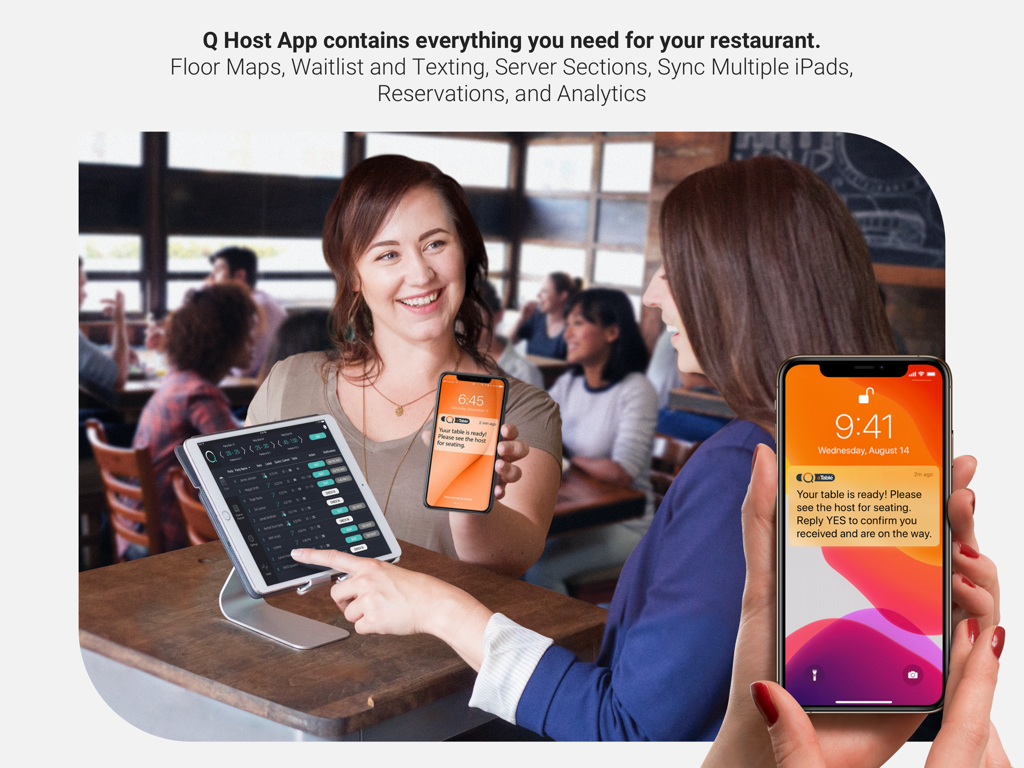
A restaurant host using the Q Host App on an iPad while a guest receives a table ready text notification on their smartphone
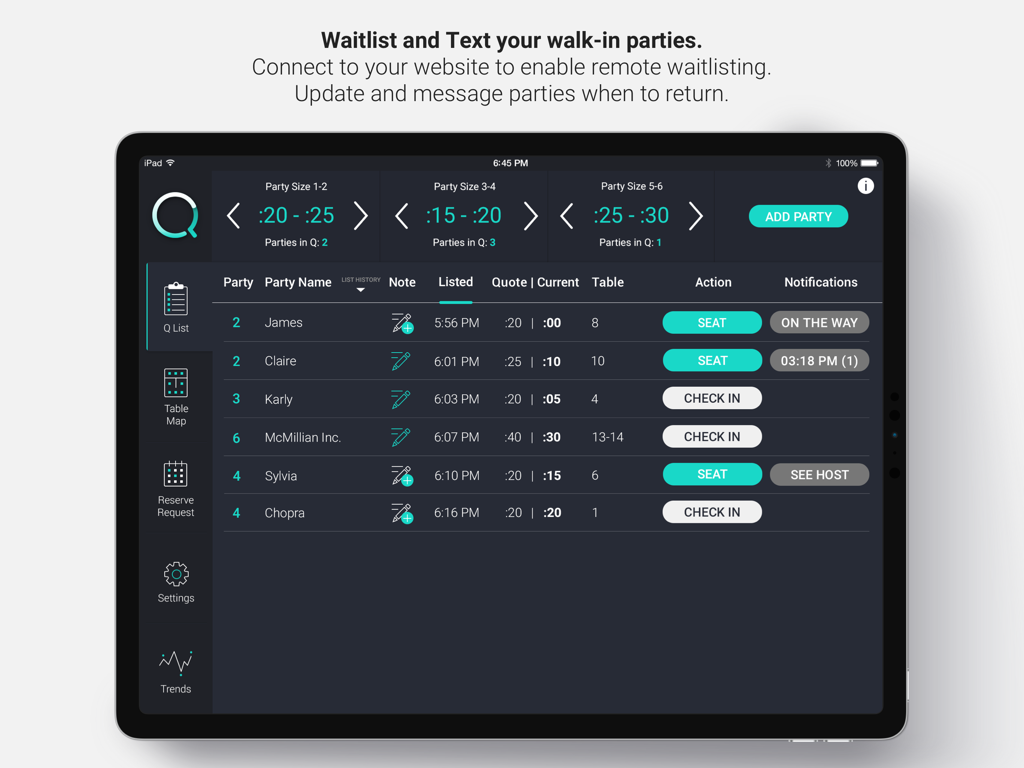
Digital waitlist interface of the Q Host Restaurant App on an iPad showing waiting parties and estimated wait times
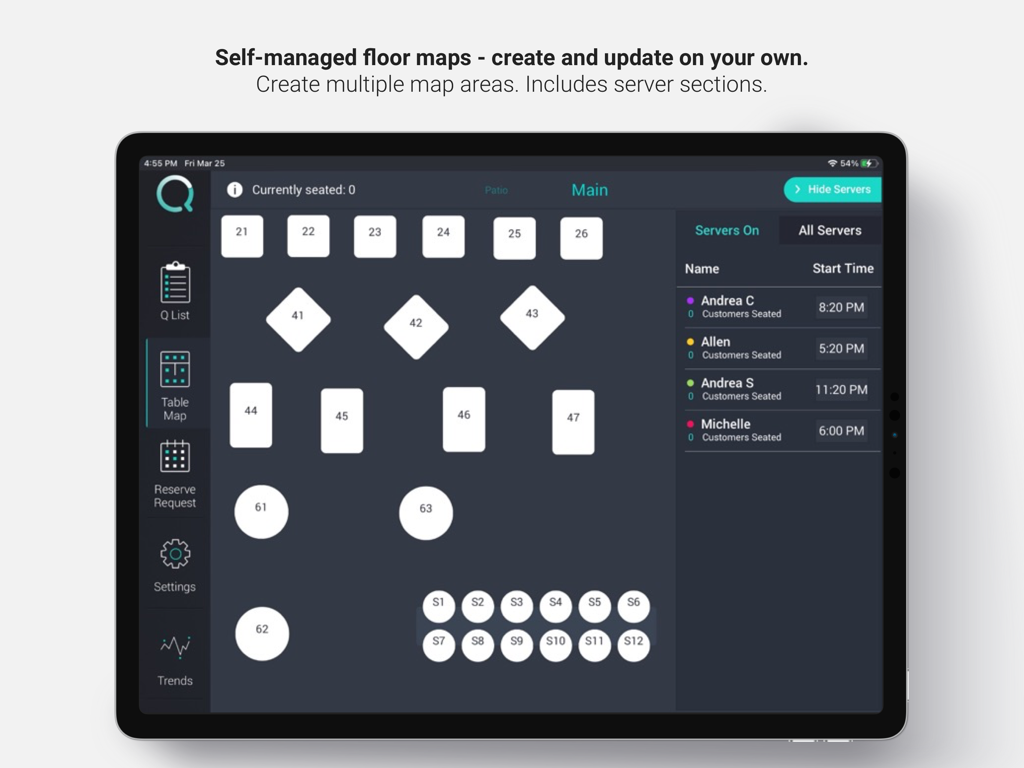
Customizable restaurant floor map and server management on the Q Host App iPad interface
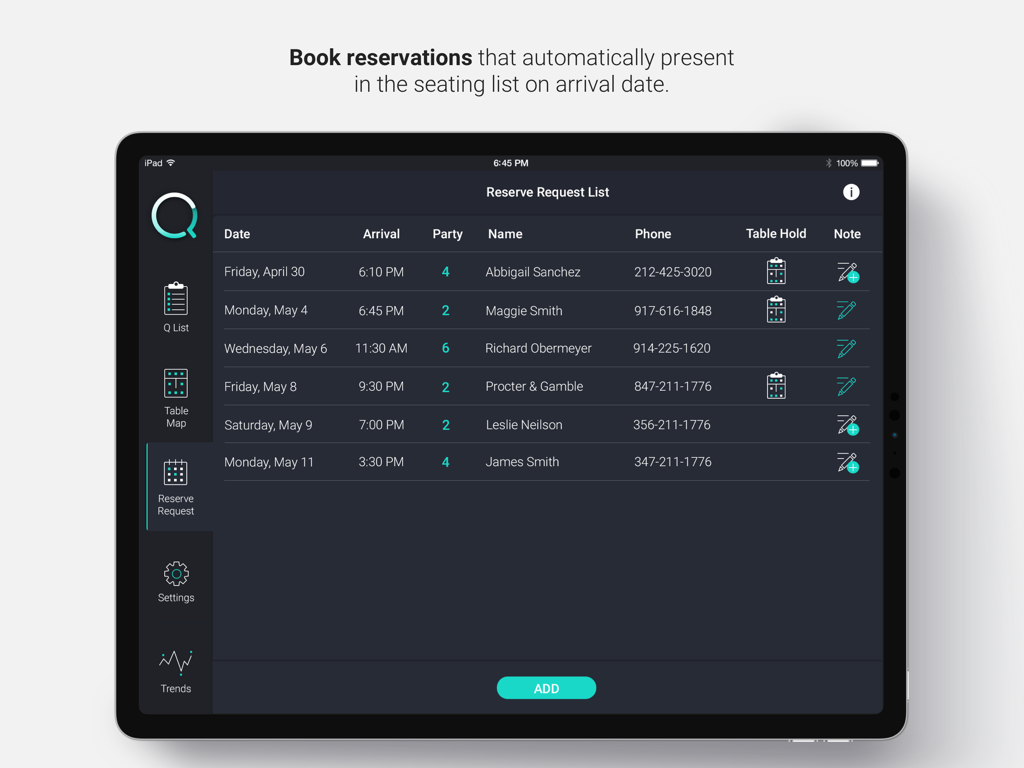
iPad screen showing the reservation request list feature of the Q Host Restaurant App.
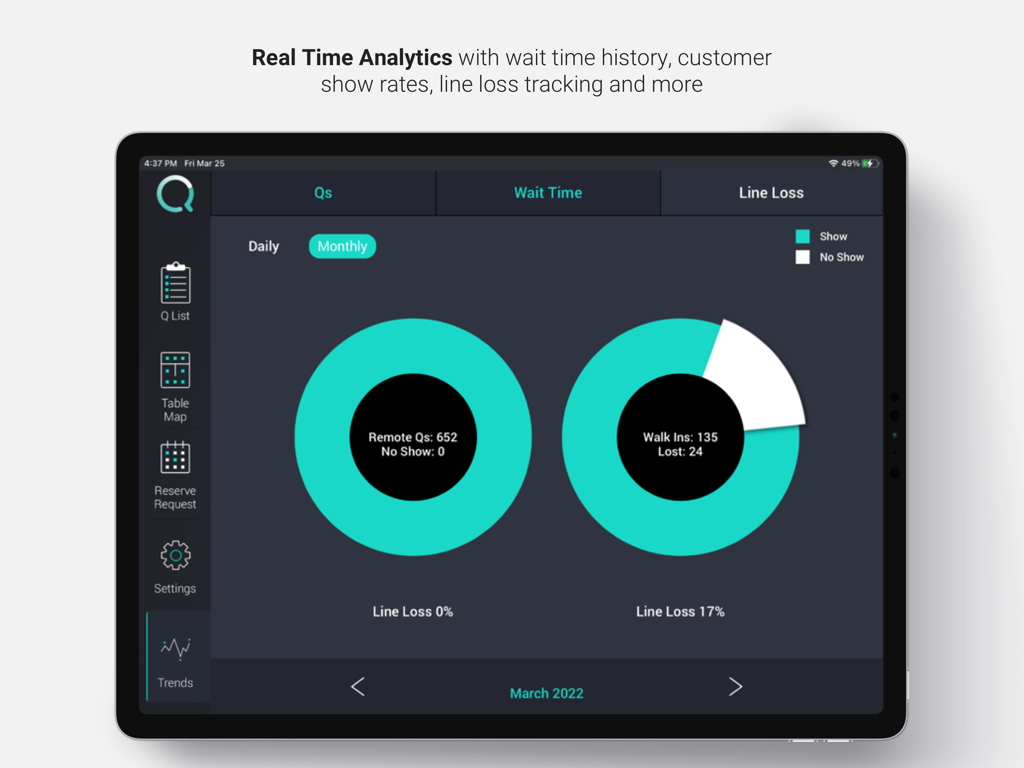
Q Host Restaurant App analytics dashboard showing monthly waitlist trends and customer show rates
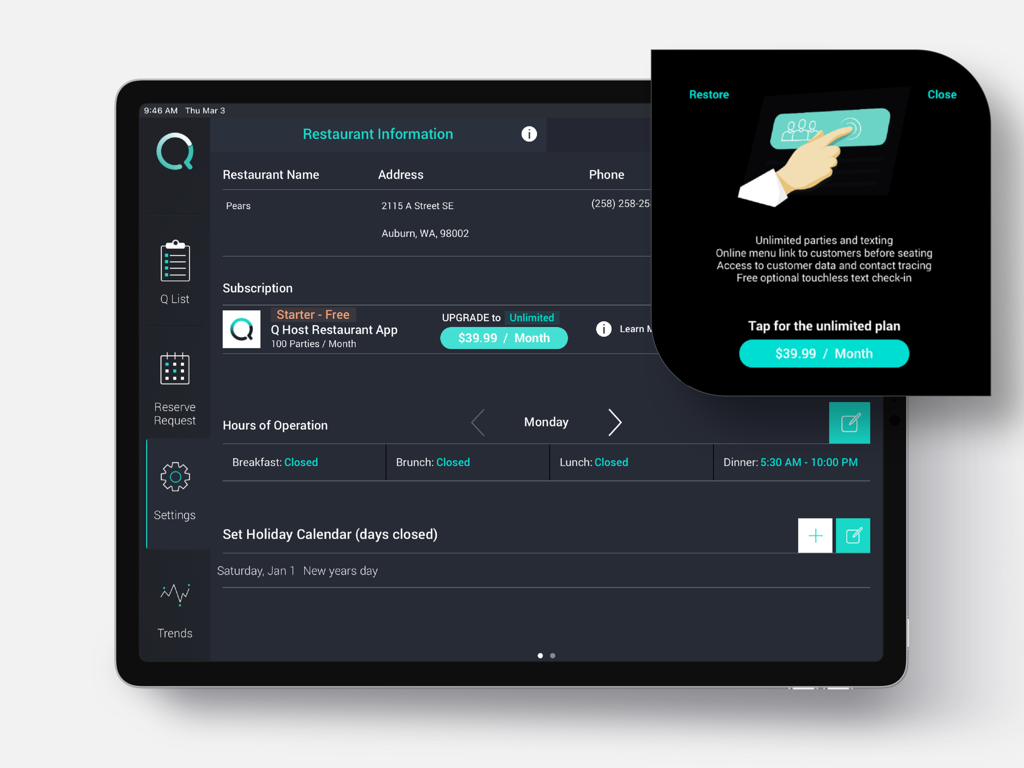
iPad screenshot of the Q Host Restaurant App settings page showing restaurant information and subscription upgrade options
Description
Download
More Like This
Top-ranked apps in the same category

Microsoft Teams
Microsoft Corporation

Zoom Workplace
Zoom Communications, Inc.

WhatsApp Business
WhatsApp Inc.

Indeed Job Search
Indeed Inc.

LinkedIn: Network & Job Finder
LinkedIn Corporation

Adobe Acrobat Reader: Sign PDF
Adobe Inc.

DingDing - Redefine Work in AI
DingTalk Technology Co., Ltd.

WeCom-Work Communication&Tools
Tencent Technology (Shenzhen) Company Limited

BOSS直聘-招聘求职找工作神器
Beijing China Product Bo Farce Network Technology Co., Ltd.
This page is not an official page of the app or its developer, but an independent editorial publication created for informational and commentary purposes. Unless expressly stated otherwise, neither the app nor its developer is affiliated with, endorsed by, sponsored by, authorized by, or otherwise officially connected with MWM, Apple, Google Play, the app publisher, or the app's developer, and nothing on this page implies that the app was developed using MWM's services. Any trademarks, logos, screenshots, and other content remain the property of their respective owners.