
This page is not an official page of the app or its developer, but an independent editorial publication created for informational and commentary purposes. Unless expressly stated otherwise, neither the app nor its developer is affiliated with, endorsed by, sponsored by, authorized by, or otherwise officially connected with MWM, Apple, Google Play, the app publisher, or the app's developer, and nothing on this page implies that the app was developed using MWM's services. Any trademarks, logos, screenshots, and other content remain the property of their respective owners.


秦丝生意通-进销存订货下单
Streamline your retail or wholesale business with real-time stock tracking, multi-device sync, and social commerce tools. From 'Daigou' to digital stores, manage every order with bank-level security and seamless hardware integration.
Downloads
500K+User Rating
Total Ratings
3K+Publisher
Category
BusinessLocales
27Latest Version
5.16.0Size
100.6 MBFirst Released
Sep 1, 2015Streamline Your Business from Inventory to Sale
An all-in-one, mobile-first management system designed for cross-border traders, boutique retailers, and social commerce entrepreneurs.
Real-Time Cloud Inventory
Keep your stock levels synced across mobile, tablet, and PC. Manage multiple warehouses and product variants with bank-level data security.
Social Commerce Integration
Turn your inventory into a digital storefront with one click. Perfect for Daigou agents and social sellers reaching international markets.
The following screenshots and description are sourced directly from the app's official store listing and are the property of the app developer.
App Store
Screenshots

Overview of Qinsilk Business Management app showing multi industry inventory tracking and device synchronization
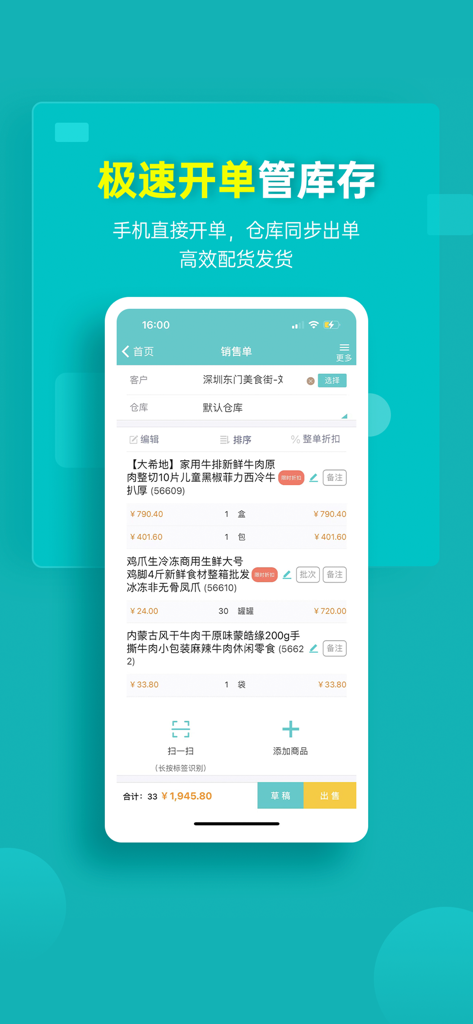
A smartphone showing the sales order and inventory management interface of the Qinsilk Business Management app
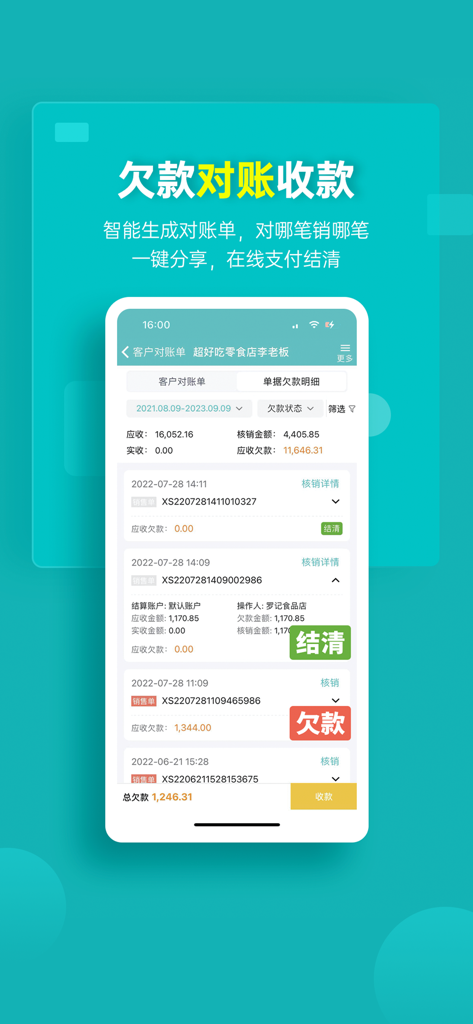
Mobile interface of the Qinsilk app showing debt reconciliation and customer payment status

Marketing and customer relationship management interface within the Qinsilk Business Management app.

Interface of the Qinsilk Business Management app displaying various marketing tools including coupons, membership cards, and WeChat integration.

Qinsilk Business Management app interface displaying various sales and inventory reports
Description
Download
More Like This
Top-ranked apps in the same category

Microsoft Teams
Microsoft Corporation

WhatsApp Business
WhatsApp Inc.

Zoom Workplace
Zoom Communications, Inc.

Indeed Job Search
Indeed Inc.

LinkedIn: Community & Network
LinkedIn Corporation

Adobe Acrobat Reader: Sign PDF
Adobe Inc.

BOSS直聘-招聘求职找工作神器
Beijing China Product Bo Farce Network Technology Co., Ltd.

DingDing - Redefine Work in AI
DingTalk Technology Co., Ltd.

Uber - Driver: Drive & Deliver
Uber Technologies, Inc.
This page is not an official page of the app or its developer, but an independent editorial publication created for informational and commentary purposes. Unless expressly stated otherwise, neither the app nor its developer is affiliated with, endorsed by, sponsored by, authorized by, or otherwise officially connected with MWM, Apple, Google Play, the app publisher, or the app's developer, and nothing on this page implies that the app was developed using MWM's services. Any trademarks, logos, screenshots, and other content remain the property of their respective owners.