QR Code Reader & Scanner: Professional Batch Scanning & Organization
The ultimate productivity tool for business and e-commerce. Scan hundreds of codes instantly with Batch Mode, organize your data into custom folders, and generate professional QR codes for your workflow in seconds.
Publisher
LightYears, LLC
Category
Productivity
Downloads
0
User Rating
4.3/5
Total Ratings
0
Locales
12
Efficiency in Every Frame
Discover the interface used by 0 users.
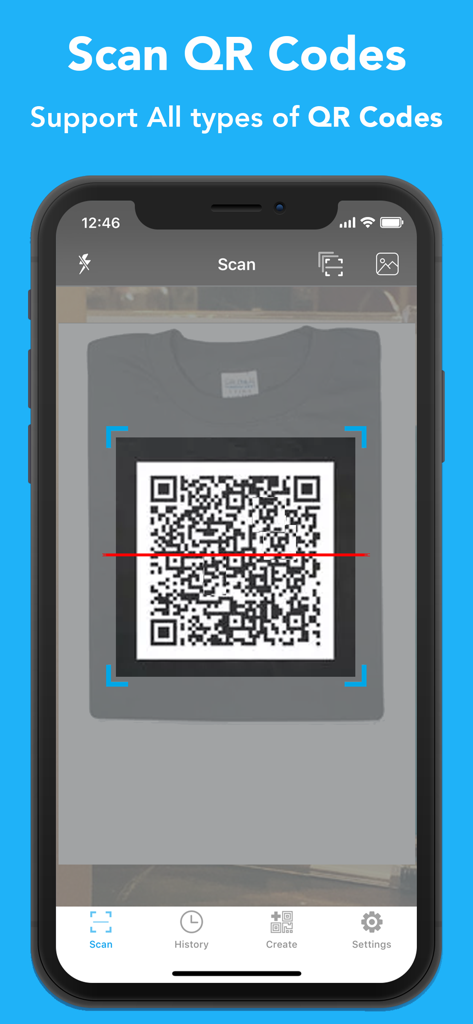
iPhone screen of the QR Code Reader and Scanner app scanning a QR code on a garment
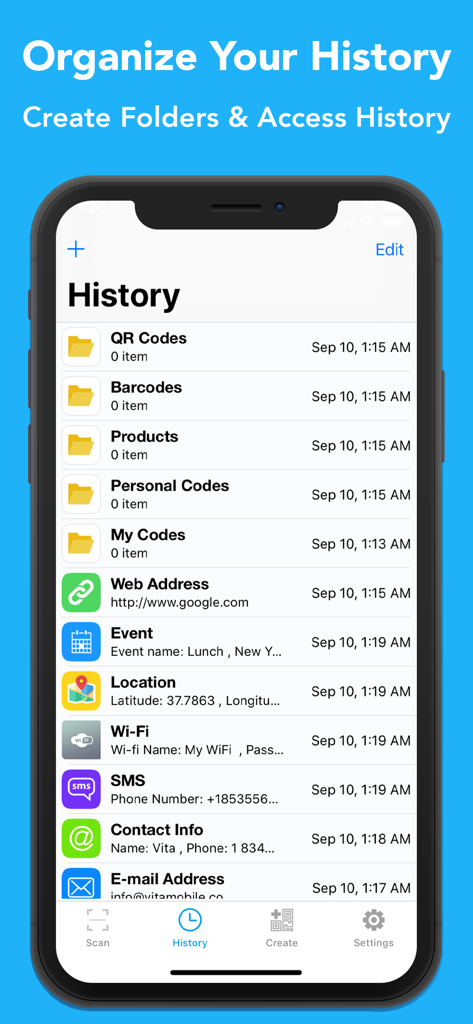
Mobile app interface showing scan history organized into folders for QR codes and barcodes
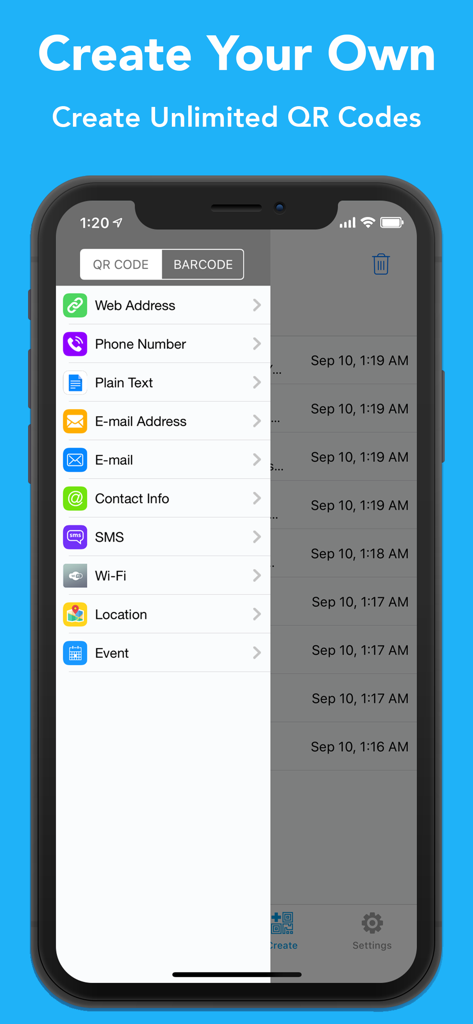
Interface showing options to generate QR codes for websites, phone numbers, and contact info
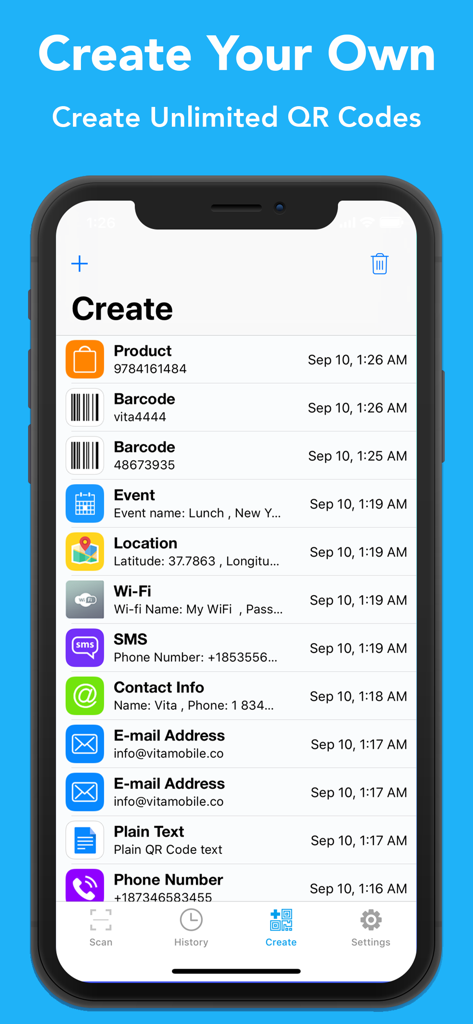
Interface of an iOS app showing options to create different types of QR codes and barcodes including Wi-Fi contact info and email
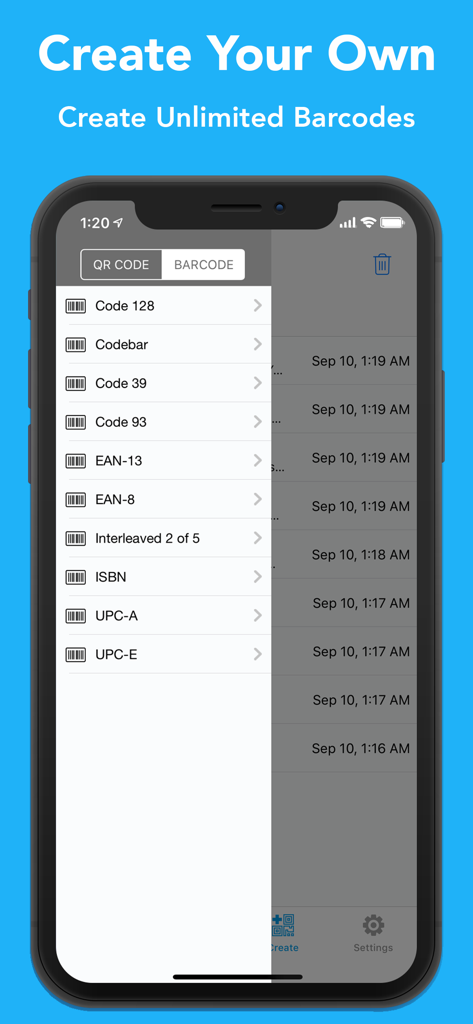
Mobile app screen showing a menu to create various barcode formats including UPC and EAN
Maximize Your Workflow with Pro-Grade Tools
The tools that make this app stand out, trusted by 0 users.
⚡
High-Speed Batch Mode
Process hundreds of barcodes and QR codes instantly. Eliminate manual data entry and speed up your inventory audits or product tracking.
📂
Smart Organization & History
Never lose a link or product detail again. Save unlimited scans into custom folders to build a searchable digital archive for your business.
✨
Custom Code Generator
Create professional QR codes for your website, Wi-Fi, or marketing materials in seconds. A complete toolkit to help grow your brand.
About the app
Everything you need to know about QR Code Reader & Scanner..
Description
QR Code Reader & Scanner is the fastest and most powerful QR code reader and barcode scanner ever!
QR Code Reader & Scanner helps you scan and decode all the QR codes around you, including contact, detail, plain text, website URL, telephone number, SMS message, email address, email message, calendar event, wi-fi , locations and more.
QR Code Reader & Scanner let you scan any type of QR codes and barcodes. More than 15 types supported like QR code, Barcode, Code128, Code39, Datamatrix, EAN-8, EAN-18, ISBN, ISSN, UPC-A, UPC-E etc.
-How QR Reader Works;
• To scan a QR code or barcode simply open the app and point the camera to the code, than you did it. QR Reader will easily detect the code and show you the result. No need to take picture.
• You can enable batch scan mode to scan more than one at the same time. If its dark and you can switch on the flashlight. If you want you can scan barcodes from camera roll.
-Key Features:
• Most powerful QR code reader and barcode scanner.
• Auto detect all types of QR codes; contact,email,sms,text,event, website url, phone number etc.
• Scan QR codes and barcodes from photos in your Camera Roll.
• Batch Scan mode helps you to scan hundreds of codes easily.
• Unlimited storage for scan history.
• Create folders and organize your scan results.
• Create any type of QR code or barcode and share easily.
• Supported formats: QR code, EAN 13, EAN 8, UPC-A, UPC-E, Code 128, Data Matrix, PDF417, Aztec, Interleaved 2 of 5, Code 39, Code 93, Codabar, DataBar, etc.
• Many many more!
-About Subscriptions ;
QR Code Reader & Scanner offers 3-days trials for weekly subscriptions for premium features.
* Pricing may vary and actual charges may be converted to your local currency depending on the country of residence.
* Start 3-day trial - free of charge; no commitment; cancel anytime.
* You can cancel your subscription anytime by going to the user's Account Settings after purchase.
* Payment will be charged to iTunes Account at confirmation of purchase
* Subscription automatically renews unless auto-renew is turned off at least 24-hours before the end of the period
* Length of subscription: one week.
* Account will be charged for renewal within 24-hours prior to the end of the current period, and identify the cost of the renewal
* Subscriptions may be managed by the user and auto-renewal may be turned off by going to the user's Account Settings after purchase
* Any unused portion of a free trial period, if offered, will be forfeited when the user purchases a subscription to that publication.
Privacy Policy: https://qr-reader-44.firebaseapp.com/privacy.html
Terms of Service: https://qr-reader-44.firebaseapp.com/tos.html
Latest Version
1.0.8
Size
18.7 MB
First Released
Aug 14, 2018
Ready to Master Your Workflow?
Download the professional-grade QR toolkit trusted by efficiency seekers. Start your free trial today to unlock batch scanning, advanced organization, and unlimited history.
App information, icons, screenshots, and descriptions displayed on this page are sourced from the Apple App Store and are the property of their respective developers. Download estimates and rankings are based on MWM's proprietary models and may not reflect actual figures. This page is provided for informational and analytical purposes only.
Believe this page infringes your intellectual property? File a dispute