
This page is not an official page of the app or its developer, but an independent editorial publication created for informational and commentary purposes. Unless expressly stated otherwise, neither the app nor its developer is affiliated with, endorsed by, sponsored by, authorized by, or otherwise officially connected with MWM, Apple, Google Play, the app publisher, or the app's developer, and nothing on this page implies that the app was developed using MWM's services. Any trademarks, logos, screenshots, and other content remain the property of their respective owners.

QR Code Reader ®
Hidden data everywhere. This app empowers users to instantly capture, create, and organize critical information for smarter decisions.
Downloads
12.5M+User Rating
Total Ratings
245.9KPublisher
Category
UtilitiesLocales
22Latest Version
3.0.8Size
69.6 MBFirst Released
Jun 8, 2020Key Features Analysis: QR Code Reader ®
An evaluation of core functionalities designed for efficient digital interaction and information management on iOS.
Universal QR & Barcode Scanning
The app provides robust scanning capabilities for various QR code and barcode types, offering quick access to embedded information such as links, contacts, or product details.
Customizable QR Code Generator
This tool features an advanced generator that creates diverse QR codes for URLs, Wi-Fi access, contact info, social media, and more, with options to customize color and design for personal or business branding.
Product Information Lookup
It allows users to scan product barcodes and instantly search for relevant information and price comparisons on leading e-commerce platforms like Amazon, eBay, Aliexpress, and Google, facilitating informed purchasing decisions.
Organized Data Management
The app offers secure storage for all scanned and generated codes, enabling users to categorize data into custom folders and review a detailed history including scan time and date, enhancing organization and efficiency.
Frequently Asked Questions
Everything you need to know about QR Code Reader ®
What is the "QR Code Reader ®" app used for?
The QR Code Reader ® app allows iOS users to scan, generate, and store QR codes and barcodes. It helps users stay organized and efficient with its various scanning and creation features.
Can the "QR Code Reader ®" app scan barcodes?
Yes, the QR Code Reader ® app can scan barcodes. It also supports scanning QR codes and documents, saving all scanned data securely.
What types of QR codes can "QR Code Reader ®" generate?
The QR Code Reader ® app generates various QR codes including links, emails, phone numbers, Wi-Fi data, social media, app store links, text, website, and product info.
Can I customize the appearance of QR codes generated by "QR Code Reader ®"?
Yes, the QR Code Reader ® app allows users to customize generated QR codes. You can change their color and design to make them unique.
Does "QR Code Reader ®" store scanned data?
Yes, the QR Code Reader ® app saves all scanned data in secure storage. Users can organize this data into folders and review scan details like time and date.
Can the "QR Code Reader ®" app compare product prices?
Yes, the QR Code Reader ® app can compare product prices. After scanning a product barcode, it searches Amazon, eBay, Aliexpress, and Google for information, including prices.
How can I import QR codes or documents into the "QR Code Reader ®" app?
The QR Code Reader ® app allows importing QR codes and documents. Users can import these directly from their device's Gallery or iCloud.
Is the "QR Code Reader ®" app available on Android devices?
No, the QR Code Reader ® app is designed for iOS users. The app description explicitly states it is for iOS.
Where can I find the privacy policy for "QR Code Reader ®"?
The privacy policy for the QR Code Reader ® app is available at: https://www.team2swift.com/privacy-qr/. This link is provided in the app description.
Does the QR Code Reader ® app offer document scanning?
Yes, the QR Code Reader ® app includes a document scanning feature. It can scan various documents and save the data.
The following screenshots and description are sourced directly from the app's official store listing and are the property of the app developer.
App Store
Screenshots

Effortless QR Scan
The app features a clear scanning frame and a convenient 'QR scanner' mode dropdown for quick access.

Swift Barcode Reading
This tool instantly reads barcodes with a dedicated 'Barcode scanner' mode and an integrated 'Light' function for low-light conditions.
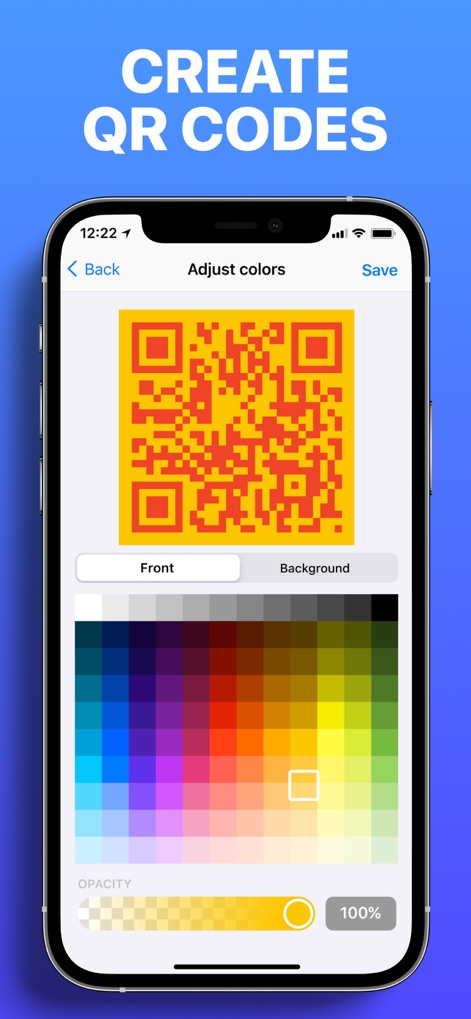
Customize QR Codes
Users can personalize QR codes by selecting distinct 'Front' and 'Background' colors using the intuitive color picker interface.

Detailed Product Info
The app provides exhaustive product details, displaying 'Code information' like UPS numbers and nutritional facts for food items.

Smart Price Comparison
This tool empowers smart purchasing by showcasing competitive prices from various retailers and a clear product image for easy identification.
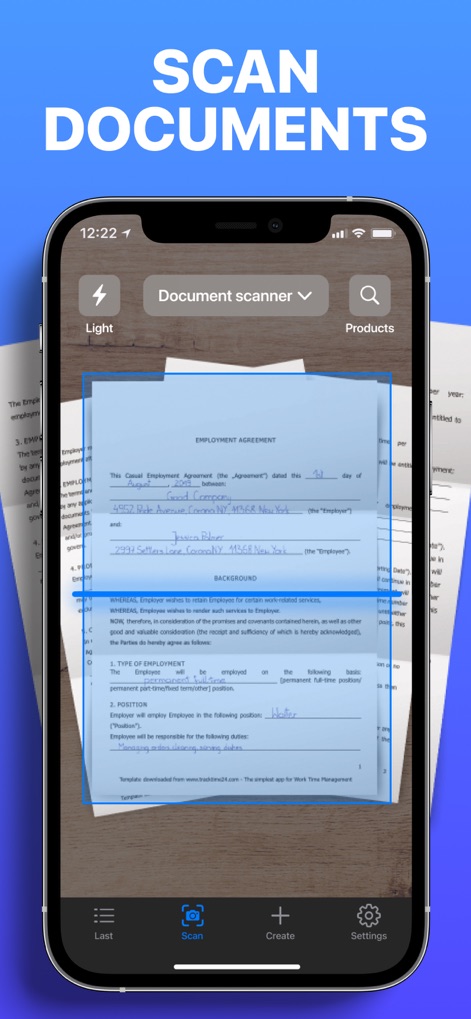
Digital Document Capture
The app offers a specialized 'Document scanner' mode, allowing users to accurately capture and digitize important papers within a precise scanning frame.
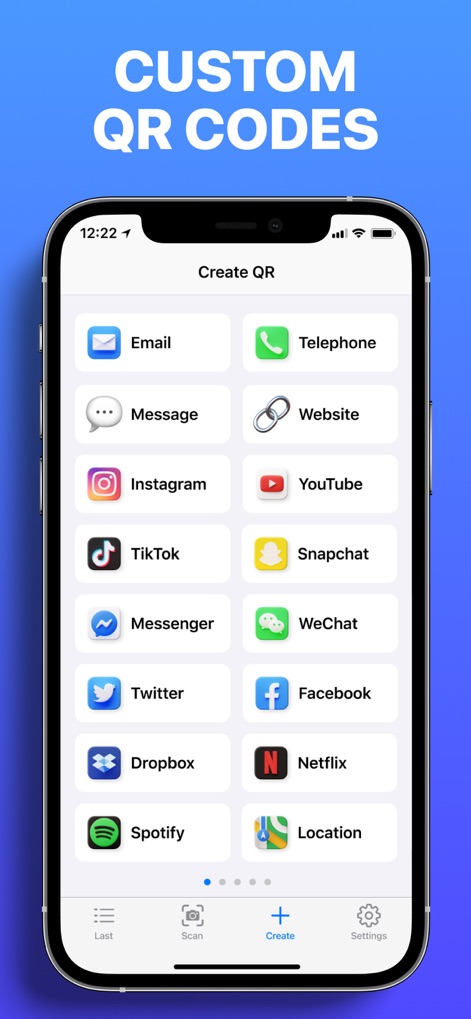
Versatile QR Creation
Users can generate diverse QR codes for various purposes, from 'Email' and 'Telephone' contacts to popular 'Instagram' and 'YouTube' links.

Seamless Sharing Options
After scanning, the app presents a clear 'Scan result' with code details and offers multiple 'sharing options' like Airdrop and Telegram.
Description
Download
More Like This
Apps with similar features and user experience

Me QR - QR Code Generator
ME TEAM LTD

QR Code Reader/QR Scanner App
MixerBox Inc.

QR Code Barcode: Scanner Maker
DE BITT LTD

QR Code Reader & QR Scanner ·
Simple Health Limited

Scan QR Code & Barcode
Mars Mobile LLC

QR Bot
Petr Polasek

QR Reader- Scanner & Generator
SAN MOBILE YAZILIM TICARET LIMITED SIRKETI

What's App -QR code scanner
DIGITALSTALK PRIVATE LIMITED

Power Barcode Scanner
Irvinesoft Inc
This page is not an official page of the app or its developer, but an independent editorial publication created for informational and commentary purposes. Unless expressly stated otherwise, neither the app nor its developer is affiliated with, endorsed by, sponsored by, authorized by, or otherwise officially connected with MWM, Apple, Google Play, the app publisher, or the app's developer, and nothing on this page implies that the app was developed using MWM's services. Any trademarks, logos, screenshots, and other content remain the property of their respective owners.