
This page is not an official page of the app or its developer, but an independent editorial publication created for informational and commentary purposes. Unless expressly stated otherwise, neither the app nor its developer is affiliated with, endorsed by, sponsored by, authorized by, or otherwise officially connected with MWM, Apple, Google Play, the app publisher, or the app's developer, and nothing on this page implies that the app was developed using MWM's services. Any trademarks, logos, screenshots, and other content remain the property of their respective owners.


Qrafter: QR Code Reader
Unlock a hidden dimension of data and interaction, putting control directly in your hands.
Downloads
2.5M+User Rating
Total Ratings
58.6KPublisher
Category
ProductivityLocales
28Latest Version
2026.07Size
60.9 MBFirst Released
Jan 29, 2011An in-depth analysis of Qrafter's core functionalities and their impact on professional users.
Qrafter: Key Features Evaluation for Business & Marketing
Unique Security & Efficiency Features
It offers unique security features like QR Code compression and password-protected encryption, ensuring data integrity and privacy.
Customizable Inventory Scanner Mode
It transforms the app into a customizable inventory scanner, calling an API endpoint in the background for streamlined inventory management.
Custom QR Code Design Capabilities
It enables users to design unique, branded QR Codes with custom colors, logos, and styles for professional and marketing purposes.
URL Safety Check
It enhances security by revealing destination URLs of short links, helping users identify and avoid potentially malicious content.
Versatile Multi-Format Scanning
The app provides accurate scanning of various QR and barcode types, including from images, enhancing data capture flexibility.
Robust History Management & Security
The app allows for robust management of scanned and generated codes, with customizable history, folders, iCloud sync, and biometric security.
Comprehensive Code Generation
This tool facilitates the creation of various QR Codes and barcodes for diverse business, personal, and marketing needs.
Advanced Information Parsing
This tool intelligently parses and presents information from various codes, such as URLs, contacts, events, and Wi-Fi details, for quick action.
Frequently Asked Questions
Everything you need to know about Qrafter: QR Code Reader
What types of codes can Qrafter scan?
Qrafter scans QR Codes, Micro QR Codes, Data Matrix, Aztec Codes, PDF417, and various barcodes. It supports scanning from photos and multiple codes in one session.
Can users customize QR Code designs with Qrafter?
Yes, Qrafter allows users to create custom QR Codes and barcodes. It provides a plethora of options to customize the design of the generated QR Codes.
Does Qrafter offer encryption for QR codes?
Yes, Qrafter provides QR Code encryption with password protection as an exotic feature. It also includes QR Code compression.
How does Qrafter manage scanned and generated code history?
Qrafter offers a customizable history feature. Users can organize codes into folders, synchronize them across devices with iCloud, or store information locally. Biometric authentication like Face ID secures history.
What information can Qrafter parse from codes?
Qrafter smartly parses URLs, contact information, events, location data, email and SMS options, and Wi-Fi connection details, presenting results in a user-friendly manner.
Does Qrafter check the safety of URLs in QR codes?
Yes, Qrafter includes a URL Safety Check feature. It reveals the destination URL for short links, assisting users in detecting potentially malicious content before opening.
Does Qrafter support Passkey QR Codes for website logins?
Yes, Qrafter supports Passkey QR Codes. This feature allows users to log in faster and more safely to websites that utilize passkeys.
Can Qrafter automatically connect to Wi-Fi networks from a QR code?
Yes, Qrafter supports automatic Wi-Fi connection. Users can scan a QR Code containing Wi-Fi network credentials, and Qrafter connects to the network without manual entry.
What is Qrafter's Inventory Scanner Mode?
Qrafter's Inventory Scanner Mode transforms the app into a customized inventory tool. It calls an endpoint API in the background with each scan, and users can fully customize the API URL.
Is Qrafter optimized for iPad users?
Yes, Qrafter is optimized for iPad. It features a fully custom user interface designed to utilize the larger screen effectively and supports full multitasking on iPad devices.
Does Qrafter provide accessibility features for visually impaired users?
Yes, Qrafter is fully accessible with VoiceOver customizations. These features ensure visually impaired users can easily navigate, scan, and generate codes seamlessly.
When was Qrafter first released?
Qrafter has been available since 2011, establishing itself as a powerful QR Code Scanner and Generator.
Does Qrafter support multiple languages?
Qrafter is fully localized in English, providing an intuitive and comfortable user experience in that language.
How can users scan QR codes with Qrafter?
Users can scan QR codes using their device's camera or by selecting multiple codes directly from their Photos app within Qrafter.
What types of content can Qrafter generate QR codes for?
Qrafter can generate QR codes for various content types, including URLs, locations, contact cards, events, text, emails, phone calls, Wi-Fi information, and even cryptocurrency payments.
What actions can Qrafter perform after scanning a QR code?
After scanning, Qrafter allows actions like opening URLs, copying content, encrypting data, sharing the code, or displaying its raw content. It also shows the destination URL for safety.
The following screenshots and description are sourced directly from the app's official store listing and are the property of the app developer.
App Store
Screenshots
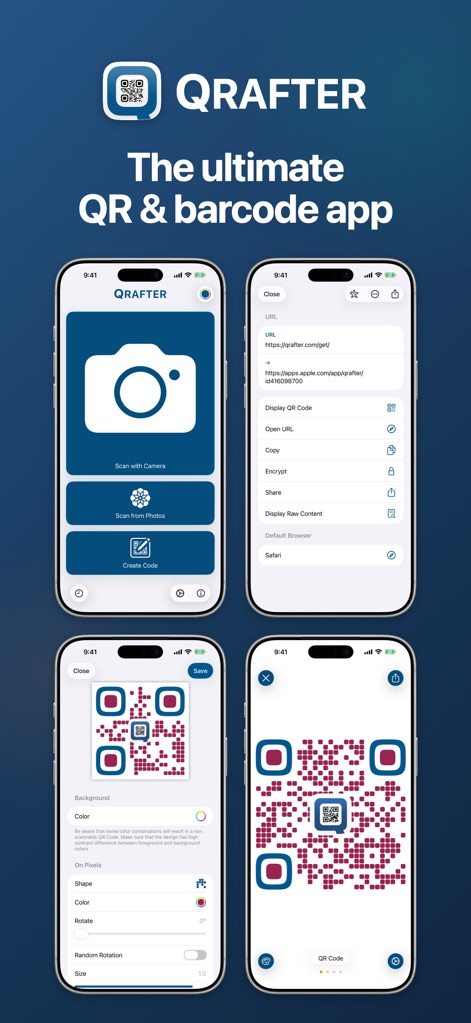
Explore the core functionalities, from swift scanning via camera or photos to customizing QR code colors and shapes for unique designs.
Scan & Create Essentials
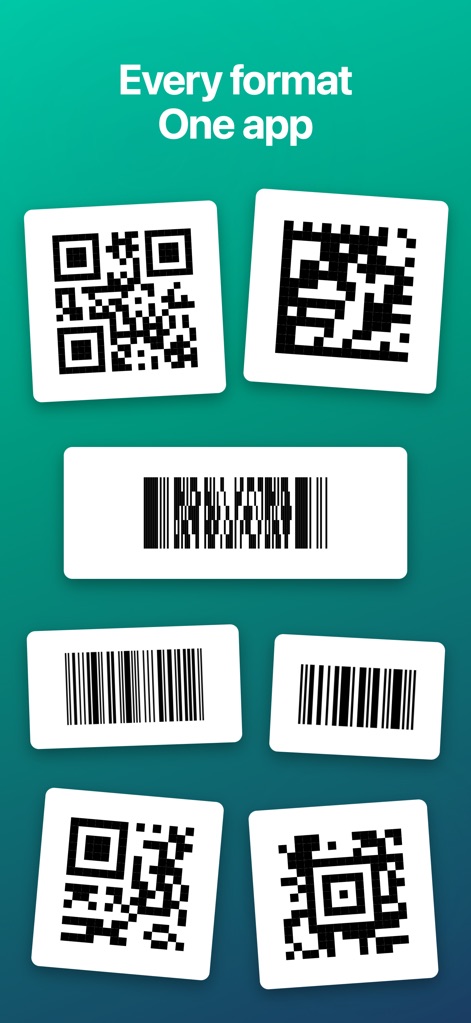
This screenshot highlights the app's capability to recognize a wide array of codes, from standard QR and Micro QR formats to diverse barcode types like Data Matrix and EAN-13.
Universal Code Recognition
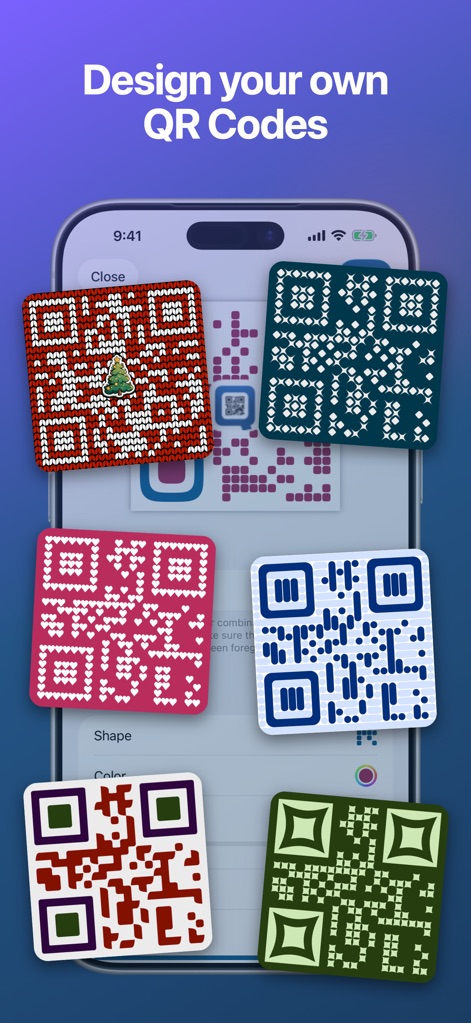
Witness the extensive customization options available, allowing users to design unique QR codes with custom colors and intricate patterns, including embedded logos.
Creative QR Design
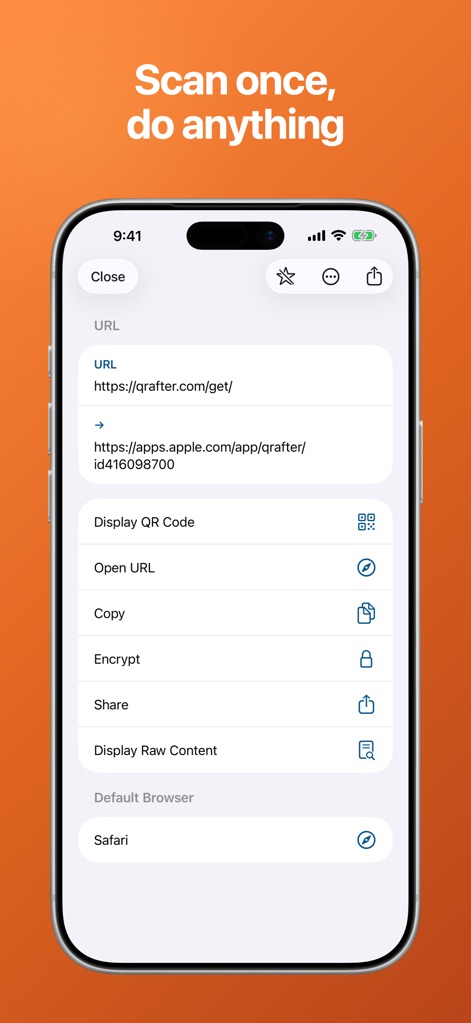
Observe how the app intelligently parses scanned URLs and offers immediate actions, such as encrypting content or opening links directly in a user-selected browser.
Intelligent Scan Actions
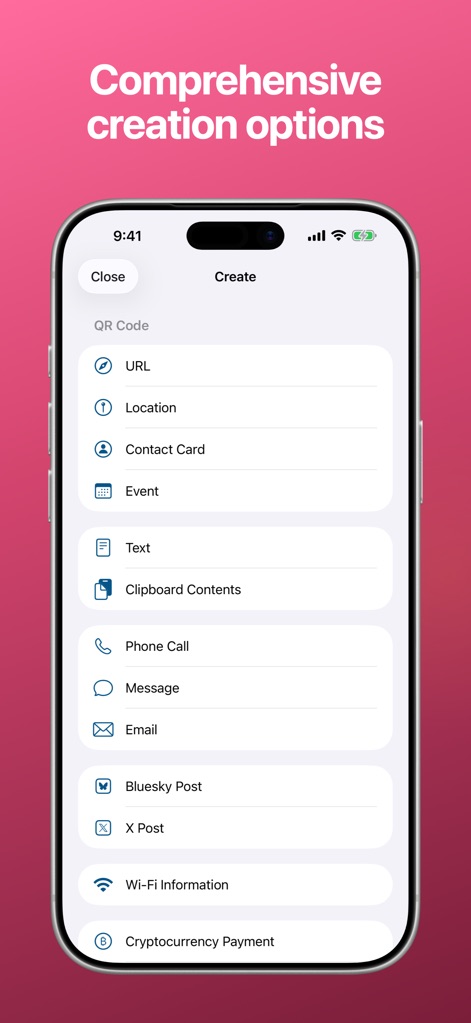
Discover the comprehensive content generation capabilities, enabling users to create QR codes for diverse data types like URLs and Contact Cards, or specialized functions such as Wi-Fi connection details.
Versatile Code Creation
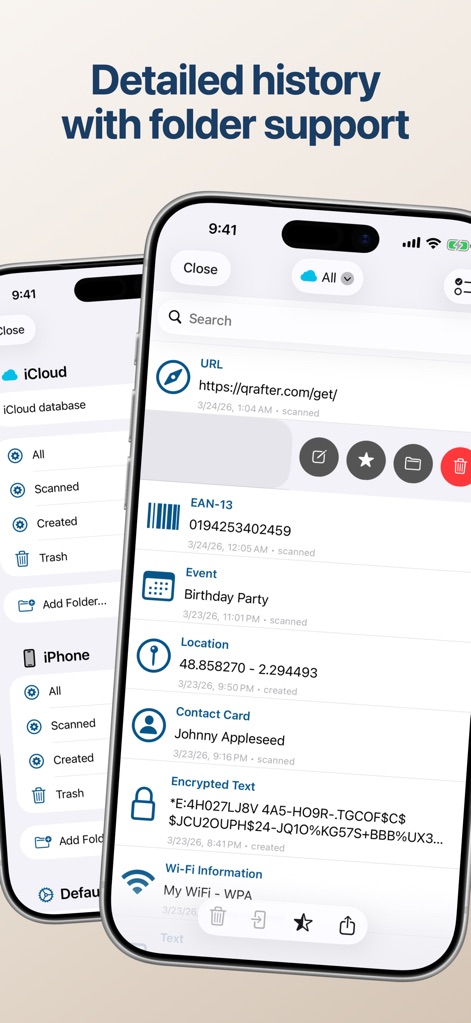
Examine the app's robust history management, featuring organized folder support for codes and seamless iCloud synchronization across devices.
Organized History Management
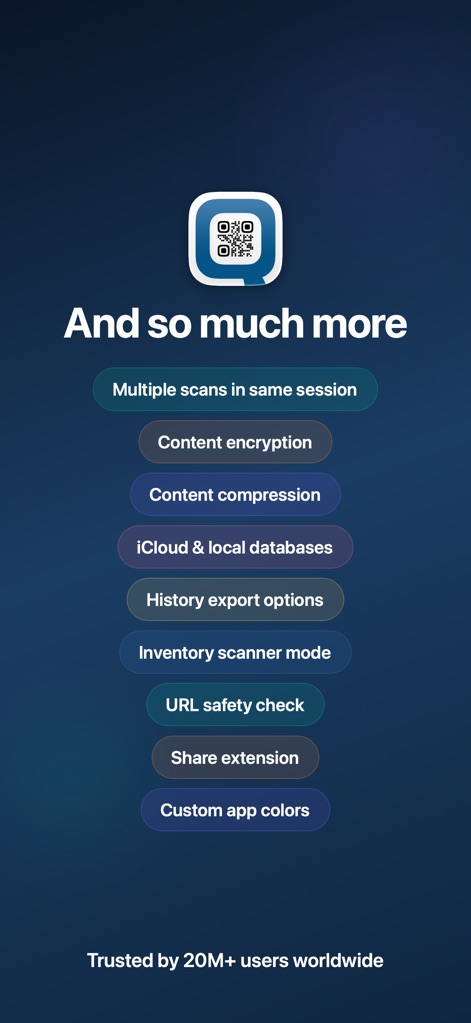
Gain insight into a suite of advanced features, including robust content encryption and a specialized inventory scanner mode for professional workflows.
Advanced Feature Overview
Description
Download
More Like This
Apps with similar features and user experience

Me QR - QR Code Generator
ME TEAM LTD

QR Code Reader/QR Scanner App
MixerBox Inc.

QR Code Barcode: Scanner Maker
DE BITT LTD

QR Code Reader & QR Scanner ·
Simple Health Limited

Scan QR Code & Barcode
Mars Mobile LLC

QR Bot
Petr Polasek

QR Reader- Scanner & Generator
SAN MOBILE YAZILIM TICARET LIMITED SIRKETI

What's App -QR code scanner
DIGITALSTALK PRIVATE LIMITED

Power Barcode Scanner
Irvinesoft Inc
This page is not an official page of the app or its developer, but an independent editorial publication created for informational and commentary purposes. Unless expressly stated otherwise, neither the app nor its developer is affiliated with, endorsed by, sponsored by, authorized by, or otherwise officially connected with MWM, Apple, Google Play, the app publisher, or the app's developer, and nothing on this page implies that the app was developed using MWM's services. Any trademarks, logos, screenshots, and other content remain the property of their respective owners.