
This page is not an official page of the app or its developer, but an independent editorial publication created for informational and commentary purposes. Unless expressly stated otherwise, neither the app nor its developer is affiliated with, endorsed by, sponsored by, authorized by, or otherwise officially connected with MWM, Apple, Google Play, the app publisher, or the app's developer, and nothing on this page implies that the app was developed using MWM's services. Any trademarks, logos, screenshots, and other content remain the property of their respective owners.

Qualtrics XM
Monitor NPS, CSAT, and engagement metrics through role-based dashboards. Close the loop on tickets and act on key drivers instantly with the ultimate mobile command center for experience management.
Downloads
79K+User Rating
Total Ratings
2K+Publisher
Category
BusinessLocales
40Latest Version
2.72.0Size
33.0 MBFirst Released
May 26, 2018Empower Your Decisions with Real-Time XM
Turn every interaction into a competitive advantage with the world’s most powerful experience management command center in your pocket.
Real-Time Health Monitoring
Stay ahead of the curve with instant access to NPS, CSAT, and engagement scores tailored to your specific business role.
Close the Loop Instantly
Don’t wait to get back to your desk. Act on critical feedback and manage support tickets the moment they arrive to maintain loyalty.
Frequently Asked Questions
Everything you need to know about Qualtrics XM
What is the Qualtrics XM app?
The Qualtrics XM app allows users to monitor and optimize experiences in real time, featuring dashboards, tickets, notifications, and powerful analytics. It helps manage customer, employee, product, and brand experiences.
How does the Qualtrics XM app help monitor experience metrics?
The Qualtrics XM app monitors key experience metrics like NPS, CSAT, and Employee Engagement. It uses role-based dashboards and filtering to provide real-time insights into performance trends and response distribution.
Can I manage support tickets with the Qualtrics XM app?
Yes, the Qualtrics XM app allows users to reassign, respond to, and close the loop on support tickets. It provides a centralized view of various issues like NPS drops, service complaints, and customer feedback.
Does the Qualtrics XM app provide real-time notifications?
Yes, the Qualtrics XM app delivers real-time notifications. These alerts help users act quickly on critical events such as metric drops, new ticket assignments, positive feedback, or negative customer comments.
What kind of analytics does the Qualtrics XM app offer?
The Qualtrics XM app offers powerful analytics including key drivers, trending topics, focus areas, experience journeys, and text analytics. Users can view open-ended customer responses to drive impact and gain deeper insights.
Is the Qualtrics XM app included with a Qualtrics license?
Yes, the XM mobile app is included with your existing Customer Experience (CX) or Employee Experience (EX) license. Users can download the app and log in with their Qualtrics credentials to get started.
How do I log in to the Qualtrics XM app?
After downloading the Qualtrics XM app, you enter your existing Qualtrics login and password to get started. It requires an active Customer Experience (CX) or Employee Experience (EX) license.
Can I share insights from the Qualtrics XM app with teammates?
Yes, the Qualtrics XM app allows users to activate team members by sharing key insights via text, email, and other apps. This feature facilitates collaboration to optimize experiences together.
The following screenshots and description are sourced directly from the app's official store listing and are the property of the app developer.
App Store
Screenshots
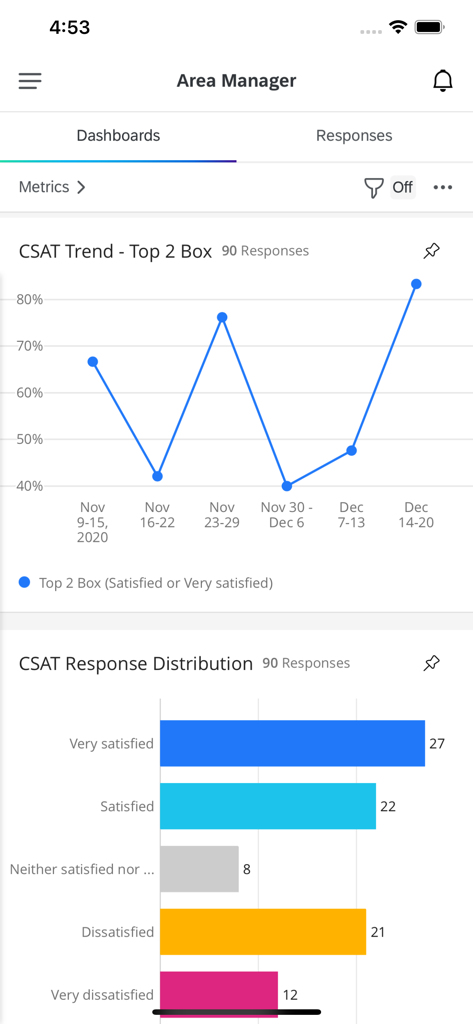
Qualtrics XM mobile app dashboard showing CSAT trend and response distribution charts
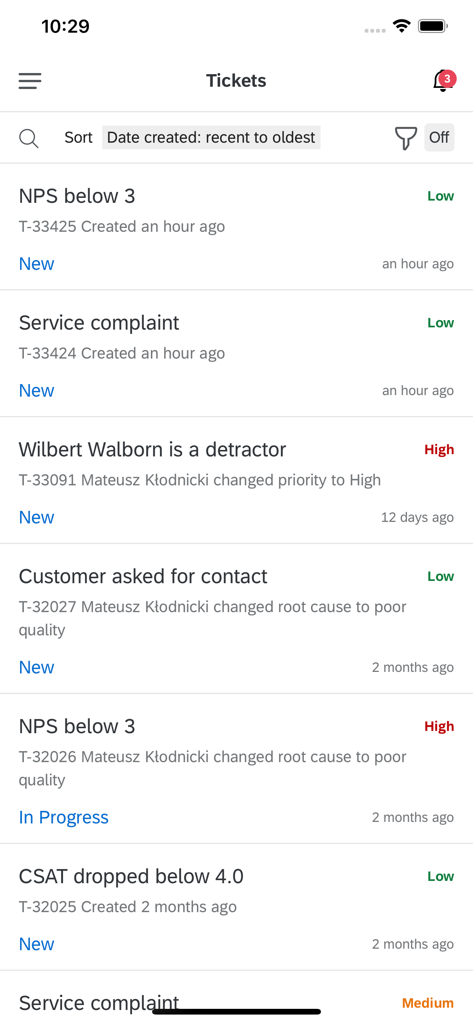
Qualtrics XM app tickets screen displaying customer experience alerts and status
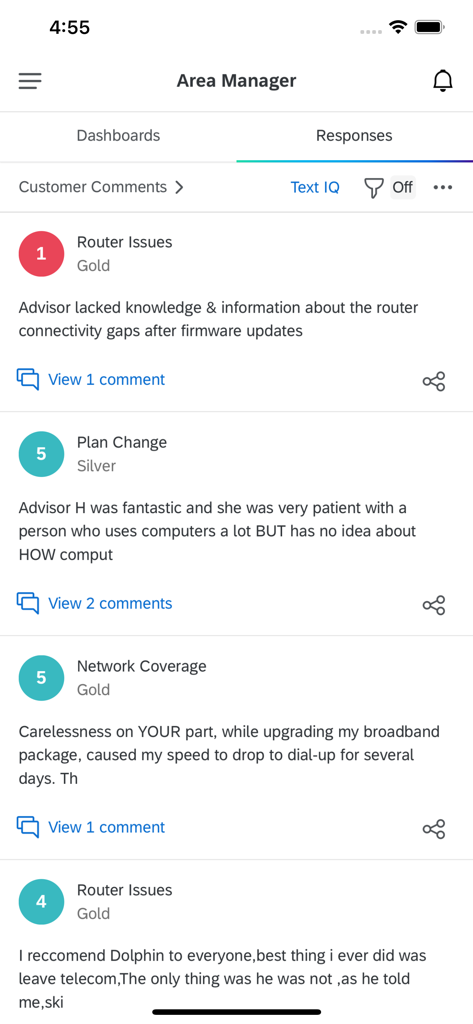
Qualtrics XM app interface displaying customer feedback and responses for an area manager
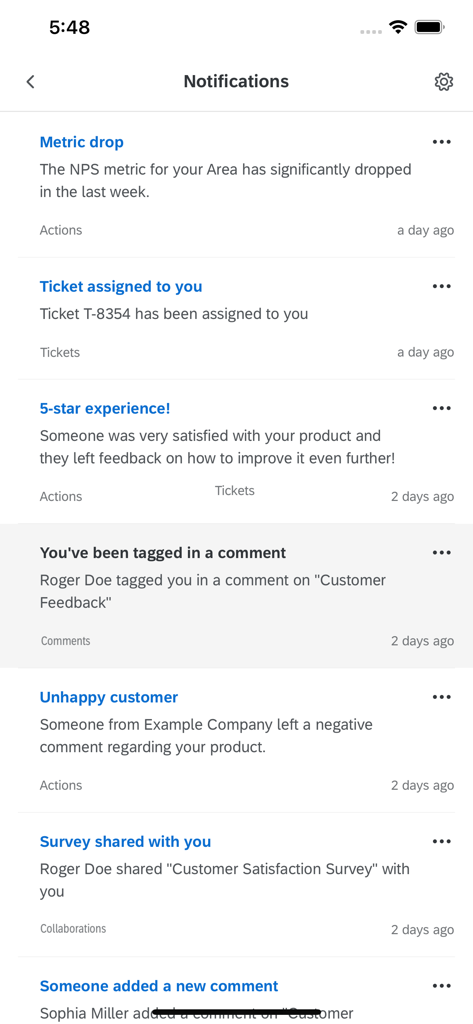
Real time notification feed in the Qualtrics XM mobile app for customer and employee experience management
Description
Download
More Like This
Top-ranked apps in the same category

Microsoft Teams
Microsoft Corporation

Zoom Workplace
Zoom Communications, Inc.

WhatsApp Business
WhatsApp Inc.

Indeed Job Search
Indeed Inc.

LinkedIn: Network & Job Finder
LinkedIn Corporation

Adobe Acrobat Reader: Sign PDF
Adobe Inc.

WeCom-Work Communication&Tools
Tencent Technology (Shenzhen) Company Limited

BOSS直聘-招聘求职找工作神器
Beijing China Product Bo Farce Network Technology Co., Ltd.

DingDing - Redefine Work in AI
DingTalk Technology Co., Ltd.
This page is not an official page of the app or its developer, but an independent editorial publication created for informational and commentary purposes. Unless expressly stated otherwise, neither the app nor its developer is affiliated with, endorsed by, sponsored by, authorized by, or otherwise officially connected with MWM, Apple, Google Play, the app publisher, or the app's developer, and nothing on this page implies that the app was developed using MWM's services. Any trademarks, logos, screenshots, and other content remain the property of their respective owners.