Quantiloop Pro - Live Looper
Download on App Store

This page is not an official page of the app or its developer, but an independent editorial publication created for informational and commentary purposes. Unless expressly stated otherwise, neither the app nor its developer is affiliated with, endorsed by, sponsored by, authorized by, or otherwise officially connected with MWM, Apple, Google Play, the app publisher, or the app's developer, and nothing on this page implies that the app was developed using MWM's services. Any trademarks, logos, screenshots, and other content remain the property of their respective owners.


Logo of Quantiloop Pro - Live Looper
Download on App Store

Quantiloop Pro - Live Looper

Master your performance with 4-track looping, seamless MIDI integration, and hands-free control. Built for musicians who demand hardware reliability in a mobile rig.

Key Figures

Downloads

55K+

User Rating

4.8/5

Total Ratings

600

Publisher

Stephan Marx

Category

Music

Locales

1

Latest Version

2.98.5

Size

15.9 MB

First Released

Sep 30, 2016
Features

Elevate Your Live Performance

Replace bulky hardware with a professional 4-track looper designed for hands-free control, seamless song arrangements, and studio-grade integration.

Pro MIDI & Hands-Free Control

Connect your MIDI foot controller for total floor control, or use auto-record and count-ins to build loops without ever touching your iPad.

Complex Song Arrangements

Break free from repetitive loops with 4 dedicated tracks. Create Verse, Chorus, and Bridge sections that switch seamlessly for a full-band sound.

The following screenshots and description are sourced directly from the app's official store listing and are the property of the app developer.

App Store

Screenshots
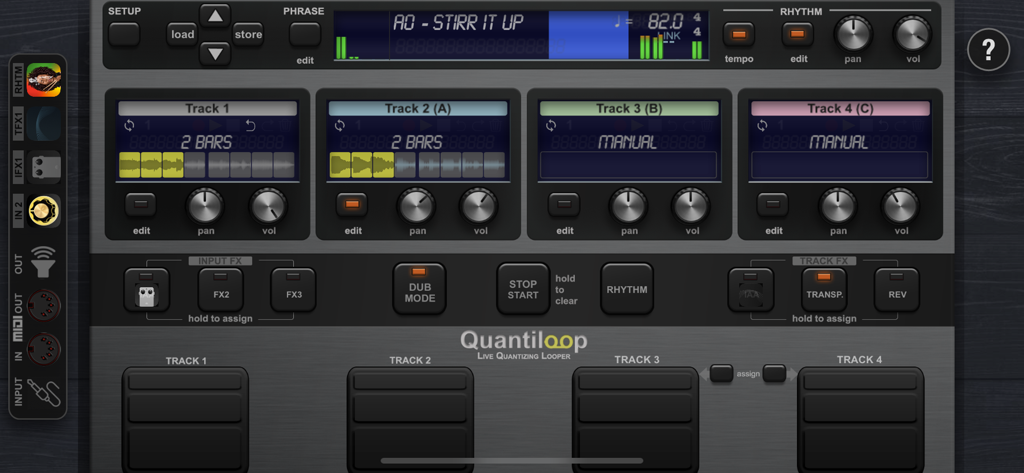
Quantiloop Pro - Live Looper - Quantiloop Pro live looper main interface with four tracks and performance controls
Quantiloop Pro live looper main interface with four tracks and performance controls

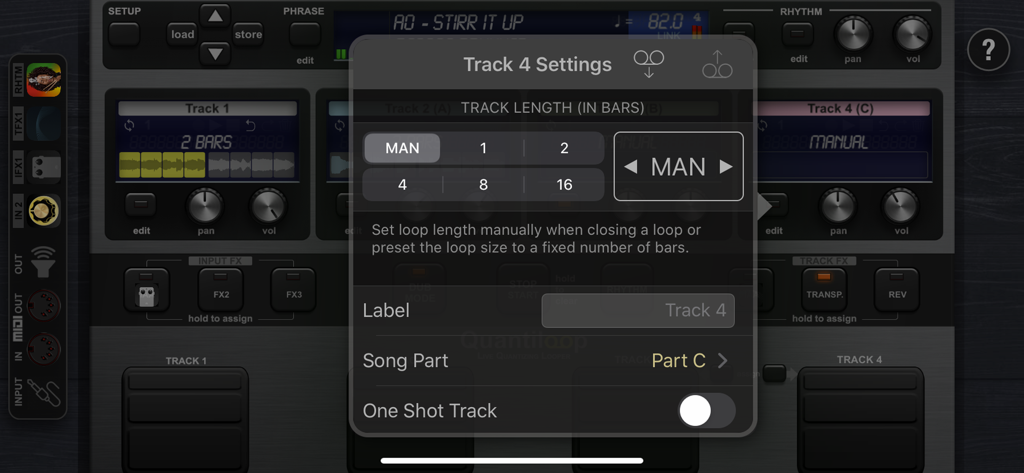
Quantiloop Pro - Live Looper - Quantiloop Pro app interface displaying track length and song part settings overlay
Quantiloop Pro app interface displaying track length and song part settings overlay

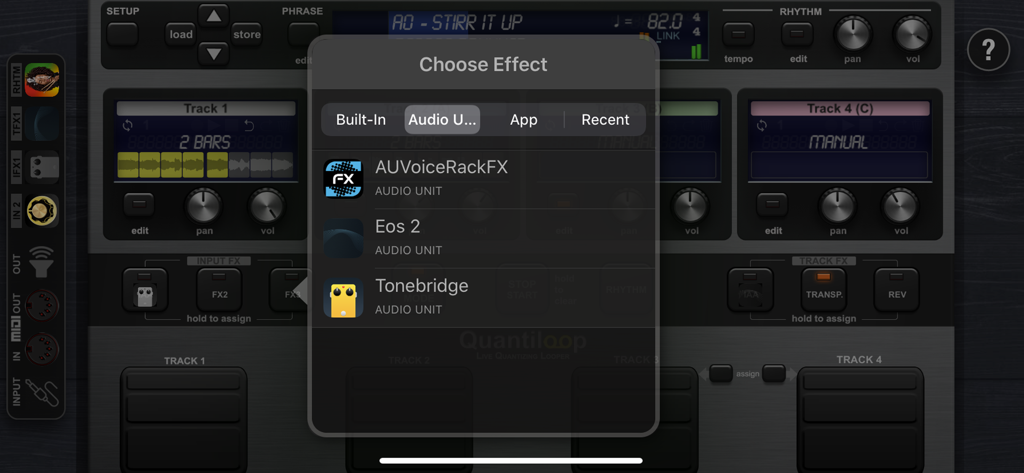
Quantiloop Pro - Live Looper - Quantiloop Pro effect selection menu showing Audio Unit plugin support
Quantiloop Pro effect selection menu showing Audio Unit plugin support

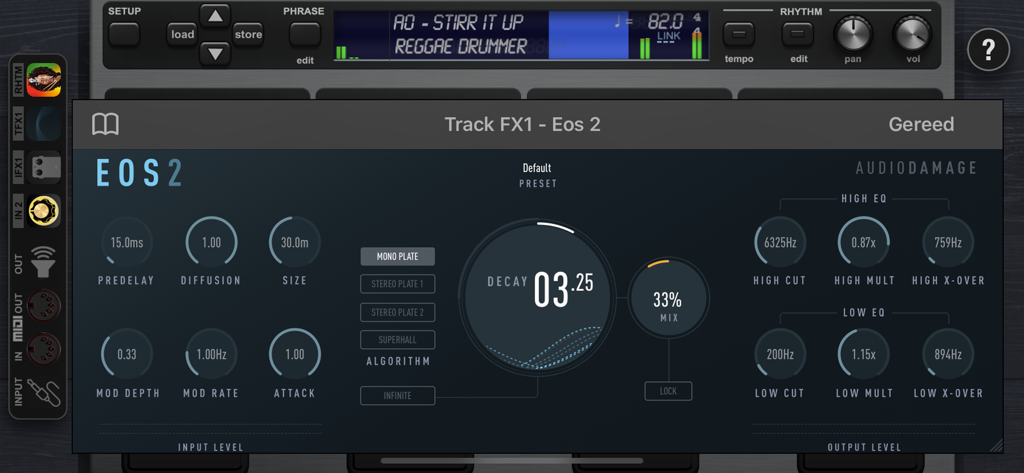
Quantiloop Pro - Live Looper - Quantiloop Pro app showing a professional AUv3 audio effect plugin interface.
Quantiloop Pro app showing a professional AUv3 audio effect plugin interface.

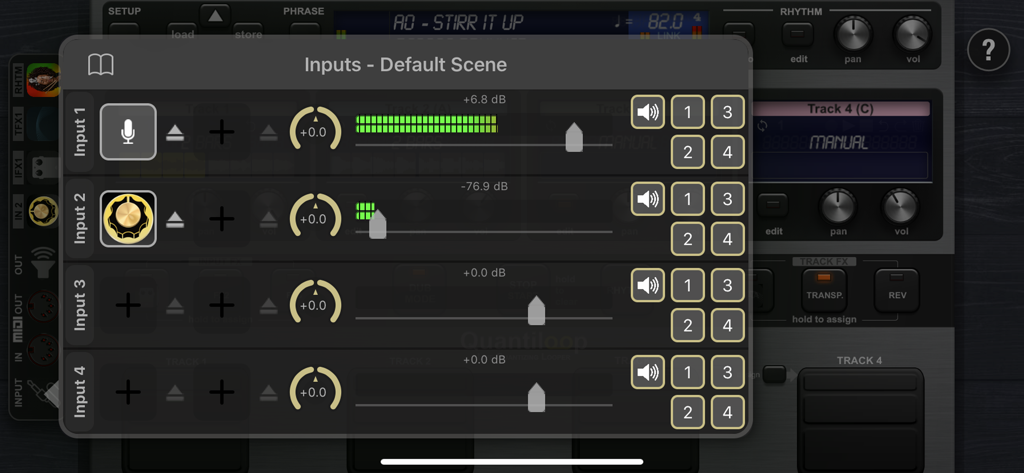
Quantiloop Pro - Live Looper - Quantiloop Pro input settings interface with audio level meters and channel routing.
Quantiloop Pro input settings interface with audio level meters and channel routing.

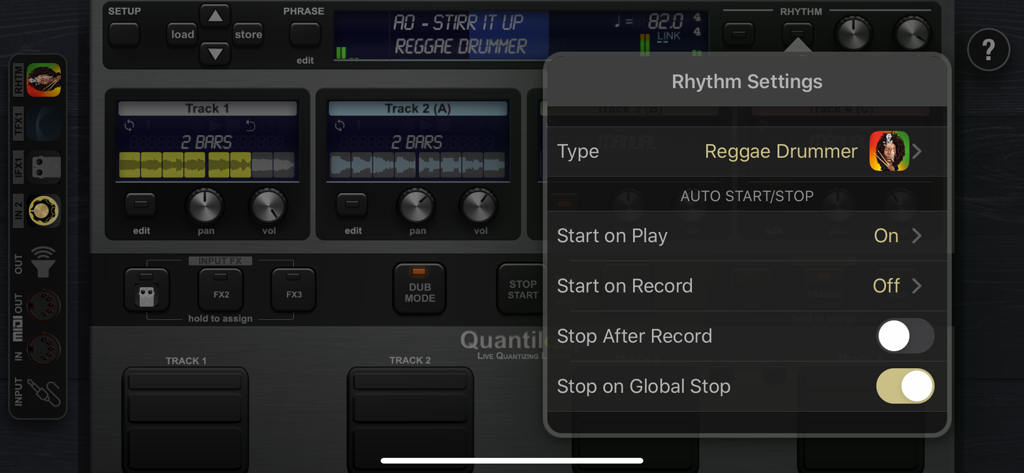
Quantiloop Pro - Live Looper - The rhythm settings menu in Quantiloop Pro showing options for Reggae Drummer and automatic start and stop controls.
The rhythm settings menu in Quantiloop Pro showing options for Reggae Drummer and automatic start and stop controls.

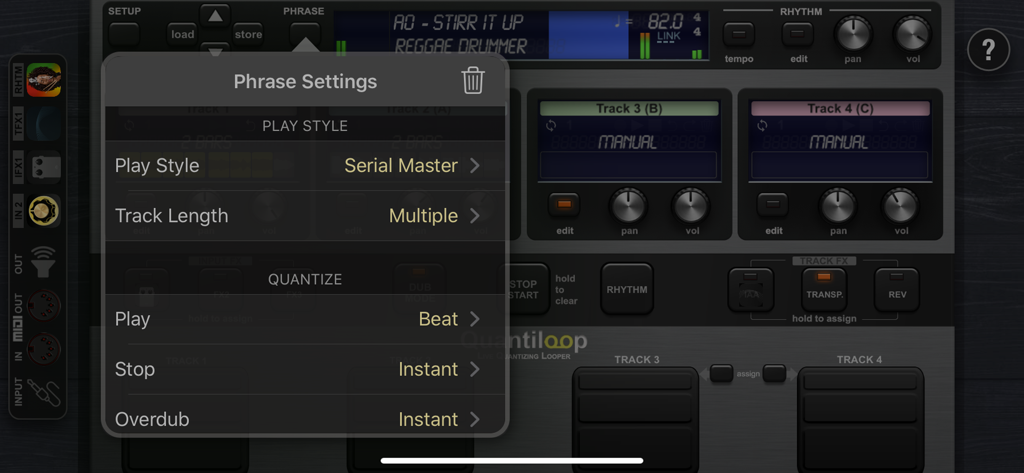
Quantiloop Pro - Live Looper - Phrase settings menu in Quantiloop Pro showing play style and quantization options

Phrase settings menu in Quantiloop Pro showing play style and quantization options

Description

Built for Live performance and hands free use, Quantiloop recreates the simplicity of a hardware loop pedal in an iOS app. Attach a MIDI foot controller and control it the way you want. No MIDI controller at hand; just preset your loop length, enable auto–record or a count–in and your loops will automatically close, no hands or feet required. Big onscreen controls allow for easy configuration and tactile control by vocalists or beat boxers. Focus on your performance instead of fiddling with dip switches or complex menu’s. Be Creative Create 4 tracks with endless layers of overdubs to build your performance. Record a Chorus, Verse and Bridge and switch between them seamlessly or create a 1 bar percussie loop on track one, a 4 bar chord progression on track two and layer a bass line on top, all in perfect synchronisation. Rhythm Guide The builtin rhythm guide provides a rhythmic backing. Use the internal metronome for practice, import drum loops from virtually anywhere or host and control your favourite rhythm apps to enhance your performance. MIDI master lets you control MIDI hardware, and MIDI slave lets Quantiloop follow it. Ableton Link lets you even play in time over WiFi with external apps and devices. Quantisation aligns your actions to the nearest measure or beat so you stay in time, and real-time tempo control sets the pace. Prefer setting your own pace, disable quantisation and Quantiloop will react to your actions with minimum latency to create tight synchronised recordings. FX Assign up to 3 simultaneous effects to the input. Use the built-in transpose to covert your guitar into a bass, or host your guitar amp sim directly in Quantiloop. The results will be recorded into your loops. Or assign up to 3 simultaneous track effects to the output. Use the tape stop to add drama, introduce a key change to build up your performance, or host an Inter-App audio/AU reverb processor. Track FX may be assigned to a single track, all tracks or the combined output. Features • Free, Synced and Paralel,Serial, Mixed Playing Styles • Multiple Quantise Modes • Multiple Stop Modes • Unique Dub Mode and Mute Mode • Unlimited Overdubs • Overdub Decay • Undo / Redo • Auto Record • High quality stereo audio • Clear loop status display • Rhythm guide with optional auto-start, auto-stop and count-in • Audible and Visual Metronome • Send start, stop and host sync to hosted rhythm apps. • Sync to host when embedded in an Inter-App-Audio host • Real-time Tempo Control • Extensive MIDI control • Multiple Assignments per MIDI controller (tap, hold, double tap) • MIDI Program Change support for changing presets • Supports Audiobus and Inter-App-Audio and Audio Units (AUv3) • Individual outputs for each track and rhythm • Synchronise to other apps and devices with Ableton Link • MIDI clock sync (both slave and master) • 4 physical/iaa/au/audiobus inputs routable to any track • 8 outputs (main, monitor, track 1-4, rhythm, input out) • 3 assignable input Fx, including transpose, reverb and IAA, AUv3 • 3 assignable track Fx, including transpose, reverse, tape stop, fade and IAA, AUv3 • Cloud (iCloud, Dropbox, Audioshare …) import / export • AudioCopy/Paste • Open In • Store Phrase Presets in unlimited banks with 100 presets each • Individual Volume and panning controls for each track

Download

Download on App Store

This page is not an official page of the app or its developer, but an independent editorial publication created for informational and commentary purposes. Unless expressly stated otherwise, neither the app nor its developer is affiliated with, endorsed by, sponsored by, authorized by, or otherwise officially connected with MWM, Apple, Google Play, the app publisher, or the app's developer, and nothing on this page implies that the app was developed using MWM's services. Any trademarks, logos, screenshots, and other content remain the property of their respective owners.







