Quick Edit: Video,Photo Editor
Download on App Store

This page is not an official page of the app or its developer, but an independent editorial publication created for informational and commentary purposes. Unless expressly stated otherwise, neither the app nor its developer is affiliated with, endorsed by, sponsored by, authorized by, or otherwise officially connected with MWM, Apple, Google Play, the app publisher, or the app's developer, and nothing on this page implies that the app was developed using MWM's services. Any trademarks, logos, screenshots, and other content remain the property of their respective owners.


Logo of Quick Edit: Video,Photo Editor
Download on App Store

Quick Edit: Video,Photo Editor

Create stunning 4K content with trending FX, blurred backgrounds, and zero watermarks—perfectly sized for Instagram, TikTok, and your personal brand.

Key Figures

Downloads

46K+

User Rating

4.6/5

Total Ratings

300

Publisher

Monjur Morshed

Category

Graphics & Design

Locales

16

Latest Version

1.4.2

Size

132.3 MB

First Released

Oct 20, 2022
Features

Create Like a Pro, Post Without Limits

The all-in-one editor designed for creators who refuse to compromise. Get 4K quality, trending effects, and the perfect fit for every platform—instantly.

Perfect Fit Every Time

Stop letting social media platforms crop your vision. Easily resize photos and videos to any aspect ratio while keeping your original frame intact with beautiful backgrounds.

Crystal Clear 4K, No Watermarks

Level up your feed with professional-grade exports. No annoying logos, just high-fidelity content that makes your personal brand or business look truly elite.

The following screenshots and description are sourced directly from the app's official store listing and are the property of the app developer.

App Store

Screenshots
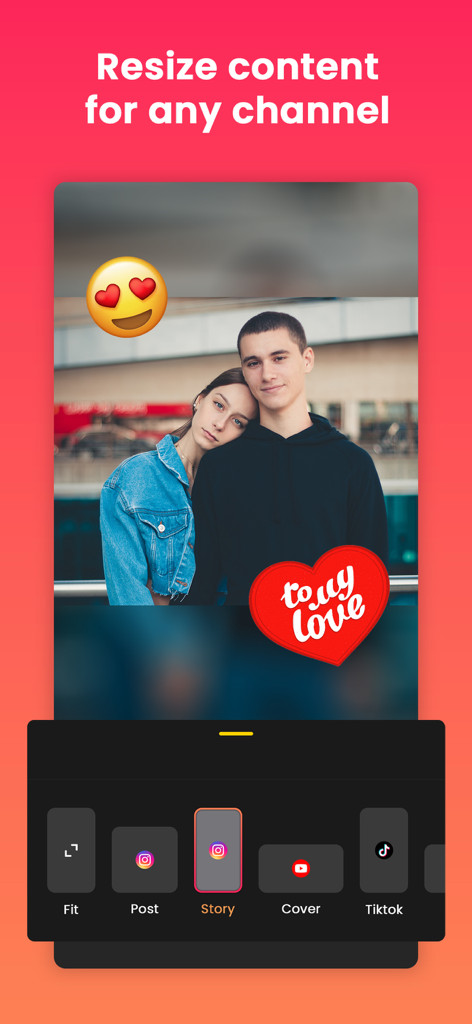
Quick Edit: Video,Photo Editor - Mobile app screen showing photo resizing options for Instagram Story and TikTok with stickers and blurred background
Mobile app screen showing photo resizing options for Instagram Story and TikTok with stickers and blurred background

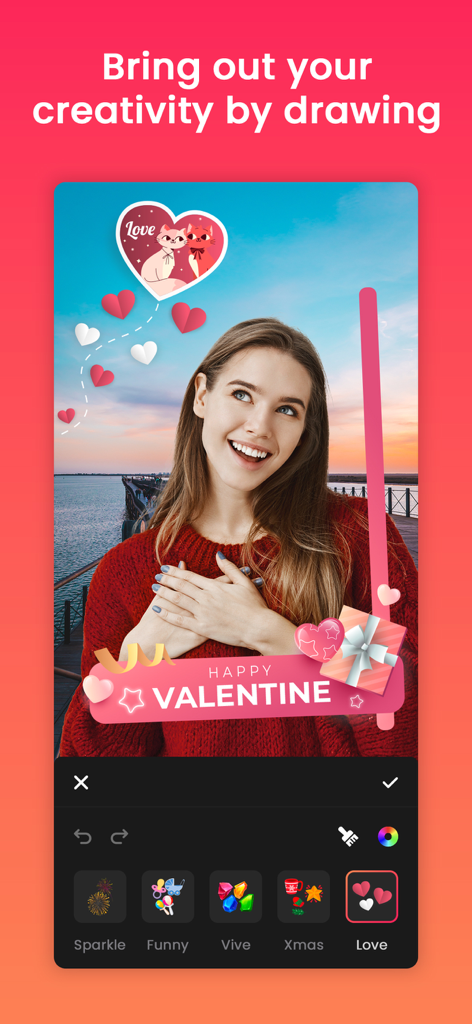
Quick Edit: Video,Photo Editor - A woman using the Quick Edit app to add Valentine themed stickers and drawings to a photo
A woman using the Quick Edit app to add Valentine themed stickers and drawings to a photo

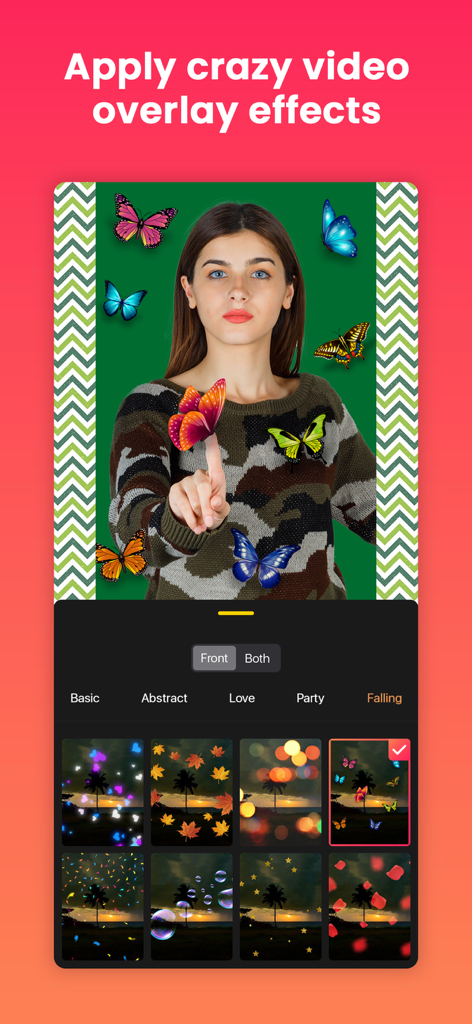
Quick Edit: Video,Photo Editor - Quick Edit app interface showing video overlay effects like butterflies and bokeh filters
Quick Edit app interface showing video overlay effects like butterflies and bokeh filters

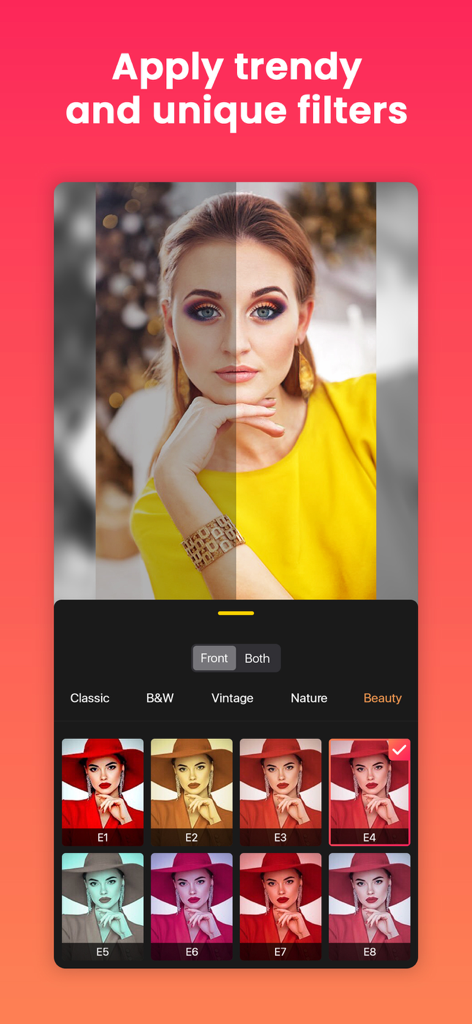
Quick Edit: Video,Photo Editor - Quick Edit app screen showing trendy photo filters and a before and after comparison.
Quick Edit app screen showing trendy photo filters and a before and after comparison.

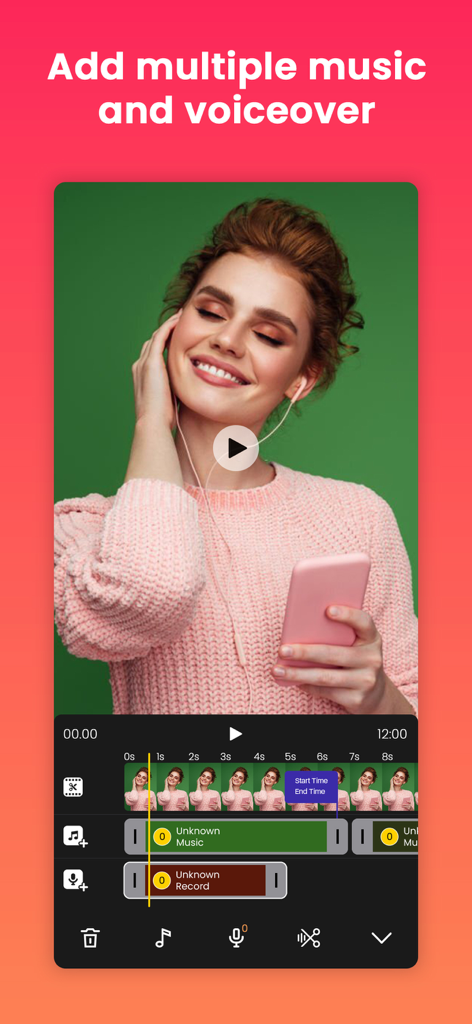
Quick Edit: Video,Photo Editor - Mobile video editing timeline showing multiple music and voiceover tracks
Mobile video editing timeline showing multiple music and voiceover tracks

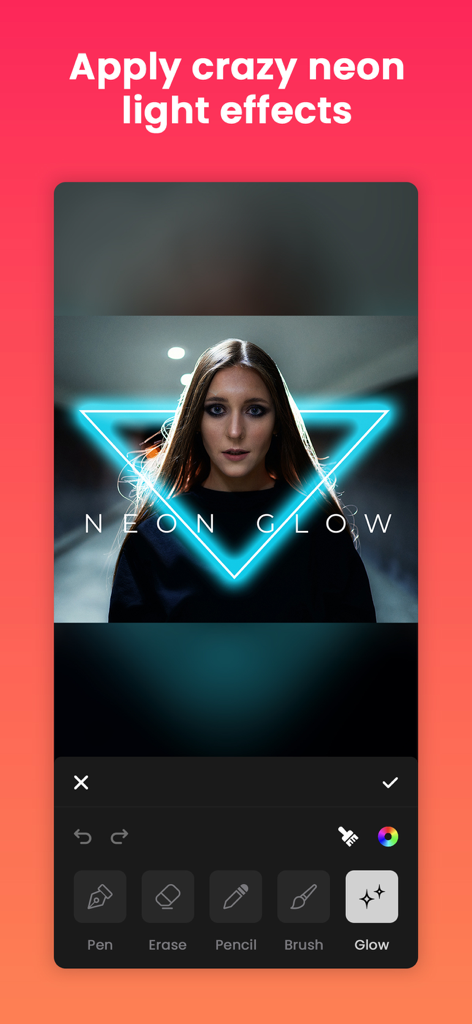
Quick Edit: Video,Photo Editor - Applying a blue neon triangle glow effect to a portrait in the Quick Edit mobile app
Applying a blue neon triangle glow effect to a portrait in the Quick Edit mobile app

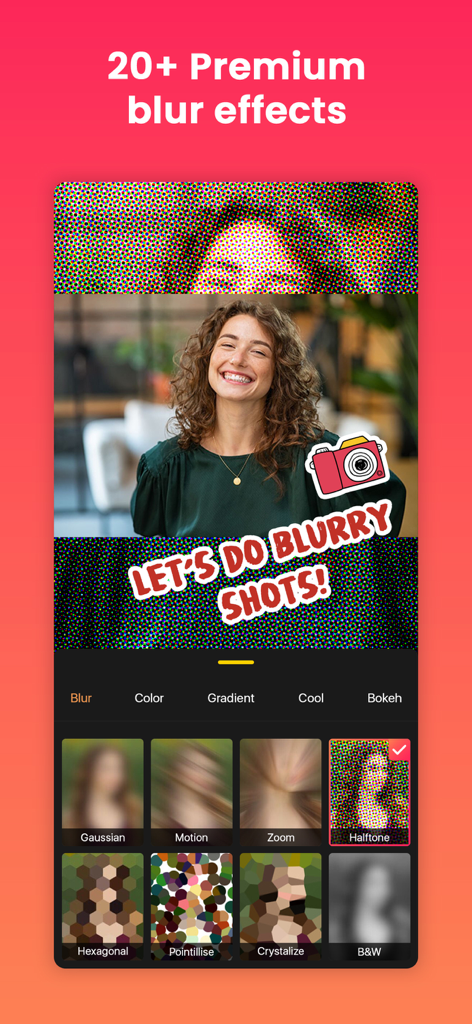
Quick Edit: Video,Photo Editor - Interface of Quick Edit app showing premium blur effects and background options for a portrait photo.
Interface of Quick Edit app showing premium blur effects and background options for a portrait photo.

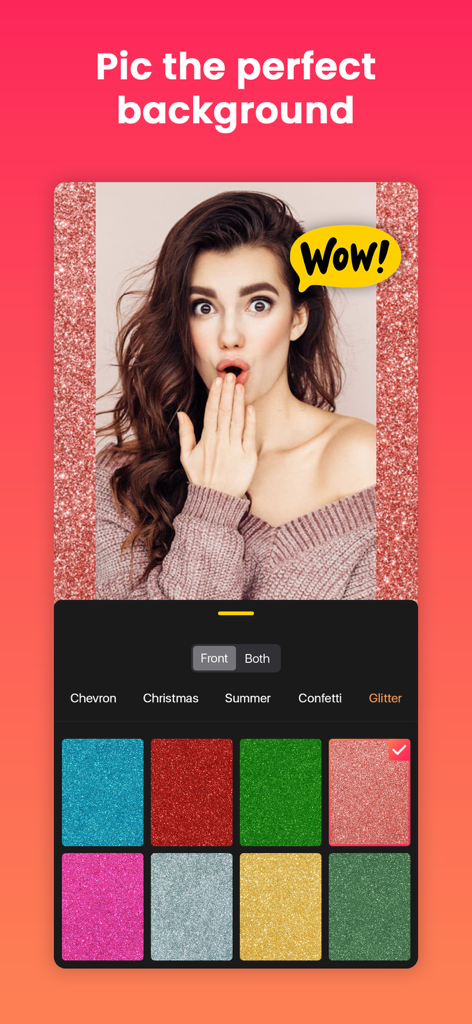
Quick Edit: Video,Photo Editor - A mobile screen showing a portrait photo with a glitter background and various color options in the Quick Edit app.
A mobile screen showing a portrait photo with a glitter background and various color options in the Quick Edit app.

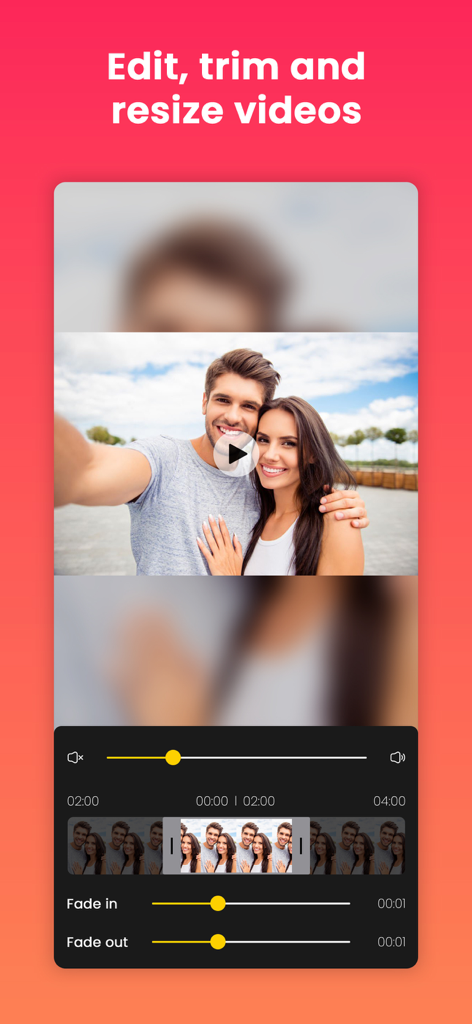
Quick Edit: Video,Photo Editor - Quick Edit app interface for editing trimming and resizing videos with a timeline and fade effects

Quick Edit app interface for editing trimming and resizing videos with a timeline and fade effects
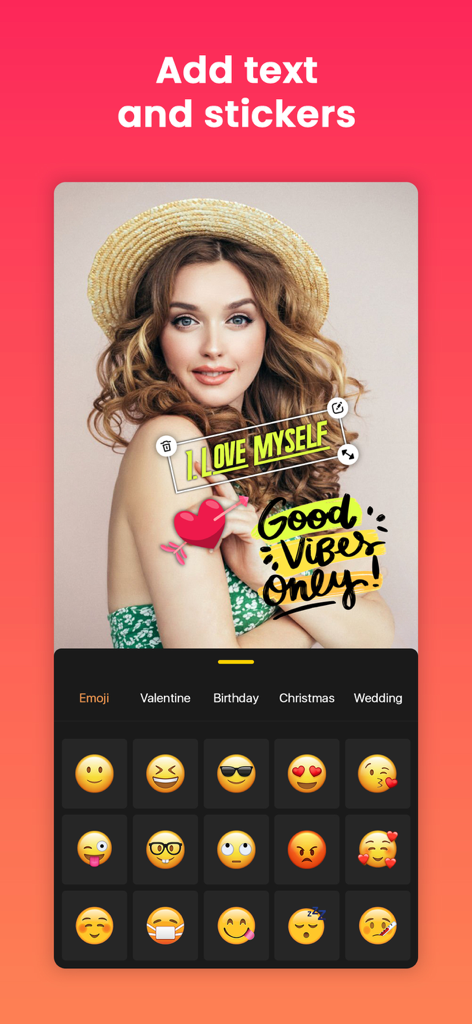
Quick Edit: Video,Photo Editor - Interface of Quick Edit app showing a portrait being customized with text stickers and an emoji selection menu

Interface of Quick Edit app showing a portrait being customized with text stickers and an emoji selection menu

Description

Post full size photos and videos to instagram without cropping. Best no crop InstaSize photo and video editor for Instagram, Facebook, Twitter, Youtube, Messenger, Sms, E-mail etc. Square insta pic is the best way to quick square video and photo. Bring your content to life with audio, FX, frame, emoji, sticker, overlay, text, draw, trim, move, rotate, scale, flip and more. You can even add music from our library, iTunes, or record voice-overs with ease. Plus, our app boasts 4k resolution and no watermark for a truly professional feel. Looking for a powerful InstaFit video and photo editing app that's perfect for Instagram, YouTube, Facebook, Messenger, Sms, E-mail and more. Look no further than No Crop - Square Fit Insta size! With our app, you can easily enhance, customize and create stunning videos and Pictures with just a few taps. FEATURES: - Video editing: Trim, enhance and customize your videos with fade in and fade out volume effects, add Background musics, canvas layout for Instagram size, and more. - Photo editing: Edit still photos or create videos from photos with our huge collection of effects, text, stickers, filters and more. - Music and voice-over: Add your favorite music or voice-over to your videos from our library or iTunes, and easily adjust sound levels. - Filters: Choose from over 95+ unique filters, including Classic, Black & White, Cinematic, more. - Adjust: Enhancing your photos and videos with adjusted filters. - FX: Use over 160+ Unique FX, such as Glitch, Retro, Abstract and more. - Canvas: Create stunning art on canvas with our free canvas sizes and ratios for Square fit Content. - Flip: Quickly flip your videos and photos to get the perfect output. - Backgrounds: Choose from over 130+ backgrounds, including Gaussian, Motion, Pointillise, Zoom, Hexagonal,Crystallise and Black and White Blur, Pattern, Color and Gradient Colour and more Backgrounds. - Stickers and emojis: Add personality to your videos and photos with over 400+ free stickers and countless emojis. - Draw: Sign to your content with amazing drawing features including neon glow. - Overlay: Add photos from gallery as an overlay. - Text with fill-fit: Easily add different types of color text with a variety of fonts and frames to your videos and photos, and fill-fit your work smartly. - Export and share: Save your photos and videos in maximum high resolution up to 4K, and easily share full size video and picture without cropping on Instagram, Facebook, Messenger, SMS, mail and more. With all these features and more, No Crop Square Fit InstaSize is the perfect app for anyone looking to create stunning videos and photos with ease. Download now and start creating your own unique masterpieces! SETTINGS: Change settings very easily. You can't imagine how easy it is! This page holds workable options like Video Settings, Purchase, Feedback & others. Go to video settings and select Video Resolution, Frame Rate, Format MP4 or MOV. SUBSCRIPTION PRICE: # Free Trial - Free for the first 03 days, then $5.99/Month. # Establish your membership with 2.99/Week or $5.99/Month or 20.99/Year. # When the purchase is confirmed payment will be charged to the iTunes account. # Membership will renew automatically unless auto-renew is turned off at least 24 hours before the conclusion of the latest period. # Subscriptions may be managed by the user, Just go to settings option then iTunes Account & App Store > Apple ID > Subscriptions to manage your membership and turn off auto-renew. # Cancel subscription after the end of the current period. # When the customer purchases a subscription, any unused portion of a free trial period, if offered, will be forfeited. Terms Of Use: https://sites.google.com/view/appwallitermsofuse/termsofuse Privacy-Policy: https://sites.google.com/view/appwallitermsofuse/privacy-policy If you found a bug, Please contact us without hesitation for the latest feature. Email us at: appwalli.app@gmail.com

Download

Download on App Store

This page is not an official page of the app or its developer, but an independent editorial publication created for informational and commentary purposes. Unless expressly stated otherwise, neither the app nor its developer is affiliated with, endorsed by, sponsored by, authorized by, or otherwise officially connected with MWM, Apple, Google Play, the app publisher, or the app's developer, and nothing on this page implies that the app was developed using MWM's services. Any trademarks, logos, screenshots, and other content remain the property of their respective owners.