
This page is not an official page of the app or its developer, but an independent editorial publication created for informational and commentary purposes. Unless expressly stated otherwise, neither the app nor its developer is affiliated with, endorsed by, sponsored by, authorized by, or otherwise officially connected with MWM, Apple, Google Play, the app publisher, or the app's developer, and nothing on this page implies that the app was developed using MWM's services. Any trademarks, logos, screenshots, and other content remain the property of their respective owners.


Rabobank Online Savings NZ
Take control of your financial future with effortless transfers, automated savings, and high-level security. Whether you are at home in New Zealand or managing assets from abroad, your digital vault is always within reach.
Downloads
28K+User Rating
Total Ratings
100Publisher
Category
FinanceLocales
1Latest Version
3.1.1Size
81.3 MBFirst Released
Apr 22, 2019Grow Your Wealth with Confidence
Experience the stability of a dedicated digital vault designed for the serious saver. Manage your New Zealand assets with bank-grade security and effortless control.
Enhanced Asset Protection
Your peace of mind is our priority. Benefit from Rabobank's Secure Code technology, providing a robust layer of protection for every transaction.
Automated Goal Setting
Put your savings on autopilot. Easily set up recurring transfers between accounts to ensure your nest egg grows consistently without the manual effort.
Frequently Asked Questions
Everything you need to know about Rabobank Online Savings NZ
What can I do with the Rabobank Online Savings NZ app?
The Rabobank Online Savings NZ app allows users to manage savings, access accounts, check balances, transfer money, view transfers, set up automatic payments, and send secure messages to the support team.
How do I transfer money using the Rabobank Online Savings NZ app?
The Rabobank Online Savings NZ app allows you to transfer money in, out, and between your accounts. You can also view pending and historical transfers and set up automatic payments directly within the app.
Does the Rabobank Online Savings NZ app offer enhanced security?
Yes, the Rabobank Online Savings NZ app provides enhanced security and protection through Rabobank’s Secure Code. This code is used for internet banking on web browsers, adding an extra layer of security.
Can I view my account balances in the Rabobank Online Savings NZ app?
Yes, the Rabobank Online Savings NZ app allows you to effortlessly view your balances for various accounts, including RaboSaver, PremiumSaver, House deposit, NoticeSaver, and Term Deposits.
How can I contact support for the Rabobank Online Savings NZ app?
You can contact the Rabobank team for assistance via Secure Message in the app menu or by phoning 0800 22 44 33. For overseas, call +64 9 975 2512.
Who can use the Rabobank Online Savings NZ app?
The Rabobank Online Savings NZ app is exclusively available for use by Rabobank New Zealand Online Savings customers. An internet connection is required to access the app's features.
What kind of transactions can I see in the Rabobank Online Savings NZ app?
The Rabobank Online Savings NZ app allows users to view both pending and historical transfers. You can see detailed account activity, including incoming and outgoing transactions.
How do I get a Secure Code for the Rabobank Online Savings NZ app?
Users can access their Secure Code within the Rabobank Online Savings NZ app. The login screen features a "Get Secure Code" button, and the security section displays the code with fraud prevention warnings.
The following screenshots and description are sourced directly from the app's official store listing and are the property of the app developer.
App Store
Screenshots
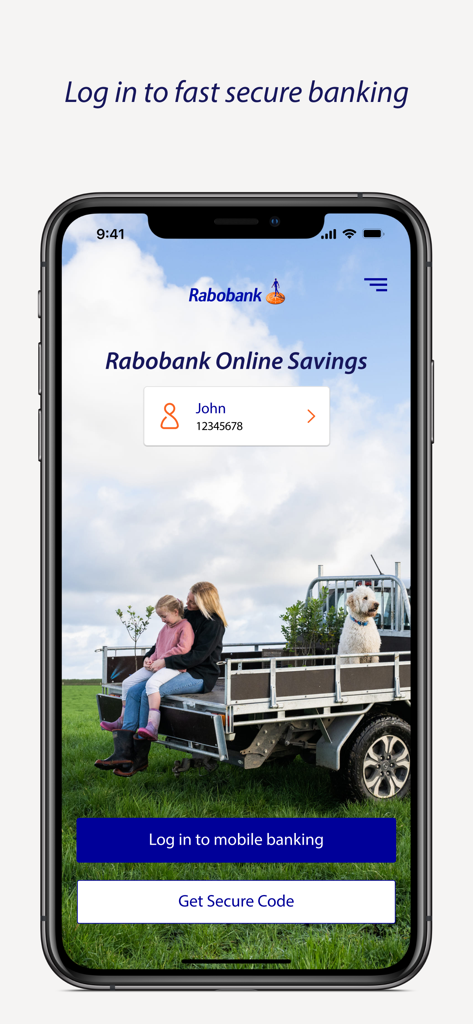
Rabobank Online Savings NZ app login screen displaying secure mobile banking options and a rural lifestyle background
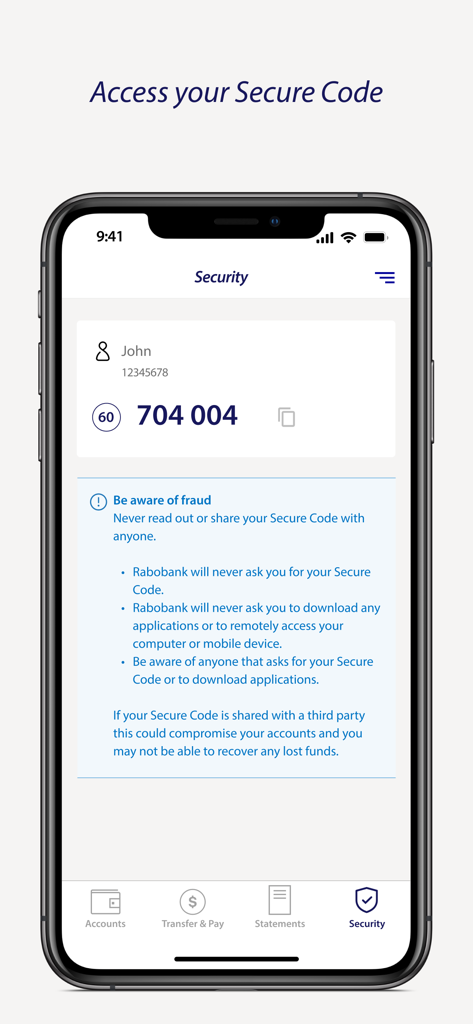
Rabobank Online Savings NZ app screen displaying a secure authentication code and fraud prevention advice.
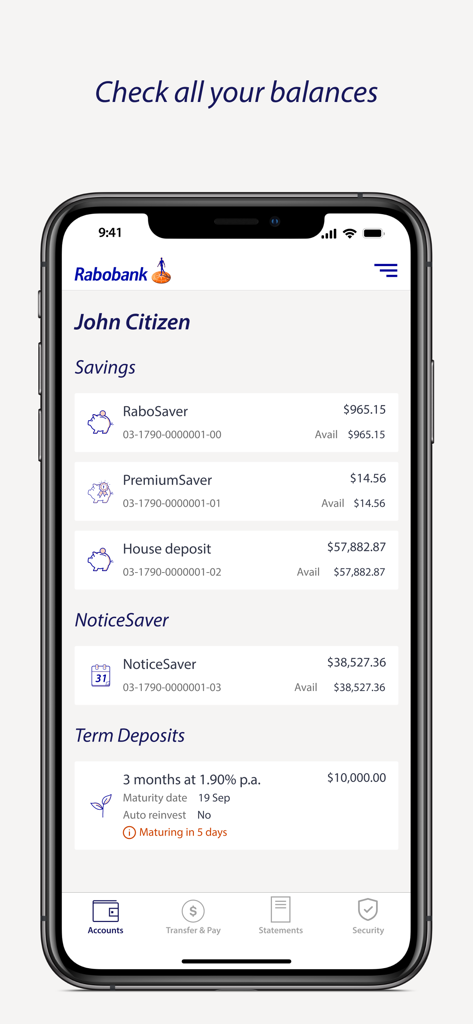
Rabobank Online Savings NZ mobile app interface showing various savings account balances and term deposits.
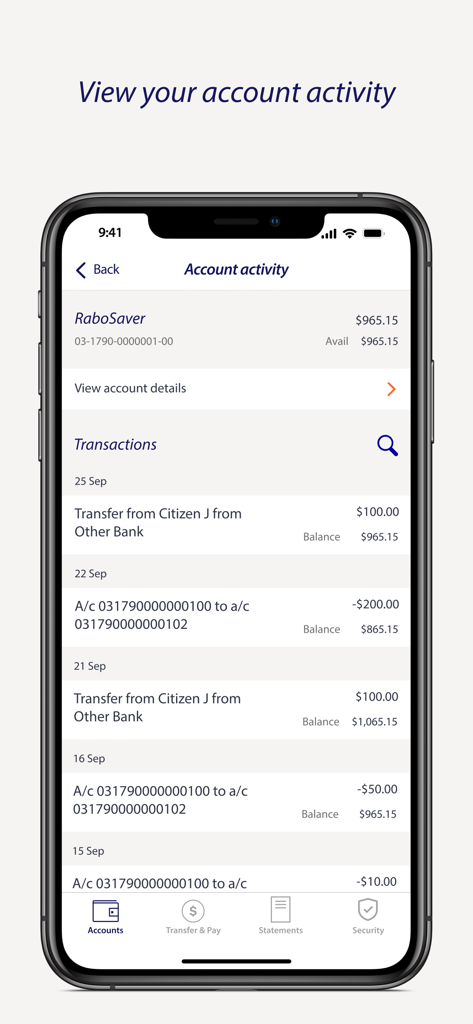
Transaction history and account activity screen in the Rabobank Online Savings NZ mobile app
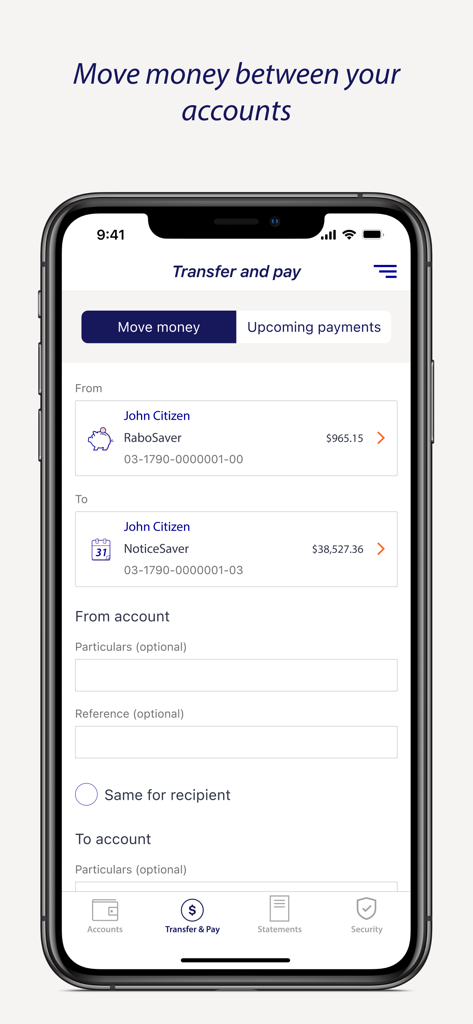
Rabobank Online Savings NZ app interface for transferring money between accounts
Description
Download
More Like This
Top-ranked apps in the same category

电子税务局
State Administration of Taxation

UnionPay APP
China Unionpay Co.,Ltd.

养基宝 - 年轻人的养基神器
Shenzhen Xiaoduotou Information Technology Co.,Ltd.

PayPal - Pay, Send, Save
PayPal, Inc.

中国农业银行
AGRICULTURAL BANK OF CHINA LIMITED

Mercado Pago: cuenta digital
MercadoLibre S.A.

Kalshi: Trade on the Big Game
KALSHI INC.

中国工商银行
Industrial and Commercial Bank of China

个人所得税
State Administration of Taxation
This page is not an official page of the app or its developer, but an independent editorial publication created for informational and commentary purposes. Unless expressly stated otherwise, neither the app nor its developer is affiliated with, endorsed by, sponsored by, authorized by, or otherwise officially connected with MWM, Apple, Google Play, the app publisher, or the app's developer, and nothing on this page implies that the app was developed using MWM's services. Any trademarks, logos, screenshots, and other content remain the property of their respective owners.