
This page is not an official page of the app or its developer, but an independent editorial publication created for informational and commentary purposes. Unless expressly stated otherwise, neither the app nor its developer is affiliated with, endorsed by, sponsored by, authorized by, or otherwise officially connected with MWM, Apple, Google Play, the app publisher, or the app's developer, and nothing on this page implies that the app was developed using MWM's services. Any trademarks, logos, screenshots, and other content remain the property of their respective owners.

RadarAll Speed Camera Detector
Experience seamless GPS navigation with 100% legal speed camera alerts and real-time traffic updates. Built for the Apple ecosystem with CarPlay and Watch support—no account, no tracking, just peace of mind on every mile.
Downloads
440K+User Rating
Total Ratings
2K+Publisher
Category
NavigationLocales
26Latest Version
8.3.0Size
76.0 MBFirst Released
Jun 6, 2021Drive with Total Peace of Mind
The all-in-one navigator and speed camera detector designed for the modern commuter. Avoid costly fines, bypass traffic, and protect your privacy—no registration required.
100% Legal Fine Protection
Get precision-engineered alerts for speed and red-light cameras. Our directional technology ensures you only get warned when it matters, keeping your driving record clean.
Privacy-First Experience
No accounts, no emails, and no tracking. We value your data as much as you do—simply open the app and start driving with complete anonymity and security.
Frequently Asked Questions
Everything you need to know about RadarAll Speed Camera Detector
What is RadarAll Speed Camera Detector?
RadarAll Speed Camera Detector is a navigation app offering real-time speed camera detection, turn-by-turn GPS, and traffic information. It helps drivers avoid fines and navigate safely with integrated warnings and route planning.
Does RadarAll Speed Camera Detector require a user account or registration?
No, RadarAll Speed Camera Detector does not require a user account or registration. Users can open the app and begin using its features immediately.
Does RadarAll Speed Camera Detector provide real-time traffic information?
Yes, RadarAll Speed Camera Detector provides real-time traffic information. The app displays this data on its map, which centers on the user's location or a chosen area.
Can I use RadarAll Speed Camera Detector with Apple CarPlay?
Yes, RadarAll Speed Camera Detector supports Apple CarPlay. This integration allows users to access the app's speed camera detection features through their car's infotainment system.
How does RadarAll Speed Camera Detector handle warnings for speed cameras not on my route?
RadarAll Speed Camera Detector can be configured to provide warnings only for speed cameras present on your actual route. This feature avoids false positives from cameras on nearby roads.
What types of speed cameras does RadarAll Speed Camera Detector detect?
RadarAll Speed Camera Detector detects various types, including fixed, section, traffic light, and mobile speed cameras. It also warns about police control points, bus lanes, and other road conditions.
Does RadarAll Speed Camera Detector offer voice instructions for navigation?
Yes, RadarAll Speed Camera Detector provides spoken instructions for navigation. These voice alerts are integrated with speed camera warnings for a comprehensive driving experience.
Can RadarAll Speed Camera Detector record my driving routes?
Yes, RadarAll Speed Camera Detector features an automatic route recorder. It logs total distance, time, speed at various points, and speed cameras encountered during your journey.
Where does RadarAll Speed Camera Detector get its speed camera data from?
RadarAll Speed Camera Detector obtains its speed camera database from SCDB. This ensures users receive accurate and up-to-date information regarding camera locations.
Does RadarAll Speed Camera Detector show speed limits?
Yes, RadarAll Speed Camera Detector displays speed limits. It integrates speed limits into its navigation, showing the current limit and the user's actual speed.
The following screenshots and description are sourced directly from the app's official store listing and are the property of the app developer.
App Store
Screenshots
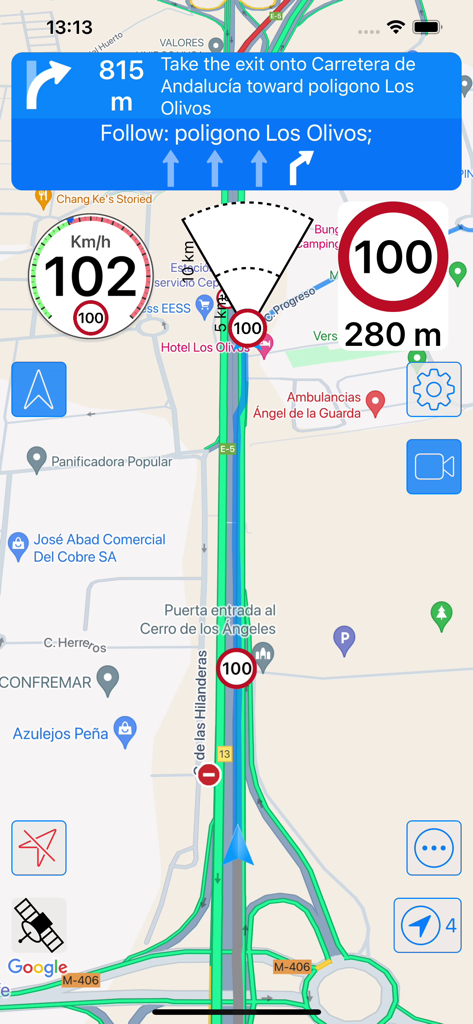
RadarAll app screen showing navigation map and speed camera alerts
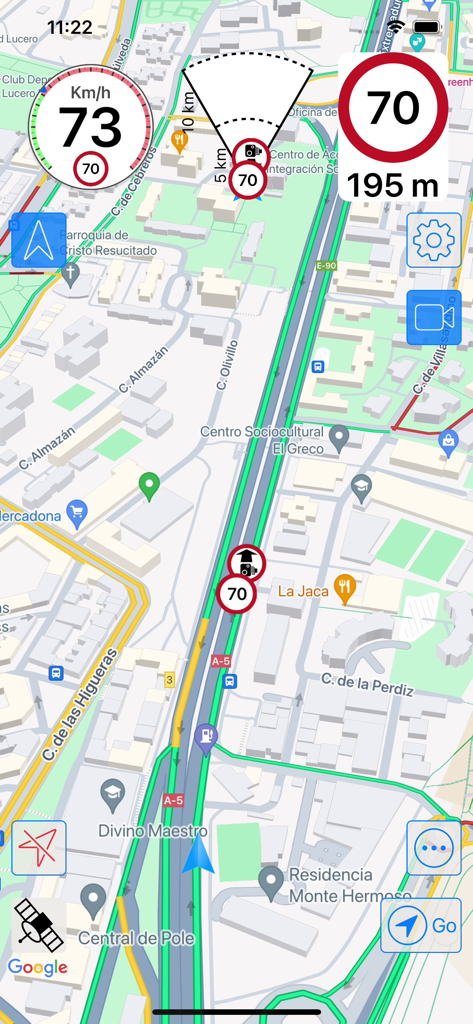
RadarAll speed camera detector interface showing real-time traffic map and speed alerts
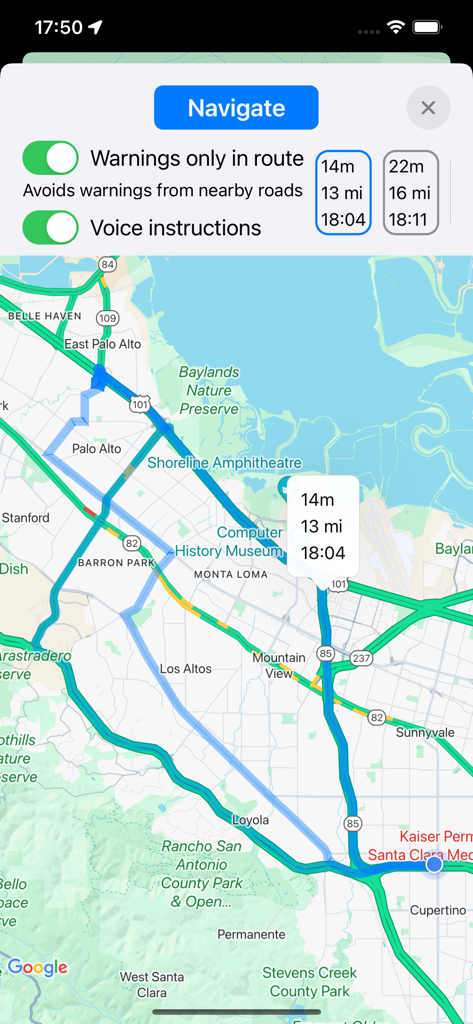
Navigation map view in the RadarAll app showing a planned route with speed camera warning settings
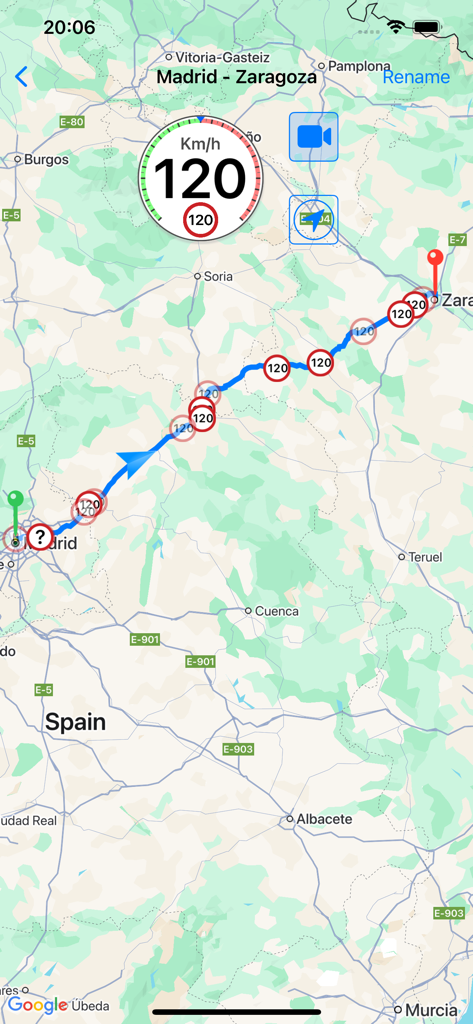
Speed camera detector app showing alerts and route on a map
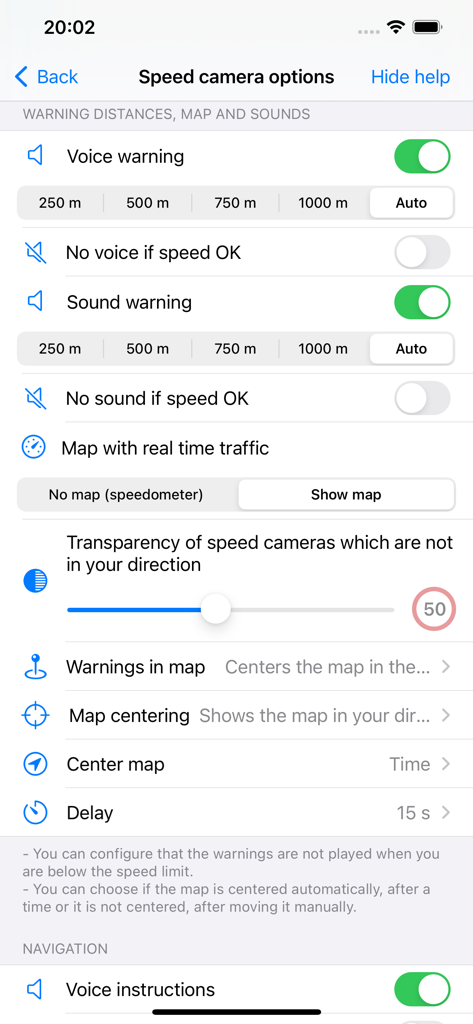
RadarAll Speed Camera Detector app settings screen showing warning distances, map options, and sound alert configurations.
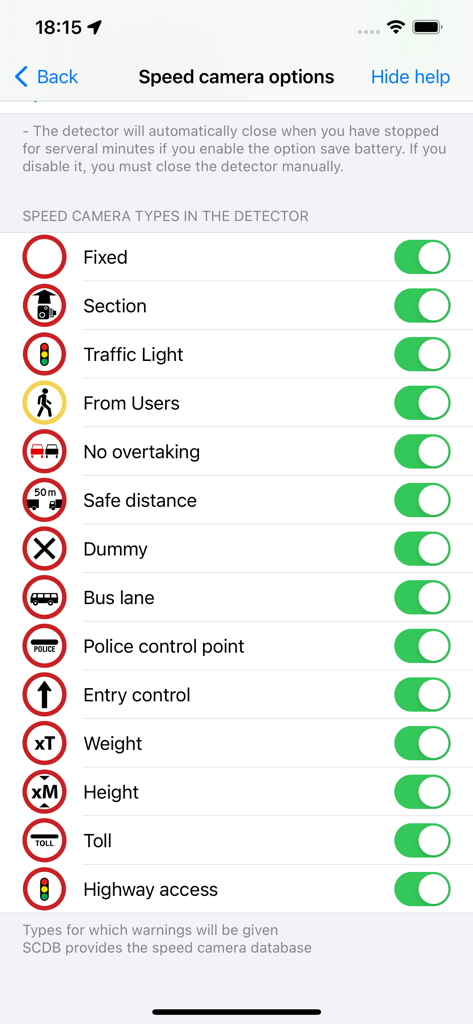
Customization screen for selecting different speed camera and traffic alert types
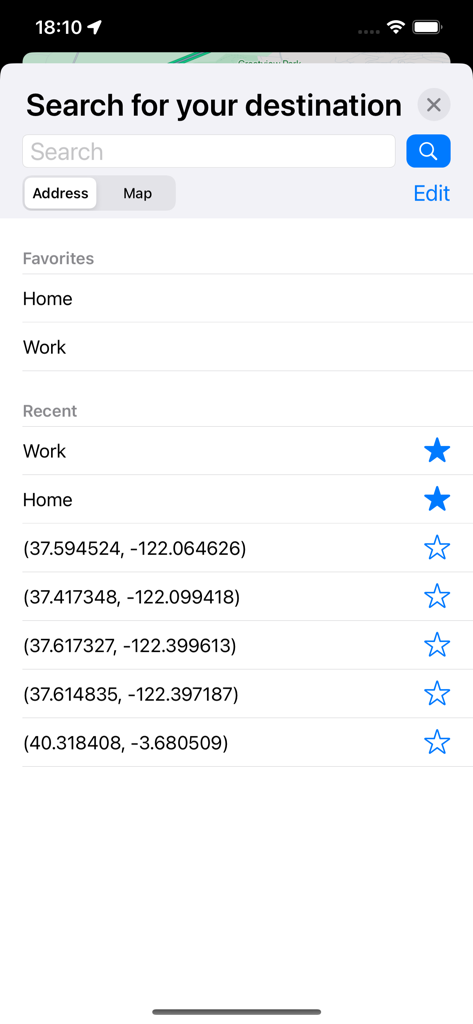
Search for your destination screen in RadarAll app showing favorites and recent locations
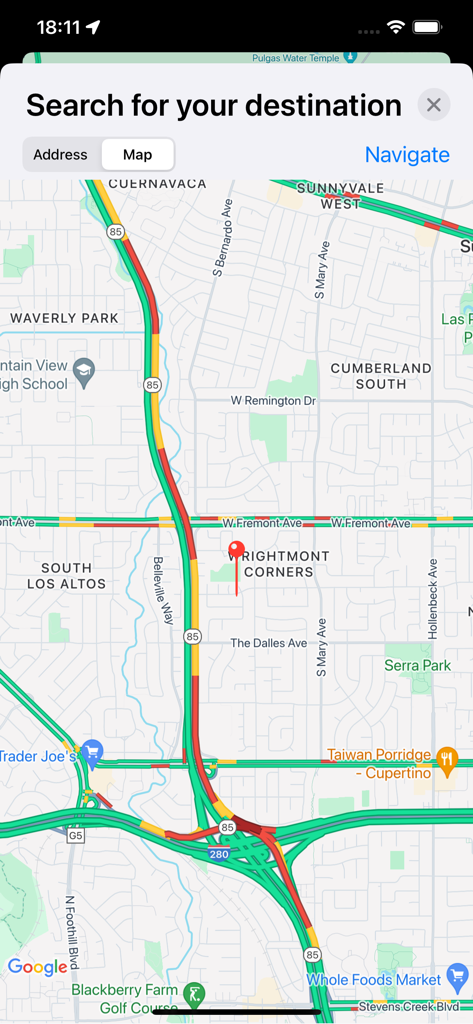
RadarAll app interface showing a real-time traffic map and destination search bar.
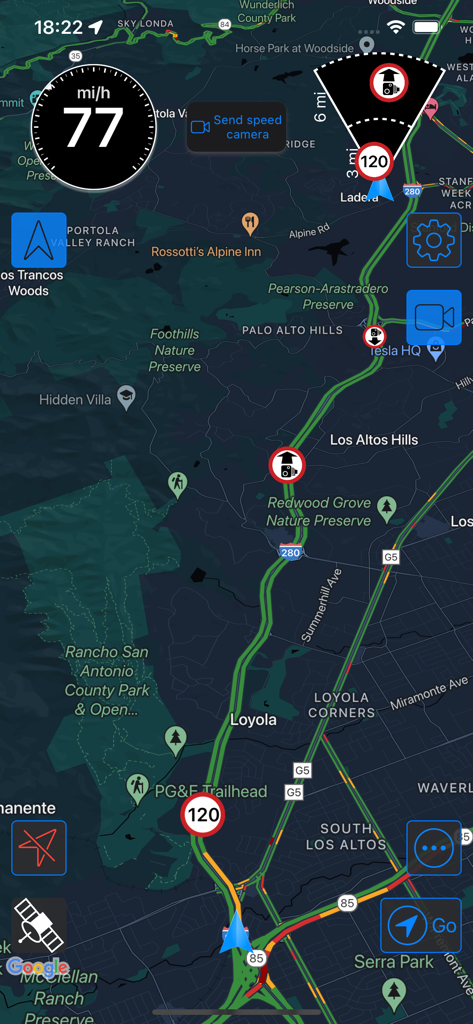
RadarAll mobile app showing a dark mode navigation map with speed camera alerts and real-time traffic data.
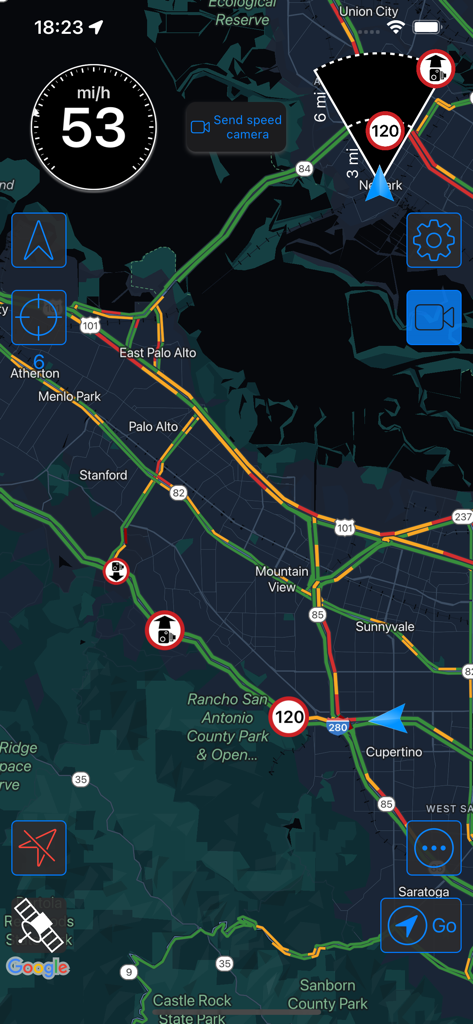
RadarAll app interface showing a real-time traffic map with speed camera alerts and speed limits
Description
Download
More Like This
Apps with similar features and user experience

Waze Navigation & Live Traffic
waze

即時路況影像
DoItWell Application Ltd

LeisecaMaps
Alan Costa
MapXplorer: Map Radar Navigate
GOLDLAB APPLICATIONS YAZILIM VE BILISIM ANONIM SIRKETI
Radarbot: Speed Cameras | GPS
Iteration Mobile S.L

Yandex Navi – navigation, maps
DIRECT CURSUS COMPUTER SYSTEMS TRADING LLC

TomTom - Maps & Traffic
TomTom
ASFINAG
ASFINAG MAUT SERVICE GMBH
導航王 TM
KingwayTek Technology Co., Ltd.
This page is not an official page of the app or its developer, but an independent editorial publication created for informational and commentary purposes. Unless expressly stated otherwise, neither the app nor its developer is affiliated with, endorsed by, sponsored by, authorized by, or otherwise officially connected with MWM, Apple, Google Play, the app publisher, or the app's developer, and nothing on this page implies that the app was developed using MWM's services. Any trademarks, logos, screenshots, and other content remain the property of their respective owners.