Real Paint mixing tools PRO
Download on App Store

This page is not an official page of the app or its developer, but an independent editorial publication created for informational and commentary purposes. Unless expressly stated otherwise, neither the app nor its developer is affiliated with, endorsed by, sponsored by, authorized by, or otherwise officially connected with MWM, Apple, Google Play, the app publisher, or the app's developer, and nothing on this page implies that the app was developed using MWM's services. Any trademarks, logos, screenshots, and other content remain the property of their respective owners.

Logo of Real Paint mixing tools PRO
Download on App Store

Real Paint mixing tools PRO

Bridge the gap between digital images and physical paint. Generate exact opaque formulas for 24+ premium brands like Golden and Winsor & Newton to eliminate waste and achieve perfect color accuracy.

Key Figures

Downloads

0

User Rating

4.2/5

Total Ratings

0

Publisher

AI4RES SRL

Category

Entertainment

Locales

1

Latest Version

1.25.5

Size

7.7 MB

First Released

Dec 20, 2021
Features

Master Every Hue with Scientific Precision

Stop guessing and start mixing. Real Paint PRO transforms your digital inspiration into perfect physical recipes using the world’s most trusted professional paint brands.

24+ Professional Paint Sets

Access opaque mixing recipes for leading commercial brands like Golden, Winsor & Newton, and Gamblin. Select your specific inventory to get tailored results for the paints you already own.

Eliminate Paint Waste

Save time and money with exact decimal recipes for scales or rounded volume-based measurements. Perfect for students and professionals looking to maximize their high-end supplies.

The following screenshots and description are sourced directly from the app's official store listing and are the property of the app developer.

App Store

Screenshots
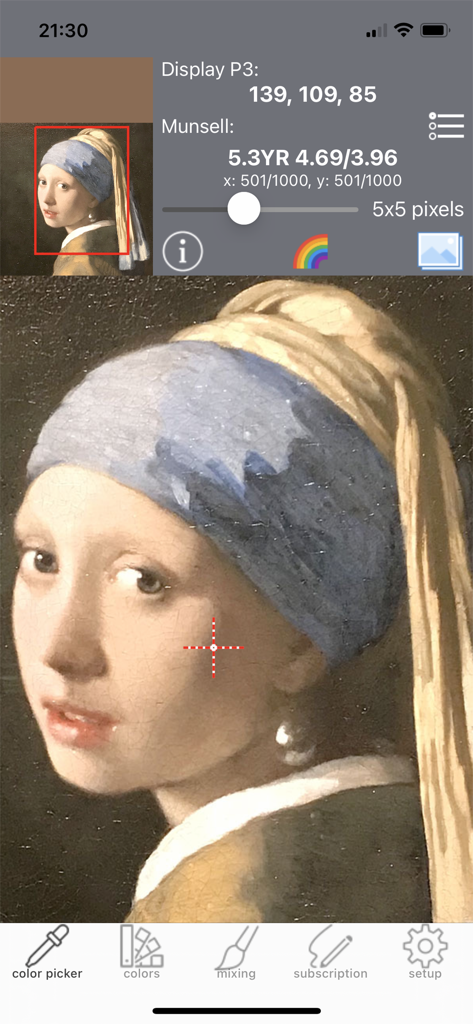
Real Paint mixing tools PRO - Real Paint mixing tools PRO color picker interface showing Munsell coordinates and Display P3 values for a portrait painting
Real Paint mixing tools PRO color picker interface showing Munsell coordinates and Display P3 values for a portrait painting

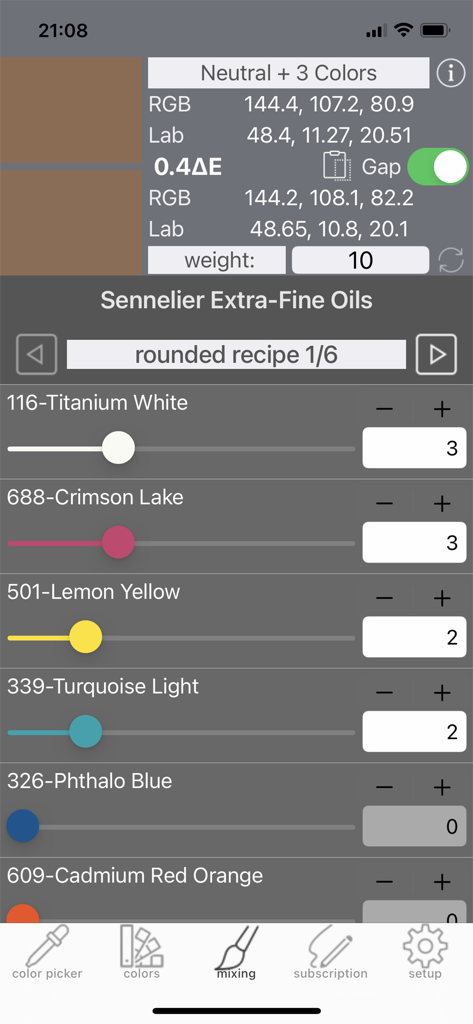
Real Paint mixing tools PRO - Screenshot of the Real Paint mixing tools PRO app showing a rounded mixing recipe for Sennelier Extra-Fine Oils including color sliders and RGB values
Screenshot of the Real Paint mixing tools PRO app showing a rounded mixing recipe for Sennelier Extra-Fine Oils including color sliders and RGB values

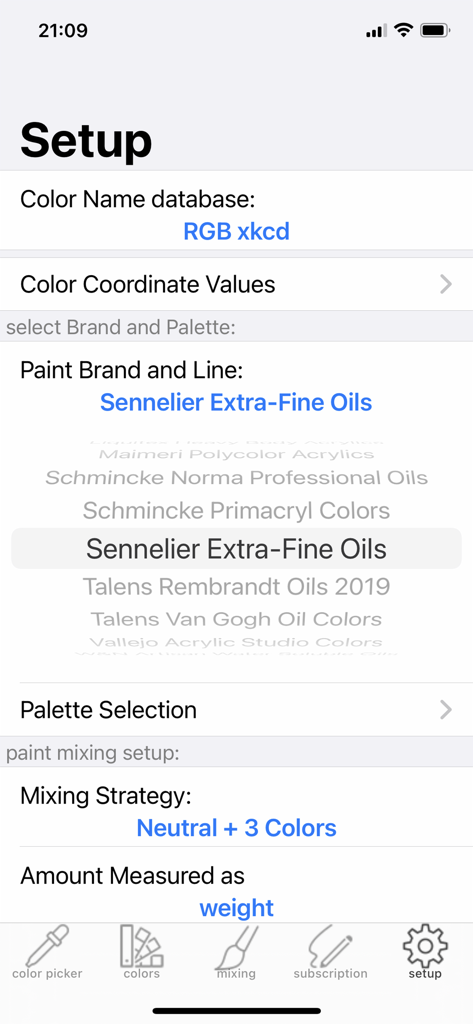
Real Paint mixing tools PRO - Setup screen for Real Paint mixing tools PRO showing brand selection for Sennelier Extra Fine Oils and mixing strategy options
Setup screen for Real Paint mixing tools PRO showing brand selection for Sennelier Extra Fine Oils and mixing strategy options

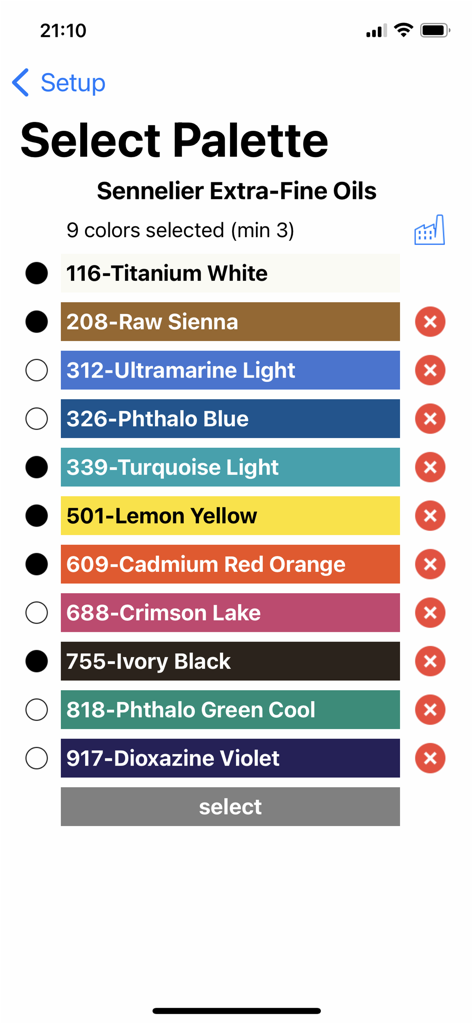
Real Paint mixing tools PRO - Screenshot of the Real Paint mixing tools PRO app showing the palette selection screen for Sennelier Extra-Fine Oils with various color swatches
Screenshot of the Real Paint mixing tools PRO app showing the palette selection screen for Sennelier Extra-Fine Oils with various color swatches

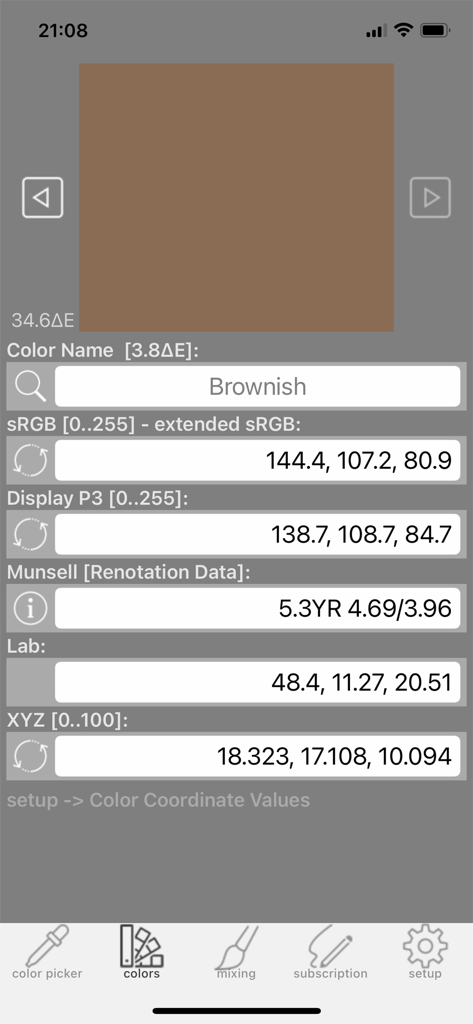
Real Paint mixing tools PRO - Real Paint mixing tools PRO app display of technical color coordinates including sRGB Munsell and Lab for a brownish paint color
Real Paint mixing tools PRO app display of technical color coordinates including sRGB Munsell and Lab for a brownish paint color

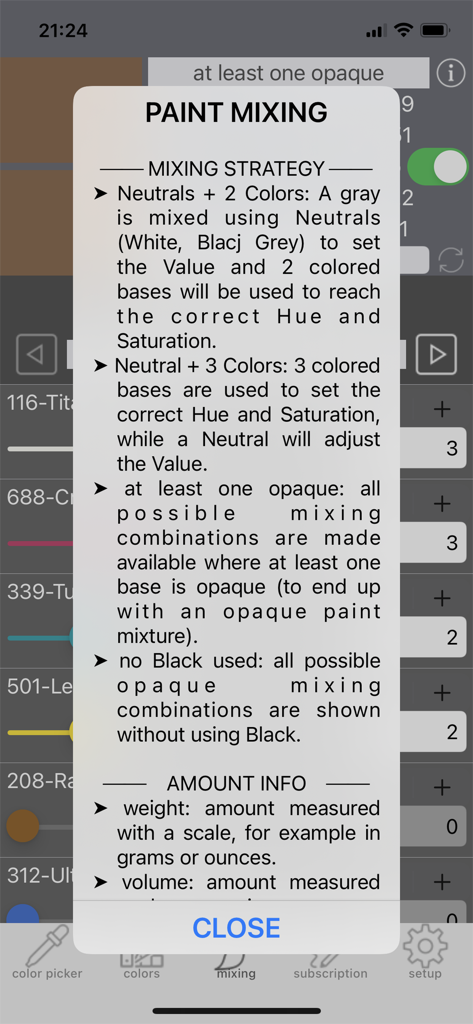
Real Paint mixing tools PRO - Informational popup describing paint mixing strategies and measurement methods in the app
Informational popup describing paint mixing strategies and measurement methods in the app

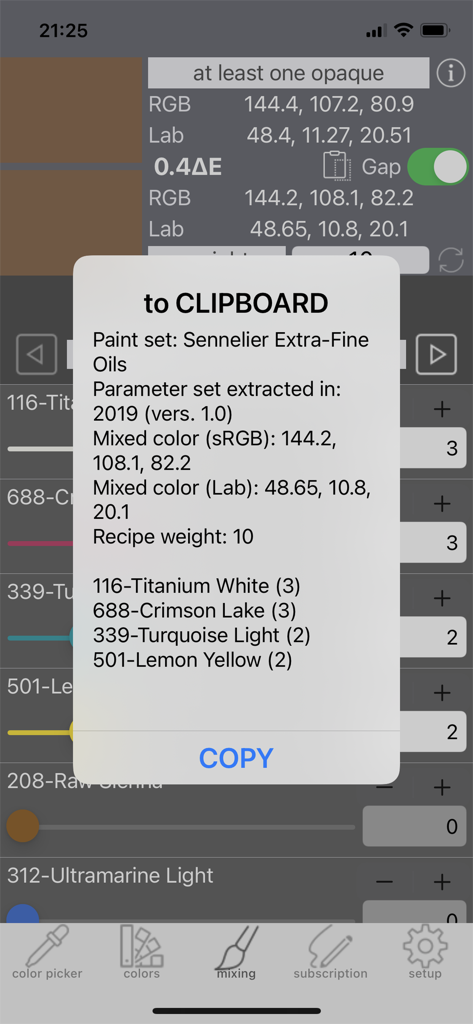
Real Paint mixing tools PRO - A popup in the Real Paint mixing tools PRO app displaying a detailed paint mixing recipe for Sennelier Extra-Fine Oils including specific paint names and quantities.

A popup in the Real Paint mixing tools PRO app displaying a detailed paint mixing recipe for Sennelier Extra-Fine Oils including specific paint names and quantities.

Description

Painters can pick colors from their own images and have the OPAQUE paint mixing recipe computed for many commercial brands! Great for art students, painters with color vision difficulties or for those working in the painting conservation and restoration fields. Paint, time and money waste can be greatly reduced! Many Color Spaces are included: sRGB, Display P3, CMYK, HSL, HSV/B, Lab, Lch-ab, Luv, Lch-uv, XYZ, xyY and Munsell coordinates. The Munsell coordinates are computed from the original and extrapolated Renotation Data with great precision even around the neutral axis. Real Paint Pro includes one Ideal Paint set (8 colors) and 24 commercial Paint Sets: 1 Createx Illustration Opaques (11 colors) 2 Daler-Rowney Georgian Oil Colours (22 colors) 3 Daler-Rowney System3 Original Acrylics (29+3 colors) 4 Ferrario 1919 Oil Colors (30 colors) 5 Ferrario Pen Colors (26 colors) 6 Gamblin Artist Oil Colors (46 colors) 7 Gamblin Conservation Colors (42 colors) 8 Golden Heavy Body Acrylic Colors (35 colors) 9 Golden Matte Fluid Acrylic Colors (27 colors) 10 Chartpak Grumbacher MAX Water Mixable Oils (45 colors) 11 Chartpak Grumbacher Pre-tested Professional Oils (44 colors) 12 Liquitex Heavy Body Artist Colors (22+15 colors) 13 Maimeri Polycolor (33 colors) 14 Schmincke Norma Professional finest artist’s oil colors (21 colors) 15 Schmincke Primacryl (32 colors) 16 Sennelier Extra Fine Oils (46 colors) 17 Royal Talens Rembrandt Extra-Fine Artists’ Oil Colors (40 colors) 18 Royal Talens Van Gogh Oil colors (25 colors) 19 Vallejo Acrylic Studio Colours (27 colors) 20 Winsor&Newton Artisan Water Soluble Oils (32 colors) 21 Winsor&Newton Artists' Oil Colors (62+4 colors) 22 Winsor&Newton Designers Gouache Colours (48 colors) 23 Winsor&Newton Galeria Acrylic Colors (30 colors) 24 Winsor&Newton Professional Acrylic Colours (60 colors) Real Paint Pro includes all above paint bases! You can select up to 15 colors (white + up to 14 colors) of each Paint Set. Without a subscription you can use the app only with the Ideal Paint Set. The apps of the "Real Paint mixing tools" family use measured paint spectral information of painted samples. Big part of the RGB/P3 space can be mixed, but not all RGB/P3 colors. This is not a limitation of the apps, just physics. There are also many colors which can be mixed even if they don't belong to the RGB/P3 color space (you can find these by varying manually the paint amount on the "mixing" page). Paint recipes can be obtained using several Mixing Strategies: - “B and W + 2 Colors”: a gray is mixed using Black and White first, then 2 colored bases set Hue and Saturation. - “B or W + 3 Colors”: 3 colored bases are used to set Hue and Saturation and Black OR White set the Value - “at least one opaque”: all possible opaque mixing combinations are shown - “no Black used”: opaque mixing combinations without Black Each recipe can be Exact or Rounded: - “Exact recipe” means that each base has an amount with a precision of 0.01 units. If you need % values of each paint base amount, just enter 100 as amount. Exact setting is helpful for weight based measurements using a scale. - “Rounded recipe” means that each base has an integer number as amount. The recipe will have the minimum possible overall amount computed adding all paint base amounts. The rounded recipes are useful for volume based measurements, like drops, using spoons or squared paper with paint squeezed directly from tubes. Please note that color of paint coming from various parts of a tube/jar or from different batches of the manufacturer can vary, so mix always small amounts first to be sure that computed recipes meet your needs! Please check the video tutorials on youtube by searching for "Real Paint mixing tools" to see how to use the app in your paintings. Optishade images can also be imported directly from the Optishade by StyleItaliano app. These images can be used to create gum or dental colors for the mockups used by technicians.

Download

Download on App Store

This page is not an official page of the app or its developer, but an independent editorial publication created for informational and commentary purposes. Unless expressly stated otherwise, neither the app nor its developer is affiliated with, endorsed by, sponsored by, authorized by, or otherwise officially connected with MWM, Apple, Google Play, the app publisher, or the app's developer, and nothing on this page implies that the app was developed using MWM's services. Any trademarks, logos, screenshots, and other content remain the property of their respective owners.