
reMarkable mobile


Keep your focused notes, sketches, and to-do lists in your pocket. Seamlessly sync with your paper tablet to stay organized and productive without losing your flow.
Publisher
Category
ProductivityDownloads
1M+User Rating
Total Ratings
1K+Locales
-Discover the interface used by 1M+ users.
The tools that make this app stand out, trusted by 1M+ users.
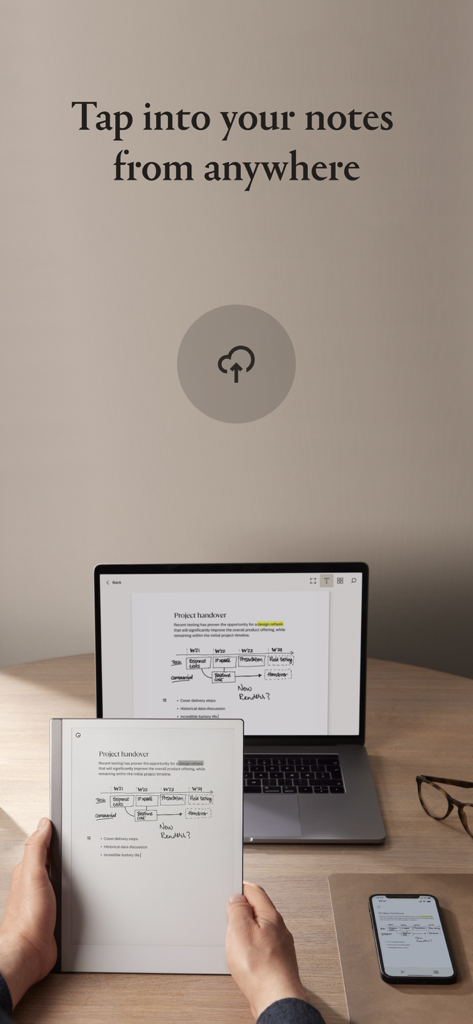
Pick up exactly where you left off. View and share your handwritten notes and documents across all devices with instant cloud synchronization.
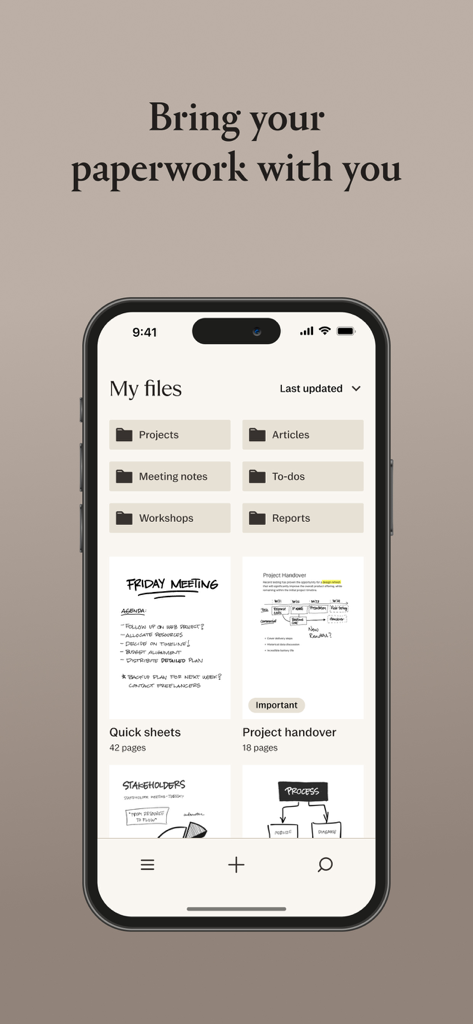
Declutter your workflow. Use tags, folders, and favorites to categorize your projects and find critical information in seconds using search.
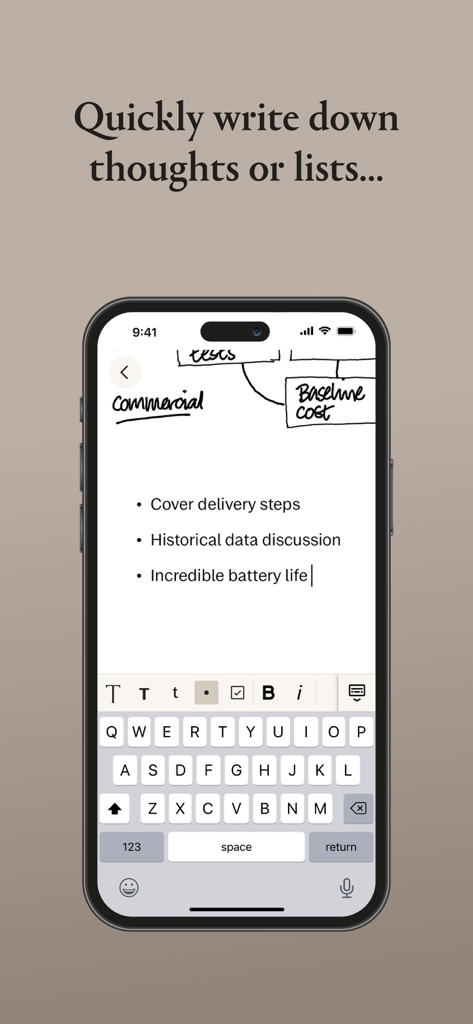
Stay productive without your tablet. Create new quick sheets, manage to-do lists, and add note pages to existing documents from your phone.
Insights from user reviews.
Sentiment Score
Summary
User reviews for the mobile app indicate a stark contrast between the acclaimed Remarkable hardware and its companion application. While some users appreciate the app's ability to view notes, scan documents, and occasionally sync smoothly, particularly as a backup, a significant majority report numerous issues. Key criticisms revolve around unreliable and slow syncing, frequent bugs including freezing, data loss, and specific issues like the keyboard cursor bug on iPads with external keyboards. Users also express frustration over missing basic features such as dark mode, Apple Pencil support, undo/redo functionality, and direct file import from mobile devices, alongside a generally clunky user interface and unhelpful customer support.
Common Themes
Everything you need to know about reMarkable mobile.
Description
Latest Version
3.24.0
Size
46.4 MB
First Released
Sep 14, 2017
Complete your reMarkable ecosystem. Download the companion app to sync your notebooks and access your best ideas whenever inspiration strikes, even without your paper tablet.
Everything you need to know about reMarkable mobile
To use the reMarkable mobile app, pair your reMarkable paper tablet with an account at my.remarkable.com and then log in. The app provides an overview of your content and tools for organization.
Yes, the reMarkable mobile app allows organization through tags, favorite documents, and folders. You can create folders to collect notebooks and files by topic, aiding content retrieval with Search.
Yes, the reMarkable mobile app enables creating new notebooks and quick sheets. Users can also add blank note pages to existing documents like PDFs and ebooks, and utilize checkboxes for to-do lists.
Yes, the reMarkable mobile app uses cloud storage for content synchronization. This ensures all your content is always available, allowing you to seamlessly pick up where you left off across your devices.
Yes, the reMarkable mobile app allows you to delete digital paper. This feature helps remove accumulated content and manage clutter efficiently within the app.
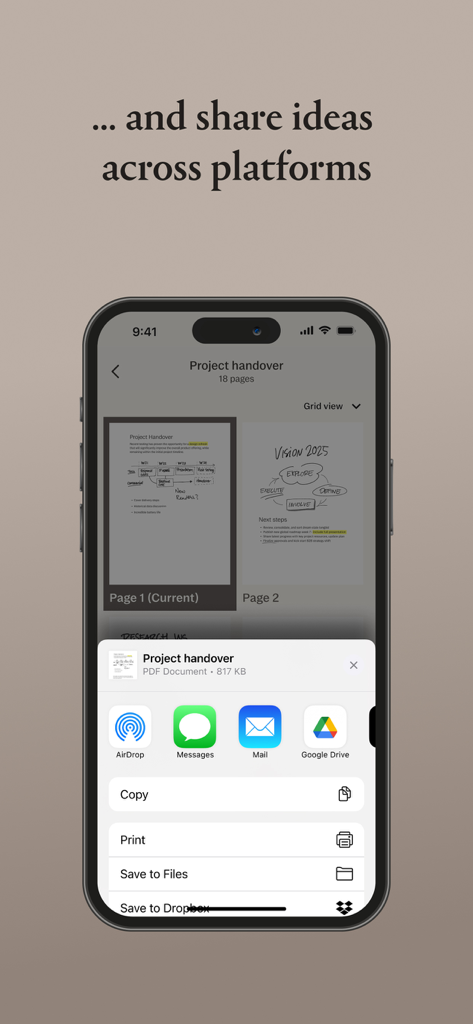
Yes, the reMarkable mobile app allows document sharing. You can share ideas across platforms via options like Airdrop, Messages, Mail, Google Drive, Save to Files, and Dropbox.
Yes, the reMarkable mobile app allows users to type notes. You can type pages of detailed notes or quickly write out shorter lists directly within the application interface.
Apps with similar features and user experience

Glimpse LLC.

Red Paket sp. z o.o.

nadi digital indonesia, pt

Aleh Piashkou

Thorley Industries LLC

Electro Cirkel Retail BV

Pol Nadal Serra

Jonathan Reed

YONGXING JIN
App information, icons, screenshots, and descriptions displayed on this page are sourced from the Apple App Store and are the property of their respective developers. Download estimates and rankings are based on MWM's proprietary models and may not reflect actual figures. This page is provided for informational and analytical purposes only.
Believe this page infringes your intellectual property? File a dispute