
Remote for FireStick : Fire TV

Stop searching for lost remotes and start browsing with ease. Navigate effortlessly with a large trackpad and type instantly using your iPhone's keyboard to find your favorite shows in seconds.
Publisher
Category
UtilitiesDownloads
126K+User Rating
Total Ratings
1K+Locales
10Discover the interface used by 126K+ users.
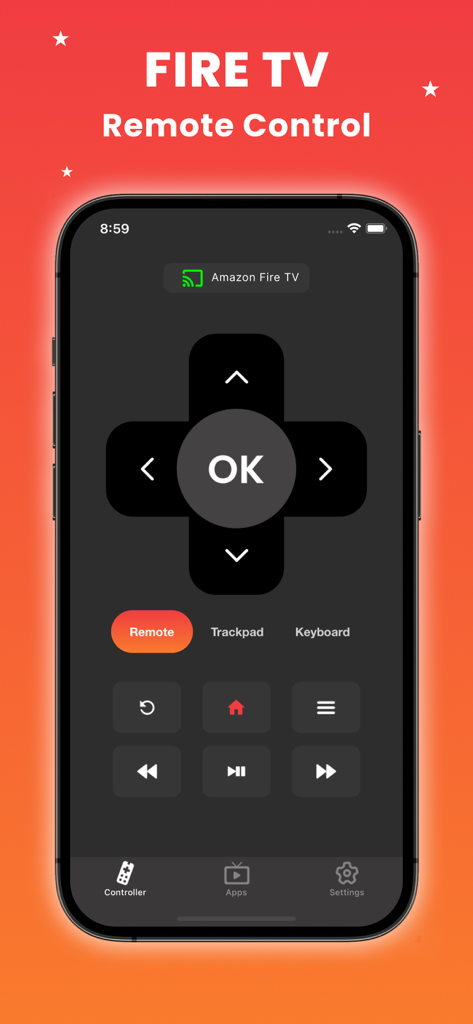
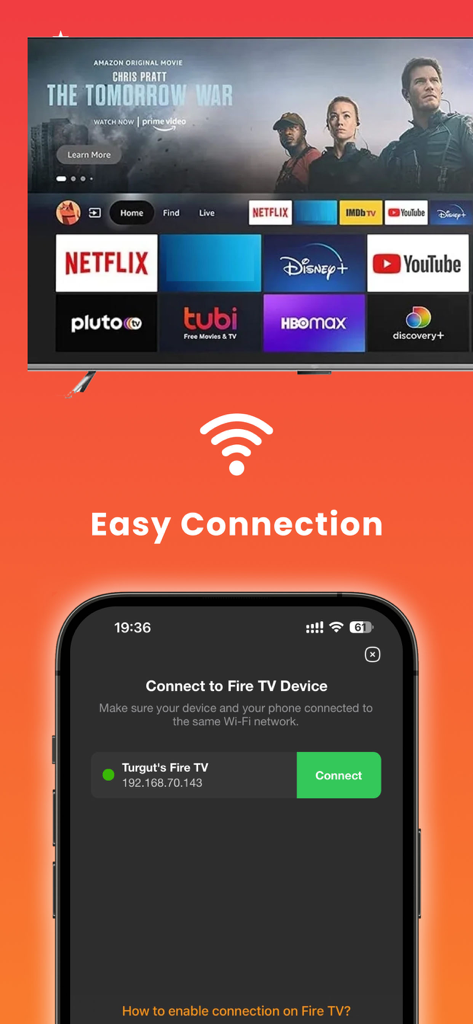
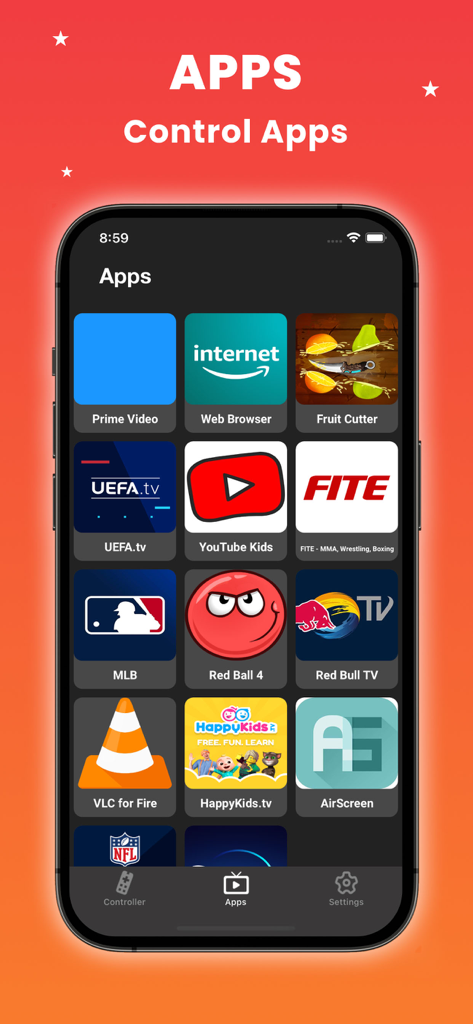
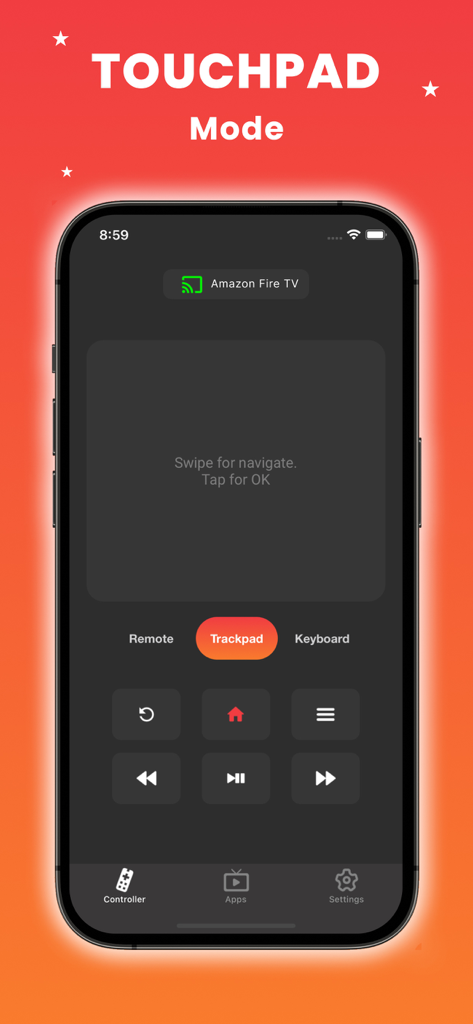
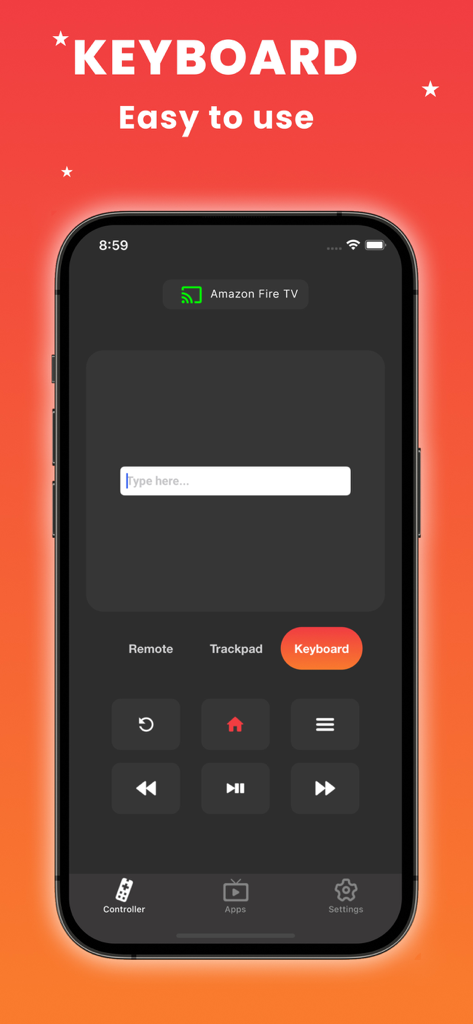
The tools that make this app stand out, trusted by 126K+ users.
Ditch the slow on-screen hunt. Use your phone's keyboard to find your favorite shows and enter logins instantly.
Navigate through menus with the same smooth swipes and gestures you use on your iPhone every day.
Open Netflix, YouTube, or Prime Video directly from your remote. Your favorite content is always just one tap away.
Everything you need to know about Remote for FireStick : Fire TV.
Description
Latest Version
1.4.7
Size
21.7 MB
First Released
May 22, 2024
Join over 126,000 users who have traded lost remotes and slow typing for effortless navigation. Download the ultimate iPhone companion for your Fire Stick today.
Everything you need to know about Remote for FireStick : Fire TV
Remote for FireStick : Fire TV is an iOS remote control app for Fire Stick and Fire TV devices. It offers an intuitive interface, trackpad, and keyboard for easy navigation and content control.
Remote for FireStick : Fire TV connects when your iOS device and the Fire Stick/Fire TV are on the same Wi-Fi network. The app automatically detects the device, enabling a seamless connection.
Yes, Remote for FireStick : Fire TV supports quick typing and searching with its built-in keyboard feature. This allows users to input text directly from their iOS device to the Fire TV.
Yes, Remote for FireStick : Fire TV allows direct app launching for popular services like Netflix, Tubi, HBO Max, Prime Video, Hulu, and YouTube. Users can control these directly from the app.
Yes, Remote for FireStick : Fire TV is compatible with all Fire TV models and Fire Stick devices. It provides universal remote control functionality across the entire Amazon Fire TV ecosystem.
No, Remote for FireStick : Fire TV is not an official Amazon product. It is an independent application and is not affiliated with, created, or endorsed by Amazon.
Yes, Remote for FireStick : Fire TV includes a large trackpad for navigation. This feature enables easy control of menus and content by swiping and tapping on the iOS device screen.
Some applications, such as YouTube and Hulu+, utilize their own on-screen keyboards. These specific apps do not accept direct input from the iOS keyboard within Remote for FireStick : Fire TV.
Apps with similar features and user experience

ROKU INC

To Ngoc Mai

Apps Venture Inc.

Hangzhou Yingshitong Technology Co., Ltd.

Nemo Apps LLC

Mihai Turlea

clement gasner

CEMAL CAGLAR KIRICI

Anh Ngo
App information, icons, screenshots, and descriptions displayed on this page are sourced from the Apple App Store and are the property of their respective developers. Download estimates and rankings are based on MWM's proprietary models and may not reflect actual figures. This page is provided for informational and analytical purposes only.
Believe this page infringes your intellectual property? File a dispute
