Remote for RokuTV, Smart TV

Remote for RokuTV, Smart TV

Download on App Store
Logo of Remote for RokuTV, Smart TV

Remote for RokuTV, Smart TV: The Only Remote You’ll Never Lose

Transform your iPhone into a powerful universal controller. Say goodbye to searching under the sofa and enjoy effortless voice control, haptic feedback, and instant setup for all your devices.

Download on App Store

Publisher

InnoCore Limited

Category

Utilities

Downloads

659K+

User Rating

1.7/5

Total Ratings

200

Locales

32

Control at your Fingertips

Discover the interface used by 659K+ users.
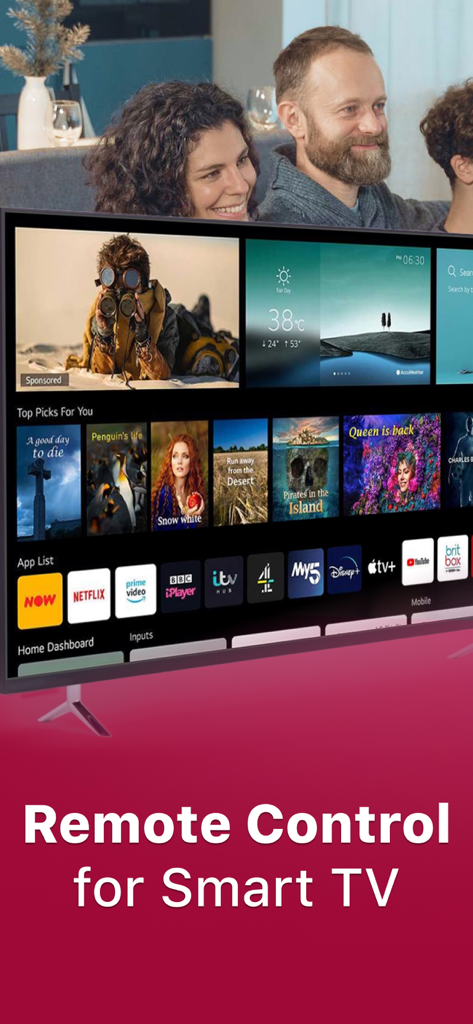
A happy family sitting together on a couch watching a smart TV screen with streaming apps

A happy family sitting together on a couch watching a smart TV screen with streaming apps

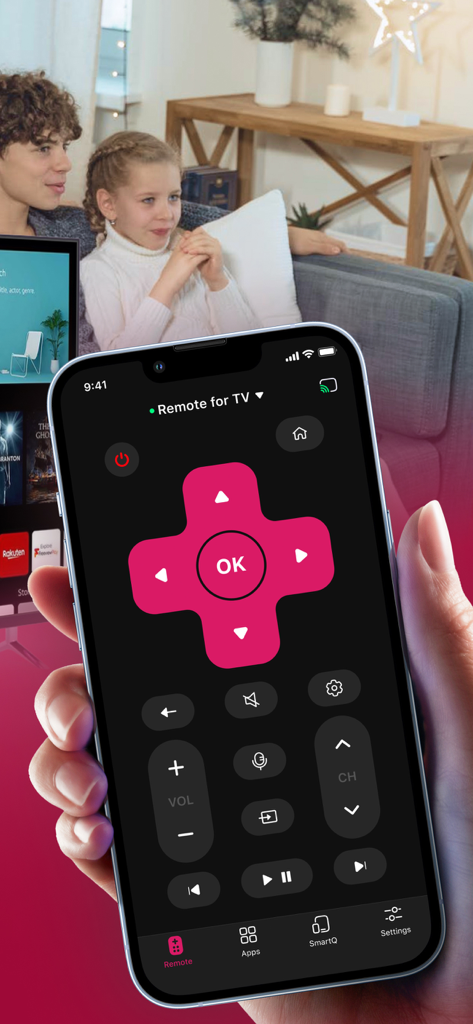
A hand holding an iPhone displaying a smart TV remote app with a family sitting on a couch in the background

A hand holding an iPhone displaying a smart TV remote app with a family sitting on a couch in the background

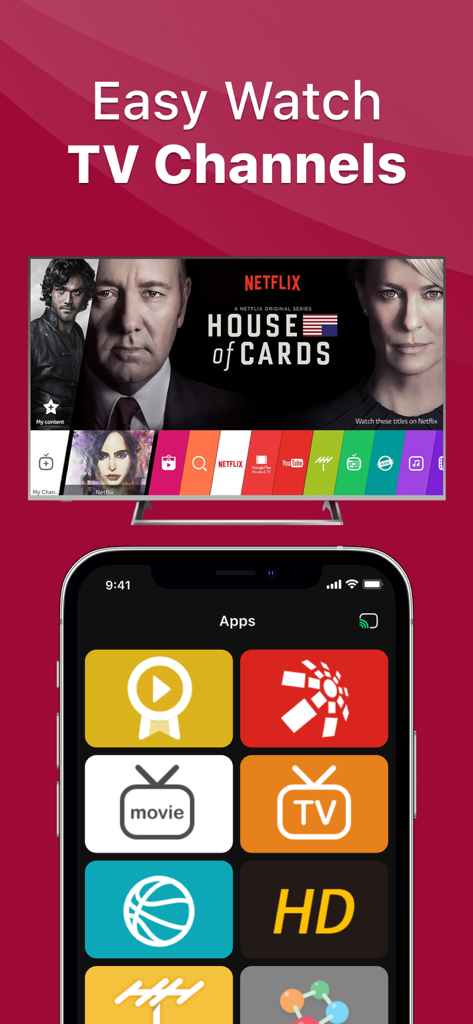
Smartphone interface of a smart TV remote app showing various channel and movie app icons below a TV screen

Smartphone interface of a smart TV remote app showing various channel and movie app icons below a TV screen

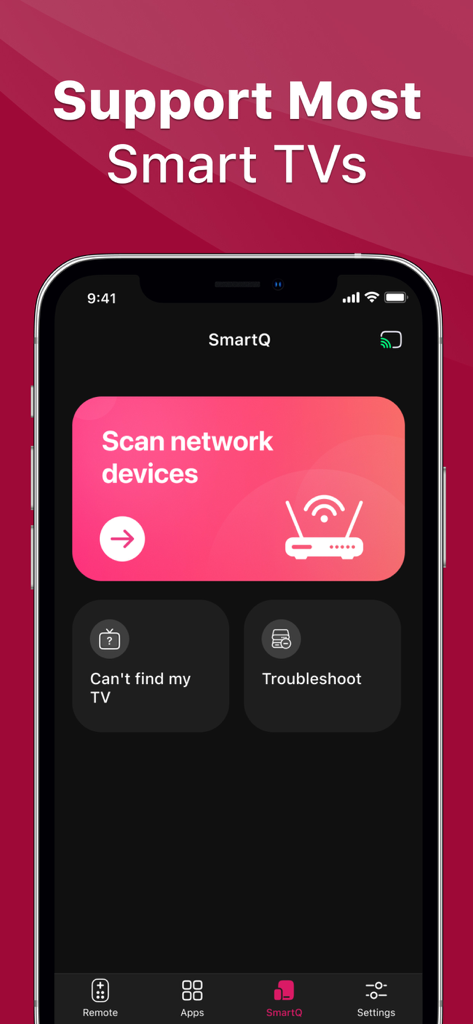
Interface of the Remote for RokuTV app showing the network device scanning feature

Interface of the Remote for RokuTV app showing the network device scanning feature

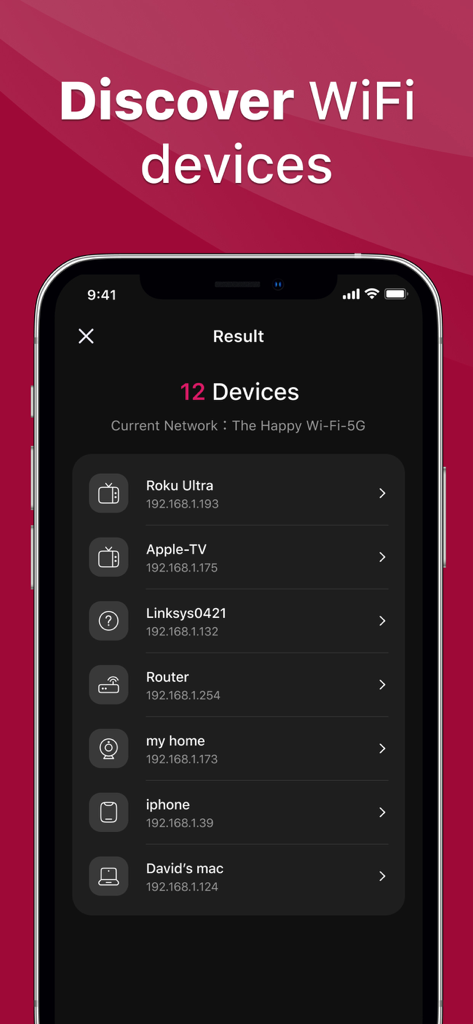
A mobile app screen showing a list of discovered WiFi devices including Roku Ultra and Apple TV for remote control pairing.

A mobile app screen showing a list of discovered WiFi devices including Roku Ultra and Apple TV for remote control pairing.

Take Back Control of Your Living Room

The tools that make this app stand out, trusted by 659K+ users.

📱

Universal Smart Control

Seamlessly connect to Roku, Samsung, LG, and other top brands via Wi-Fi. One app to rule every screen in your home.

🎙️

Hands-Free Voice Search

Stop typing with clunky on-screen keyboards. Use simple voice commands to find your favorite movies and shows in seconds.

🫳

Tactile Haptic Feedback

Experience the satisfying feel of a physical remote. Precision haptic vibrations provide instant confirmation for every button press.

About the app

Everything you need to know about Remote for RokuTV, Smart TV.

Description

Our TV Remote App will completely transform your lifestyle! No more searching for the remote that's been swallowed by the sofa, everything is under your fingertip control. This app connects through WiFi and effortlessly turns your mobile phone into your TV remote control. Whether it's changing channels, adjusting the volume, or browsing TV shows, all you need is a simple slide to manipulate your TV. What's even more noteworthy is that our app is compatible with various brands and models of TVs. With simple settings, you can replace traditional remotes. Save space, convenient, and practical, elevating your smart life to a new level! Why wait? Download our Universal Remote Control App now and enjoy a whole new remote control experience! Features: 1、Simple and easy-to-use television remote control 2、Audio and tactile feedback when pressing buttons 3、Voice control Subscription information: After purchase confirmation, the fee will be deducted from your iTunes account. The subscription will automatically renew at least 24 hours before the end of the current period unless auto-renewal is turned off. Renewal fees depend on your subscription plan. Users can manage subscriptions and turn off auto-renewal in the account settings. Any unused portion of a free trial period (if offered) will be forfeited when purchasing a premium subscription during the free trial period. *Terms of Use: https://remoteapp.innocoretech.com/terms *Privacy Policy: https://remoteapp.innocoretech.com/privacy

Latest Version

1.4.2

Size

133.3 MB

First Released

Aug 9, 2023

Stop Searching. Start Watching.

Don't let a lost remote ruin your night. Join 659,000+ users and turn your iPhone into the only universal control you'll ever need. Download now and take command of your Smart TV instantly.

Download on App Store
FAQ

Frequently Asked Questions

Everything you need to know about Remote for RokuTV, Smart TV

What is the "Remote for RokuTV, Smart TV" app?

The "Remote for RokuTV, Smart TV" app transforms your mobile phone into a universal TV remote control. It connects via WiFi, enabling channel changes, volume adjustment, and browsing on compatible Smart TVs.

How does the "Remote for RokuTV, Smart TV" app connect to my TV?

The "Remote for RokuTV, Smart TV" app connects to your television through your home's WiFi network. It effortlessly turns your mobile phone into a remote control.

Is the "Remote for RokuTV, Smart TV" app compatible with all TV brands?

Yes, the "Remote for RokuTV, Smart TV" app is compatible with various brands and models of Smart TVs. It aims to replace traditional remotes with simple settings.

What are the main features of the "Remote for RokuTV, Smart TV" app?

Key features of the "Remote for RokuTV, Smart TV" app include easy-to-use remote control, audio and tactile feedback, and voice control for convenient TV operation.

Does "Remote for RokuTV, Smart TV" app offer voice control?

Yes, the "Remote for RokuTV, Smart TV" app offers voice control as one of its core features. This allows users to manipulate their TV using voice commands.

How does subscription renewal work for the "Remote for RokuTV, Smart TV" app?

Subscriptions for "Remote for RokuTV, Smart TV" automatically renew at least 24 hours before the period ends, unless auto-renewal is turned off. Renewal fees depend on your plan.

How can I manage my "Remote for RokuTV, Smart TV" app subscription?

Users can manage their "Remote for RokuTV, Smart TV" app subscriptions and turn off auto-renewal within their account settings in iTunes.

Where can I find the Terms of Use and Privacy Policy for the "Remote for RokuTV, Smart TV" app?

The Terms of Use and Privacy Policy for the "Remote for RokuTV, Smart TV" app are available on the respective links provided in the app description.

Can I control streaming apps like Netflix with the "Remote for RokuTV, Smart TV" app?

Yes, the "Remote for RokuTV, Smart TV" app allows you to control streaming applications. The app's interface includes dedicated buttons and an "Apps" section for easy access.

How do I set up the "Remote for RokuTV, Smart TV" app to connect to my TV?

The "Remote for RokuTV, Smart TV" app connects via WiFi. Navigate to the "SmartQ" tab and use the "Scan network devices" option to discover and connect to your TV.

App information, icons, screenshots, and descriptions displayed on this page are sourced from the Apple App Store and are the property of their respective developers. Download estimates and rankings are based on MWM's proprietary models and may not reflect actual figures. This page is provided for informational and analytical purposes only.

Believe this page infringes your intellectual property? File a dispute