RemoTV: Universal TV Remote

RemoTV: Universal TV Remote

Download on App Store
Logo of RemoTV: Universal TV Remote

RemoTV: Universal TV Remote – The Ultimate Control for Every Screen in Your Home

Stop searching for lost remotes and struggling with slow on-screen typing. Transform your iPhone into a powerful, universal smart remote with a responsive touchpad and keyboard designed for the modern binge-watcher.

Publisher

EpicScale Inc

Category

Utilities

Downloads

3M+

User Rating

4.6/5

Total Ratings

27K+

Locales

10

Control Redefined

Discover the interface used by 3M+ users.
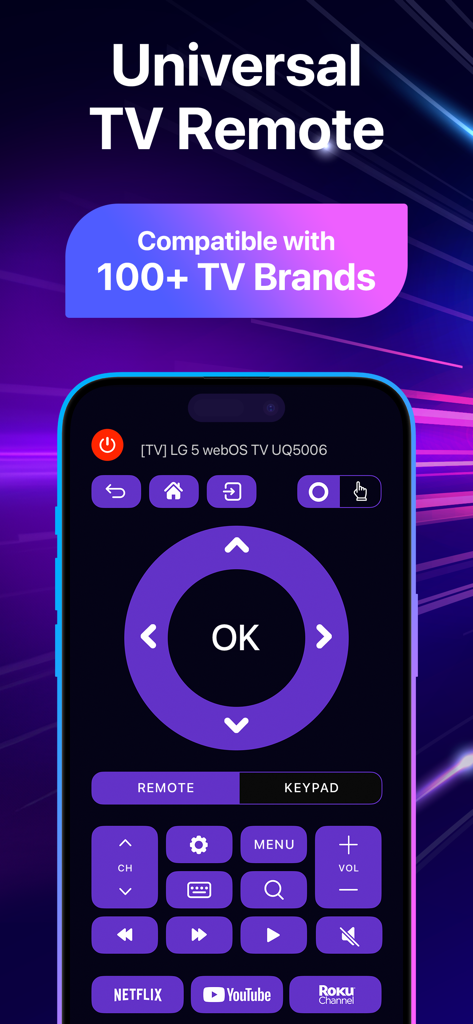
RemoTV app interface on an iPhone showing universal TV controls and streaming shortcuts

RemoTV app interface on an iPhone showing universal TV controls and streaming shortcuts

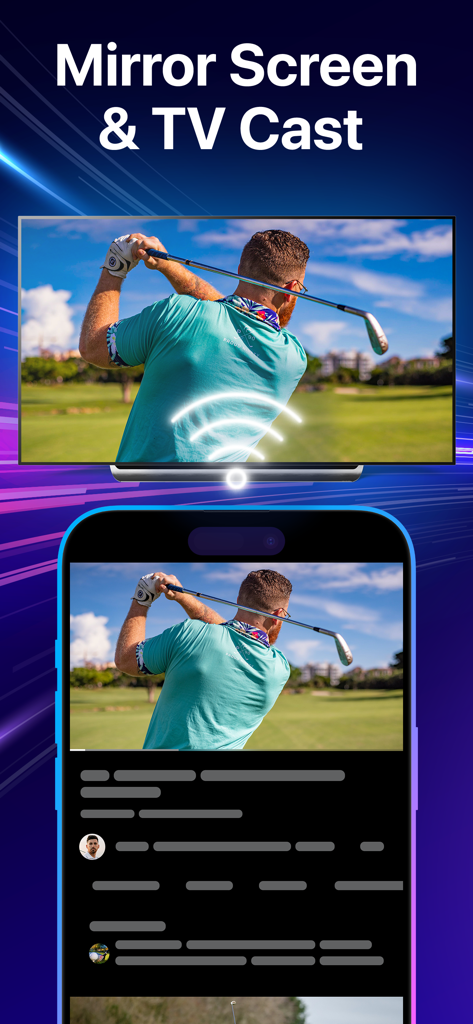
An iPhone mirroring a video of a golfer onto a large smart TV screen using the RemoTV app.

An iPhone mirroring a video of a golfer onto a large smart TV screen using the RemoTV app.

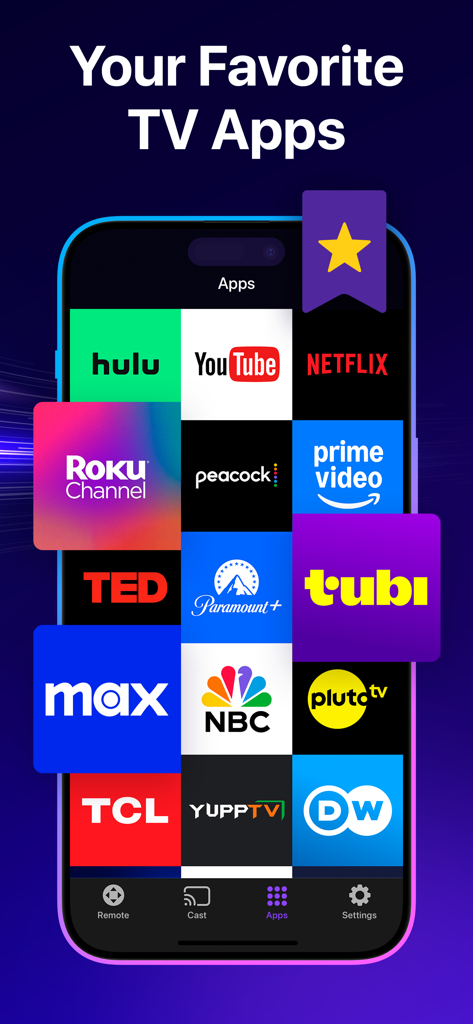
Smartphone screen displaying a grid of popular streaming app icons like Netflix Hulu and YouTube within the RemoTV app

Smartphone screen displaying a grid of popular streaming app icons like Netflix Hulu and YouTube within the RemoTV app

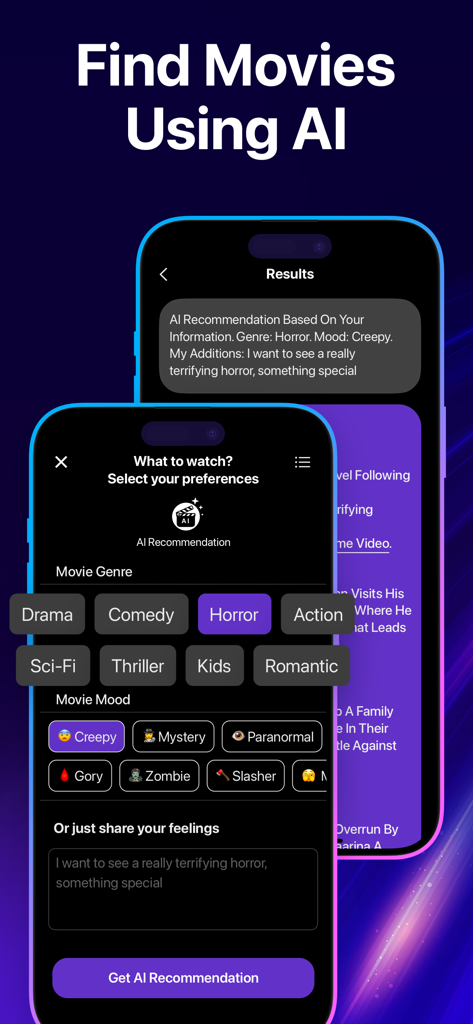
RemoTV app screen displaying the AI movie recommendation feature with genre and mood filters

RemoTV app screen displaying the AI movie recommendation feature with genre and mood filters

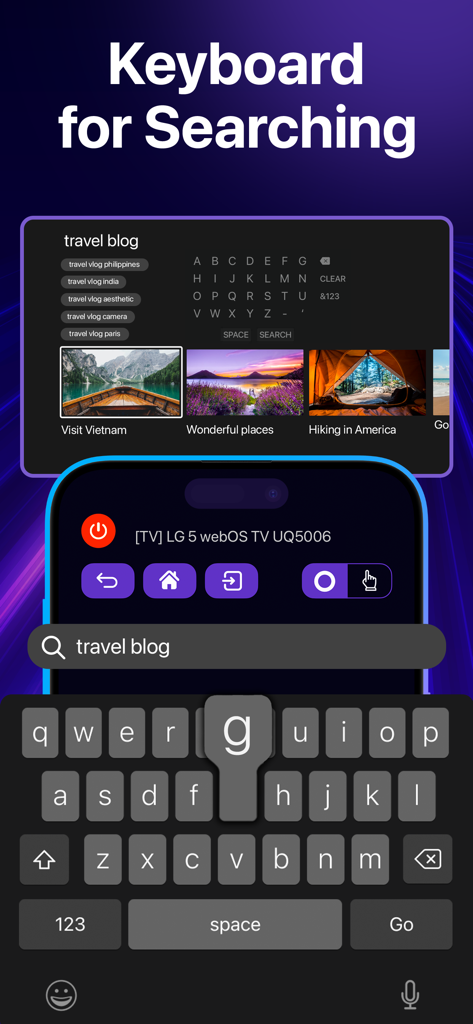
RemoTV app showing the mobile keyboard feature for searching content on a smart TV

RemoTV app showing the mobile keyboard feature for searching content on a smart TV

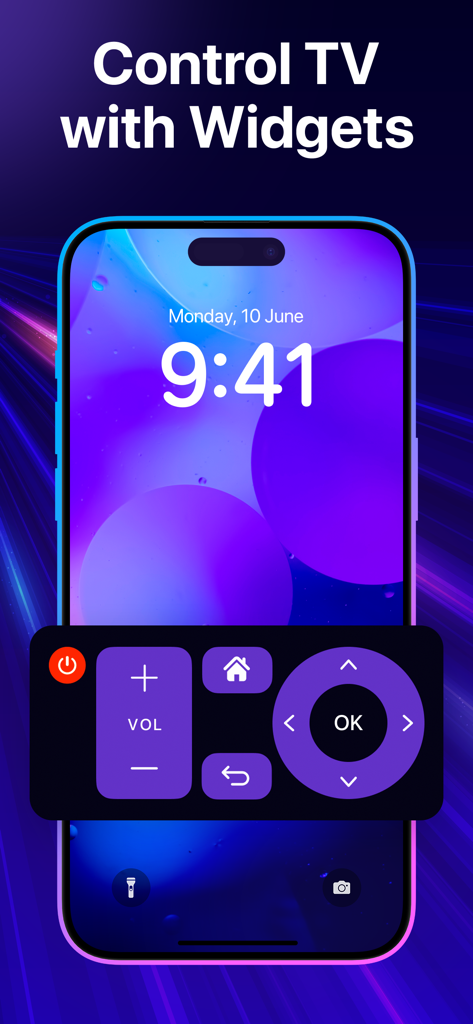
Smartphone lock screen displaying a universal TV remote widget with volume and navigation buttons

Smartphone lock screen displaying a universal TV remote widget with volume and navigation buttons

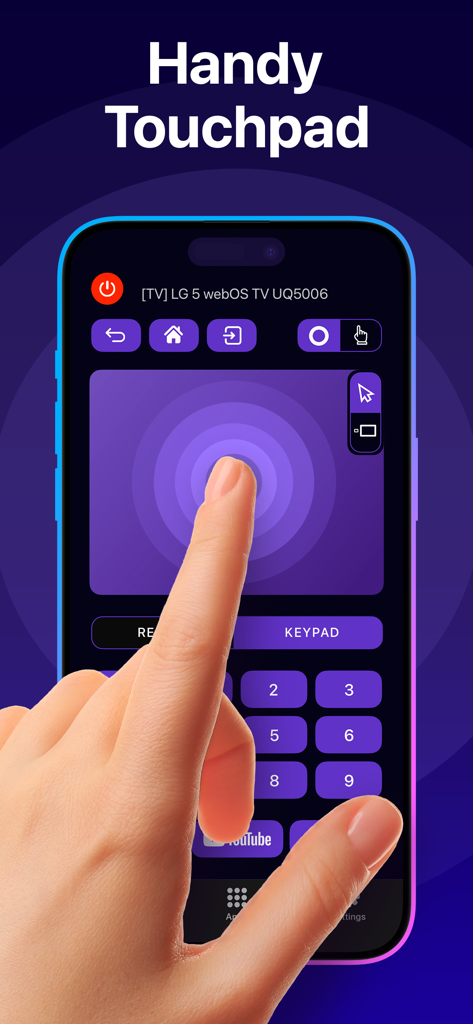
RemoTV app interface displaying the responsive touchpad feature for smart TV control

RemoTV app interface displaying the responsive touchpad feature for smart TV control

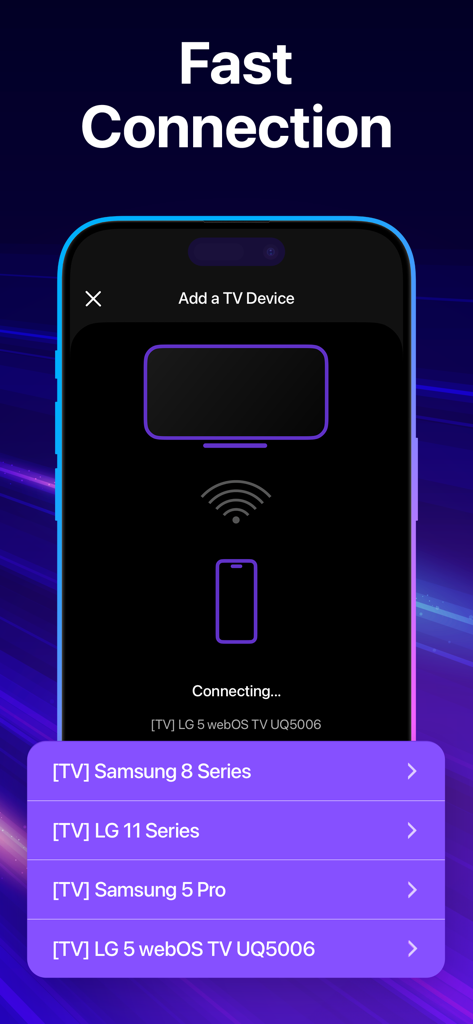
Smartphone screen showing the fast connection process of the RemoTV app to various smart TV brands like Samsung and LG.

Smartphone screen showing the fast connection process of the RemoTV app to various smart TV brands like Samsung and LG.

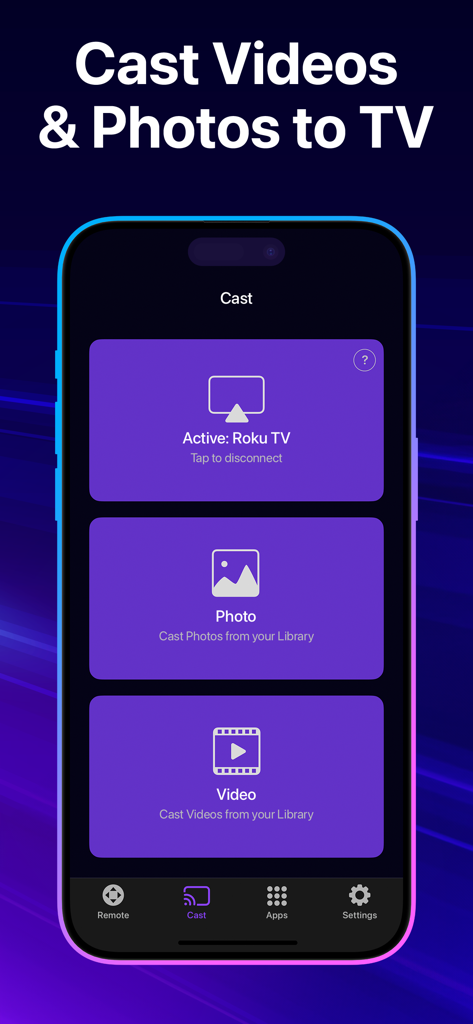
RemoTV app interface displaying options to cast videos and photos from an iPhone to a Roku TV

RemoTV app interface displaying options to cast videos and photos from an iPhone to a Roku TV

Ultimate Control at Your Fingertips

The tools that make this app stand out, trusted by 3M+ users.

⌨️

Lightning-Fast Search

Skip the frustration of hunting for letters on your TV screen. Use your iPhone keyboard to type movie titles, passwords, and search queries in a flash.

📱

Universal Compatibility

One app, total control. Whether you have a Samsung in the living room or a Roku in the bedroom, RemoTV works across all major brands without the clutter of physical remotes.

👆

Intuitive Gesture Control

Navigate menus with natural swipes and taps. Our ultra-responsive touchpad provides a smoother, more modern navigation experience than traditional clicky buttons.

Review Analysis

Insights from user reviews.

Sentiment Score

28%
Negative

Summary

This mobile app receives largely negative feedback due to its aggressive subscription model and inconsistent performance. Many users report high weekly charges, paywalls for basic functionalities like the 'Home' or 'OK' buttons, and unexpected charges even after free trials or cancellations. While some users praise its ease of use and ability to connect flawlessly to their TVs, a significant number experience frequent disconnections, buggy behavior, or an inability to control their devices effectively. Overall, users feel the app is a "cash grab" and often recommend alternative free solutions.

Common Themes

Ease of Use(3)
App Performance(2)

About the app

Everything you need to know about RemoTV: Universal TV Remote.

Description

TV remote always goes missing? Frustrated by complicated controls? Meet RemoTV—the universal smart TV remote always within reach. Compatible with top brands, this app will make your TV viewing experience smooth and intuitive. Dive straight into your digital entertainment without wrestling with your remote to log in or type the movie you want to watch. No more fuss–just fun! RemoTV offers a full range of features that lets you seamlessly switch between channels, adjust the volume, or fine-tune TV settings, all from the comfort of your iPhone. No more guessing which button does what—the intuitive touchpad and keyboard ensure smooth and straightforward navigation. This app makes it easy to manage your TV no matter where you are. Whether you're binge-watching in the living room or catching up on shows from the kitchen, enjoy complete control of your TV from every corner of your home. What you'll love about RemoTV Universal TV remote: the app works on a wide variety of smart TVs. Essential controls: change the volume, fast-forward, switch channels, adjust TV settings, and more. Just like your trusty old remote, but smarter. Handy keyboard: forget about the tedious process of typing on your TV screen. Now you can input your queries right from your iPhone hassle-free. Responsive touchpad: no need to fumble with physical buttons—our touchpad lets you seamlessly glide through menus and scroll content. Effortless setup: just connect your iPhone and TV to the same Wi-Fi network, and you’re good to go—no manuals or elaborate pairing. Instant access to entertainment: launch streaming services and apps in a snap using handy shortcuts. It's time to retire your old remote and discover a new level of comfort with a responsive and ultra-compatible remote control that effortlessly guides you to your desired content. Streamline your TV experience with smart and reliable RemoTV today! PREMIUM SUBSCRIPTION - You can subscribe to get unlimited access to certain app features. - Subscriptions are billed automatically at the rate depending on the selected subscription plan. By using the app, you are agreeing to our Privacy Policy and Terms of Use: https://ascellamobile.com/remotv/privacy/ https://ascellamobile.com/remotv/terms/

Latest Version

3.18

Size

55.9 MB

First Released

Sep 11, 2023

Never Search for the Remote Again

Join over 3 million users who have simplified their home entertainment. Turn your iPhone into the only remote you’ll ever need and start typing, swiping, and streaming with ease.

Download on App Store
FAQ

Frequently Asked Questions

Everything you need to know about RemoTV: Universal TV Remote

Is RemoTV compatible with many TV brands?

Yes, RemoTV functions as a universal TV remote compatible with a wide variety of smart TVs. It supports over 100+ TV brands, ensuring broad device coverage.

How do I set up the RemoTV app?

To set up RemoTV, connect your iPhone and TV to the same Wi-Fi network. No manuals or elaborate pairing are required for the connection.

Does RemoTV include a keyboard for typing on my TV?

Yes, RemoTV provides a handy keyboard feature. You can input text and queries directly from your iPhone, eliminating the tedious process of typing on your TV screen.

Does RemoTV offer a touchpad for navigation?

Yes, the RemoTV app includes a responsive touchpad. This feature allows seamless gliding through menus and content, removing the need to fumble with physical buttons.

What essential TV controls does RemoTV provide?

RemoTV offers essential controls such as changing volume, fast-forwarding, switching channels, and adjusting TV settings. It functions like a smarter version of a traditional remote.

Is there a premium subscription for RemoTV?

Yes, RemoTV offers a premium subscription. This provides unlimited access to certain app features and is billed automatically based on the selected subscription plan.

Where can I find RemoTV's Privacy Policy?

You can find RemoTV's Privacy Policy by visiting the link provided in the app's description: https://ascellamobile.com/remotv/privacy/.

Can RemoTV launch streaming services and apps?

Yes, RemoTV allows instant access to entertainment. You can launch streaming services and various apps quickly using its handy shortcuts.

Does RemoTV support screen mirroring or casting media to my TV?

Yes, RemoTV supports both screen mirroring and casting. You can mirror your phone screen to the TV and cast videos or photos from your library.

Does RemoTV use AI to find movies?

Yes, RemoTV includes an AI feature for finding movies. Users can select preferences like genre or mood to receive AI recommendations for content.

Can I control my TV using RemoTV with widgets?

Yes, RemoTV enables users to control their TV with widgets. This provides quick access to essential remote functions directly from the phone's home screen.

App information, icons, screenshots, and descriptions displayed on this page are sourced from the Apple App Store and are the property of their respective developers. Download estimates and rankings are based on MWM's proprietary models and may not reflect actual figures. This page is provided for informational and analytical purposes only.

Believe this page infringes your intellectual property? File a dispute