Remove Silence - Video Editor

Remove Silence - Video Editor


Download on App Store
Logo of Remove Silence - Video Editor

Remove Silence - Video Editor: Turn Raw Footage Into Snappy Content Instantly

Stop wasting hours on tedious rough cuts. Automatically detect and remove dead air from your vlogs, podcasts, and tutorials while preserving professional 4K HDR quality.

Download on App Store

Publisher

Morning Avocado LLC

Category

Photo & Video

Downloads

0

User Rating

1.0/5

Total Ratings

0

Locales

1

The End of Manual Cuts

Discover the interface used by 0 users.
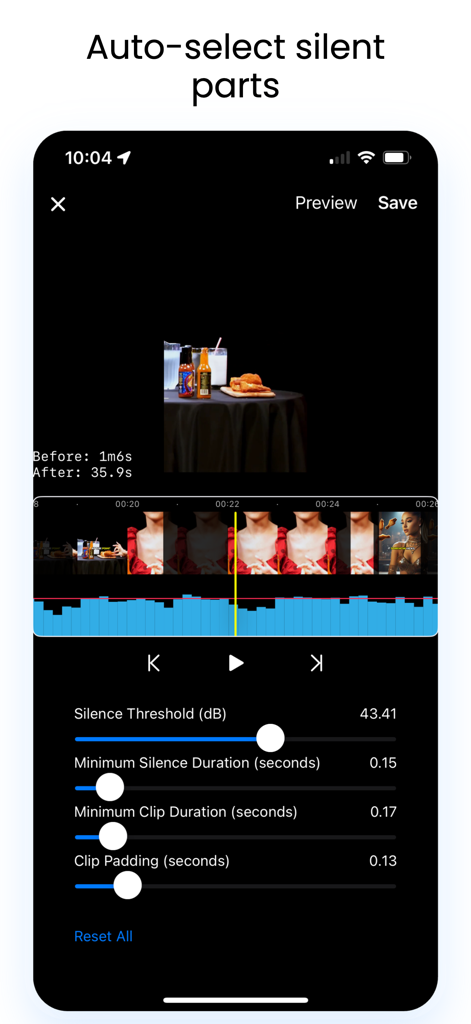
Mobile app interface showing the silence removal tool with audio waveform and adjustment sliders

Mobile app interface showing the silence removal tool with audio waveform and adjustment sliders

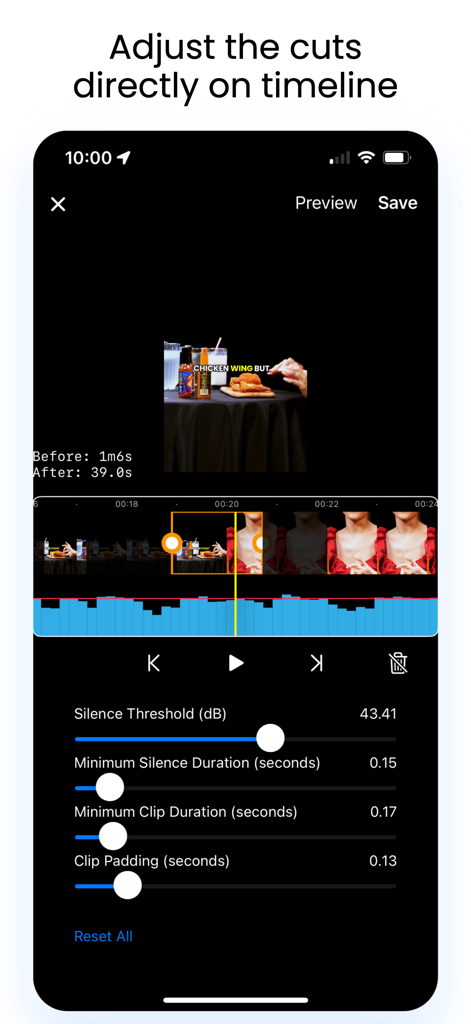
Remove Silence app interface showing settings to auto select and cut silent parts from a video

Remove Silence app interface showing settings to auto select and cut silent parts from a video

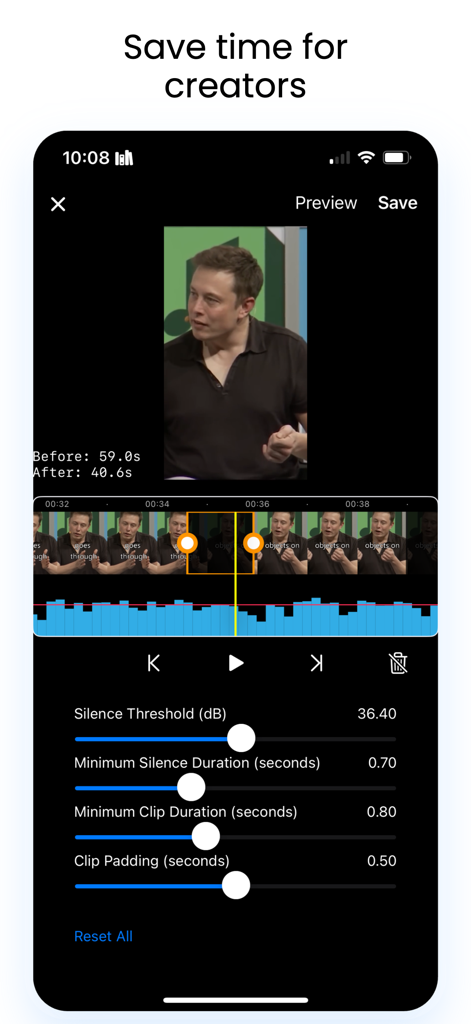
Mobile interface showing video timeline editing with silence threshold and padding adjustments

Mobile interface showing video timeline editing with silence threshold and padding adjustments

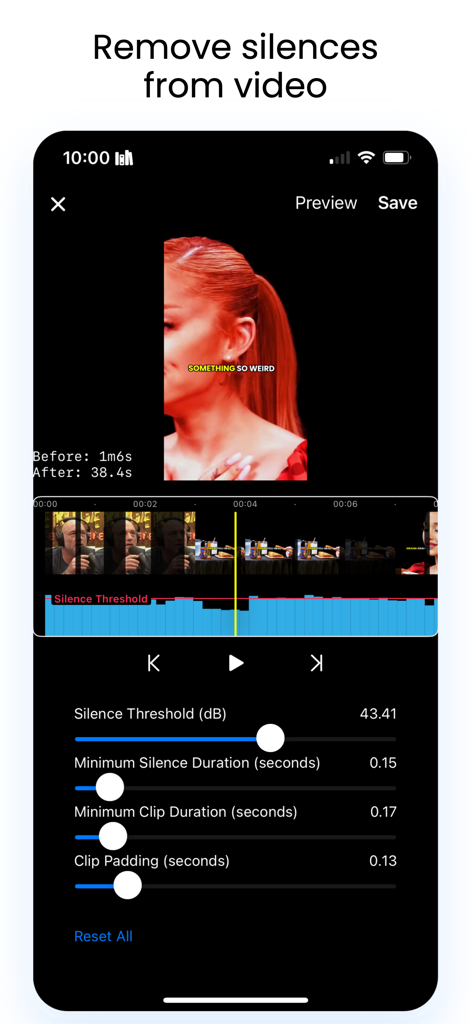
Smartphone screen showing silence removal settings and audio waveform in a video editor app.

Smartphone screen showing silence removal settings and audio waveform in a video editor app.

Master Your Workflow

The tools that make this app stand out, trusted by 0 users.

AI-Powered Smart Cutting

Automatically strip away silences and dead air to create the snappy 'jump-cut' aesthetic that drives social media engagement.

Pro-Grade 4K Export

Never sacrifice quality. Save your edited clips in full HDR and 4K resolution, keeping your content professional and crisp.

🎯

Precision Timeline Control

Fine-tune your edits with adjustable volume thresholds and clip padding for a natural flow that fits your unique speaking style.

About the app

Everything you need to know about Remove Silence - Video Editor.

Description

RemoveSilence helps you remove silences from a video. A huge time saver when editing long videos, podcasts, or livestreams. The app works in these steps: 1. Open the app, select any video from iPhone to edit. 2. Pick an audio volume threshold. The app will automatically remove the clips with volume below the threshold. 3. You can adjust clips directly on the timeline, and then save the shortened video! Features: - Intuitive timeline UI. - Adjustable clip length and paddings. - Save with the highest video quality, preserving HDR and resolution. ---------------- Terms of Use: https://www.apple.com/legal/internet-services/itunes/dev/stdeula/

Latest Version

2.6

Size

8.9 MB

First Released

May 7, 2025

Stop Manually Cutting Dead Air

Turn hours of tedious editing into seconds. Download Remove Silence now and give your videos the high-retention pace your audience craves.

Download on App Store

App information, icons, screenshots, and descriptions displayed on this page are sourced from the Apple App Store and are the property of their respective developers. Download estimates and rankings are based on MWM's proprietary models and may not reflect actual figures. This page is provided for informational and analytical purposes only.

Believe this page infringes your intellectual property? File a dispute