
This page is not an official page of the app or its developer, but an independent editorial publication created for informational and commentary purposes. Unless expressly stated otherwise, neither the app nor its developer is affiliated with, endorsed by, sponsored by, authorized by, or otherwise officially connected with MWM, Apple, Google Play, the app publisher, or the app's developer, and nothing on this page implies that the app was developed using MWM's services. Any trademarks, logos, screenshots, and other content remain the property of their respective owners.


Resident Portal Mobile
Join millions of residents who manage rent, maintenance, and community amenities with secure biometric login and frictionless mobile tools designed for your modern lifestyle.
Downloads
3M+User Rating
Total Ratings
237K+Publisher
Category
LifestyleLocales
5Latest Version
5.63.0Size
163.6 MBFirst Released
Apr 16, 2014Smart Living, Simplified
Experience the future of renting with a mobile-first portal designed to handle your home essentials in seconds.
One-Tap Rent Payments
Say goodbye to paper checks. Set up recurring payments or pay instantly with Face ID for a secure, frictionless financial experience.
Snap & Solve Maintenance
Reporting issues is faster than ever. Take a photo of the problem and track the status of your request directly from your phone.
Frequently Asked Questions
Everything you need to know about Resident Portal Mobile
How can I pay rent using the Resident Portal Mobile app?
The Resident Portal Mobile app allows residents to make one-time payments, schedule recurring payments, use One-Tap Pay, or Pay by Voice. It remembers your last payment method and shows your exact balance.
Can I submit maintenance requests through the Resident Portal Mobile app?
Yes, the Resident Portal Mobile app allows users to submit maintenance requests directly. You can also use your smartphone's camera to take and attach pictures of the maintenance issue.
What payment options are available in the Resident Portal Mobile app?
The Resident Portal Mobile app accepts debit/credit card payments and bank account ACH payments. Convenience fees may apply for card payments, but ACH payments typically have no fee.
Does the Resident Portal Mobile app offer secure login options?
Yes, the Resident Portal Mobile app provides secure login options including Touch ID for fingerprint authentication and Face ID for facial authentication on iPhone X and newer models.
How does the Resident Portal Mobile app help me remember to pay rent?
The Resident Portal Mobile app features RentNotify, which sends push notifications directly to your device, reminding you to pay rent when it is due.
Can I reserve amenities using the Resident Portal Mobile app?
Yes, the Resident Portal Mobile app allows residents to schedule amenities at their property. The "Community" section also lists "Amenities" for scheduling and catalog viewing.
How do I contact my property management using the Resident Portal Mobile app?
The Resident Portal Mobile app includes a "Contact Property" feature. It automatically routes calls to the appropriate after-hours number when the office is closed, ensuring communication.
What kind of inspections can I complete with the Resident Portal Mobile app?
The Resident Portal Mobile app enables residents to complete move-in, maintenance, and other inspections directly from their mobile device, streamlining property management processes.
Who can use the Resident Portal Mobile app?
The Resident Portal Mobile app is exclusively for residents of properties that utilize Entrata's ResidentPortal and ResidentPay products.
Can I view community events and announcements in the Resident Portal Mobile app?
Yes, the Resident Portal Mobile app allows you to view upcoming community events like "Free Donut Day" and "Property Pizza Party". It also displays important announcements and alerts.
The following screenshots and description are sourced directly from the app's official store listing and are the property of the app developer.
App Store
Screenshots
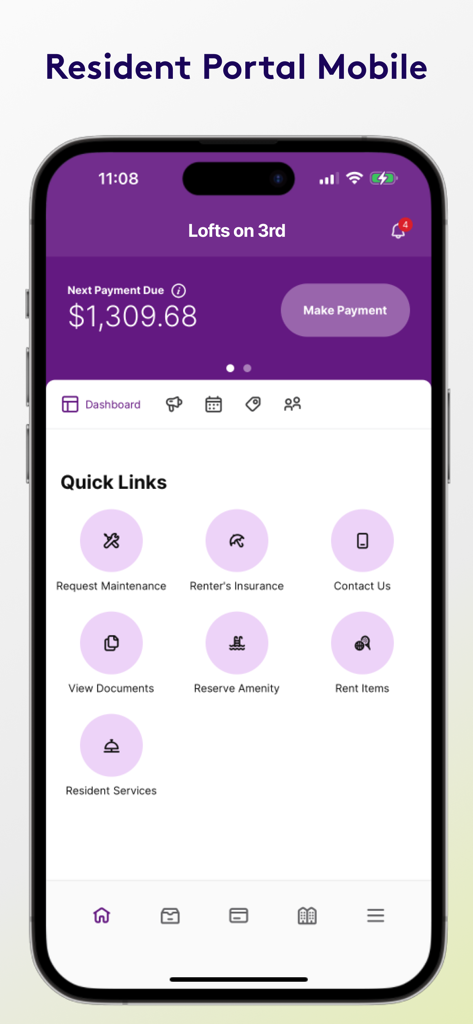
Resident Portal Mobile app dashboard showing rent payment status and maintenance request links
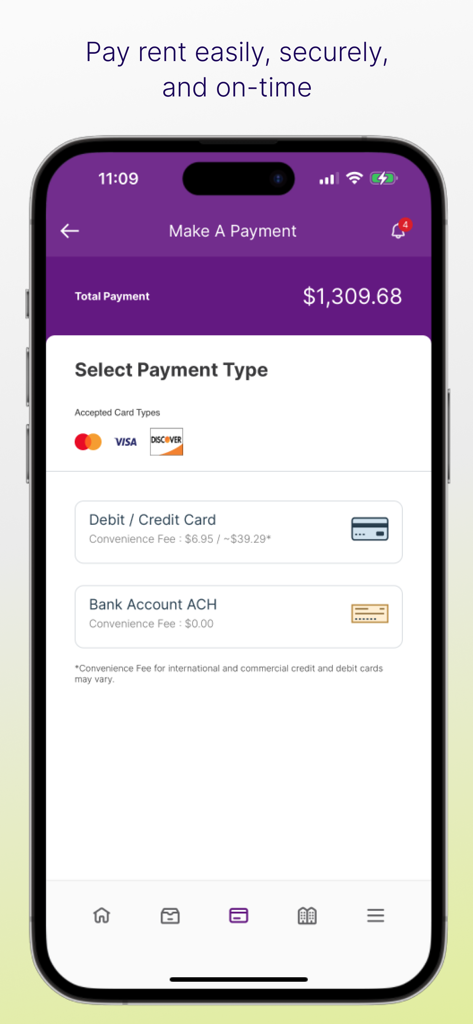
The Make A Payment screen of the Resident Portal app showing a rent balance and options to pay via credit card or bank account
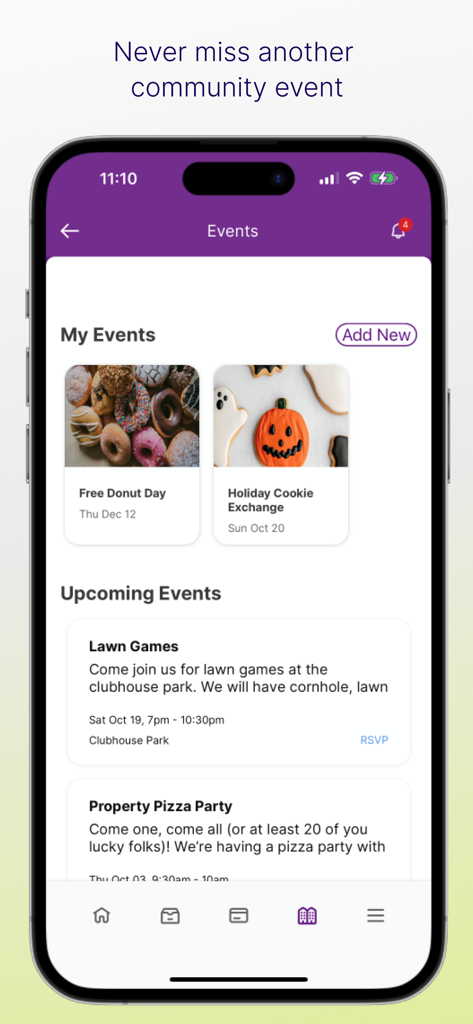
Resident Portal Mobile app community events screen showing upcoming social activities
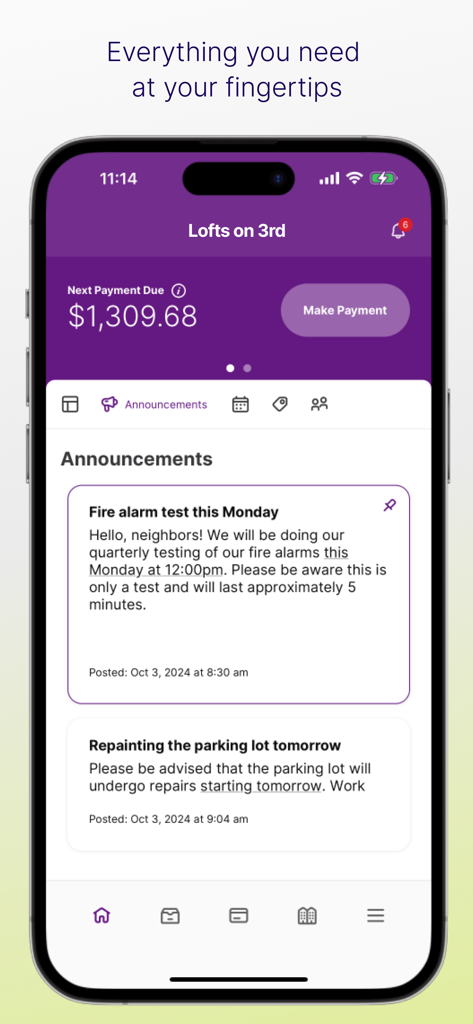
Dashboard of the Resident Portal Mobile app showing a rent payment balance and apartment community announcements.
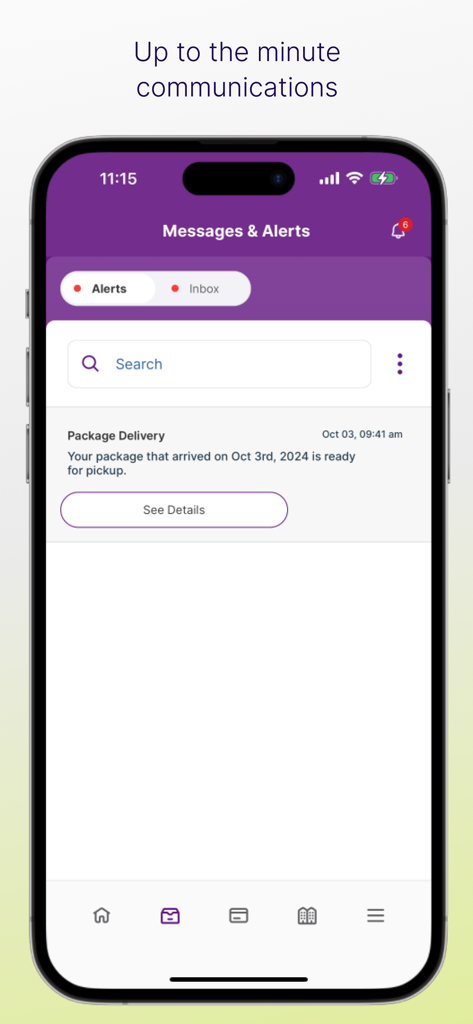
Resident Portal Mobile app interface showing a package delivery alert notification
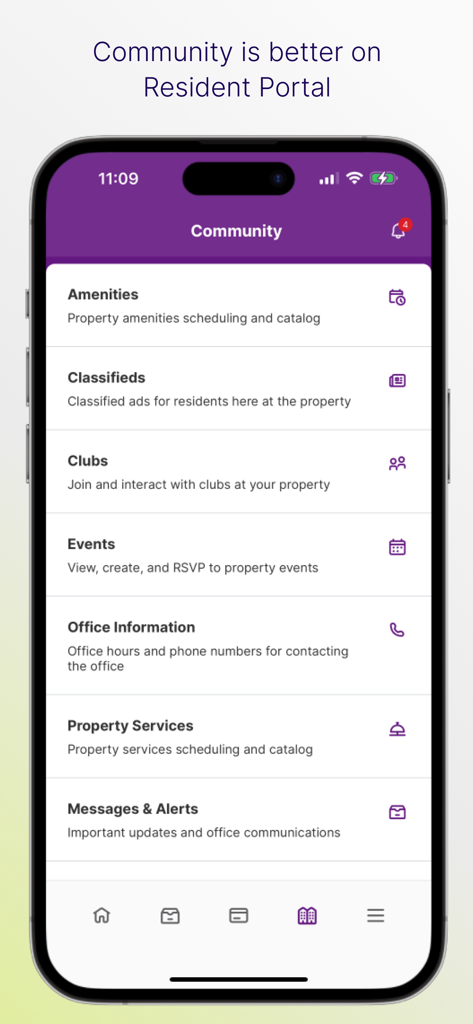
Resident Portal Mobile app community screen showing amenities clubs events and property services
Description
Download
More Like This
Apps with similar features and user experience

RentCafe Resident
Yardi Systems, Inc.

ButterflyMX
ButterflyMX, Inc.

Kigo - Parkimovil
Servicios Geo Enlace, S.A. de C.V.

Resident Center
Buildium, LLC

Parcel Pending Mobile
Parcel Pending Inc

TurboTenant for Renters
TurboTenant, Inc.

i-City SuperApp
ICITY PROPERTIES SDN BHD

Nash dom
SPUTNIK, OOO

Vinhomes Resident
VINSMART RESEARCH AND MANUFACTURE JOINT STOCK COMPANY
This page is not an official page of the app or its developer, but an independent editorial publication created for informational and commentary purposes. Unless expressly stated otherwise, neither the app nor its developer is affiliated with, endorsed by, sponsored by, authorized by, or otherwise officially connected with MWM, Apple, Google Play, the app publisher, or the app's developer, and nothing on this page implies that the app was developed using MWM's services. Any trademarks, logos, screenshots, and other content remain the property of their respective owners.