
This page is not an official page of the app or its developer, but an independent editorial publication created for informational and commentary purposes. Unless expressly stated otherwise, neither the app nor its developer is affiliated with, endorsed by, sponsored by, authorized by, or otherwise officially connected with MWM, Apple, Google Play, the app publisher, or the app's developer, and nothing on this page implies that the app was developed using MWM's services. Any trademarks, logos, screenshots, and other content remain the property of their respective owners.


Parcel Pending Mobile
Join over 1 million users who have reclaimed their time and security. Get real-time delivery alerts, open locker doors with a single tap, and manage your packages 24/7—all from your smartphone.
Downloads
1M+User Rating
Total Ratings
55K+Publisher
Category
UtilitiesLocales
2Latest Version
1.35.7Size
34.0 MBFirst Released
Apr 3, 2018Package Management Made Effortless
Designed for your busy urban lifestyle, our app gives you 24/7 access to your deliveries while keeping them secure and organized.
One-Touch Locker Access
Open your locker doors instantly via Bluetooth. No more fumbling with codes or touching communal keypads.
Real-Time Delivery Alerts
Stay informed with instant push notifications and track your package history from arrival to pickup.
Frequently Asked Questions
Everything you need to know about Parcel Pending Mobile
How do I register for the Parcel Pending Mobile app?
Users register for Parcel Pending Mobile by entering a welcome code or their email address associated with their property on the "New Account" screen.
Can I view my package history in the Parcel Pending Mobile app?
Yes, the Parcel Pending Mobile app allows users to view both their pending packages and their complete package history directly within the application.
How do I manage notification preferences in Parcel Pending Mobile?
The Parcel Pending Mobile app enables users to manage their notification preferences, including opting for email or text/SMS alerts for package deliveries.
Does Parcel Pending Mobile provide real-time package delivery alerts?
Yes, the Parcel Pending Mobile app provides real-time alerts to users when their packages are delivered, ensuring timely notifications.
How do I open a Parcel Pending locker with the app?
Users open Parcel Pending locker doors directly with the app by pressing a button, provided their device's Bluetooth is enabled.
Can I set a vacation mode in the Parcel Pending Mobile app?
Yes, the Parcel Pending Mobile app allows users to set up vacation mode by specifying start and end dates to avoid potential storage fees.
How do I add other residents to my Parcel Pending account?
The Parcel Pending Mobile app allows users to add other occupants in their residence to their account, ensuring they also receive their packages in the locker.
What payment methods does Parcel Pending Mobile accept?
The Parcel Pending Mobile app accepts Visa, Mastercard, and American Express for managing payment information, as shown on the billing screen.
How do I update my payment card information in Parcel Pending Mobile?
Users update their card information in the Parcel Pending Mobile app by navigating to the "Billing" section and editing the expiration date or adding a new primary card.
Where can I find support for the Parcel Pending Mobile app?
Support for Parcel Pending Mobile is available through an FAQ library at parcelpending.com/residents, or by contacting support directly via call or message within the app.
The following screenshots and description are sourced directly from the app's official store listing and are the property of the app developer.
App Store
Screenshots
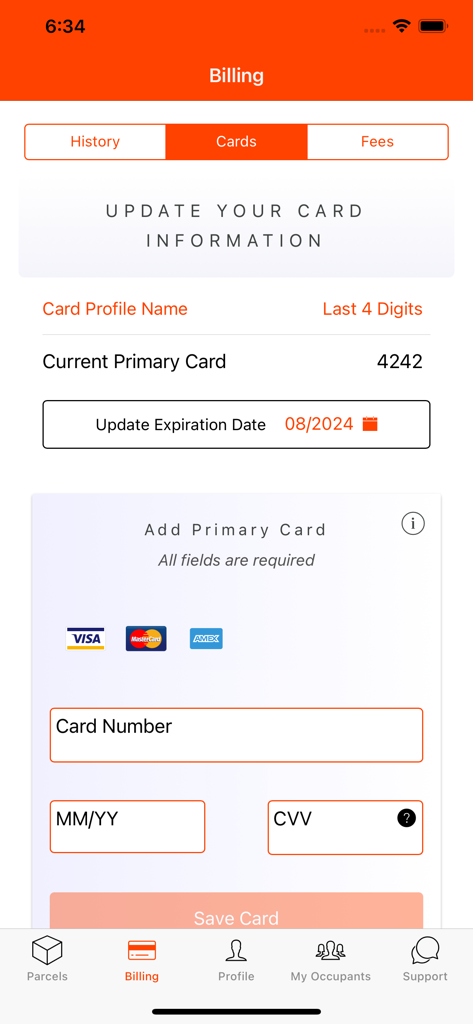
Billing screen in the Parcel Pending mobile app showing options to update or add a primary payment card.
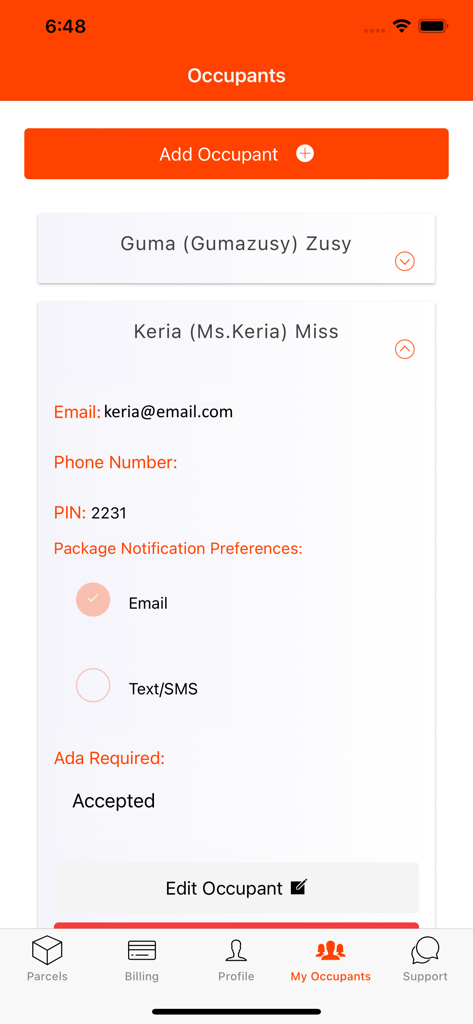
A screen in the Parcel Pending mobile app showing how to manage and add occupants in a residence including notification preferences and PIN settings
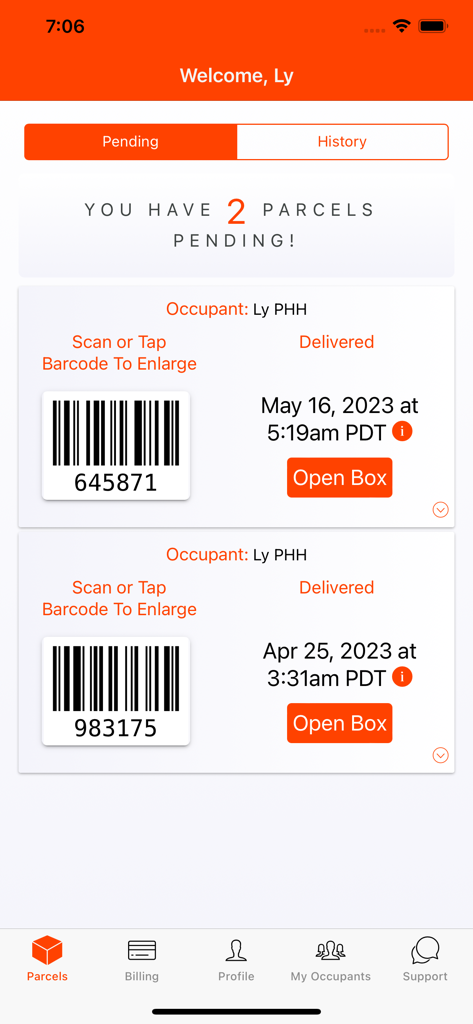
Parcel Pending Mobile app interface showing two pending packages with barcodes and open box buttons.
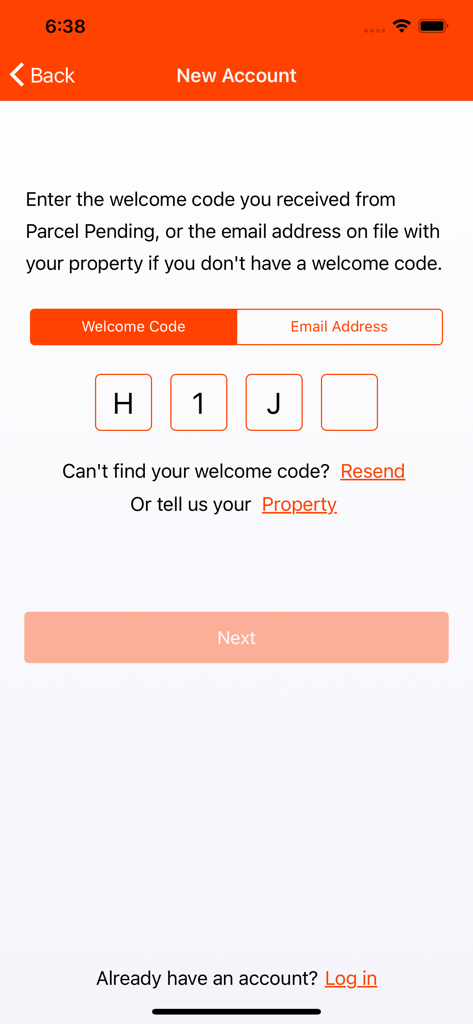
Parcel Pending Mobile registration screen for entering a welcome code to create a new account.
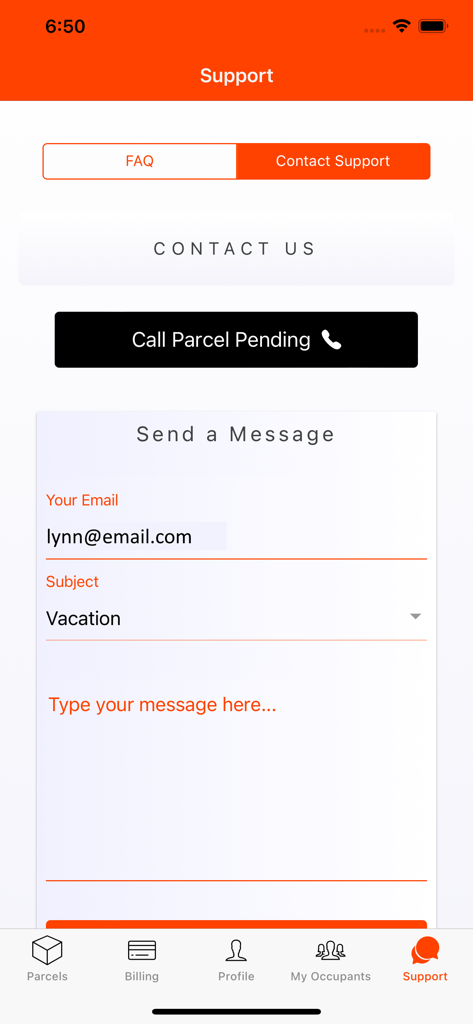
A support screen in the Parcel Pending mobile app featuring contact options and a message form
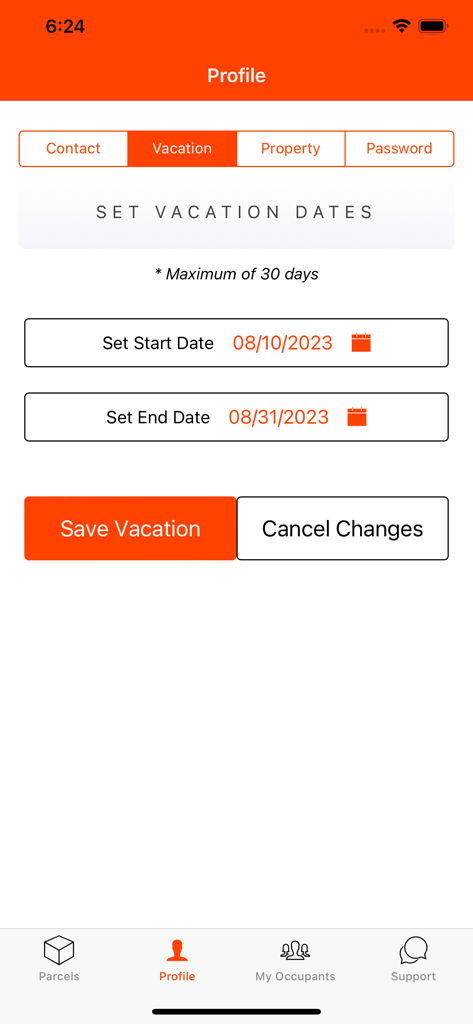
Parcel Pending Mobile app vacation mode screen for setting delivery suspension dates
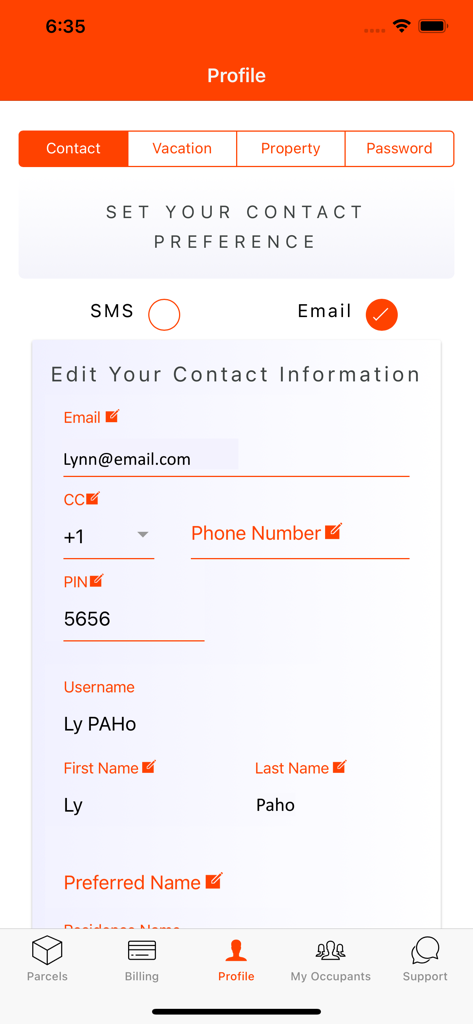
Profile screen of the Parcel Pending Mobile app showing contact information and notification preferences
Description
Download
More Like This
Apps with similar features and user experience

RentCafe Resident
Yardi Systems, Inc.

ButterflyMX
ButterflyMX, Inc.

Resident Portal Mobile
Entrata, Inc.

Kigo - Parkimovil
Servicios Geo Enlace, S.A. de C.V.

Resident Center
Buildium, LLC

TurboTenant for Renters
TurboTenant, Inc.

i-City SuperApp
ICITY PROPERTIES SDN BHD

Nash dom
SPUTNIK, OOO
Urbanice
URBAN LIVING TECHNOLOGY COMPANY LIMITED
This page is not an official page of the app or its developer, but an independent editorial publication created for informational and commentary purposes. Unless expressly stated otherwise, neither the app nor its developer is affiliated with, endorsed by, sponsored by, authorized by, or otherwise officially connected with MWM, Apple, Google Play, the app publisher, or the app's developer, and nothing on this page implies that the app was developed using MWM's services. Any trademarks, logos, screenshots, and other content remain the property of their respective owners.