
This page is not an official page of the app or its developer, but an independent editorial publication created for informational and commentary purposes. Unless expressly stated otherwise, neither the app nor its developer is affiliated with, endorsed by, sponsored by, authorized by, or otherwise officially connected with MWM, Apple, Google Play, the app publisher, or the app's developer, and nothing on this page implies that the app was developed using MWM's services. Any trademarks, logos, screenshots, and other content remain the property of their respective owners.


Reverb: Buy & Sell Music Gear
No more dusty classifieds. It puts global gear trade in your pocket.
Downloads
2.5M+User Rating
Total Ratings
246.5KPublisher
Category
ShoppingLocales
6Latest Version
6.76.0Size
167.7 MBFirst Released
Aug 4, 2013An assessment of functionalities driving user engagement and value for music enthusiasts.
Reverb: Core Functionality Overview
Global Marketplace for Diverse Gear
The app provides access to an expansive global marketplace featuring new, used, and vintage musical instruments and audio equipment from various brands and sellers worldwide.
Streamlined Selling Process
It allows users to easily list their unused instruments for sale, reaching a global community of potential buyers with a simple, quick listing creation process.
Smart Acquisition Tools
This tool features intelligent functions such as watching listings for price drops, saving custom searches for specific gear availability, and making direct offers to secure optimal deals.
Integrated Communication & Seller Management
The platform facilitates direct messaging between buyers and sellers for detailed inquiries, and provides sellers with comprehensive tools to manage listings, respond to offers, and promote items efficiently.
Frequently Asked Questions
Everything you need to know about Reverb: Buy & Sell Music Gear
How can I sell my music gear using the Reverb app?
The Reverb app allows users to list gear for free by taking photos, writing a description, and setting a price. Users can also respond to offers and manage their shop from within the app.
Does the Reverb app allow users to make offers on listings?
Yes, the Reverb app allows users to make offers on listings to negotiate prices. It also provides a clear interface to counter offers from sellers.
What types of music gear can I buy on Reverb?
Reverb offers a huge selection of new, used, and vintage music gear, including guitars, pedals, synthesizers, drums, and microphones. It features items from various brands and sellers worldwide.
Can I track price changes on items in the Reverb app?
Yes, Reverb users can watch listings to receive notifications when prices drop. The app also highlights "Price Drop" alerts directly on item listings for easy identification.
How do I manage my music gear collection within the Reverb app?
The Reverb app includes a "Collection" feature where users can view their current gear, archived items, and organized lists. It displays the estimated current value of their entire collection.
Is it free to list items for sale on Reverb?
Yes, users can list gear for sale for free on the Reverb app. The process is simple, requiring users to take photos, write a description, and set a price.
Can I save searches for specific music gear on Reverb?
Yes, users can save searches for specific music gear, such as "Fender electric guitars," filtered by condition, year, and price. The app notifies them when desired gear becomes available.
Does the Reverb app provide educational content about music gear?
Yes, the Reverb app provides educational content including gear demos, artist interviews, and video lessons. Users can also read about gear history and production techniques.
How do I communicate with sellers on the Reverb app?
The Reverb app allows users to message sellers directly from any listing to request more details. This feature facilitates informed purchasing decisions and communication.
Can I promote my listings on Reverb?
Yes, sellers can manage their shop by promoting listings with the "Bump" feature to increase visibility. They also have the option to update prices to optimize their sales.
The following screenshots and description are sourced directly from the app's official store listing and are the property of the app developer.
App Store
Screenshots

Discover a diverse array of music gear through the personalized 'Your Feed' and effortlessly track desired items with the 'From Your Watch List' section.
Curated Gear Feed
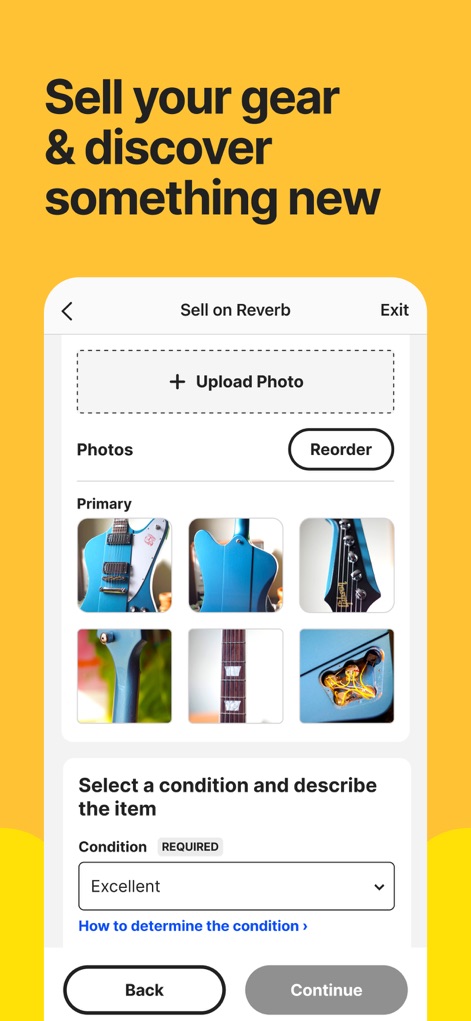
Users can seamlessly list items by utilizing the intuitive 'Upload Photo' feature and precisely categorize their gear's state with the 'Select a condition' dropdown.
Effortless Selling Interface
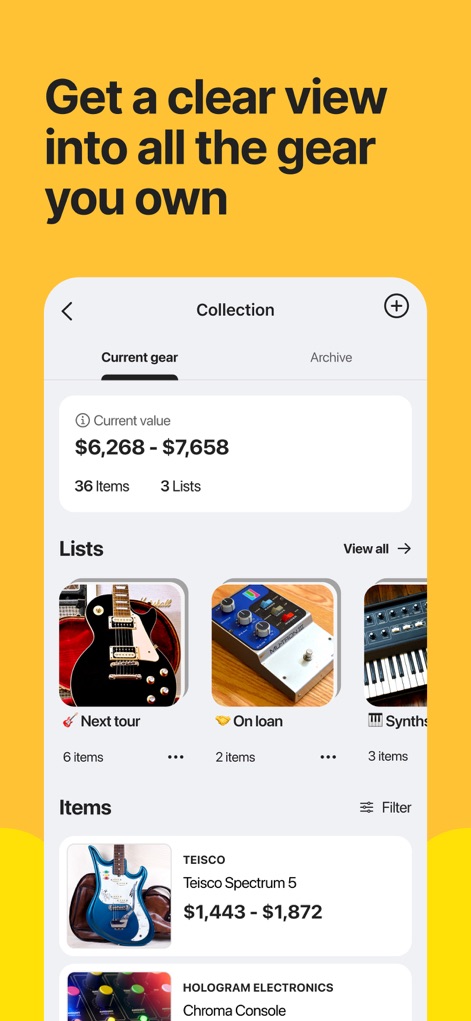
Gain comprehensive oversight of your instrument collection, including a clear 'Current value' estimate and organized 'Lists' for easy management.
Manage Your Collection
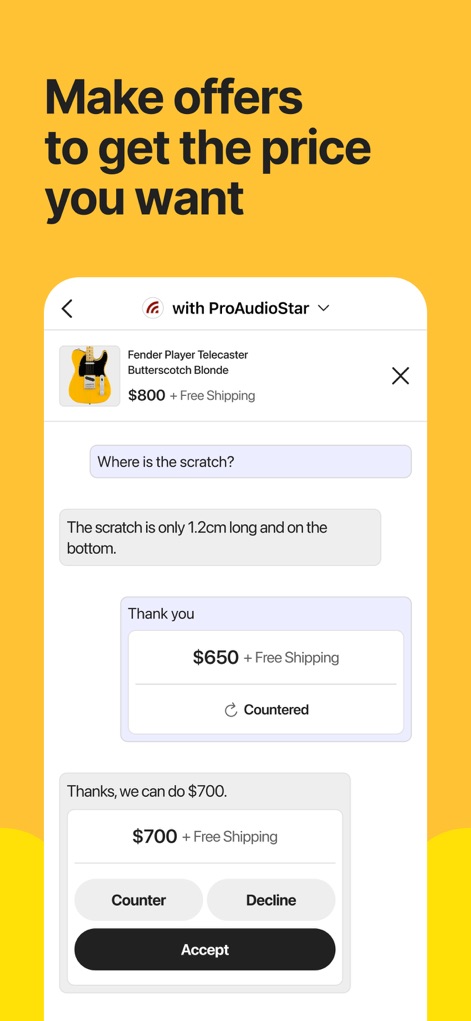
The app facilitates direct negotiations, allowing users to make and receive offers, and finalize agreements with clear 'Counter' and 'Accept' options.
Dealmaking Conversations
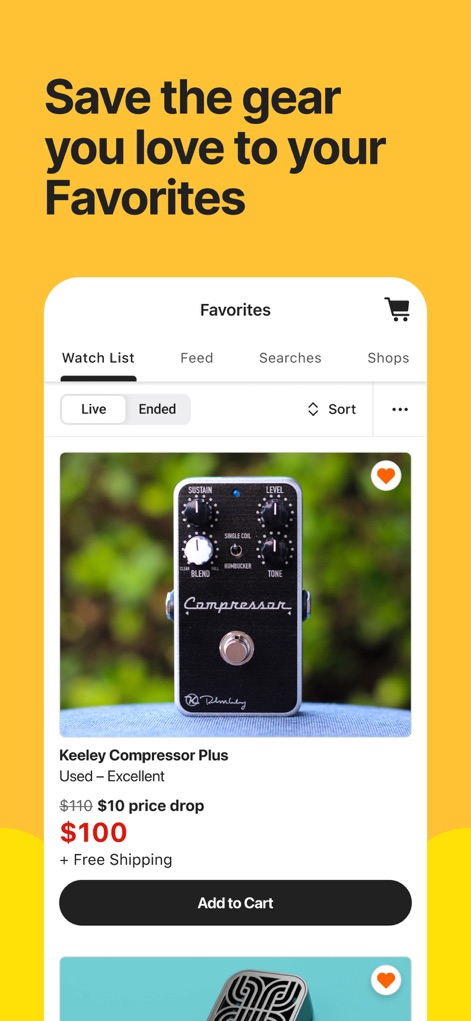
Keep tabs on sought-after instruments within the 'Favorites' section, which clearly highlights 'Price drop' notifications and offers direct 'Add to Cart' functionality.
Track Desired Gear
Description
Download
More Like This
Apps with similar features and user experience

微店 - 头号玩家带你入坑
Beijing Koudai Technology Co., Ltd.

Chrono24 | Luxury Watch Market
Chrono24 GmbH

斗泉 - 斗一下,泉知道
Hangzhou Zhequan Network Technology Co., Ltd.

Alt: Buy & Sell Cards
Alt Platform, Inc.

SidelineSwap
SidelineSwap, Inc
PokeHub - for TCG Pocket
Meta Innovation Limited

MorphMarket
MorphMarket LLC

Courtyard - Trading Cards
Courtyard, Inc.

Tilt: Shop Live Fashion Deals
Retro Labs Ltd
This page is not an official page of the app or its developer, but an independent editorial publication created for informational and commentary purposes. Unless expressly stated otherwise, neither the app nor its developer is affiliated with, endorsed by, sponsored by, authorized by, or otherwise officially connected with MWM, Apple, Google Play, the app publisher, or the app's developer, and nothing on this page implies that the app was developed using MWM's services. Any trademarks, logos, screenshots, and other content remain the property of their respective owners.