Reverse Audio - Sing & play
Download on App Store

This page is not an official page of the app or its developer, but an independent editorial publication created for informational and commentary purposes. Unless expressly stated otherwise, neither the app nor its developer is affiliated with, endorsed by, sponsored by, authorized by, or otherwise officially connected with MWM, Apple, Google Play, the app publisher, or the app's developer, and nothing on this page implies that the app was developed using MWM's services. Any trademarks, logos, screenshots, and other content remain the property of their respective owners.


Logo of Reverse Audio - Sing & play
Download on App Store

Reverse Audio - Sing & play

Record your voice, flip it backwards, and challenge your friends to mimic the madness. The ultimate pass-and-play party game for instant laughter with no accounts or sign-up required.

Key Figures

Downloads

6K+

User Rating

1.0/5

Total Ratings

0

Publisher

Purpl AS

Category

Music

Locales

1

Latest Version

1.0.2

Size

1.3 MB

First Released

Sep 9, 2025
Features

Flip the Fun with Reverse Karaoke

Challenge your friends to mimic the impossible. Record, reverse, and laugh at the hilarious results in seconds.

The Ultimate Party Game

Pass the phone and challenge your friends to mimic your reversed voice. It’s the perfect icebreaker for parties and family nights.

Zero Friction, Pure Play

No accounts, no logins, and no complexity. Just three giant buttons and instant audio magic that works anywhere, even offline.

The following screenshots and description are sourced directly from the app's official store listing and are the property of the app developer.

App Store

Screenshots
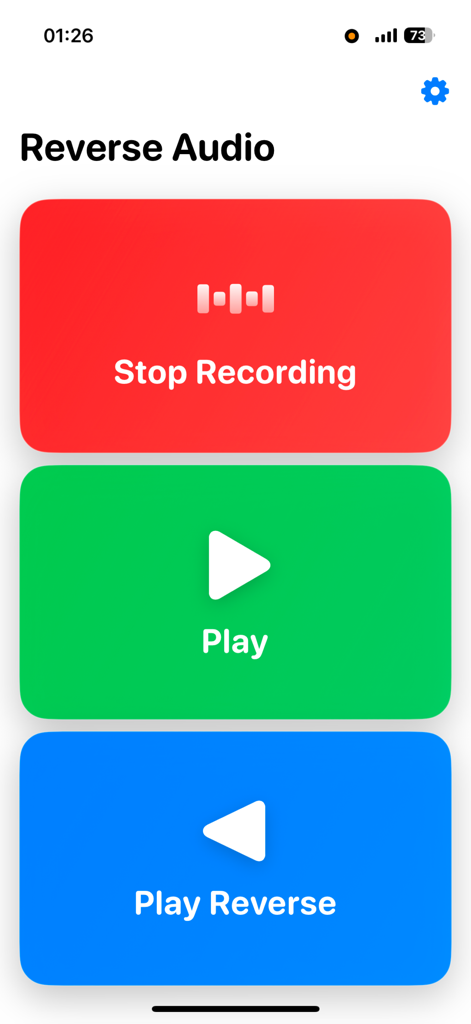
Reverse Audio - Sing & play - Main screen of the Reverse Audio app featuring three large colorful buttons for recording, playing, and reverse playback.
Main screen of the Reverse Audio app featuring three large colorful buttons for recording, playing, and reverse playback.

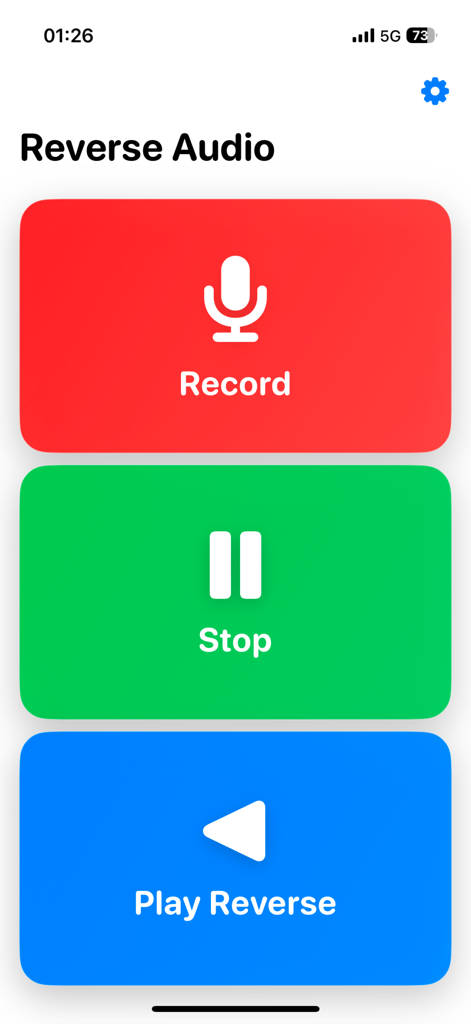
Reverse Audio - Sing & play - Main screen of the Reverse Audio app showing three large buttons for Record Stop and Play Reverse

Main screen of the Reverse Audio app showing three large buttons for Record Stop and Play Reverse
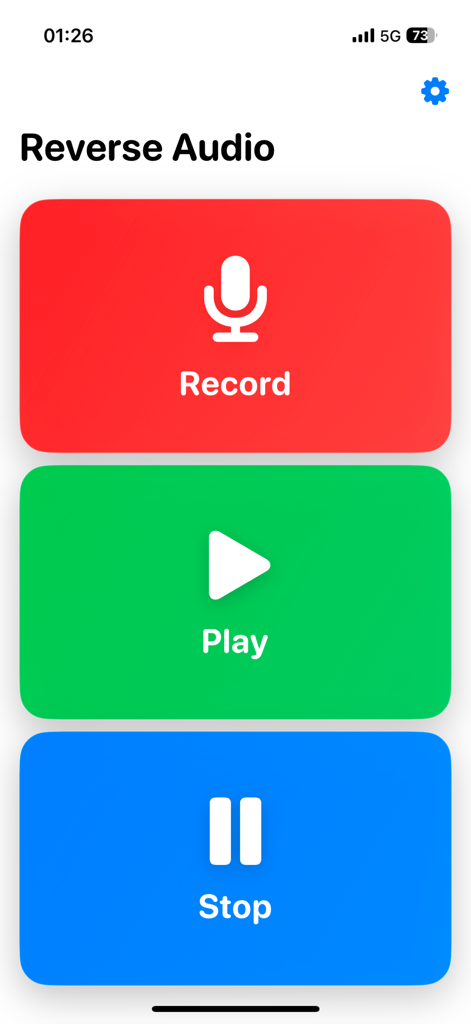
Reverse Audio - Sing & play - Main interface of the Reverse Audio app with three large colorful buttons for Record Play and Stop.
Main interface of the Reverse Audio app with three large colorful buttons for Record Play and Stop.

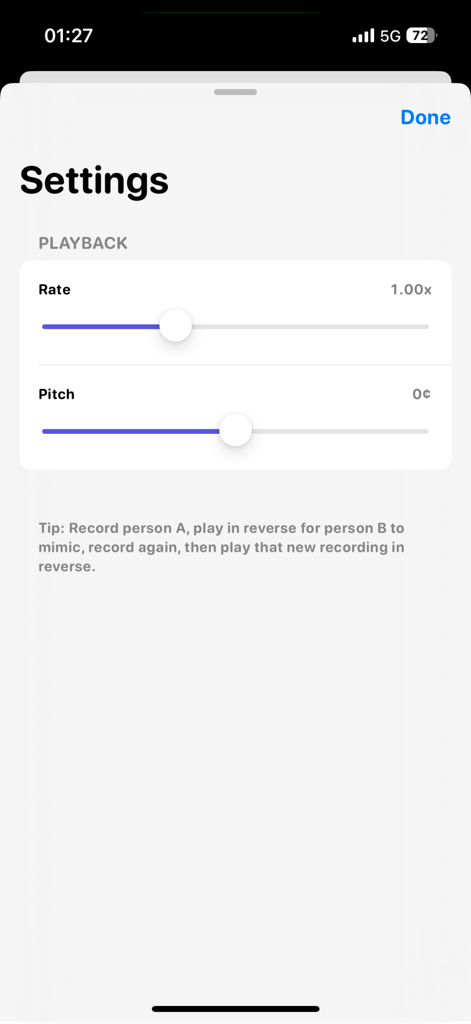
Reverse Audio - Sing & play - Settings screen for adjusting playback rate and pitch in the Reverse Audio app

Settings screen for adjusting playback rate and pitch in the Reverse Audio app

Description

Reverse Audio – Sing it Backwards! Turn any lyric into a hilarious, brain-twisting challenge. Reverse Karaoke records your voice, plays it backwards, and lets a friend try to imitate the reversed line—t hen flips their attempt back to normal for the big reveal. It’s the perfect party game, music practice tool, and audio playground rolled into one. What it does: - Record yourself singing a short line from a song (or say any phrase). - Play your recording forward to check it. - Play in reverse to hear the line backwards. - Hand the phone to a friend: they record themselves mimicking the reversed audio. - Flip their take back to normal and laugh at the results! Why you’ll love it - Ultra-simple design: Three giant buttons—Record, Play, Play Reverse—each takes up a third of the screen. No clutter. No confusion. Just tap and go. - Creative controls: In Settings, adjust playback rate (slow down to learn a tricky melody, speed up for fun), pitch shift (transpose up or down), and loop playback for practice or performance. - Instant fun for two (or more): Pass-and-play gameplay makes it perfect for parties, family nights, classrooms, and jam sessions. - Great for musicians: Practice ear training, experiment with backwards phrasing, explore backmasking effects, and hear how timing and articulation change when reversed. - Audio sandbox: Try tongue twisters, iconic movie quotes, or your favorite chorus. Reverse Karaoke turns them into fresh vocal puzzles. - On-device recording: Works offline. No account. No sign-in. Your audio stays on your device How to play (classic 2-person mode): Person A taps Record, sings a short line, taps Stop. Tap Play Reverse and let Person B listen to the backwards version. Person B taps Record and imitates what they hear (the reversed line). Tap Play Reverse on B’s recording—hear the magic when it flips back! Tip: Use Loop in Settings so the reversed line repeats while Person B practices. Lower the playback speed (e.g., 0.75×) to learn tricky syllables, then bring it back to 1.0×. Features at a glance: One-screen UI with three giant buttons (Record / Play / Play Reverse) Settings sheet with: - Playback Rate (time-stretch): 0.5× – 2.0× - Pitch Shift (transpose in cents): down or up for effect or practice Works offline; no account required Perfect for: - Party game, karaoke night, and icebreakers - Singers, choirs, vocal coaches, music students - Content creators experimenting with reverse audio, backmasking, time-stretching, pitch shifting - Language learners and actors practicing articulation and rhythm - Families & classrooms looking for a fun voice challenge Terms of use: https://immersive-rc.webflow.io/work/blondie-terms-of-use Privacy policy: https://immersive-rc.webflow.io/work/blondie-privacy

Download

Download on App Store

This page is not an official page of the app or its developer, but an independent editorial publication created for informational and commentary purposes. Unless expressly stated otherwise, neither the app nor its developer is affiliated with, endorsed by, sponsored by, authorized by, or otherwise officially connected with MWM, Apple, Google Play, the app publisher, or the app's developer, and nothing on this page implies that the app was developed using MWM's services. Any trademarks, logos, screenshots, and other content remain the property of their respective owners.







