Rhythm+
Rhythm+
Download on App Store

This page is not an official page of the app or its developer, but an independent editorial publication created for informational and commentary purposes. Unless expressly stated otherwise, neither the app nor its developer is affiliated with, endorsed by, sponsored by, authorized by, or otherwise officially connected with MWM, Apple, Google Play, the app publisher, or the app's developer, and nothing on this page implies that the app was developed using MWM's services. Any trademarks, logos, screenshots, and other content remain the property of their respective owners.


Logo of Rhythm+
Download on App Store

Rhythm+

Master complex polyrhythms, irrational tuplets, and multi-track grooves with ease. Professional precision meets intuitive design for the most demanding musicians and educators.

Key Figures

Downloads

5K+

User Rating

4.6/5

Total Ratings

0

Publisher

Berserk Software AS

Category

Music

Locales

1

Latest Version

1.5

Size

32.9 MB

First Released

Dec 18, 2019
Features

Precision Redefined for Serious Musicians

Bridge the gap between simple metronomes and complex notation software with a powerful tool designed for practice, teaching, and mastering intricate rhythms.

Full Rhythmic Notation

Input any rhythm exactly as it appears on the page. Use a dedicated notation keyboard to create everything from simple grooves to complex nested tuplets.

Automated Practice Mode

Master difficult passages with precision tempo ramping. Organize your exercises into folders and share them instantly with students or collaborators.

The following screenshots and description are sourced directly from the app's official store listing and are the property of the app developer.

App Store

Screenshots
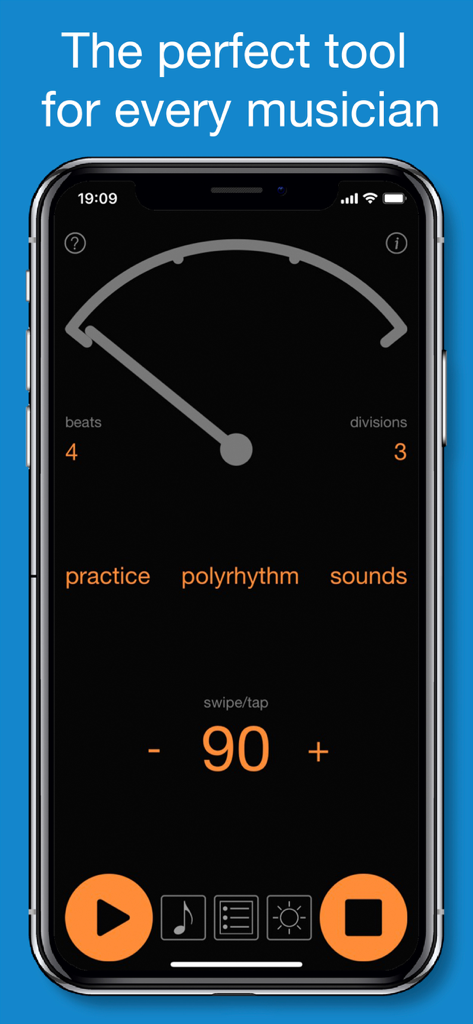
Rhythm+ - Rhythm plus app showing a professional metronome interface in pendulum mode with tempo set to 90 BPM
Rhythm plus app showing a professional metronome interface in pendulum mode with tempo set to 90 BPM

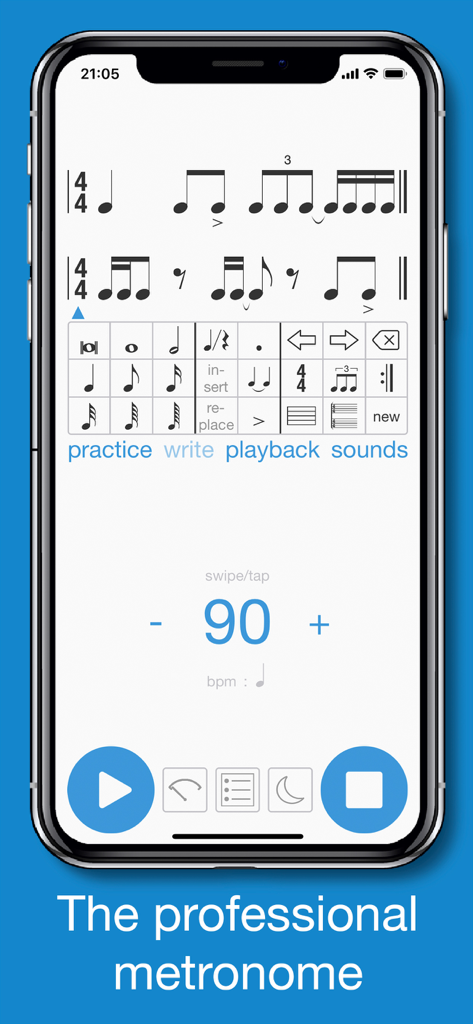
Rhythm+ - Rhythm+ app interface showing rhythmic notation mode and professional metronome settings at 90 bpm.
Rhythm+ app interface showing rhythmic notation mode and professional metronome settings at 90 bpm.

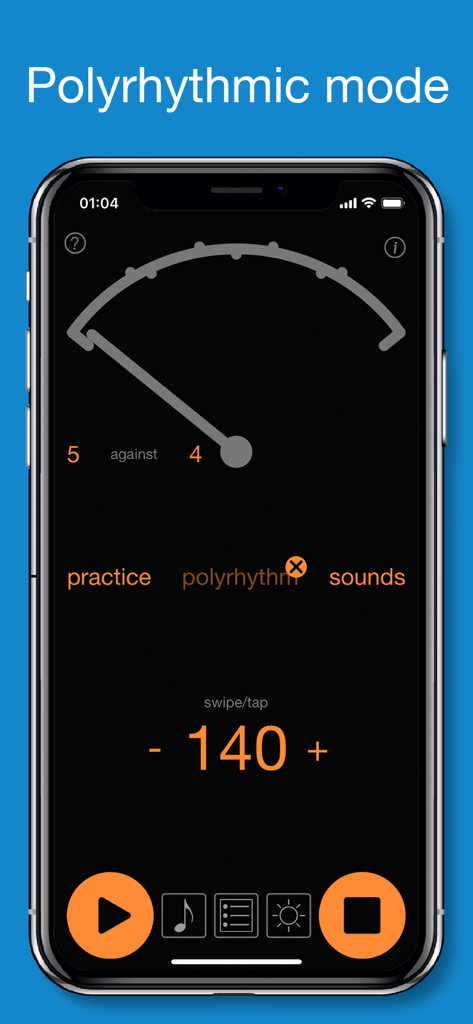
Rhythm+ - Rhythm+ app interface showing polyrhythmic mode with 5 against 4 setting at 140 BPM
Rhythm+ app interface showing polyrhythmic mode with 5 against 4 setting at 140 BPM

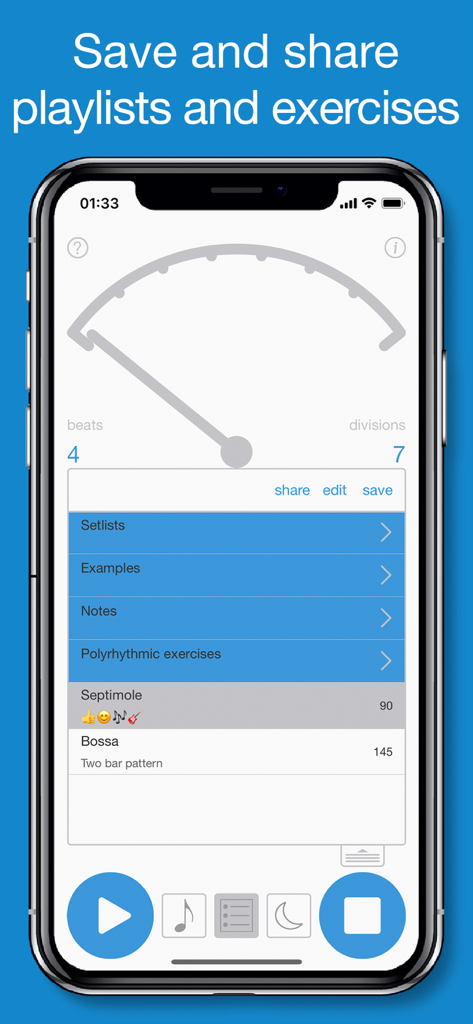
Rhythm+ - Rhythm plus app interface showing the playlist and folder organization for saving and sharing musical exercises.
Rhythm plus app interface showing the playlist and folder organization for saving and sharing musical exercises.

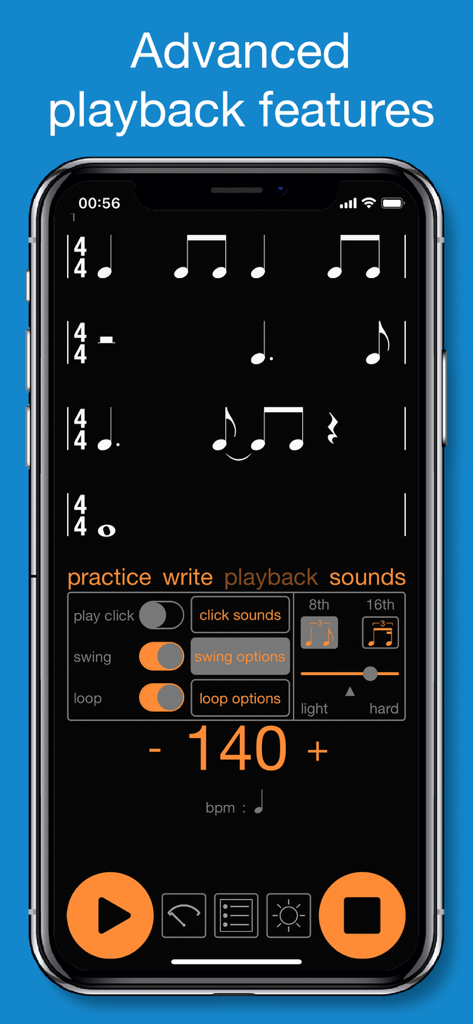
Rhythm+ - Rhythm plus app screenshot displaying musical notation on four staves with advanced playback controls for swing loop and tempo at 140 bpm
Rhythm plus app screenshot displaying musical notation on four staves with advanced playback controls for swing loop and tempo at 140 bpm

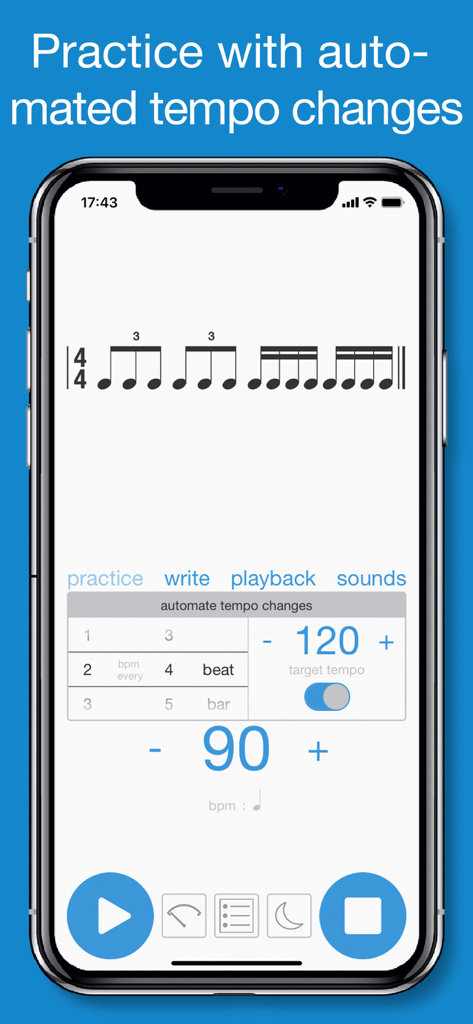
Rhythm+ - Rhythm plus app interface showing practice mode with automated tempo changes and musical notation

Rhythm plus app interface showing practice mode with automated tempo changes and musical notation
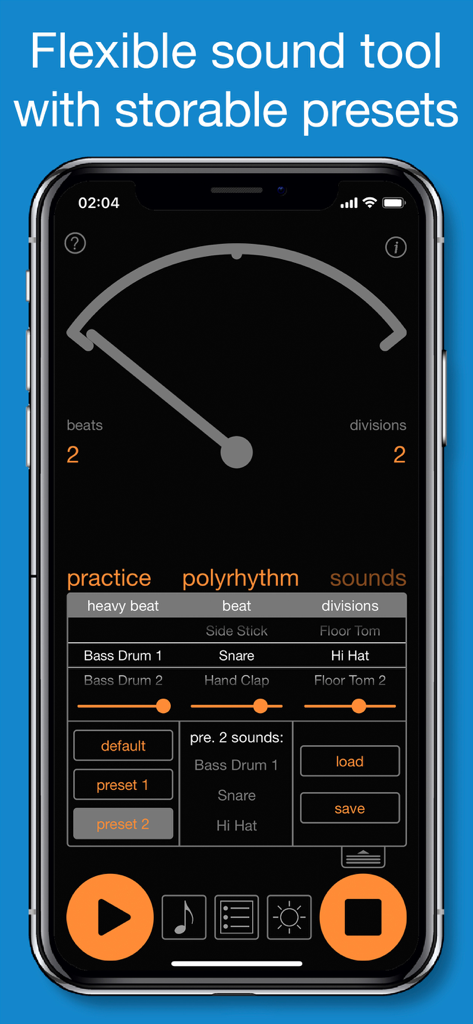
Rhythm+ - Rhythm+ app interface showing metronome sound customization and storable presets
Rhythm+ app interface showing metronome sound customization and storable presets

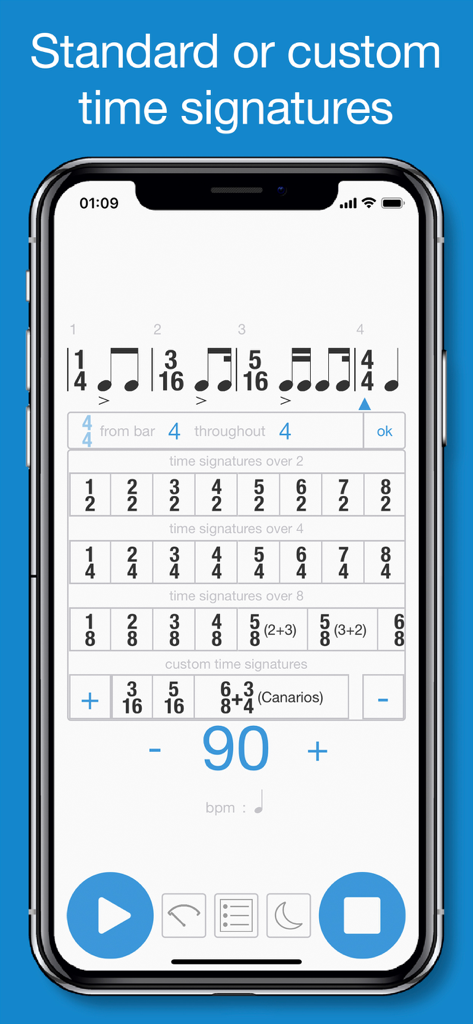
Rhythm+ - Rhythm+ app screenshot showing standard and custom time signature selection options
Rhythm+ app screenshot showing standard and custom time signature selection options

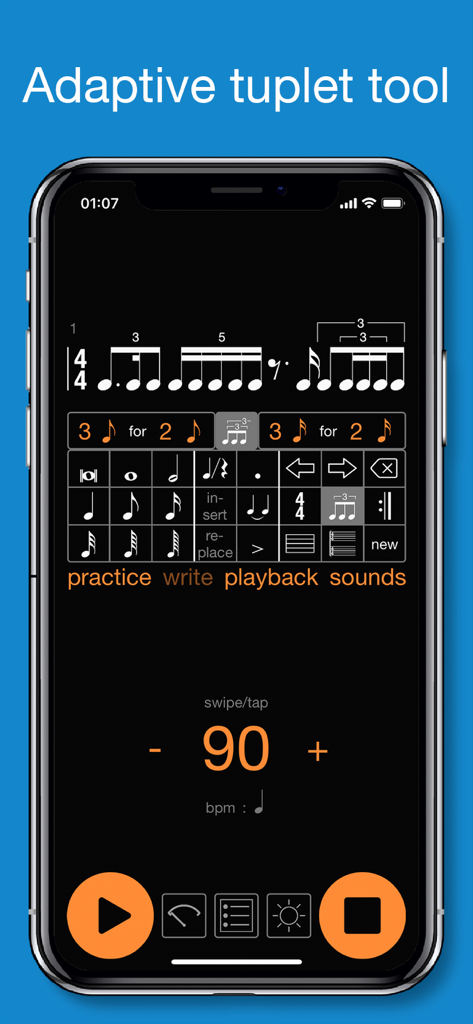
Rhythm+ - Rhythm plus app interface showing the adaptive tuplet tool and complex rhythmic notation

Rhythm plus app interface showing the adaptive tuplet tool and complex rhythmic notation

Description

Finally, Rhythm+ is here! After many years’ experience as musicians, we’ve never found a metronome that could do everything we wanted, therefore we are proud to present Rhythm+. Rhythm+ is an extremely accurate, user-friendly metronome packed with features and boasting a simple design. In Rhythm+ there is emphasis on easy accessibility, so no maneuvering through menu after menu cluttering up the screen. Offering everything the best professional metronomes do and more, Rhythm+ has a very intuitive ‘Pendulum Mode’ where you can make and adjust rhythmic figures. In pendulum mode as well as working with common beats and subdivisions you can access more advanced polyrhythmic functions, a unique feature to Rhythm+. What we consider to be perhaps the greatest strength of Rhythm+, (and where it differs from the best of the other metronomes), is the ‘Rhythmic Notation’ mode. In the rhythmic notation mode, you are not limited by a selection of ready-made rhythms, but with a clear ‘note keyboard’ you can input exactly the rhythms you want regardless of how complex. Working with up to 4 simultaneous staves (and as many bars as you want) you can easily input simple rhythmic patterns or complex polyrhythms. So, on the one hand you can input a drum groove (hi-hat, snare bass drum etc), alter the feel with flexible swing features add repetitions or even meter changes; and on the other hand, you can create your own time signatures to work with, create irrational rhythms, tuplets within tuplets and a myriad of other unique features. Regardless of the mode you work in, with Rhythm+ you can automate the tempo and select from a range of sounds with the added option of assigning different sounds and volume levels to each of the 4 tracks which you can then store in presets. In our view, Rhythm + is perfect as an educational tool. You can easily enter and play the rhythm you want to teach and or learn, without having to use complicated and expensive notation software. An especially useful feature of Rhythm+ for teachers is the ability to store and share exercises in the many levels of folders and sub-folders. Our ambition - to create the simplest, yet most powerful metronome on the market. So whether you are a seasoned pro or a new beginner we believe you will find Rhythm+ a most valuable tool. Enjoy! Key features: - Professional metronome - Rhythmic notation - Pendulum - Precise timing - Intuitive and easy to use - Huge sound library with programable presets - Practice mode with automated tempo changes - Tempo (tap/swipe) with range from 20 to 500 bpm - Advanced save/playlist with share functionality - In-app light and dark mode Pendulum mode: - Beats - Subdivisions - Polyrhythm Notation mode: - Easy to use notation keyboard - Note/rest values from 1/128 - double whole note - Dots, ties and marcato - Rhythmic notation in up to four staves and as many bars as you want - Navigation arrows with editing features like delete, insert or replace note/rest - Advanced time signature tool with 31 predefined time signatures and possibility to create advanced custom time signatures - Advanced adaptive tuplet tool that matches the most professional music notation software. Possibility for tuplets in tuplets. - Repeat tool - Advanced playback features: - Play click on/off with option to select click sound and click volume - Count in measure(s) - Swing 8th or 16th with possibility for continuous adjustment from light to hard swing. - Loop on/off with option to loop selected bars Playlist: - Save items with title and description text - Add or delete folders and sub folders - Reorder items in folders - Rename items/folders - Update saved items - Share items and folders(mail, airdrop) - Backup items/folders to iCloud

Download

Download on App Store

This page is not an official page of the app or its developer, but an independent editorial publication created for informational and commentary purposes. Unless expressly stated otherwise, neither the app nor its developer is affiliated with, endorsed by, sponsored by, authorized by, or otherwise officially connected with MWM, Apple, Google Play, the app publisher, or the app's developer, and nothing on this page implies that the app was developed using MWM's services. Any trademarks, logos, screenshots, and other content remain the property of their respective owners.







