
This page is not an official page of the app or its developer, but an independent editorial publication created for informational and commentary purposes. Unless expressly stated otherwise, neither the app nor its developer is affiliated with, endorsed by, sponsored by, authorized by, or otherwise officially connected with MWM, Apple, Google Play, the app publisher, or the app's developer, and nothing on this page implies that the app was developed using MWM's services. Any trademarks, logos, screenshots, and other content remain the property of their respective owners.


Rivian
Seamlessly manage your R1T or R1S with phone-as-a-key technology, intelligent trip planning, and real-time charging insights designed for the modern explorer.
Downloads
269K+User Rating
Total Ratings
1K+Publisher
Category
TravelLocales
2Latest Version
3.8.1Size
196.1 MBFirst Released
Sep 17, 2021Your Adventure Command Center
Seamlessly manage your Rivian with a powerful suite of tools designed for the modern explorer, from remote control to intelligent route planning.
Phone as a Key
Experience total freedom by using your smartphone to automatically unlock and start your vehicle as you approach.
Smart Route Planning
Take the guesswork out of range with intelligent navigation that maps your charging stops for every off-grid journey.
Frequently Asked Questions
Everything you need to know about Rivian
What is the purpose of the Rivian app?
Yes, the Rivian app works with your R1T and R1S vehicles to simplify driving and ownership. It provides features like using your phone as a key and managing charging sessions.
Can I use my phone as a key for my Rivian R1T or R1S with the app?
Yes, the Rivian app allows you to make your phone a digital key for your R1T or R1S vehicle. This feature enhances convenience for owners.
Does the Rivian app allow remote locking and climate control?
Yes, the Rivian app enables you to remotely lock and unlock your vehicle. You can also warm up or cool down your Rivian before entry.
Can the Rivian app help plan trips and find charging stations?
Yes, the Rivian app includes trip planning functionality. It recommends routes and charging stops based on your preferences, and you can send destinations to your vehicle.
How do I monitor my Rivian's charging and range using the app?
Yes, the Rivian app lets you check your vehicle's range and current charging status. You can also connect to your home Rivian Wall Charger through the app.
Does the Rivian app provide customer support and service scheduling?
Yes, the Rivian app facilitates connecting with support and managing service. You can request and track vehicle service and roadside assistance directly from the application.
Can the Rivian app initiate vehicle software updates?
Yes, the Rivian app enables users to start available vehicle software updates remotely. This ensures your Rivian's systems remain current and optimized.
What specific remote control features does the Rivian app offer?
Yes, the Rivian app offers various remote controls for your vehicle. These include opening the charge port door, venting windows, opening the hood, opening the liftgate, and sounding the alarm.
Does the Rivian app support scheduling home charging for my vehicle?
Yes, the Rivian app allows you to schedule home charging. You can set daily or weekday schedules with specific start and stop times for your Rivian Wall Charger.
The following screenshots and description are sourced directly from the app's official store listing and are the property of the app developer.
App Store
Screenshots
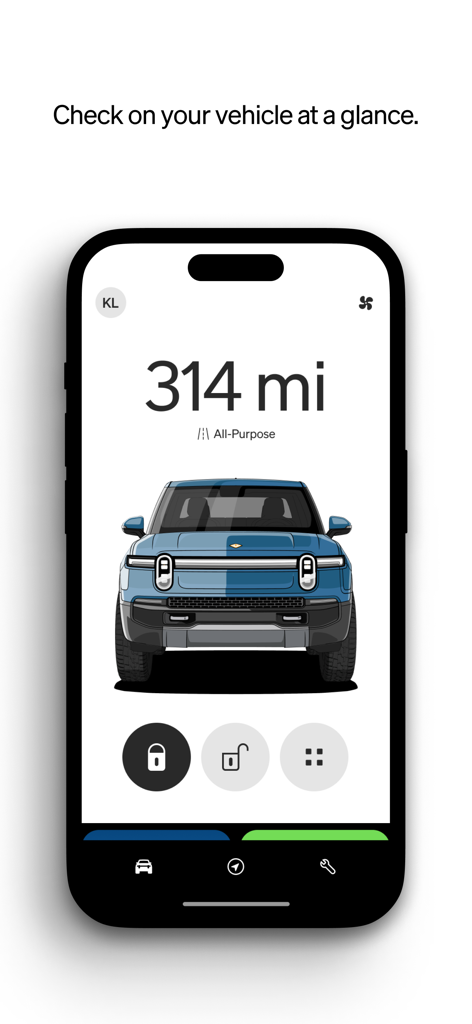
Rivian mobile app dashboard showing a blue electric vehicle with its current range and lock status
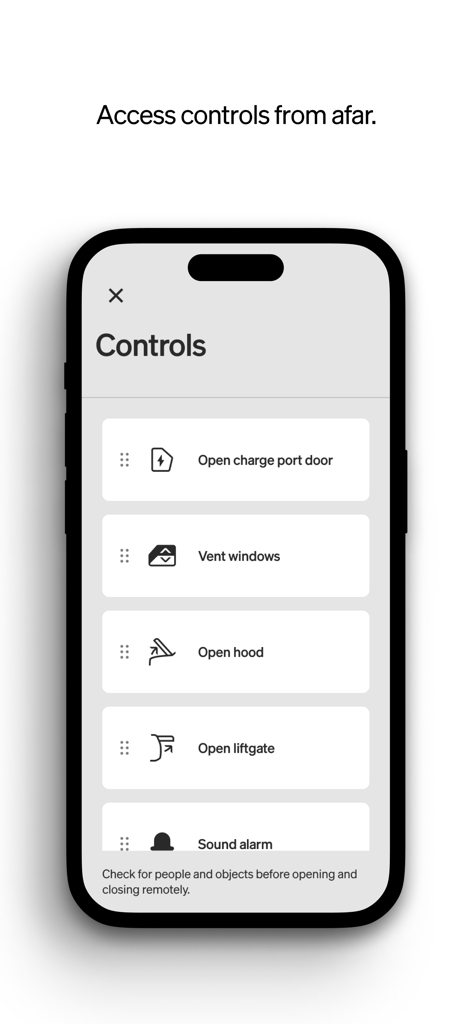
Smartphone screen showing remote control options for a Rivian vehicle including opening the charge port door hood and liftgate
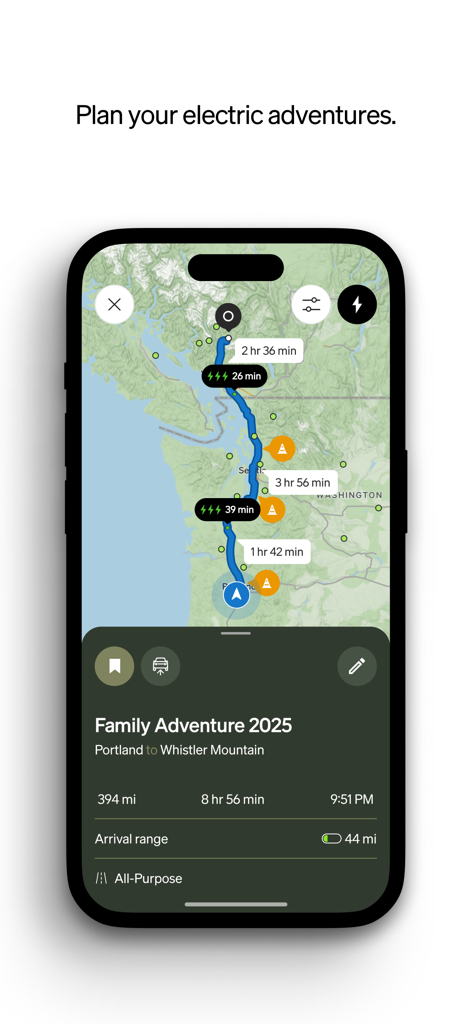
Rivian mobile app trip planning interface showing an EV route with charging stops and arrival range
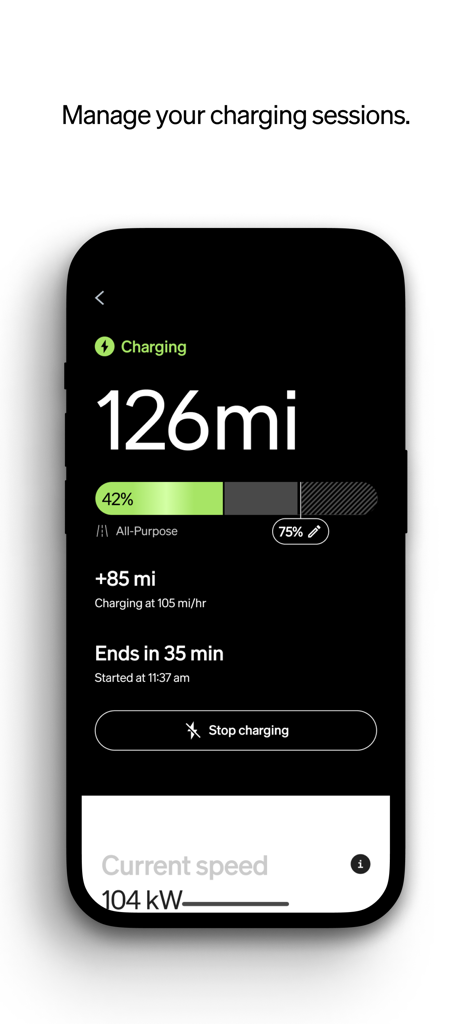
Rivian mobile app interface displaying real-time vehicle charging progress and estimated completion time
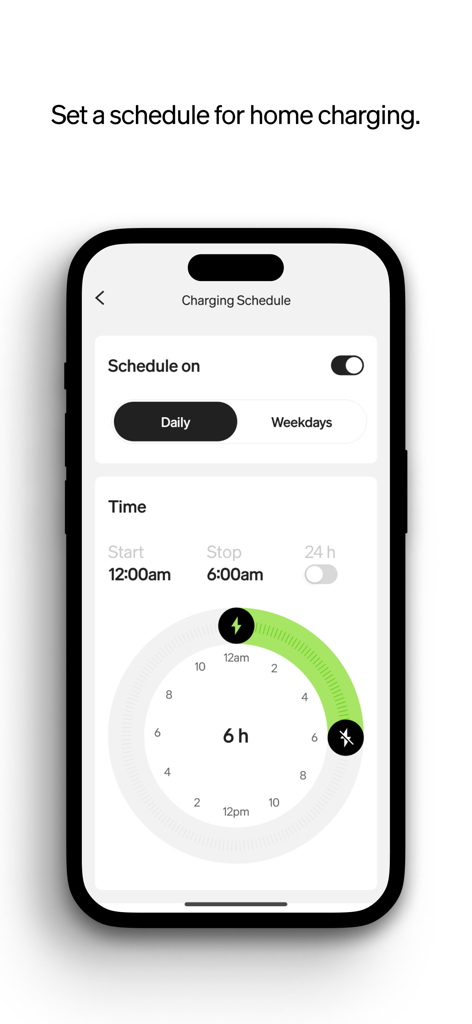
Rivian mobile app screen for setting a home charging schedule with a circular time selector
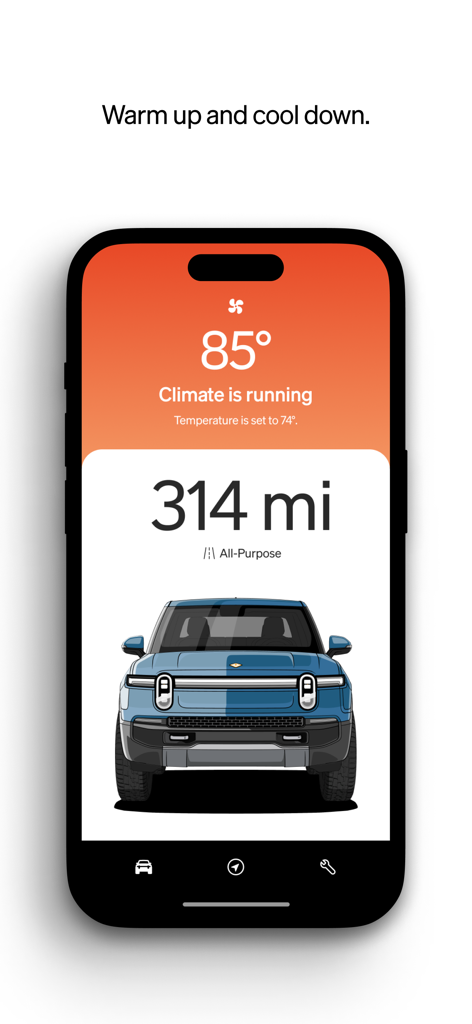
Rivian mobile app screen showing remote climate control settings and current vehicle range
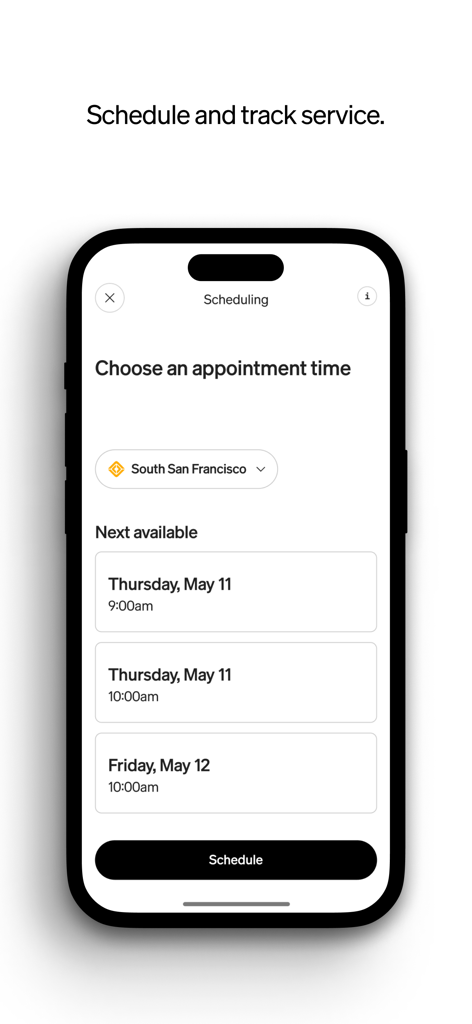
Rivian mobile app screen for scheduling vehicle service appointments.
Description
Download
More Like This
Apps with similar features and user experience

Renault PORT
MAIS MOTORLU ARACLAR IMAL VE SATIS ANONIM SIRKETI
Canyon
Canyon Bicycles GmbH
AcuraLink
American Honda Motor Co., Inc (Acura)

Land Rover Remote
Land Rover

Meu Volkswagen
Volkswagen do Brasil Industria De Veiculos Automotores Ltda

Ather
ATHER ENERGY PRIVATE LIMITED
マイスバル(オーナー専用アプリ)
SUBARU CORPORATION
Bosch eBike Connect
Robert Bosch GmbH

钱江智行
Qianjiang Motorcycle(Hangzhou) Co., Ltd.
This page is not an official page of the app or its developer, but an independent editorial publication created for informational and commentary purposes. Unless expressly stated otherwise, neither the app nor its developer is affiliated with, endorsed by, sponsored by, authorized by, or otherwise officially connected with MWM, Apple, Google Play, the app publisher, or the app's developer, and nothing on this page implies that the app was developed using MWM's services. Any trademarks, logos, screenshots, and other content remain the property of their respective owners.