RoomScan Pro LiDAR floor plans

RoomScan Pro LiDAR floor plans


Download on App Store
Logo of RoomScan Pro LiDAR floor plans

RoomScan Pro LiDAR floor plans: Professional Precision for Every Job Site

Stop wasting time with manual measurements. Generate accurate floor plans in seconds, calculate wall areas automatically, and export directly to CAD, PDF, or Xactimate.

Download on App Store

Publisher

Locometric Ltd

Category

Productivity

Downloads

178K+

User Rating

4.3/5

Total Ratings

1K+

Locales

17

Precision at a Glance

Discover the interface used by 178K+ users.
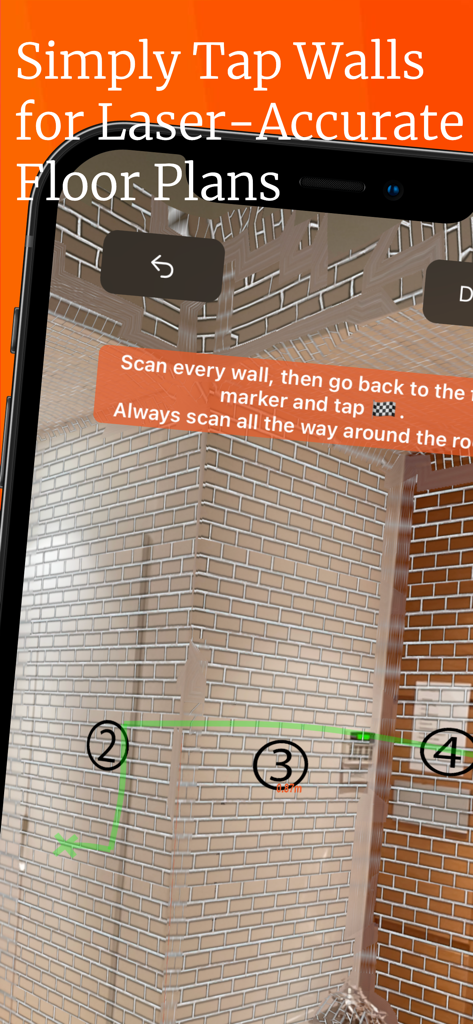
Smartphone screen showing the RoomScan Pro app using LiDAR to scan a brick wall and generate a floor plan

Smartphone screen showing the RoomScan Pro app using LiDAR to scan a brick wall and generate a floor plan

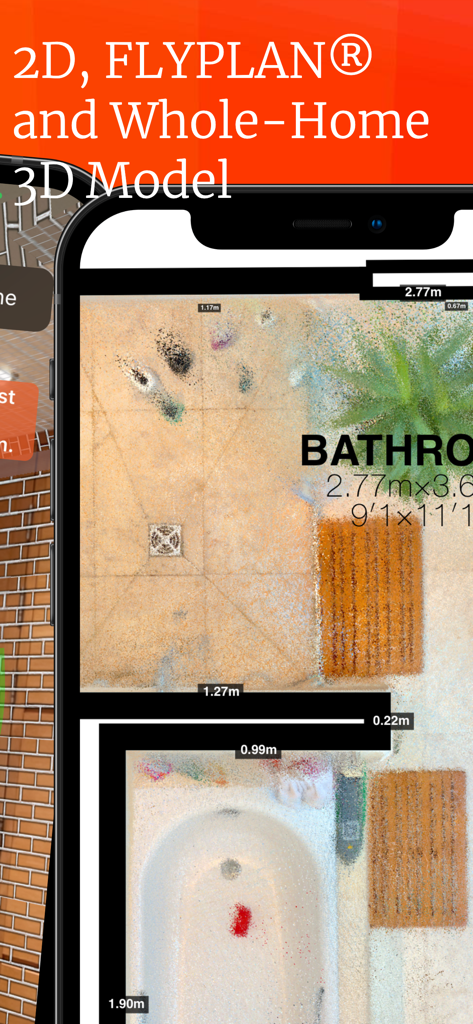
2D floor plan of a bathroom with measurements and point cloud scan on a mobile device

2D floor plan of a bathroom with measurements and point cloud scan on a mobile device

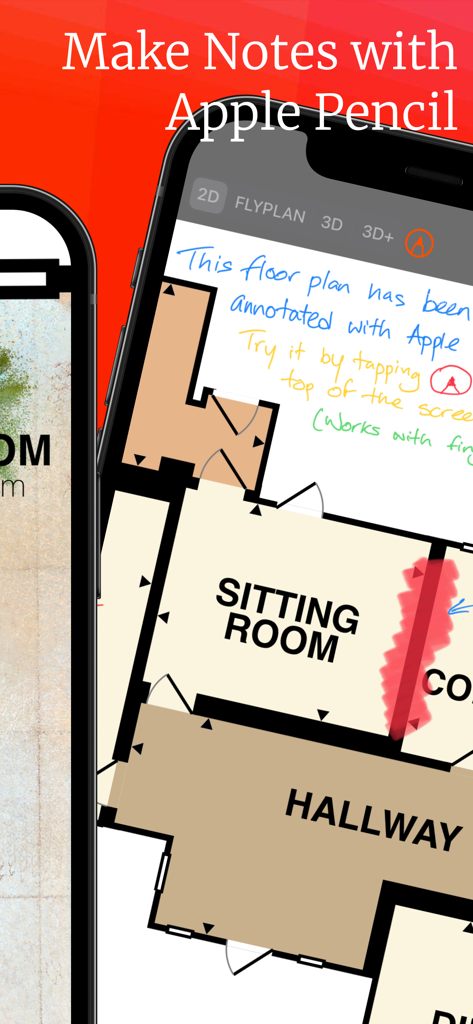
An iPhone screen displaying a 2D floor plan with handwritten notes and highlights using Apple Pencil.

An iPhone screen displaying a 2D floor plan with handwritten notes and highlights using Apple Pencil.

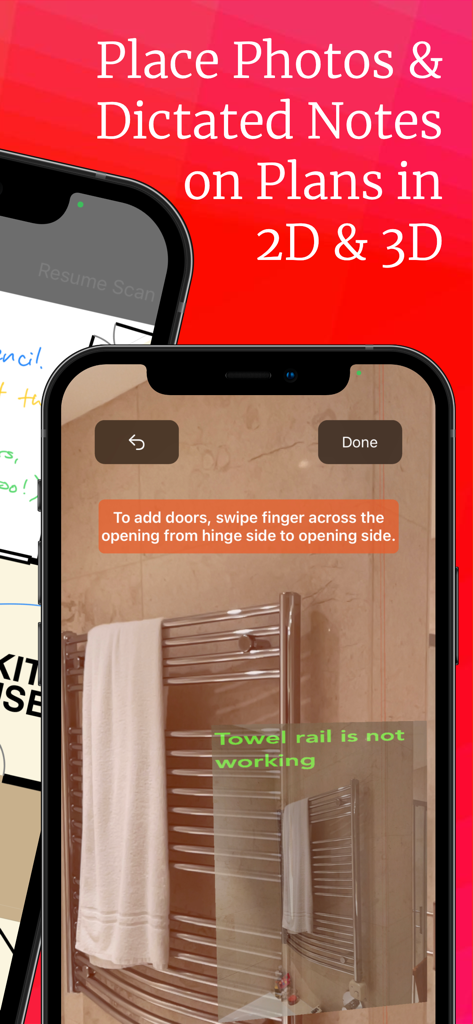
Interface of the RoomScan Pro app showing a photo of a bathroom with an overlaid text note stating the towel rail is not working.

Interface of the RoomScan Pro app showing a photo of a bathroom with an overlaid text note stating the towel rail is not working.

Professional Surveying Tools at Your Fingertips

The tools that make this app stand out, trusted by 178K+ users.

Lightning-Fast LiDAR Scanning

Map entire rooms in seconds with Brick Mode and Apple RoomPlan, reducing on-site time by up to 80% compared to traditional tools.

📐

Pro-Grade CAD Exports

Seamlessly export your plans to DXF, IFC, and PDF. Designed for direct import into professional suites like AutoCAD, SketchUp, and Xactimate.

🛠️

Field-Ready Documentation

Dictate notes and attach photos directly to your floor plans. Automatically calculate wall areas and heat loss parameters for instant, on-site estimates.

About the app

Everything you need to know about RoomScan Pro LiDAR floor plans.

Description

Professional floor plan scanning that works in every room. If your work requires floor plans every day and you aren't using RoomScan Brick Mode, then you are literally wasting time. Includes Apple RoomPlan, as well as the fast & accurate RoomScan Brick Mode for LiDAR devices, and Touch Mode which works in dim light on any device. Also compatible with a range of Bosch and Leica Bluetooth laser measures. Exports to PNG, PDF, DXF (for CAD), IFC (great in Autodesk® and SketchUp®), FML (for Symbility® etc), Xactimate® ESX, Sweet Home 3D, OBJ, PLY, XYZ, RapidSketch, Metropix® and more. • Automatically measures ceiling height and calculates wall areas and heat loss parameters, great for contractors. • Take photos and type or dictate notes onto them, and see them automatically positioned on the plan. Perfect for surveys, inventories, etc. • Annotate your plans with Apple Pencil. • Also scans building exteriors (great for getting GLA for appraisers) and plots. Questions or comments? We're here to help: service@locometric.com US Patents 8,868,375 (2014) and 11,269,060 (2022). http://locometric.com/privacy.html https://www.locometric.com/terms-and-conditions Unlock RoomScan Pro LiDAR with a monthly auto-renewable subscription. Payment will be charged to iTunes Account at confirmation of purchase. Subscription automatically renews unless auto-renew is turned off at least 24-hours before the end of the current period. Account will be charged for renewal within 24-hours prior to the end of the current period. Subscriptions may be managed and auto-renewal may be turned off by going to your iTunes Account Settings after purchase. Any unused portion of a free trial period will be forfeited if you purchase a subscription.

Latest Version

11.11

Size

135.8 MB

First Released

Apr 21, 2020

Stop Wasting Time on Manual Measurements

Join thousands of professionals using LiDAR to scan, measure, and export CAD-ready floor plans in minutes. Start your paperless workflow today.

Download on App Store

App information, icons, screenshots, and descriptions displayed on this page are sourced from the Apple App Store and are the property of their respective developers. Download estimates and rankings are based on MWM's proprietary models and may not reflect actual figures. This page is provided for informational and analytical purposes only.

Believe this page infringes your intellectual property? File a dispute