
This page is not an official page of the app or its developer, but an independent editorial publication created for informational and commentary purposes. Unless expressly stated otherwise, neither the app nor its developer is affiliated with, endorsed by, sponsored by, authorized by, or otherwise officially connected with MWM, Apple, Google Play, the app publisher, or the app's developer, and nothing on this page implies that the app was developed using MWM's services. Any trademarks, logos, screenshots, and other content remain the property of their respective owners.


Tape Measure®
No more fumbling with clunky tools. It grants users precise spatial mastery, turning their phone into an all-in-one measurement powerhouse.
Downloads
2.5M+User Rating
Total Ratings
55.1KPublisher
Category
UtilitiesLocales
8Latest Version
1.3.1Size
108.6 MBFirst Released
Oct 6, 2018Evaluating core functionalities for DIY enthusiasts and home improvement professionals.
Comprehensive Analysis of Tape Measure® Key Features
Stud and Wiring Detection
It allows users to detect metal and wiring within walls, crucial for safe drilling and mounting during home improvement projects.
Augmented Reality Measurement
The app provides an easy-to-use augmented reality tape measure and ruler, enabling precise measurements by pointing and shooting or touching objects.
Floor Plan Design & Storage
It allows users to create accurate perimeter floor plans and store them in a plan library for future reference and project planning.
Virtual Object Placement
This tool features functionalities like Virtual Furniture, TV Sizer, and Painting to visualize how items would fit and look in a given space, aiding in interior design.
Integrated Leveling Tools
The app provides Laser Level and Bubble Level features for precise and accurate measurements and alignment during construction or installation tasks.
Surface and Angle Analysis
It allows users to measure surfaces and angles, facilitating accurate calculations for various design and construction needs.
Frequently Asked Questions
Everything you need to know about Tape Measure®
How does Tape Measure® work?
Tape Measure® uses augmented reality (AR) to provide measurement tools. It allows users to measure objects by pointing and shooting a ruler or by touching the phone directly to surfaces, leveraging AR capabilities for accuracy.
What tools are included in the Tape Measure® app?
Tape Measure® includes tools like Tape Measure, Surface Measure, Angle Measure, Floor Plan, Laser Level, Bubble Level, Stud Finder, Person’s Height, Virtual Furniture, TV Sizer, and Wall Draw.
Can Tape Measure® create floor plans?
Yes, Tape Measure® includes a Floor Plan tool to create accurate perimeter floorplans. It also features a Plan Library to save created plans, which are embeddable in Sweet Home 3D with a Premium subscription.
Is a premium subscription required for Sweet Home 3D integration with Tape Measure®?
Yes, a Premium subscription to Tape Measure® grants access to the 3D design app Sweet Home 3D. This bundle allows users to create and visualize house projects with great precision.
What are the device requirements for Tape Measure® augmented reality features?
Tape Measure® augmented reality features require ARKit with an A9 processor or later. This means an iPhone 6S or later is necessary to utilize these functionalities within the app.
Does Tape Measure® offer a free trial for its premium subscription?
Yes, Tape Measure® offers a free trial, but only on selected subscriptions. Any unused portion of a free trial period, if offered, is forfeited upon purchasing a subscription.
How do I manage my Tape Measure® premium subscription?
You can manage your Tape Measure® subscriptions and turn off auto-renewal from your iTunes Account Settings after the purchase. Auto-renewal must be turned off at least 24 hours before the current period ends.
Where can I find the privacy policy for Tape Measure®?
The privacy policy for Tape Measure® is available at the following link: https://magic-cake-e95.notion.site/Tape-Measure-Privacy-Policy-1b9cf6557a088042b850c9577a3c6fc7?pvs=4.
Can Tape Measure® detect metal and wiring?
Yes, Tape Measure® includes a Stud Finder tool specifically designed to detect metal and wiring. This feature assists users in locating hidden objects within walls.
Does Tape Measure® allow drawing in AR mode?
Yes, Tape Measure® provides an Air Brush tool that enables users to draw directly in augmented reality (AR) mode. This feature allows for virtual markings and annotations within the environment.
How does the TV Sizer feature work in Tape Measure®?
The TV Sizer in Tape Measure® allows users to visualize how different TV measures would fit in their space. It helps determine the optimal placement and size by measuring the TV diagonal.
Can Tape Measure® measure a person's height?
Yes, Tape Measure® includes a specific tool for measuring a person's height. This feature utilizes augmented reality to provide accurate height measurements using your phone.
The following screenshots and description are sourced directly from the app's official store listing and are the property of the app developer.
App Store
Screenshots
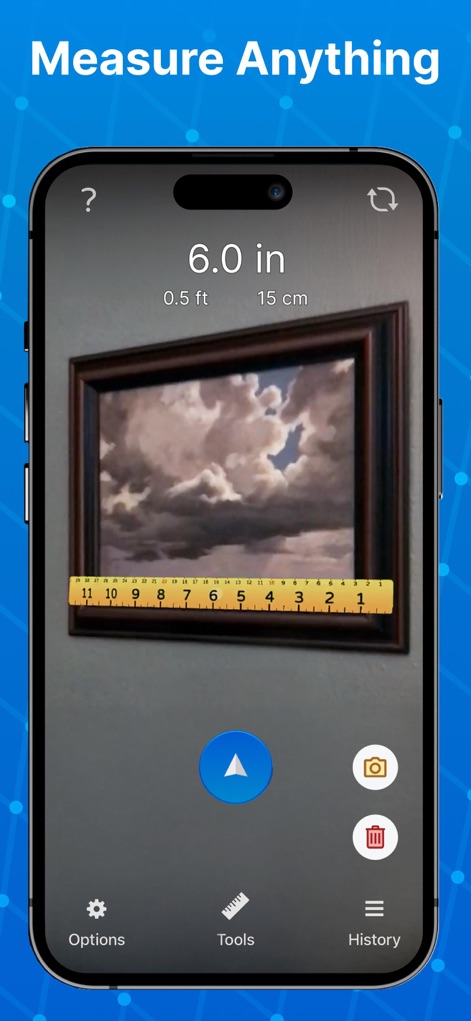
Users can effortlessly measure objects using the intuitive point-and-shoot ruler, with results displayed in multiple units like inches and centimeters for comprehensive understanding.
Instant Object Measure
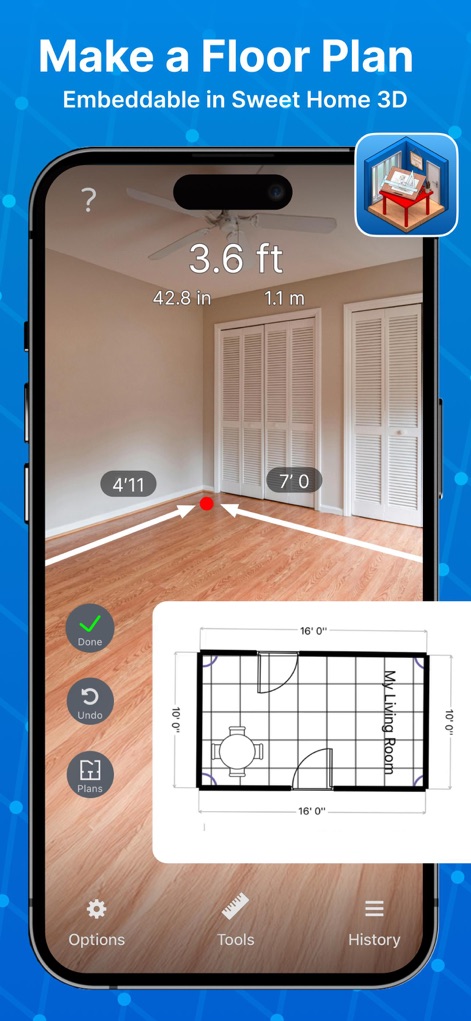
This tool empowers users to generate precise floor plans in augmented reality, overlaying real-time dimensions and visualizing a generated plan within the interface.
AR Floor Planning
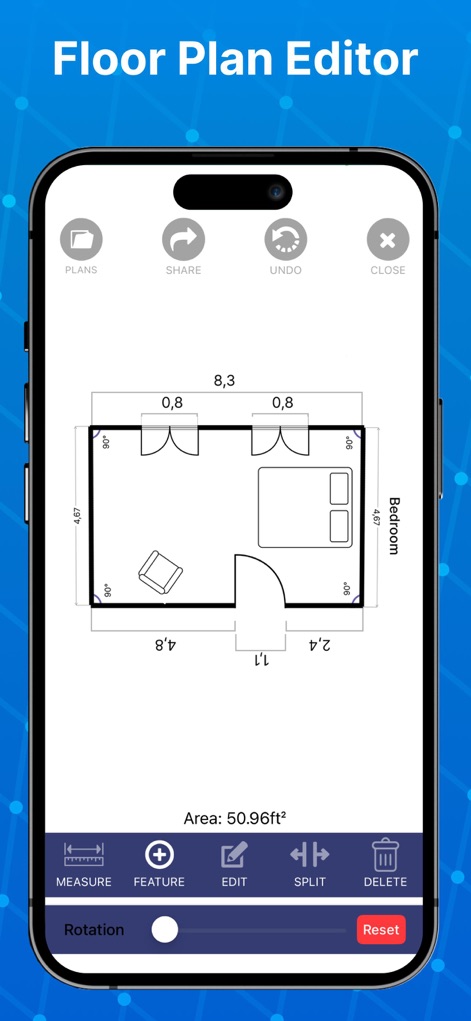
The app provides a robust floor plan editor, allowing users to modify designs with tools like 'Edit' and 'Split', and manage their creations with 'Plans' and 'Share' options.
Advanced Plan Editor
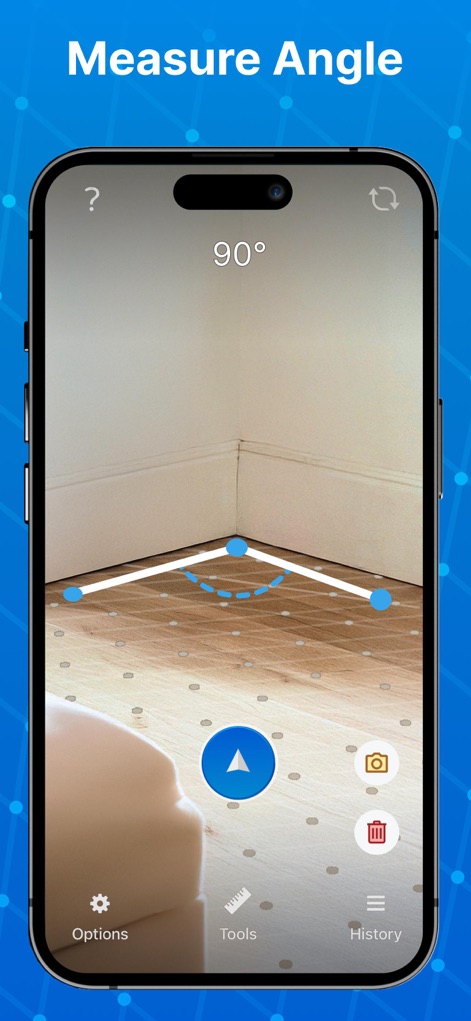
The app precisely measures angles in any space, visually representing the angle with AR lines and displaying the exact degree measurement, such as "90°".
Accurate Angle Tool
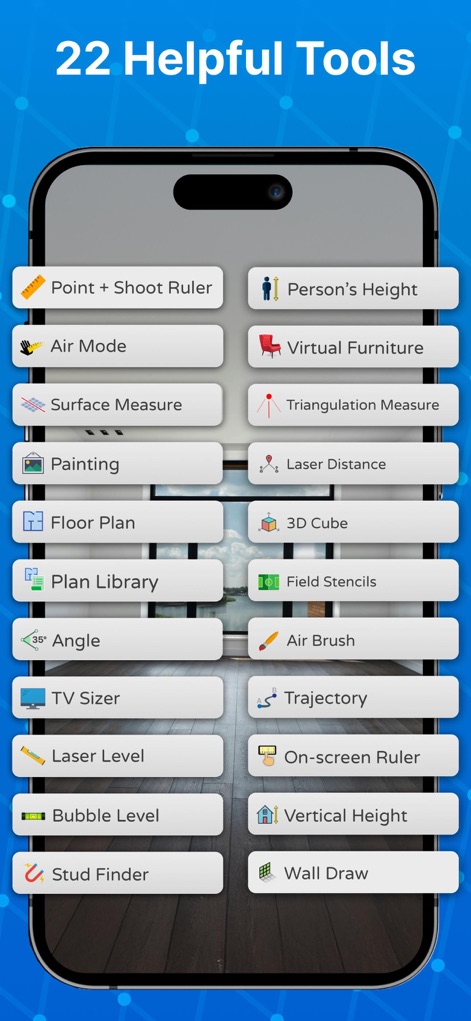
Discover the extensive suite of 22 powerful tools, including 'Point + Shoot Ruler' for quick measurements and 'Virtual Furniture' for design visualization.
Comprehensive Toolset
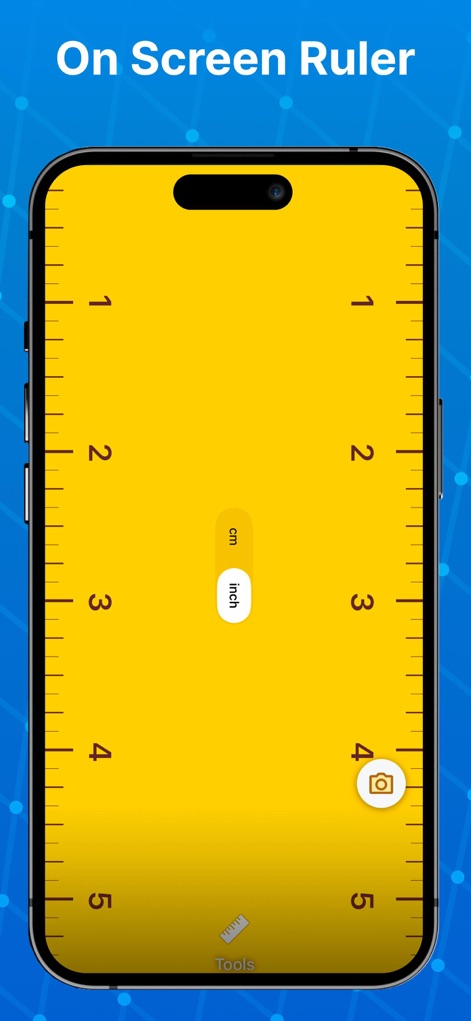
This tool offers a versatile on-screen ruler that can instantly toggle between 'cm' and 'inch' measurements for immediate, precise readings.
Digital On-Screen Ruler
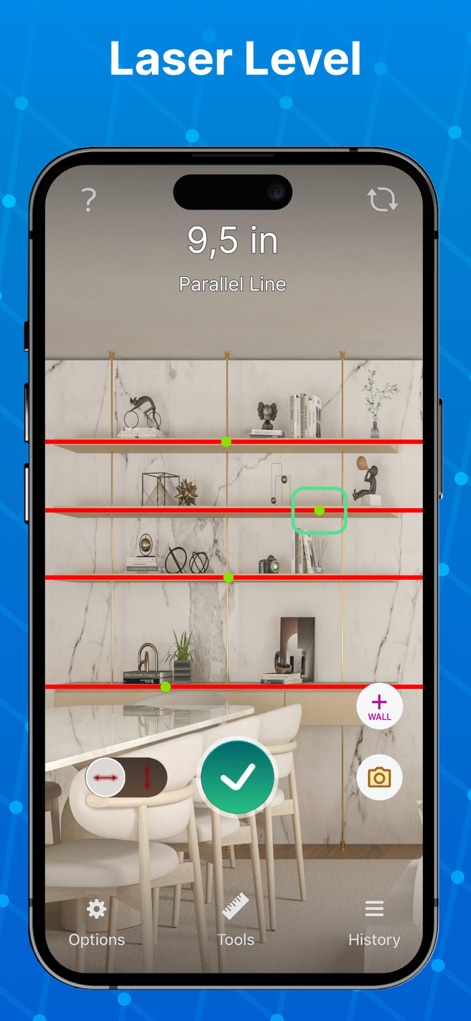
Users can achieve perfectly level surfaces with the integrated laser level, which displays parallel red lines and provides precise '9.5 in' vertical measurements.
Precision Laser Level
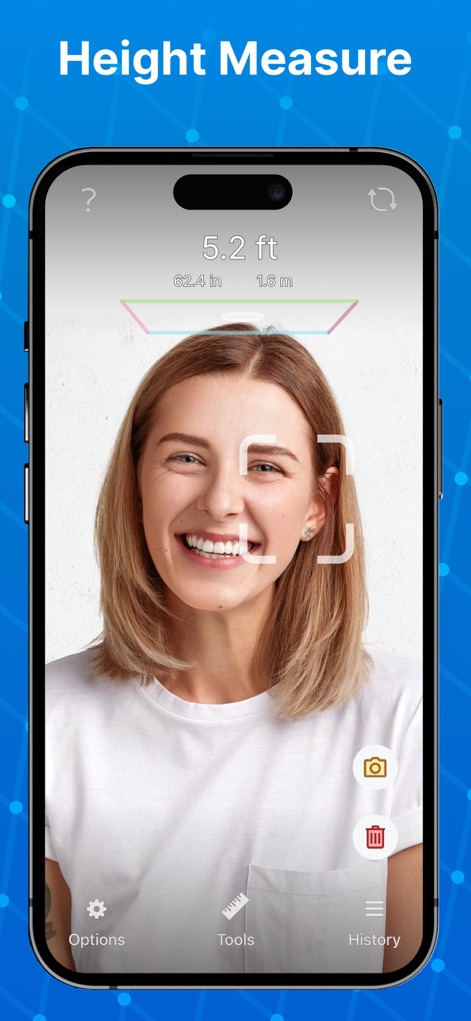
The app accurately measures a person's height, using a facial detection frame and clearly displaying the result in multiple units like '5.2 ft'.
Person's Height Meter
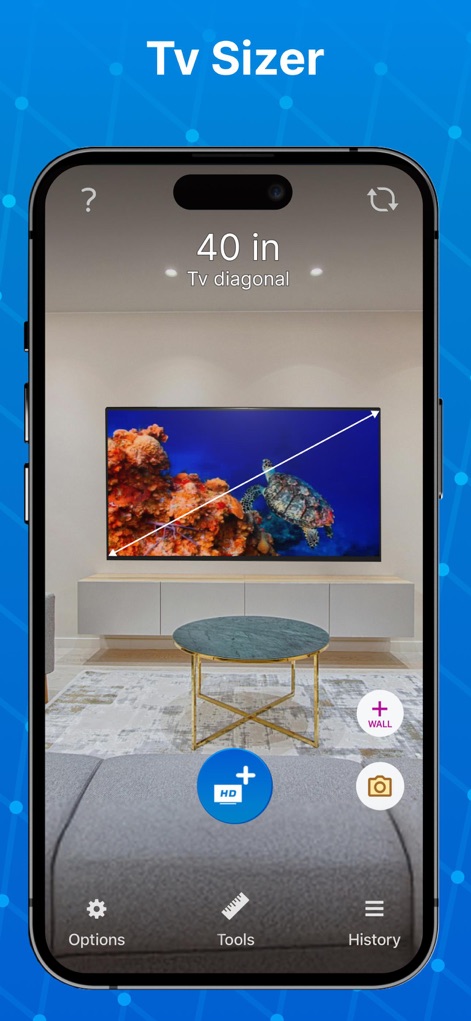
Visualize TV dimensions in a space using the 'TV Sizer' tool, which overlays a virtual TV model and displays its diagonal measurement, like '40 in'.
Virtual TV Sizer
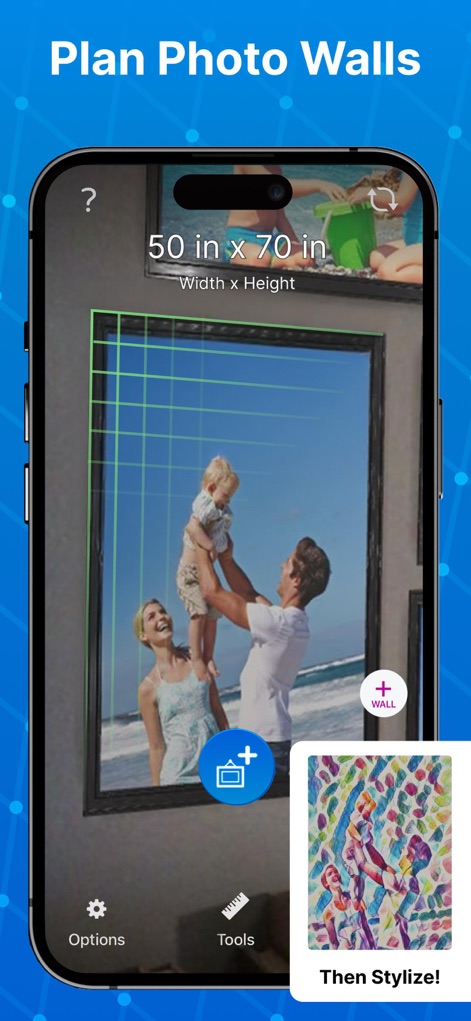
Plan stunning photo walls with ease, utilizing the grid overlay for precise placement and viewing the overall dimensions, such as '50 in x 70 in', along with stylized image previews.
Photo Wall Planner
Description
Download
More Like This
Apps with similar features and user experience

Pocket Bubble Level XXL
ExaMobile S.A.

Measuring Tape +ㅤ
Rocket Apps GmbH

CamToPlan - 3D Scanner & LiDAR
Tasmanic Editions

Tape Measure: AR Ruler
Veysel OTI

Home Planner - AI Room Design
Room Planner Ltd

Polycam 3D Scanner, LiDAR, 360
Polycam Inc.

Measuring Tape+ Measure AR app
MEASURE TECH SOCIEDAD LIMITADA

Bubble Level for iPhone
Lemondo Apps LLC
CamToPlan - AR tape measure
Tasmanic Editions
This page is not an official page of the app or its developer, but an independent editorial publication created for informational and commentary purposes. Unless expressly stated otherwise, neither the app nor its developer is affiliated with, endorsed by, sponsored by, authorized by, or otherwise officially connected with MWM, Apple, Google Play, the app publisher, or the app's developer, and nothing on this page implies that the app was developed using MWM's services. Any trademarks, logos, screenshots, and other content remain the property of their respective owners.