
This page is not an official page of the app or its developer, but an independent editorial publication created for informational and commentary purposes. Unless expressly stated otherwise, neither the app nor its developer is affiliated with, endorsed by, sponsored by, authorized by, or otherwise officially connected with MWM, Apple, Google Play, the app publisher, or the app's developer, and nothing on this page implies that the app was developed using MWM's services. Any trademarks, logos, screenshots, and other content remain the property of their respective owners.


Polycam 3D Scans & Floor Plans
Physical spaces surrender their secrets. This app equips users to capture and map environments with unparalleled detail, directly from an iOS device.
Downloads
12.5M+User Rating
Total Ratings
114.6KPublisher
Category
Photo & VideoLocales
27Latest Version
5.2.12Size
490.8 MBFirst Released
Sep 28, 2020Polycam: Key Feature Evaluation
An in-depth analysis of Polycam's core functionalities and their impact on professional workflows.
Precision Room Modeling (LiDAR)
It allows users to instantly generate detailed, highly accurate 3D models of rooms and interiors using LiDAR, perfect for architects, designers, and real estate professionals.
Automated Floor Plan Generation
This tool enables the instant generation of 2D floor plans and scale-accurate blueprints from 3D room scans, which are ready to integrate into architectural and design workflows.
LiDAR-Powered Spatial Scanning
The app provides top-rated LiDAR scanning capabilities for rapid, accurate captures of space, allowing users to create detailed 3D scans ready for editing or import into other design software.
Industry-Standard Export Formats
It features seamless export options for detailed 3D models (.obj, .dae, .fbx, .stl) and color point clouds (.dxf, .ply), ensuring full compatibility with industry-standard 3D software for streamlined design and visualization processes.
Web-Based Advanced Editing & Sync
The platform offers web access, allowing users to edit, enhance, and share models from their computer with advanced editing tools, AI texture generation, and cloud syncing for seamless integration into professional workflows.
On-Device Precision Editing & Measurement
It features powerful on-device tools for cropping, rotating, rescaling, and measuring, enabling users to fine-tune 3D models with precision before export.
High-Quality 3D Modeling (Photogrammetry)
The app allows users to effortlessly create high-quality 3D models from photos using photogrammetry and Gaussian splats, suitable for capturing intricate objects and scenes, and compatible with professional graphics applications.
Collaborative Project Sharing
It facilitates effortless sharing of 3D captures via simple links for professional feedback and enables streamlined teamwork through shared libraries for efficient project collaboration.
Unlimited High-Quality Captures
This tool provides unlimited photogrammetry and Gaussian splats, allowing users to capture and process as many high-quality 3D models as needed, ensuring comprehensive detail for extensive professional projects.
Immersive 360° Capture
It transforms an iPhone into a 360° camera, enabling the creation of immersive panoramic experiences with AI technology seamlessly filling unseen areas for complete virtual environments.
Frequently Asked Questions
Everything you need to know about Polycam 3D Scans & Floor Plans
What is Polycam used for?
Polycam is a 3D scanning platform for iPhone and iPad. It creates high-quality 3D models from photos, generates LiDAR scans, and captures 360° images for editing and export to industry-standard software.
Can Polycam generate 3D models from photos?
Yes, Polycam generates high-quality 3D models from photos using photogrammetry and Gaussian splats. This feature functions across all iPhones and iPads.
Does Polycam support LiDAR scanning?
Yes, Polycam offers top-rated LiDAR scanning for rapid, accurate captures of space. This feature requires an iPhone or iPad equipped with LiDAR technology.
What devices are compatible with Polycam's 360° camera feature?
Polycam's 360° camera feature is compatible with iPhone 11 and later models. It transforms the device into a full-fledged 360° camera for immersive panoramic experiences.
Can Polycam create floor plans from 3D scans?
Yes, Polycam generates detailed 3D models of rooms using LiDAR in Room Mode, and instantly creates 2D floor plans and scale-accurate blueprints from these scans.
What file formats can Polycam export 3D models in?
Polycam exports detailed 3D models in .obj, .dae, .fbx, and .stl formats, and color point clouds as .dxf and .ply. Floor plans are exported for AutoCAD, SketchUp, and Adobe Illustrator.
Does Polycam offer on-device editing tools?
Yes, Polycam provides powerful on-device tools for precise editing and measuring. Users can crop, rotate, rescale, and measure their 3D models directly on their iPhone or iPad.
How does Polycam facilitate collaboration on projects?
Polycam facilitates collaboration through easy sharing via simple links and streamlined teamwork using shared libraries. Users can also connect with a community of creators on Polycam Explore.
Is Polycam Web Access included with the app?
Yes, Polycam Web Access is included free. It allows users to edit, enhance, and share models from their computer, featuring advanced editing, AI texture generation, and cloud syncing.
Does Polycam Pro offer unlimited 3D model creation?
Yes, Polycam Pro offers unlimited photogrammetry and Gaussian splats. This allows users to capture and process any number of high-quality 3D models for their projects without restrictions.
Can Polycam be used for measuring distances in 3D scans?
Yes, Polycam allows precise measurement within 3D scans. The app provides tools to measure distances in seconds directly on the device, as shown with dimensions displayed on screen.
How can I view the Privacy Policy for Polycam?
The Privacy Policy for Polycam is accessible via the link: https://poly.cam/privacy_policy.pdf. This document details how Polycam handles user data and privacy practices.
The following screenshots and description are sourced directly from the app's official store listing and are the property of the app developer.
App Store
Screenshots
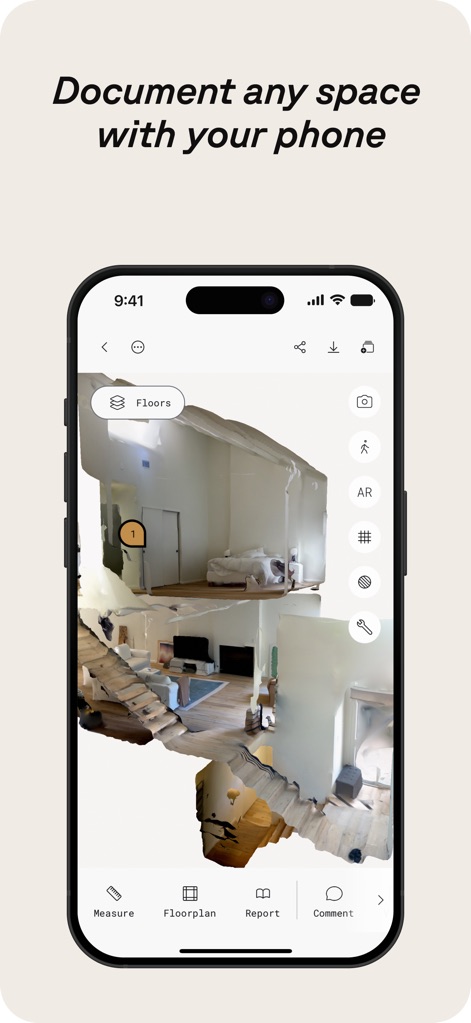
Immersive 3D Capture
See how Polycam allows users to capture detailed interior spaces with a 3D model view and intuitive bottom navigation for features like "Measure" and "Floorplan".
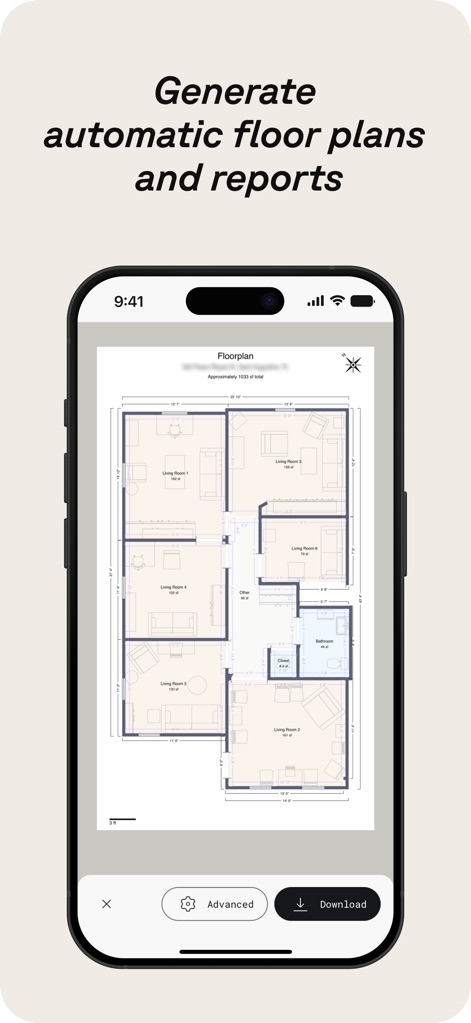
Automated Floor Plans
Explore how the app instantly generates accurate 2D floor plans with detailed room labels and offers options to "Download" or access "Advanced" settings.
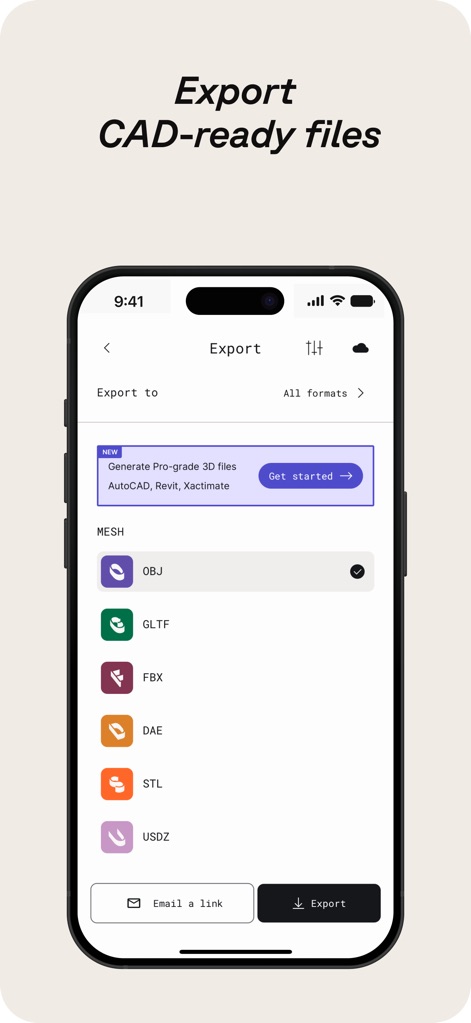
Professional Export Options
Discover the app's extensive export capabilities, supporting various mesh formats like "OBJ" and "FBX", alongside options for generating "Pro-grade 3D files".
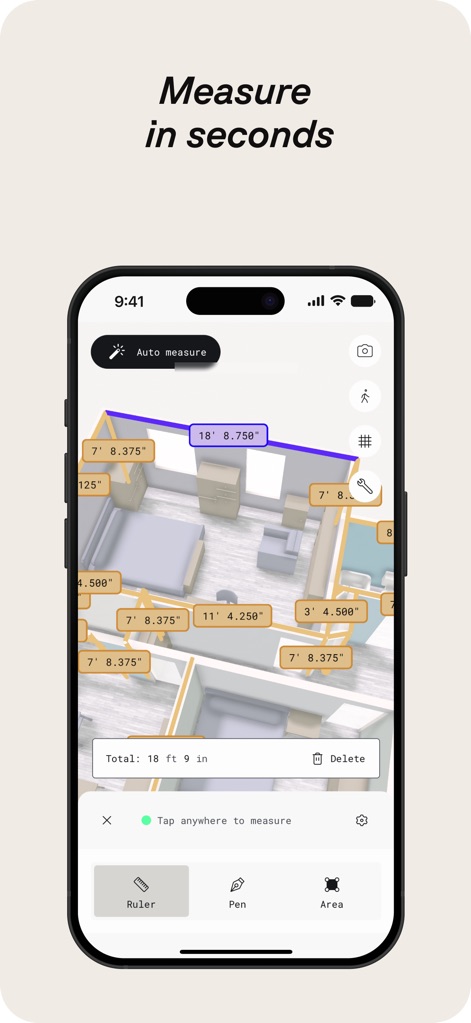
Accurate On-Device Measurement
Observe how users can perform precise measurements directly within the 3D model, utilizing features like "Auto measure" and dedicated tools such as the "Ruler" for enhanced accuracy.
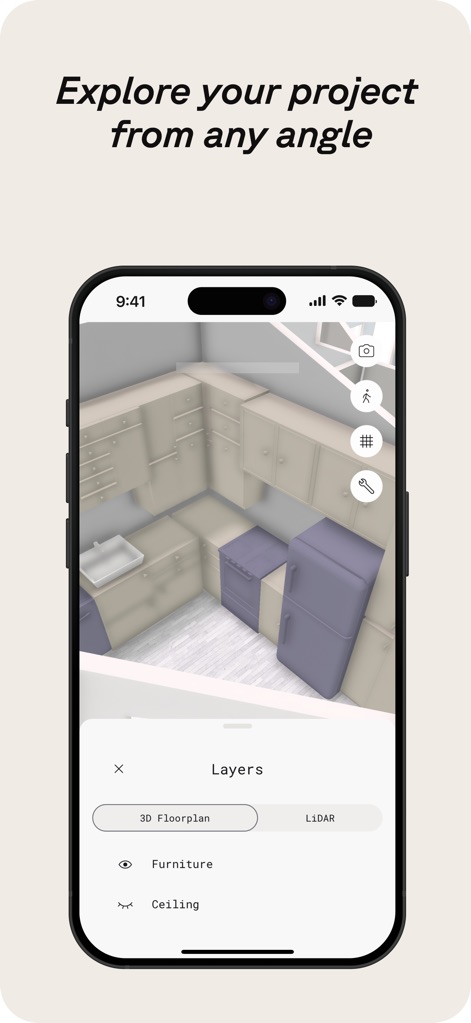
Dynamic Project Views
See how the app enables dynamic exploration of projects from any angle, offering a "Layers" panel to toggle elements like "Furniture" and "Ceiling" for detailed analysis.
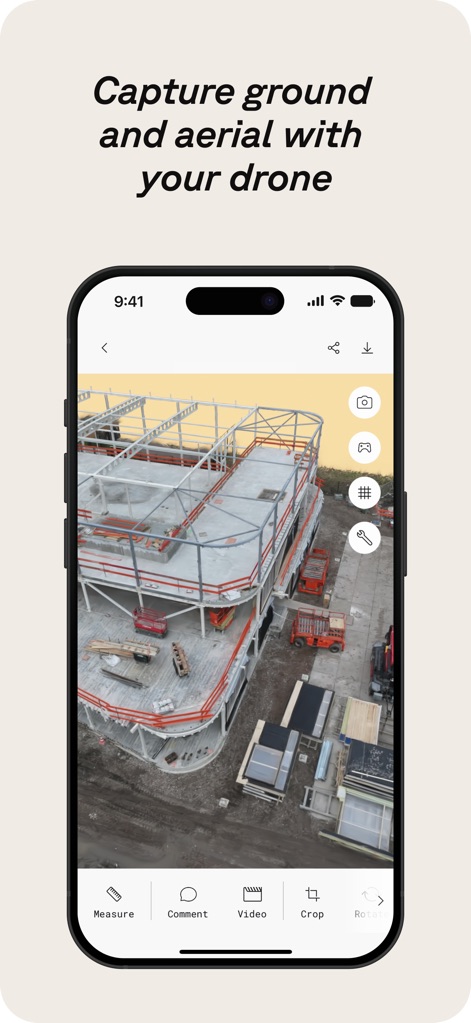
Drone Integration
Witness the app's versatility in capturing large-scale environments, supporting drone-based aerial scans and offering tools to "Measure" and "Crop" these detailed datasets.
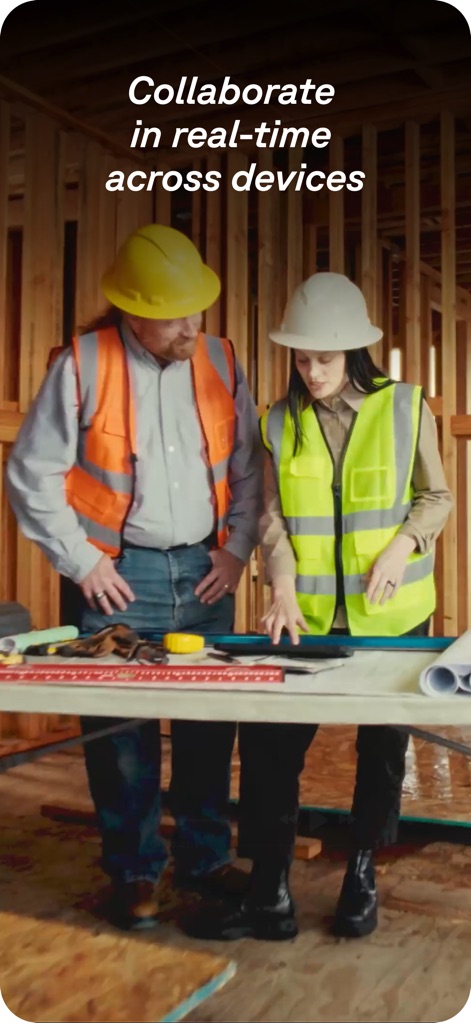
Seamless Collaboration
Understand how the platform fosters collaboration, enabling professionals to share projects and engage in real-time teamwork across different devices for efficient workflow.
Description
Download
More Like This
Apps with similar features and user experience

Pocket Bubble Level XXL
ExaMobile S.A.

Measuring Tape +ㅤ
Rocket Apps GmbH

CamToPlan - 3D Scanner & LiDAR
Tasmanic Editions

Tape Measure: AR Ruler
Veysel OTI

Home Planner - AI Room Design
Room Planner Ltd

Measuring Tape+ Measure AR app
MEASURE TECH SOCIEDAD LIMITADA

Tape Measure®
AI Photo Editor Lab SRL

Bubble Level for iPhone
Lemondo Apps LLC
CamToPlan - AR tape measure
Tasmanic Editions
This page is not an official page of the app or its developer, but an independent editorial publication created for informational and commentary purposes. Unless expressly stated otherwise, neither the app nor its developer is affiliated with, endorsed by, sponsored by, authorized by, or otherwise officially connected with MWM, Apple, Google Play, the app publisher, or the app's developer, and nothing on this page implies that the app was developed using MWM's services. Any trademarks, logos, screenshots, and other content remain the property of their respective owners.